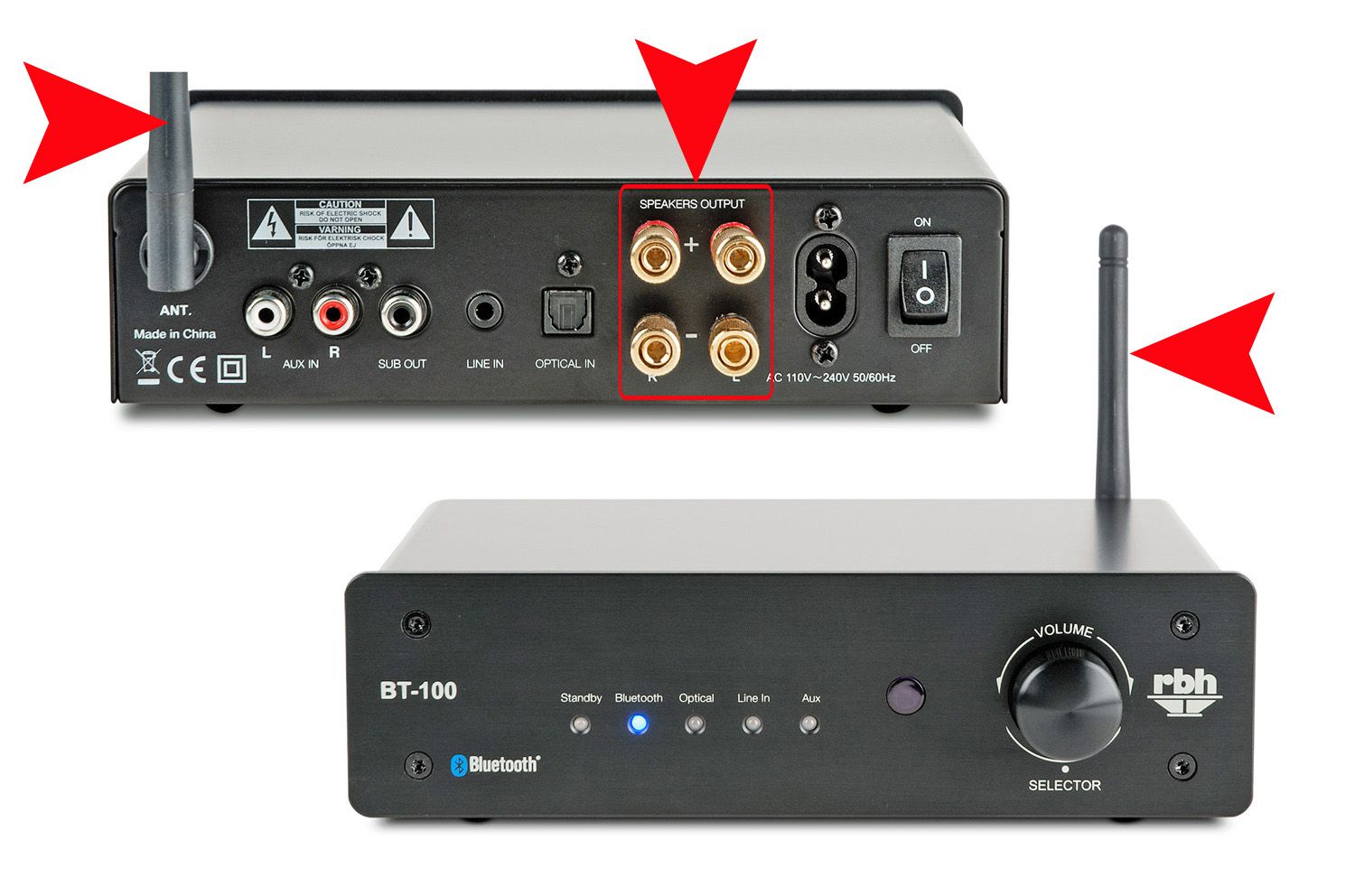
To make a wired speaker wireless, you add a Bluetooth adapter to its audio input, which lets you stream music from your phone without cables. This is the simplest method for most people, and the exact setup depends on the speaker's inputs and the phone or app you use.
How to make a wired speaker wireless with a Bluetooth adapter
The most straightforward way to make a wired speaker wireless is by using a Bluetooth adapter. This small device plugs into the speaker's audio input (usually a 3.5mm AUX jack or RCA ports) and acts as a receiver for Bluetooth signals from your phone. After powering the adapter on and putting it in pairing mode, your phone can detect it as a standard Bluetooth audio device. Choose an adapter that matches your speaker's input type, some adapters also include a built-in battery for portability, while others require a USB power source. Once connected, any audio you play on your phone will stream wirelessly to the speaker through the adapter.
Pair the adapter with your iPhone
After turning on the Bluetooth adapter and putting it in discovery mode, follow these verified steps on your iPhone:
- Open Settings and tap Bluetooth.
- Turn on Bluetooth using the toggle.
- Wait for the adapter name to appear under the devices list, then tap it.
- If prompted, enter the accessory PIN or passcode (check the adapter's instructions, or try common codes like 0000 or 1234).
Your iPhone must stay within about 33 feet (10 meters) of the Bluetooth adapter to maintain a stable connection.
Pair the adapter with your Android phone
Pixel phone steps
- Open the Settings app and tap Connected devices.
- Tap Pair new device.
- Under Available devices, tap the Bluetooth adapter name and follow on-screen prompts.
You can also touch and hold the Bluetooth icon from Quick Settings to start pairing from there. If no passcode is provided, Google notes that common codes are 0000 or 1234. Google's help also says to check Bluetooth is on under Connected devices > Connection preferences > Bluetooth.
Samsung Galaxy steps
- Open Settings, then tap Connections and Bluetooth.
- Turn Bluetooth on with the switch.
- Put the adapter in pairing mode, then tap its name when it appears and follow the prompts to connect.
Route audio to the speaker after pairing
Once the Bluetooth adapter is paired, audio from your phone should automatically play through the wired speaker. On Samsung Galaxy phones, you can also use the Media output feature to select which audio device is active: swipe down from the top of the screen, tap Media output, then tap the checkmark next to the speaker you want to use. This is useful if you have multiple Bluetooth devices connected and want to switch between them. Samsung documents Media output for routing audio after Bluetooth devices are connected: swipe down, tap Media output, then select the checkmark next to each audio device.
When to use a wireless audio transmitter and receiver instead
If Bluetooth range (about 33 feet) is insufficient for your setup, for example, if your phone is in a different room or you need to cover a larger area, a dedicated wireless audio transmitter and receiver set can work better. The transmitter connects to your audio source (like a TV or computer) and sends the signal wirelessly to a receiver plugged into your wired speaker. Your phone still pairs via Bluetooth to the transmitter or receiver following the standard pairing steps above. Exact supported models, codec limits, and range limits vary by product, so check the specifications of the transmitter/receiver set you choose.
Can you use Wi-Fi to make a wired speaker wireless?
If your speaker is part of a specific Wi‑Fi audio system (such as those using proprietary apps or multi-room platforms), you must follow that system's instructions for setup.
Frequently Asked Questions
Will making my wired speaker wireless reduce audio quality?
Bluetooth adapters compress audio, which can slightly reduce quality compared to a direct wired connection, but most listeners find the difference negligible with modern codecs like AAC or aptX.
What about audio latency when watching videos?
Bluetooth can introduce a small delay (latency) between video and audio, which may be noticeable when watching movies or playing games. Look for adapters that support low-latency codecs like aptX Low Latency if this is a concern for your use.
How do I choose the right Bluetooth adapter for my speaker?
Check your speaker's audio input, most use a 3.5mm AUX jack, but some older speakers use RCA or optical inputs. Also consider whether you need a battery-powered adapter for portability or a plug-in model for stationary use. Read customer reviews to confirm the adapter works reliably with your phone model.
Can I connect multiple wired speakers wirelessly at the same time?
Some Bluetooth adapters support multi-point connection to two speakers, but this is not standard. For a multi-room setup, a Wi‑Fi-based system or a dedicated transmitter/receiver kit with multiple receivers is more reliable than Bluetooth.
What if my phone doesn't detect the adapter during pairing?
Ensure the adapter is in discovery mode (often indicated by a flashing light) and that Bluetooth is enabled on your phone. If the issue persists, try restarting both devices or checking the adapter's manual for troubleshooting wireless earbuds-style connection tips, as many Bluetooth pairing problems share common fixes like resetting the device or moving closer.
For the wider topic, see troubleshooting wireless earbuds.