How accurate is the Kardia Mobile device for detecting atrial fibrillation? The Kardia Mobile device has published clinical validation for AF detection, with sensitivity ranging from 77.0% to 96.6% and specificity from 76.0% to 99.1% across studies compared to a 12-lead ECG, and one AliveCor summary reports 96.6% sensitivity and 94% specificity after excluding non-interpretable recordings.
How accurate is the Kardia Mobile device for detecting AFib?
Clinical studies show that the Kardia Mobile device’s accuracy for detecting atrial fibrillation varies depending on the study design and whether unreadable recordings are included or excluded. When non-interpretable recordings are removed, one AliveCor summary reports a sensitivity of 96.6% and a specificity of 94% for AF detection. Another evaluation within the same dataset reported 99.6% sensitivity and 97.8% specificity. These figures mean the device is highly reliable at correctly identifying AFib when it produces a readable result, but performance drops if the recording is too noisy to interpret.
What the Kardia Mobile device can and cannot detect
The device’s AI flags three categories: atrial fibrillation, normal rhythm, and unclassified or unreadable recordings. Even if the device reports a normal rhythm, other cardiac arrhythmias may still be present. This means the Kardia Mobile is a screening tool for AFib, not a comprehensive diagnostic system for all heart rhythm disorders.
What is the Kardia Mobile device?
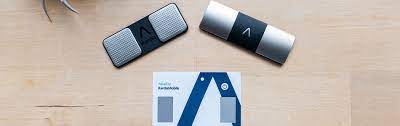
The Kardia Mobile is a portable, single-lead ECG recorder that uses two electrodes and the Kardia app on a compatible iPhone, iPad, or Android device. It is designed for on-demand heart rhythm recording, allowing users to capture a medical-grade tracing whenever they want, without needing to visit a clinic.
How the Kardia Mobile device works
To take a recording, you place your fingers on the two electrodes or attach the device to your chest. The device records a 30-second single-lead tracing and transmits it via Bluetooth to the Kardia app on your smartphone. The app’s AI then analyzes the recording and classifies it as AFib, normal, or unclassified/unreadable. If the recording is too noisy or non-interpretable, the app will not give a definite rhythm result.
Factors that affect Kardia Mobile accuracy
The user manual attributes failed or unreadable readings to recording quality problems rather than a hardware fault in the rhythm algorithm. Accuracy depends heavily on whether a reading is interpretable: when non-interpretable recordings are excluded, performance figures improve significantly. Common causes of poor recording quality include excessive movement, poor skin contact, dry skin, lotions or oils on the fingers, and electromagnetic interference from nearby electronics. The device can produce unreadable recordings and the unreadable detector determines whether a recording can be accurately interpreted.
Clinical validation and what the studies show
AliveCor has published clinical validation for AF detection, with multiple studies showing varying performance depending on the reference standard and whether non-interpretable recordings are excluded. These studies confirm the device is clinically validated, but the exact numbers vary by study methodology.
Setting up the Kardia Mobile device for accurate readings
- AliveCor says users should check its compatibility list before use.
- Download the Kardia app from the App Store or Google Play Store.
- The user manual instructs users to make sure Bluetooth is on, then launch the app and tap “Create Account.”
- On iPhone, go to Settings > Privacy > Microphone and turn on Kardia, or go to Settings, tap the Kardia app, and enable the microphone toggle. On Android, go into App Settings and ensure the app has microphone access.
- To record, open the Kardia app and tap “Record now” on the Standard EKG screen.
Proper setup ensures the app can receive the Bluetooth signal and analyze the recording correctly. The microphone permission is required for the app to process audio data during the recording.
Frequently Asked Questions about Kardia Mobile accuracy
What happens when a Kardia Mobile recording is unreadable?
You should retake the recording in a quiet environment, keep still, and ensure good skin contact with the electrodes.
Does the Kardia Mobile replace a medical diagnosis?
No. The device is a screening and monitoring tool that complements professional medical care. It does not replace a doctor’s diagnosis or a full 12-lead ECG, and it cannot detect all types of arrhythmias or other heart conditions.
How can I get the most accurate results from my Kardia Mobile?
To maximize accuracy, remain still during the 30-second recording, ensure your fingers are clean and dry, avoid lotions or oils, and keep the device away from other electronics. If you get an unreadable result, check your technique and retake the recording.
Does the Kardia Mobile require location tracking and NFC to work?
No. The device uses Bluetooth to transmit data to the app, and it does not require location tracking and NFC for its core ECG recording function. You only need Bluetooth enabled and microphone permissions granted as specified in the user manual.
Related reading: Best Time Converting Websites 2026, How To Transfer Mobile Tickets On Stubhub, and How To Get Mobile Boarding Pass Delta.