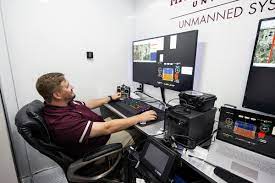
The Mobile Operations Center (MOC) in GTA Online is a bunker-owned, armored semi-trailer that serves as a mobile base, weapon and vehicle workshop, and mission hub for Agent 14's Mobile Operations. It functions as a movable command center for Gunrunning content, allowing you to modify weaponized vehicles, access Mk II weapon upgrades, and launch a series of specialized missions directly from its interior console.
What does the mobile operations center do in GTA Online?
The MOC is a modular truck and trailer property that operates as a central point for your Gunrunning operation. It can be driven in Freemode and provides three key functions: it serves as a command center for Mobile Operations missions hosted by Agent 14, it lets you modify weaponized vehicles through a Vehicle Workshop bay, and it gives you access to a Weapon Workshop bay for Mk II weapon access and mods. Unlike a passive garage, the MOC is a movable operations hub that you can reposition as needed.
How to get the mobile operations center
To purchase the Mobile Operations Center, you must first own a Bunker property. Once you have a Bunker, you can buy the MOC from Warstock Cache and Carry. After purchase, the MOC can be driven in Freemode and summoned through the interaction menu.
MOC bay customization options
The MOC has 3 available bays that you can configure to suit your needs. One bay can be a Weapon Workshop. One bay can be a Weapon & Vehicle Workshop, which includes both workshop functions and uses 2 of the 3 available bays. The MOC is a modular truck and trailer property, meaning you can rearrange these bays to prioritize either weapon customization, vehicle modification, or a combination of both.
Weapon workshop and Mk II upgrades
The Weapon Workshop bay gives you access to 6 new Mk II variants of existing weapons and over 80 new Mk II personal weapon mods. This is where you can upgrade your arsenal beyond standard modifications, unlocking enhanced performance and customization options that are not available at regular Ammu-Nation stores. If you are used to tracking COD Mobile weapon unlocks in a different game, the MOC's Weapon Workshop offers a similar depth of upgrade paths for GTA Online's firearms.
Vehicle workshop and weaponized vehicle modifications
The Vehicle Workshop bay lets you modify weaponized vehicles. This includes installing weapons, armor, and performance upgrades that are exclusive to weaponized vehicles.
Mobile operations missions list and how to start them
Mobile Operations are missions attached to the MOC and hosted by Agent 14. They can only be started through a Command Center bay inside the MOC, they are not accessed through the Pause Menu. You can also join these missions via Job Invites or Quick Job. The 8 missions are:
- Severe Weather Patterns
- Half-track Bully
- Exit Strategy
- Offshore Assets
- Cover Blown
- Mole Hunt
- Data Breach
- Work Dispute
How to unlock mobile operations missions
Mobile Operations missions unlock through Bunker supply work, with one mission unlocking after every two successful supply runs, and all eight requiring 14 supply theft missions total. The missions require progress in Gunrunning and are started from the MOC console after meeting the required Bunker resupply level.
Frequently Asked Questions
How do you get the MOC?
You must own a Bunker first, then purchase the Mobile Operations Center from Warstock Cache and Carry.
Does the MOC drive?
Yes, the MOC can be driven in Freemode. It is a functional vehicle, not a static property.
How many missions are there?
There are 8 Mobile Operations missions hosted by Agent 14, ranging from Severe Weather Patterns to Work Dispute.
Can the MOC store vehicles?
Do I need the MOC for Mk II weapons?
Yes, the Weapon Workshop bay inside the MOC is required to access the 6 new Mk II weapon variants and over 80 Mk II personal weapon mods.
For the wider topic, see COD Mobile weapon unlocks.
Related reading: Smart Home Devices You Control From Your Phone and How Does U-Haul Mobile Pickup Work.