






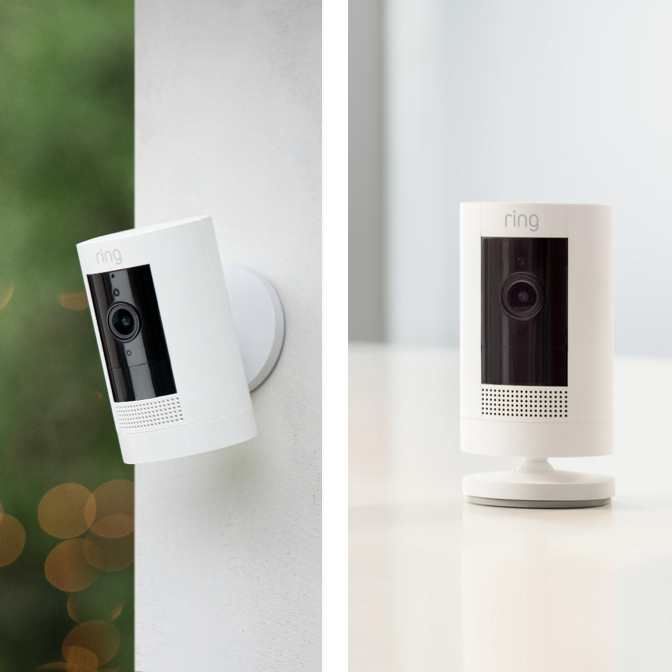
No, Ring cameras do not work without WiFi. A continuous WiFi connection is required for live video, alerts, and remote access through the Ring app, so without it, your camera is essentially offline.
Do Ring cameras work without WiFi? The short answer
Ring cameras do not work without WiFi. Unlike some security cameras with built-in storage or cellular options, Ring’s standard lineup depends entirely on your home network to transmit data. If your internet goes down, the camera cannot send live video, trigger motion alerts, or allow you to talk through its speaker. This applies to every model in the current lineup, from the Indoor Cam to the Floodlight Cam Wired Pro. Ring cameras are compatible with Alexa and can be integrated with select smart door locks to let people in with a tap on your phone. All Ring camera models are available in 2-pack, 3-pack, and 4-pack options. You can access your Ring cameras through a web browser by logging into the Ring website, not just the app. The Spotlight Cam Battery includes a built-in security siren and LED light strips, and lets you enable announcements when motion is detected. The Floodlight Cam Wired Pro includes a 110 dB security siren, 3D motion detection, and improved noise reduction. The Indoor Cam has support for Ring Video Doorbell. All Ring cameras have color night vision. With Alexa and the Ring App, you can seamlessly switch between cameras in just seconds.
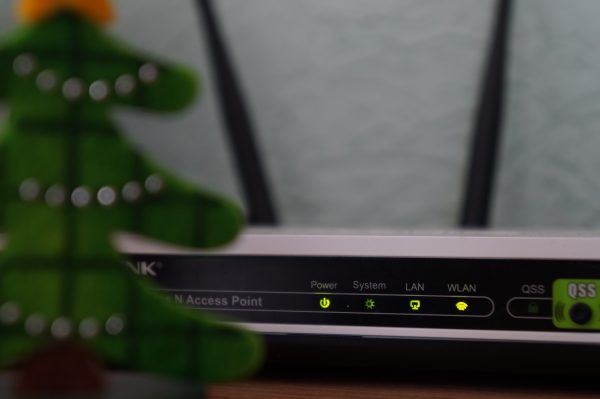
What happens when your Ring camera loses WiFi
When your Ring camera loses its WiFi connection, all core functions stop almost immediately. Live view becomes unavailable, motion detection no longer sends push notifications, and two-way talk and audio are disabled. The camera itself remains powered on, but it is effectively blind and deaf until the connection is restored. You also lose the ability to remotely access any recorded clips through the app. To check your network's speed, stand beside or near your Ring camera with your phone, tablet, or PC in hand, then use speedtest.net.
The only thing you retain is access to previously recorded cloud videos. Those older recordings stay intact and can still be reviewed through the Ring app or website, even while your camera is offline. Once your WiFi returns, the camera typically reconnects on its own, though it may take a few minutes depending on your network’s speed and stability. When WiFi returns, make sure you're connected to the 2.4 GHz band instead of 5 GHz for optimal performance.
Can you use a Ring camera with cellular data?
Ring cameras do not have a built-in cellular modem, so they cannot connect directly to a mobile network on their own. However, the Ring Alarm Pro base station offers a feature called “24/7 Backup Internet” that provides cellular data to WiFi-enabled devices during an internet outage. This requires a compatible Ring Protect Pro subscription and works by broadcasting a temporary WiFi network from the base station itself.
It’s important to distinguish this from “Alarm Cellular Backup,” which only sends emergency alerts for the Ring Alarm system. That feature does not provide internet to your cameras. The only other workaround is using your phone’s mobile hotspot, but this is cumbersome: you would need to reconfigure each camera to connect to the hotspot, and then reconfigure them again once your home WiFi is back. It also consumes significant mobile data, which may not be practical for most users.
Can Ring cameras record locally to an SD card?
Local recording to an SD card is not a standard feature on most Ring cameras. To record locally, you need three things: a Ring Alarm Pro base station, a microSD card inserted into that base station, and a Ring Protect Pro subscription. This feature, called Ring Edge, processes and stores video locally on the microSD card instead of uploading it to the cloud. Ring Edge requires a specific Ring microSD card (referred to as 'Ring's microSD card').

Ring Edge requires your cameras to be connected to the same eero network as the Alarm Pro base station. With that setup, you get continuous local recording, but you still need the subscription to enable the feature. Without the subscription, the microSD slot remains unused.
The one Ring camera that works without WiFi
The Ring Car Cam is the single exception to the WiFi dependency. It features built-in local storage by default, so it can record video continuously without any WiFi connection. This dashcam-style device saves footage directly to its internal storage, and you can review clips through the Ring app when the camera is back within range of your home network.
While the Car Cam works offline out of the box, you can add a Ring Protect Go subscription for optional cloud storage. This subscription also enables features like location tracking and NFC, which are useful for managing the camera’s settings and accessing enhanced alerts. For most users, however, the default local storage is sufficient for basic security needs.
Does a Ring camera require a subscription?
No, a subscription is optional for basic functionality. Without a plan, you can still use Live View to see a real-time feed, receive motion-triggered alerts, and use two-way talk. These features work as long as your camera has a WiFi connection.
Where the subscription becomes necessary is for video history. To review, save, or share past recordings, you need a Ring Protect plan (Basic, Plus, or Pro). The Pro plan specifically unlocks the advanced features mentioned above, including 24/7 Backup Internet, Alarm Cellular Backup, and Ring Edge local storage. If you don’t need these extras, the free tier is perfectly usable for live monitoring.
Frequently Asked Questions
Can Ring cameras record continuously without WiFi?
No, continuous recording without WiFi is not possible on standard Ring cameras. Only the Ring Car Cam offers continuous local recording by default, while other models require a WiFi connection and a Ring Protect Pro subscription for local storage via Ring Edge.
Will Ring cameras work during a power outage?
Battery-powered models like the Stick Up Cam Battery and Spotlight Cam Battery will continue to operate during a power outage, but only if they remain connected to WiFi. If the router is also without power, the camera will go offline until both power and WiFi are restored.
How long does it take for a Ring camera to reconnect after WiFi is restored?
Reconnection time varies by network speed and router settings, but most cameras reconnect within a few minutes of the internet coming back online. You may need to restart the camera if it does not automatically reconnect after 10 minutes.
Can I use a Ring camera with a 5GHz WiFi network?
Most Ring cameras only support 2.4GHz WiFi, though some newer models also support 5GHz. Check your specific model’s documentation to confirm which bands it supports before setting it up.















