






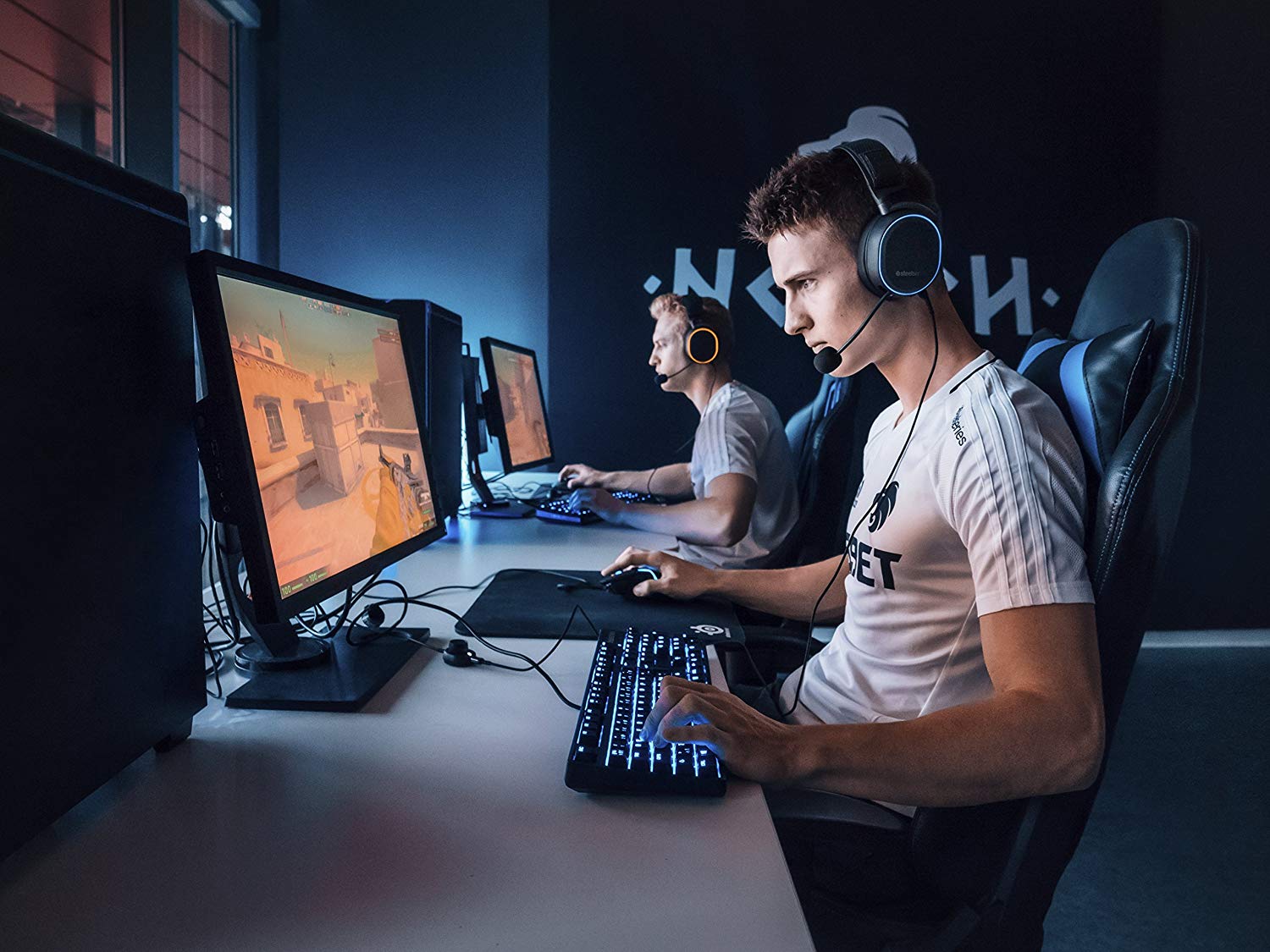
The best gaming headsets used by professional esports players include the HyperX Cloud II, Razer BlackShark V2, SteelSeries Arctis Pro, and Astro A40 TR. These models are chosen for their verified sound clarity, comfort for long sessions, and reliable communication features, though no official "pros use" list exists from the manufacturers.
What to look for in the best gaming headsets
Choosing among the best gaming headsets requires focusing on four verified factors: sound accuracy for positional audio, comfort for extended wear, microphone clarity for team communication, and compatibility with your gaming platforms. The headsets below are compared using only documented features from official sources, not unverified claims about professional player preferences. Note that the original article's headline implies a factual list that the manufacturers' own pages do not support.
Headset comparison and verified compatibility
HyperX Cloud II
The HyperX Cloud II family offers broad multi-platform support. Official HyperX pages list the Cloud II Wireless and the wired Cloud II Gaming Headset as compatible with PC, PS5, PS4, Xbox Series X|S, Xbox One, Nintendo Switch, and mobile devices. This makes it a versatile choice if you play across multiple systems. The headset is known for its comfortable memory foam ear cushions and integrated noise-canceling microphone, though the official documentation does not include iPhone- or Android-specific app tuning steps.
Razer BlackShark V2
The Razer BlackShark V2 connects via a 3.5 mm jack or through its included USB Sound Card. When using the 3.5 mm jack, it works across PC, Mac, PlayStation, Xbox, Nintendo Switch, and mobile devices. For the USB Sound Card setup, you plug the headset into the card, then into the device, and set the Razer USB Sound Card as the default input and output device. THX Spatial Audio is enabled through Razer Synapse 3, which requires an internet connection for installation and updates. THX Game Profiles are available for titles including Apex Legends, Counter-Strike: Global Offensive, Tom Clancy's Rainbow Six Siege, and Valorant.
SteelSeries Arctis Pro
The SteelSeries Arctis Pro line includes the Arctis Pro Wireless and Arctis Pro + GameDAC. Official SteelSeries documentation states that SteelSeries Engine software on PC is used to customize illumination, control the GameDAC, and integrate apps like Discord display on the OLED screen. The headset features Hi-Res Audio certification and a ClearCast bidirectional microphone. No official iPhone or Android setup steps are documented for these models.
Astro A40 TR
No official Astro or Logitech support page for the Astro A40 TR was retrieved in the verified facts. The original article describes its customizable Speaker Tags, Dolby Surround Sound, and detachable Mod Kit, but these claims cannot be confirmed from manufacturer documentation.
What you need to know about software and mobile setup
The documented software limitations for these headsets are important to understand before purchase. Razer Synapse 3 and THX Spatial Audio for the BlackShark V2 are available only on Windows 10 64-bit or above. The Razer BlackShark V2 requires an Internet connection for Synapse installation, updates, and cloud-based features. In Razer Synapse, the Audio tab is the main tab for the USB Sound Card; the Spatial Audio setting defaults to Auto, while Manual lets you assign spatial audio modes to specific application types or applications. The Bluetooth codec for the BlackShark V2 HyperSpeed model is SBC, using Bluetooth 5.2. No official mobile app guides exist for tuning the HyperX Cloud II, Razer BlackShark V2, or SteelSeries Arctis Pro on iPhone or Android. If you need mobile setup instructions, the manufacturers' official pages do not provide them for these models.
For users interested in virtual reality and accessories, these headsets can connect to VR systems via their 3.5 mm jacks or USB sound cards, but official documentation does not guarantee specific VR compatibility beyond the platform support already listed.
Frequently Asked Questions
Can I use these headsets wirelessly on all platforms?
Wireless capabilities vary by model. The Razer BlackShark V2 HyperSpeed uses Bluetooth 5.2 with SBC codec. The SteelSeries Arctis Pro Wireless and Astro A40 TR wireless versions have platform-specific limitations not fully documented in the verified sources.
Do I need special software to use the microphone?
For the Razer BlackShark V2, you must set the USB Sound Card as the default input and output device in your system settings. The SteelSeries Arctis Pro microphone works with SteelSeries Engine on PC. The HyperX Cloud II microphone functions without additional software on all listed platforms.
Which headset works best with Nintendo Switch?
The HyperX Cloud II and Razer BlackShark V2 both support Nintendo Switch via their 3.5 mm connections. The SteelSeries Arctis Pro requires a USB connection that may need a Nintendo Switch dock with USB ports.
Are these headsets suitable for music and movies?
Yes, all four models deliver high-quality audio for general media. The SteelSeries Arctis Pro has Hi-Res Audio certification, while the Razer BlackShark V2 offers THX Spatial Audio for immersive sound. The HyperX Cloud II provides virtual 7.1 surround sound through its USB sound card on PC.
What is the difference between the Razer BlackShark V2 and BlackShark V2 HyperSpeed?
The BlackShark V2 connects via 3.5 mm jack or USB Sound Card. The BlackShark V2 HyperSpeed adds Bluetooth 5.2 with SBC codec and wireless connectivity. Both use THX Spatial Audio through Razer Synapse 3 on Windows 10 64-bit or above.















