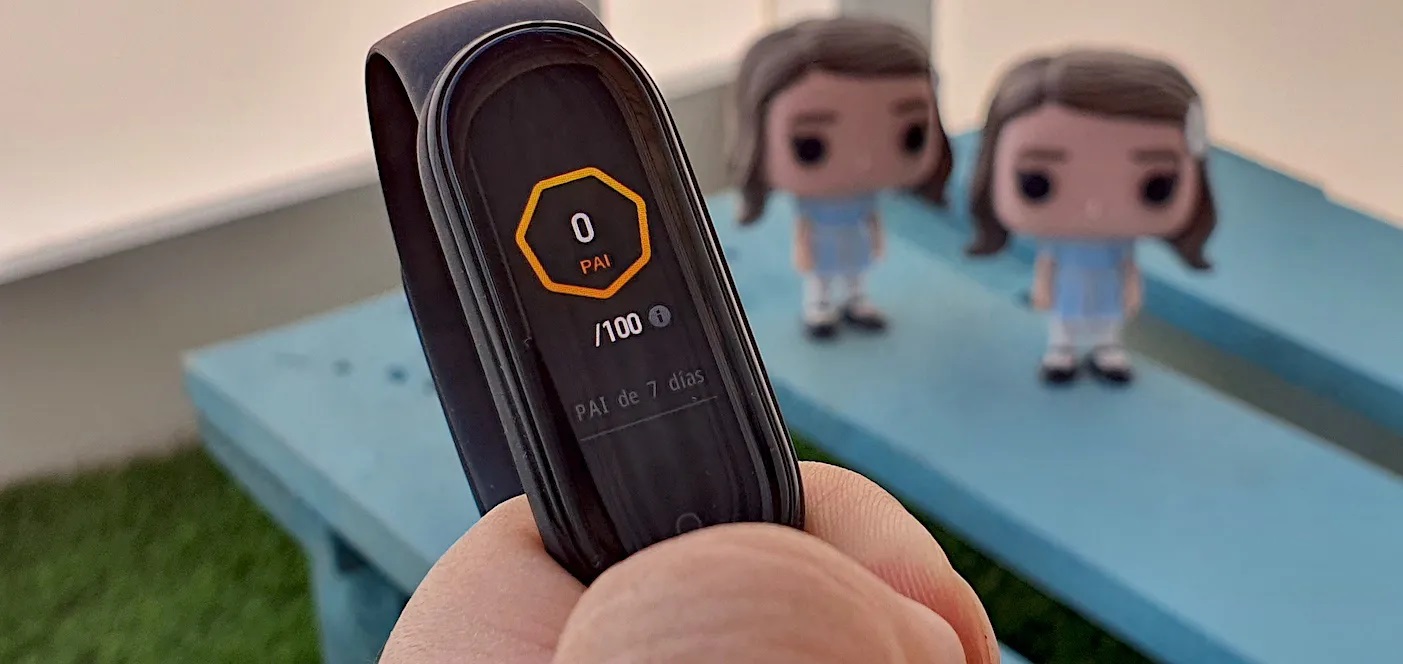
PAI on a smartwatch stands for Personal Activity Intelligence, a dynamic health score calculated from your personal physiological data and heart rate changes over the past seven days. Unlike step counts or calorie estimates, this metric is personalized to your age, gender, resting heart rate, and maximum heart rate, providing a single number that tells you whether you are doing enough activity to improve your cardiovascular health.
What is PAI on a smartwatch?
PAI, or Personal Activity Intelligence, is a health metric developed by a Norwegian startup called PAI Health and featured on Amazfit and Zepp smartwatches. It distills your heart rate data from the last seven days into a single score that reflects how well your physical activity is supporting your heart health. The score is not a generic recommendation; it adapts to your unique physiology, so the same workout can produce different PAI values for different people. The goal is to maintain a score that research links to a lower risk of cardiovascular disease.
How the PAI score is calculated
The PAI algorithm uses five specific data points to calculate your score: your age, gender, resting heart rate, maximum heart rate, and your heart rate activity over the last seven days. It continuously updates as your heart rate changes throughout the day, whether you are walking, running, or sleeping. Because the calculation is based on your personal physiological data, the score is highly individualized. Smartwatches may not always provide precise heart rate measurements due to factors like sweat, poor fit, and movement, leading to potential inaccuracies in PAI calculations.
Which smartwatches have PAI?
Smartwatches manufactured by Huami, specifically the Amazfit and Zepp series, offer the PAI feature directly on the wrist and within the companion Zepp app. These devices include models like the Amazfit Band 7 and Amazfit Bip 5. When researching your next wearable, looking for Amazfit or Zepp branding is the clearest way to find a device that supports PAI, which can simplify your smartwatch and tracker comparisons.
How to set up and use PAI on your smartwatch
To start tracking your PAI score, you need to enable two settings in the Zepp app. Follow these steps:
- Open the Zepp app and go to Profile.
- Select My Devices, then choose your specific device.
- Tap Health Monitoring.
- Enable All-Day Heart Rate and Activity Detection.
Once these settings are active, your smartwatch will automatically collect the heart rate data needed for PAI. You can view your current PAI score in the PAI app on the smartwatch itself or on the PAI Card within the Zepp app. The score updates in real time as your heart rate changes, so you can check your progress at any point during the day.
Benefits of tracking your PAI
Tracking PAI gives you personalized guidance for your daily activity, removing the guesswork from generic fitness goals. Instead of aiming for a fixed number of steps or minutes, you get a score that reflects your actual cardiovascular effort. This provides a comprehensive, long-term view of your heart health improvement, showing you how consistent activity over weeks and months translates into a lower risk of disease. The metric is designed to keep you motivated by focusing on the quality of your activity rather than just the quantity. PAI tracks stress levels throughout the day and provides insights on how to reduce stress through breathing exercises or mindfulness techniques. User adherence can be a challenge, as individuals may forget to wear their smartwatches or lose interest in tracking over time.
Frequently Asked Questions
What is the PAI score goal I should aim for?
The target is to maintain a PAI score of 100 or higher over a rolling seven-day period. The PAI score goal of 100 is a minimum, not just a target. Research indicates that sustaining this level is associated with a reduced risk of cardiovascular disease. Your score will naturally fluctuate as your activity changes, but the goal is to keep it consistently above 100.
Does my PAI score sync automatically with the Zepp app?
Yes, once your smartwatch is paired with the Zepp app, your PAI score syncs automatically whenever the devices are connected. You do not need to manually transfer data; the score updates on the PAI Card in the app after each sync.
Can I use PAI on a smartwatch that is not an Amazfit or Zepp model?
No, PAI is a proprietary metric developed for Huami-manufactured devices. It is only available on Amazfit and Zepp smartwatches and their companion app.
Related reading: How To Check Blood Pressure On Fitbit and What Is A Wearable Device?.