






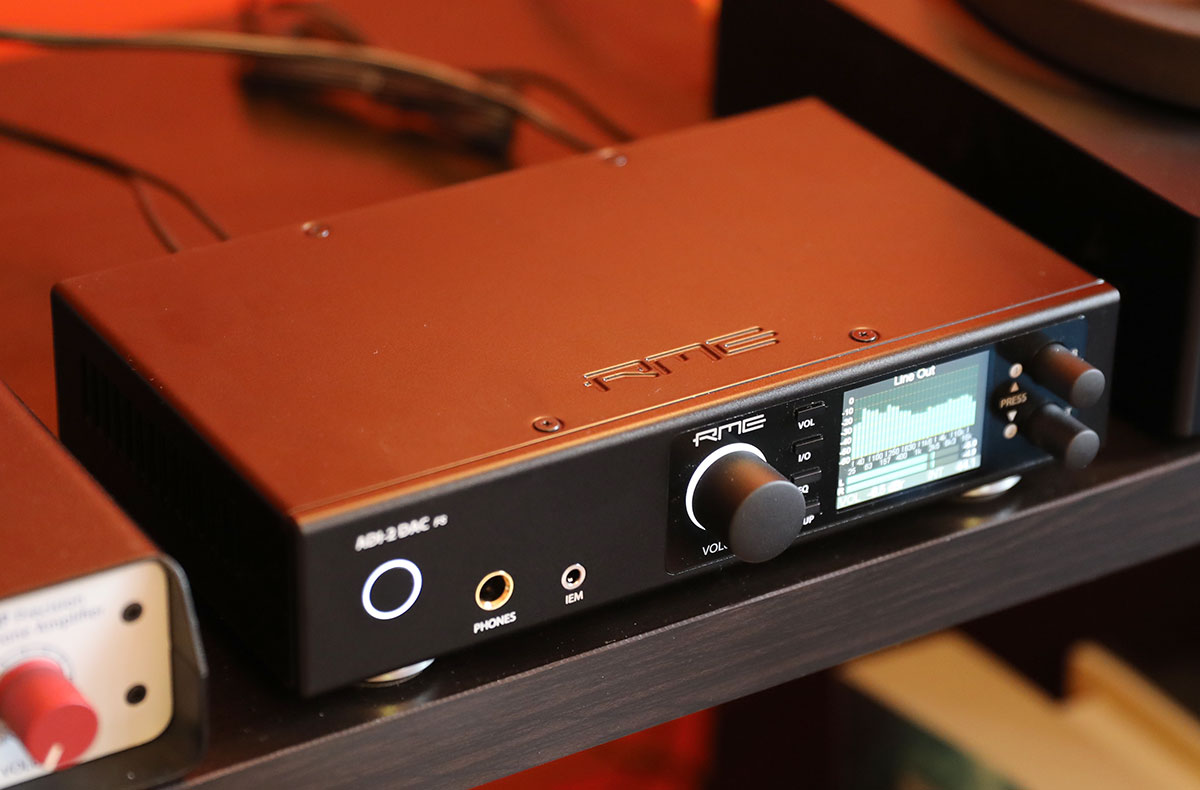
A digital-to-analog converter (DAC) solves a fundamental problem: your phone or computer stores music as numbers (digital files), but your headphones and speakers need a continuous electrical signal (analog) to create sound. A DAC works by translating those digital 1s and 0s into a smooth, variable voltage that your amplifier can turn into the music you hear.
What a DAC does and how a dac works
Think of a DAC as a translator. Your digital music library is a collection of precise snapshots of a sound wave, taken thousands of times per second. Your headphones, however, need a continuous, flowing electrical current to vibrate and produce sound. Without a DAC, your digital files would be silent. The DAC takes those snapshots and reconstructs the original, smooth waveform, filling in the gaps between each sample so your ears hear a seamless, natural sound.
The digital-to-analog conversion process
Every digital audio file is built from two key specifications: sample rate and bit depth. The sample rate (measured in kHz) is how many times per second the original sound wave is measured. Bit depth determines how precisely each measurement is recorded. A DAC uses these two numbers to rebuild the waveform. It reads the binary data, assigns the correct voltage level to each sample, and then smooths the result into a continuous analog signal. The higher the sample rate and bit depth, the more accurate the reconstruction and the closer the output sounds to the original recording.
Key components inside a DAC
Several internal parts work together to deliver clean, accurate sound. The digital input receives the data stream from your source (USB, optical, or coaxial). The conversion chip is the brain of the operation, performing the actual translation from digital to analog. A voltage reference ensures the output stays within a precise range, preventing distortion. The analog output stage amplifies and buffers the signal to a level your amplifier can use. Finally, filtering removes high-frequency noise created during conversion, leaving only the audible music. The quality of each component directly affects the clarity and detail you hear.
Using a DAC with your smartphone
Your smartphone already has a built-in DAC, but its quality is often limited by space and power constraints. To use an external DAC, you need a compatible connection. Lightning-equipped iPhones require an Apple Lightning-to-USB Camera Adapter specifically to connect a standard USB DAC. USB-C iPhones can connect directly to many USB-C DACs without an adapter. On Android, USB DAC compatibility depends on your specific device and its driver support; some phones work plug-and-play, while others may need a special app or driver for USB DAC compatibility, not just plug-and-play. For users who prioritize sound quality over convenience, an external DAC bypasses the phone's internal electronics and provides a cleaner signal path.
Why an external DAC can improve your listening experience
Built-in DACs in phones and computers are designed for efficiency, not audiophile performance. They share power and space with other components, which can introduce electrical noise and limit their ability to drive high-impedance headphones. An external DAC has its own dedicated power supply, higher-quality components, and better shielding. This results in a lower noise floor, greater detail retrieval, and a wider soundstage. It also allows you to play high-resolution audio files that your phone's internal DAC may not support. For anyone serious about listening, an external DAC is the single most impactful upgrade you can make, especially when you want to cut the cord from wireless audio connections and hear exactly what your music contains.
Frequently Asked Questions
Do I need an external DAC if my phone has a headphone jack?
Not necessarily. The built-in DAC in a phone with a headphone jack is often adequate for casual listening with standard earbuds. An external DAC becomes beneficial when you want higher fidelity, use high-impedance headphones, or listen to high-resolution audio files.
Will an external DAC make my Bluetooth headphones sound better?
No. Bluetooth headphones have their own built-in DAC and amplifier that receive a digital signal wirelessly. An external DAC only improves the signal before it reaches the Bluetooth transmitter, so the final sound quality is still limited by the Bluetooth codec and the headphones' own electronics.
Can I use a DAC with a gaming console?
Yes, many gaming consoles support USB audio output. You can connect a USB DAC directly to the console's USB port, and it will handle all game audio. This can improve clarity and spatial awareness in games, especially with a good pair of wired headphones.
What is the difference between a DAC and an amplifier?
A DAC converts digital signals to analog. An amplifier takes that analog signal and increases its power to drive headphones or speakers. Many external devices combine both functions in one box, often called a DAC/amp or headphone amplifier with built-in DAC.
Does a more expensive DAC always sound better?
Not always. Once a DAC reaches a certain quality threshold, the audible differences become very small. A well-designed, moderately priced DAC can sound transparent to the source. More expensive models often add features like balanced outputs, better build quality, or support for higher-resolution formats, rather than a dramatic improvement in basic sound quality.
Can I use a DAC with my smartphone?
Yes, you can use an external DAC with most smartphones, but the connection method depends on your phone's port. USB-C iPhones and many Android phones can connect directly to a USB-C DAC.
What should I look for when buying a DAC?
When buying a DAC, check compatibility with your devices, support for high-resolution audio formats, build quality, and portability if you plan to use it on the go. Reading reviews can also help you gauge real-world performance and reliability before making a decision.
For the wider topic, see wireless audio connections.

















