Articles for anyone who uses a smartphone, tablet, or smartwatch for video calls and screen navigation. Whether you’re an iPhone user, an iPad owner, or someone who manages an Apple Watch, this page is built for you. It focuses on practical, everyday problems that arise when using the Zoom app or interacting with your device’s display controls.
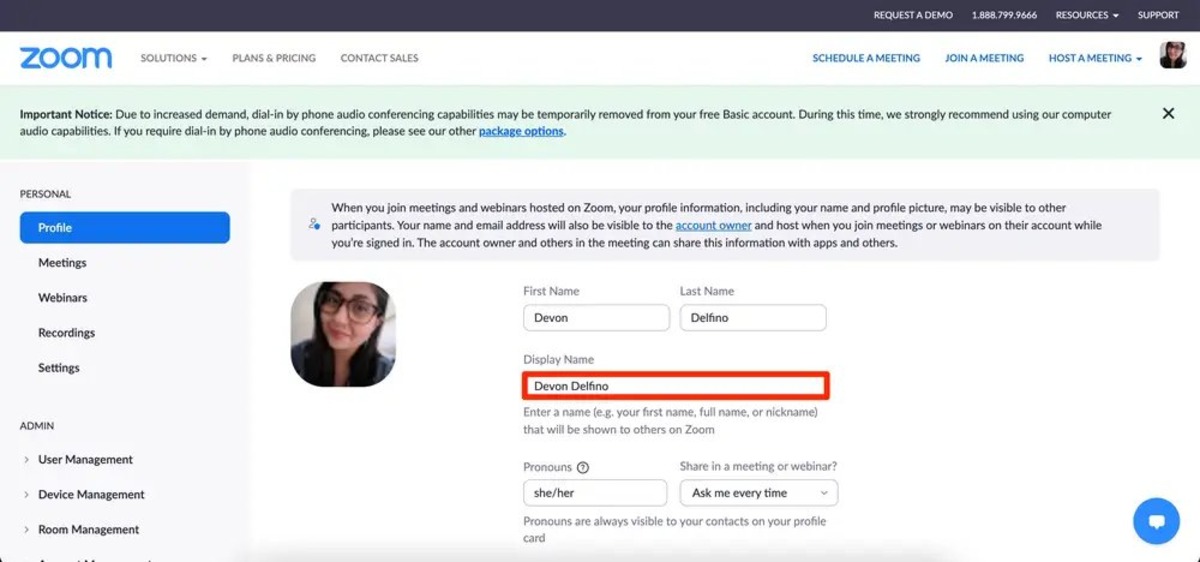
The articles here solve two main kinds of issues. First, they address accidental screen zoom and display glitches, like when your Apple Watch is stuck zoomed-in or your iPhone suddenly shows everything too large. Second, they cover common Zoom meeting hiccups, such as how to change your display name or unmute yourself during a call. A few articles also explore iPad-specific features like Center Stage, which helps you stay centered on camera in FaceTime and Zoom.
You’ll find straightforward guides that help you unzoom your iPhone, understand the three-finger salute gesture, and fix a zoomed-in Apple Watch. Each article is written to help you quickly solve a specific problem, without extra fluff or missing steps.