Garmin measures stress by analyzing your heart rate variability (HRV) while you are inactive to estimate your overall stress level. This is how does Garmin measure stress: it tracks the variation in time between heartbeats during periods of rest, using that data to calculate a score that reflects whether your body is in a resting, low, medium, or high stress state.
How does Garmin measure stress?
Garmin’s stress tracking relies on heart rate variability (HRV) analysis, but only while you are inactive. When you are sitting still or not moving, the watch measures the tiny fluctuations in the time between each heartbeat. A higher HRV generally indicates a relaxed, recovery state, while a lower HRV suggests your body is under stress. Garmin’s algorithm converts this HRV data into a single stress score, giving you a real-time look at how your autonomic nervous system is responding to your day. This feature is available on most modern Garmin watches and can be viewed both on the device and in the Garmin Connect app.
Garmin's stress level score ranges
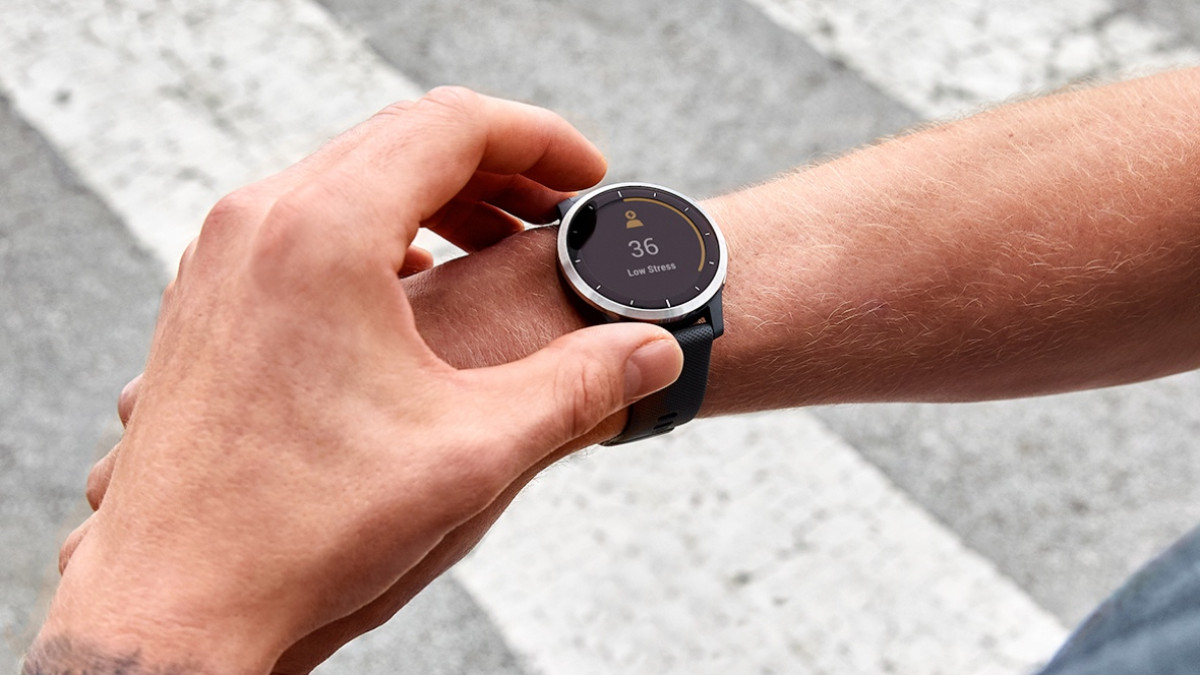
Garmin documents a 0-100 scale for stress, broken into four clear ranges. A score of 0-25 indicates a resting state, meaning your body is calm and recovered. Scores from 26-50 represent low stress, 51-75 is medium stress, and 76-100 is high stress. These labels help you quickly interpret whether your body is handling the day’s demands or needs a break. The underlying formula that converts HRV into these specific numbers is not publicly documented by Garmin, but the ranges themselves are consistent across supported devices.
How to view your stress data in Garmin Connect
You can check your stress history in two places within Garmin Connect.
In the mobile app
- Open the Garmin Connect app.
- Tap More in the bottom right.
- Tap Health Stats.
- Tap Stress.
From there, you can view your daily timeline, daily averages over time, and a daily breakdown of your stress values.
On the computer
- Sign in to Garmin Connect on a personal computer.
- In the left-hand menu, select Health Stats.
- Select Stress to see your daily timeline by date.
- For longer-term trends, go to Reports > Health & Fitness > Stress Level.
That report shows average stress levels over the last 7 days, 4 weeks, 6 months, or 1 year.
How to check stress on your Garmin watch
Accessing stress data on your wrist varies slightly by model, but the general approach is the same.
On most Garmin watches
- While sitting or inactive, press UP or DOWN to scroll to the stress level widget.
- Press START on the widget, then select DOWN to view additional details on supported models.
On Venu 4 series
- Scroll to the stress level glance.
- Tap it to see a graph of the last four hours.
- Swipe up or down for stress score details and your daily average stress score for the last seven days.
- Swipe left to start a breathing activity.
On vívosport and vívomove HR
- Swipe to the stress screen or widget.
- Tap the touchscreen to view the graph.
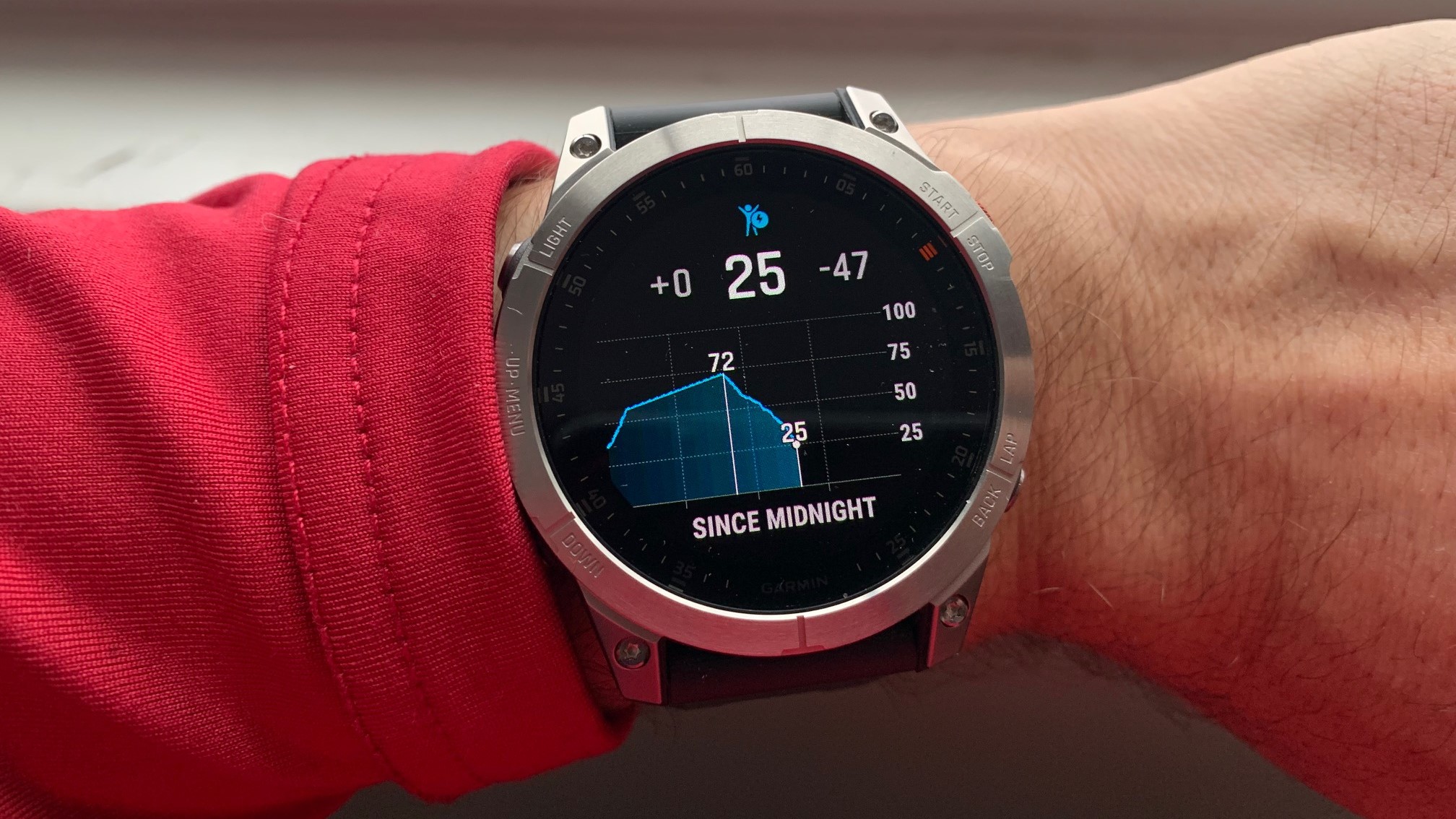
On some models, the stress level widget shows a graph since midnight or for the last several hours, depending on model, along with your daily average.
The three-minute HRV stress test on select models
Some Garmin watches, such as those in the fenix 6 Pro series, offer a dedicated three-minute HRV stress test. This test is performed while standing still and requires a Garmin chest heart rate monitor on those models. The result gives you a focused, snapshot stress reading that can be useful for comparing your state at specific times of day.
How to set up stress alerts and relax reminders
You can enable alerts that notify you when your stress level is abnormal or when it’s time to take a break.
In the Garmin Connect app
- Go to More > Garmin Devices > your watch.
- Select Alerts, Sounds and Alerts, or Notifications & Alerts.
- Choose Health & Wellness, if available.
- Toggle Relax Reminders or Stress Alerts on or off.
On Garmin Connect (computer)
- Select your watch from the top-right device area.
- Choose Alerts or Sounds and Alerts.
- Toggle Relax Reminders if available.
On the watch
- Open the stress widget or glance.
- Press and hold Menu.
- Open the stress widget settings menu to adjust alerts directly.
These reminders help you build awareness of rising stress and prompt you to take a moment to relax, which can be especially useful during busy days when you might otherwise ignore the signs.
Frequently Asked Questions
Can Garmin measure stress during exercise or activity?
No. Garmin specifically measures stress while you are inactive. During exercise, heart rate and HRV are influenced by physical effort, so the stress score is only calculated when you are still, such as when sitting or lying down.
Does Garmin use any other sensors besides heart rate for stress?
Garmin’s documented method for stress tracking is based solely on heart rate variability. While some devices track other metrics like skin temperature or respiration, those are not part of the stress score calculation according to Garmin’s official documentation.
How often does my Garmin watch measure stress?
Stress tracking runs continuously throughout the day, but only when you are inactive. The watch updates your stress score in real time, so you can see changes as they happen.
Is the stress score the same as a medical diagnosis?
No. Garmin’s stress score is a wellness tool designed to give you insight into your body’s physical response to daily life. It is not a medical device and should not be used to diagnose or treat any condition.
Can I compare stress scores between different Garmin models?
Yes, because the 0-100 scale and the HRV-based method are consistent across supported devices. However, individual baseline readings can vary, so it is best to track your own trends rather than comparing raw numbers with others. For detailed smartwatch and tracker comparisons, you can look at side-by-side feature lists to see which models include the stress glance or the three-minute HRV test.
Related reading: Does A Phone Ring When You're Blocked?.