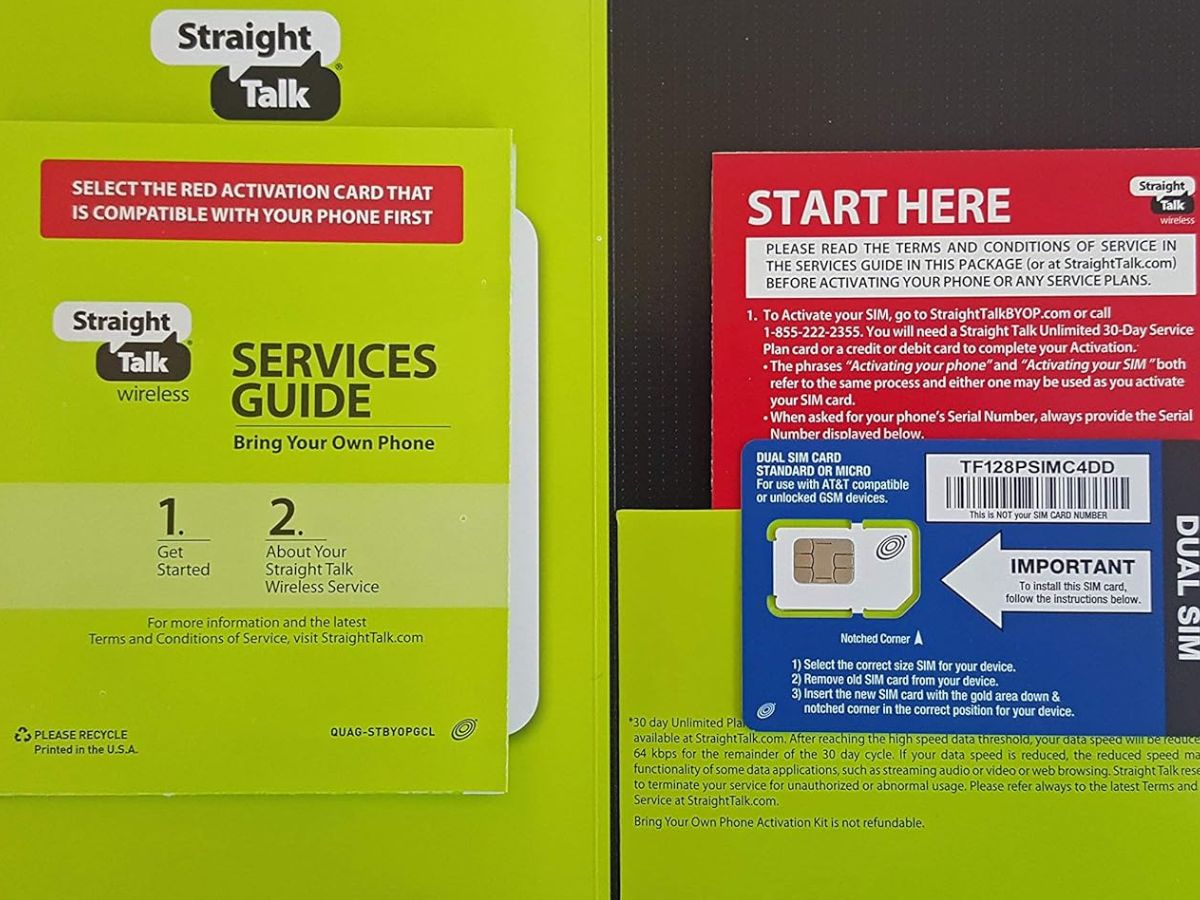
Decide if a straight talk SIM card is right for you
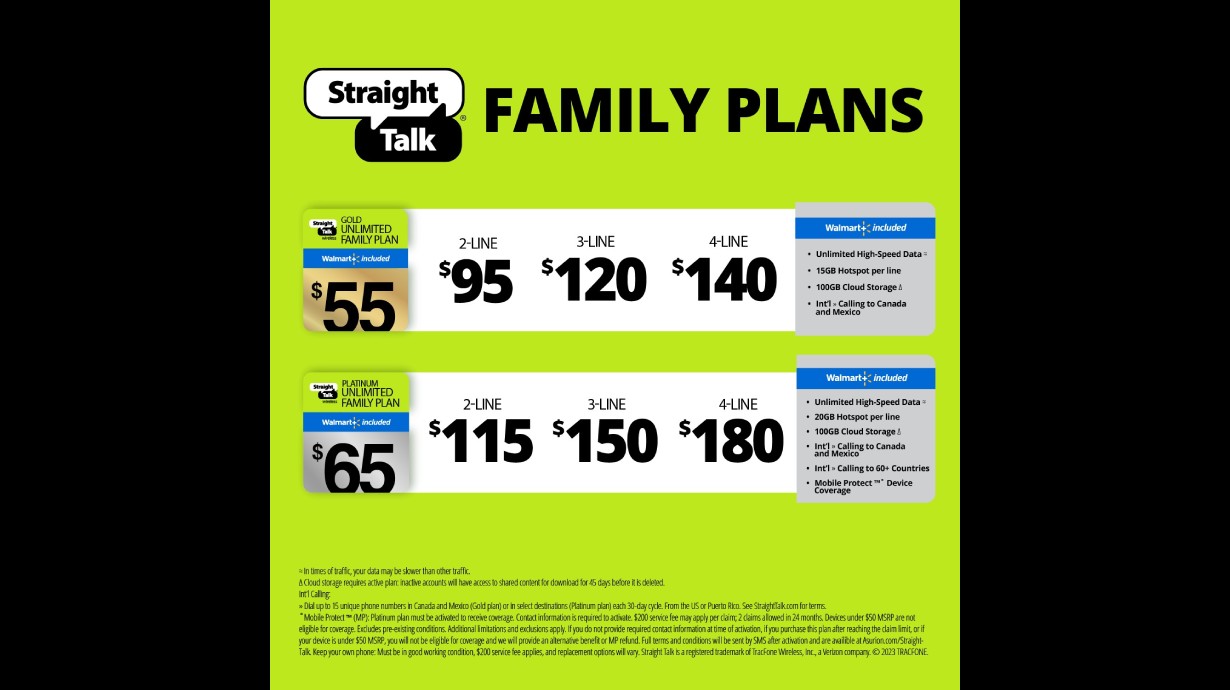
Before you order a Straight Talk SIM card, it is worth asking it’s cheap, but is it worth it for the way you actually use your phone. Straight Talk runs on all four major networks. Your line’s network depends entirely on your ZIP code and the phone you bring. It is not a simple preference toggle during setup. Check the available Straight Talk phone plans against your typical data usage to find a plan that fits your budget and needs.
Compatibility is where most people trip. The carrier’s Straight Talk compatible phone models checker accepts a wide range of GSM and CDMA devices, which is helpful if you are shopping for a new device. A green light on the IMEI tool does not mean your phone will grab data and picture messages right away. Many factory-unlocked phones need manual APN settings typed in before MMS and mobile data work. This is especially true for former Verizon units. The basic activation flow simply does not cover that step. If you are trying to use a US cellular phone on Straight Talk, that extra configuration is almost guaranteed. Plan to set aside ten minutes after inserting the SIM to enter the correct APN fields. Otherwise your phone will make calls but sit stubbornly offline for everything else.
- use a US cellular phone on Straight Talk — How To Use A US Cellular Phone On Straight Talk
- Straight Talk compatible phone models — What Phones Work With Straight Talk SIM Card
- available Straight Talk phone plans — What Phone Plans Does Straight Talk Have
- it'S cheap, but is it worth it — Straight Talk Review: It's Cheap, But Is It Worth It?
Get your own phone ready for straight talk
Before you buy a SIM kit, the first real step is making sure your current phone can actually leave its old carrier. For iPhones, the quickest confirmation is in Settings > General > About. There, Carrier Lock should read No SIM restrictions. If it says anything else, the device is still tied to its original network. On Android, Straight Talk points customers to the carrier that originally sold the device for the unlock-status check. You will often need to contact the carrier that originally sold the phone for a definitive answer. If the device is still locked, the path to unlock my phone from Straight Talk depends entirely on that original carrier. For an AT&T model, you can go directly to the AT&T device unlock portal. Submit the IMEI without logging into an account. The request can take up to 48 hours to process. Straight Talk does not offer a process to unlock Straight Talk SIM card. The account-level control you might encounter is called Line Lock. You disable it from the Account & Payment Info section of your online dashboard. Then wait 30 minutes for the change to complete. To tell if Straight Talk phone is unlocked, you can check the settings method described above, which saves you from ordering a SIM kit for a device that won't accept it. When you are ready to switch Verizon phone to Straight Talk, you should read the dedicated guide on how to complete that process smoothly, because a clean unlock is only half the battle and you will want to avoid any service interruptions during the move.
Activate service and set up your number
When you are ready to activate, the flow asks whether you want to keep my phone number with Straight Talk. If you are specifically handling a transfer telephone number from AT&T to Straight Talk, have your AT&T account information ready beforehand because the port relies on exact name, account number, and PIN matches to go through without a delay.
After activation, you are not locked into that decision forever. Moving your service later is straightforward when you need to switch my Straight Talk number to a new phone by activating the new SIM in the replacement device and selecting the keep-your-number path again. You can change Straight Talk phone number online during setup by not choosing the keep-number option.
This process shifts slightly when you set up Straight Talk home phone. You activate at the home phone website or by calling from another phone, using the serial number on the activation card and a service plan, then program the unit by dialing a short code from the connected handset before the voice line becomes usable.
Manage your account, data, and call records
Once your service is active, the quickest way to check your balance is to text USAGE to 611611 and reply Y to the terms prompt. You will get an estimate back immediately. The system warns that usage data may not appear for the first 48-72 hours after activation or if you need to add minutes to my phone Straight Talk. When you need to purchase more data for Straight Talk, you can check your usage first by texting USAGE to 611611. The transaction tools let you set a date range and tap Filter to see exactly what you have spent and loaded. If your browser works but apps refuse to connect, the problem is almost certainly the APN rather than a coverage gap. Many phones will make calls just fine but stall out on data until you manually enter the correct fields to get data to work on Straight Talk. For a record of your account activity, the same transaction history view shows every airtime redemption and plan change. The available account tools do not show a separate path to get phone records from Straight Talk in the sense of a downloadable call-detail log. When you run into a dead end there, reaching out to support directly is the next move for retrieving anything beyond the usage snapshot and payment history visible in the self-service tools.
Frequently Asked Questions
How do I enter the APN settings on my unlocked phone?
Go to your phone's settings and find the Access Point Names menu under Mobile Network or Cellular Data. The exact fields you must type in depend on which major network your Straight Talk SIM uses, which is determined by your ZIP code and device.
What does "No SIM restrictions" mean on my iPhone?
It means your iPhone is unlocked and can accept a Straight Talk SIM. You find this status in Settings > General > About, next to Carrier Lock.
How do I disable Line Lock in the Straight Talk app?
Open the app, tap the menu in the upper-left, go to Line Lock, and move the toggle next to your phone number to disable it. Wait 30 minutes for the change to complete before making account modifications.
Can I activate Straight Talk with an eSIM instead of a physical card?
Yes, if your device is unlocked and on Straight Talk's compatible eSIM list. During activation at straighttalk.com/activation, choose the eSIM option when prompted and enter your Digital SIM IMEI.
How do I program my Straight Talk Home Phone after activation?
Dial *22890 from the phone connected to the Home Phone unit. Wait two minutes, then call 1-855-343-2255 to hear your new phone number and confirm the voice line is usable.