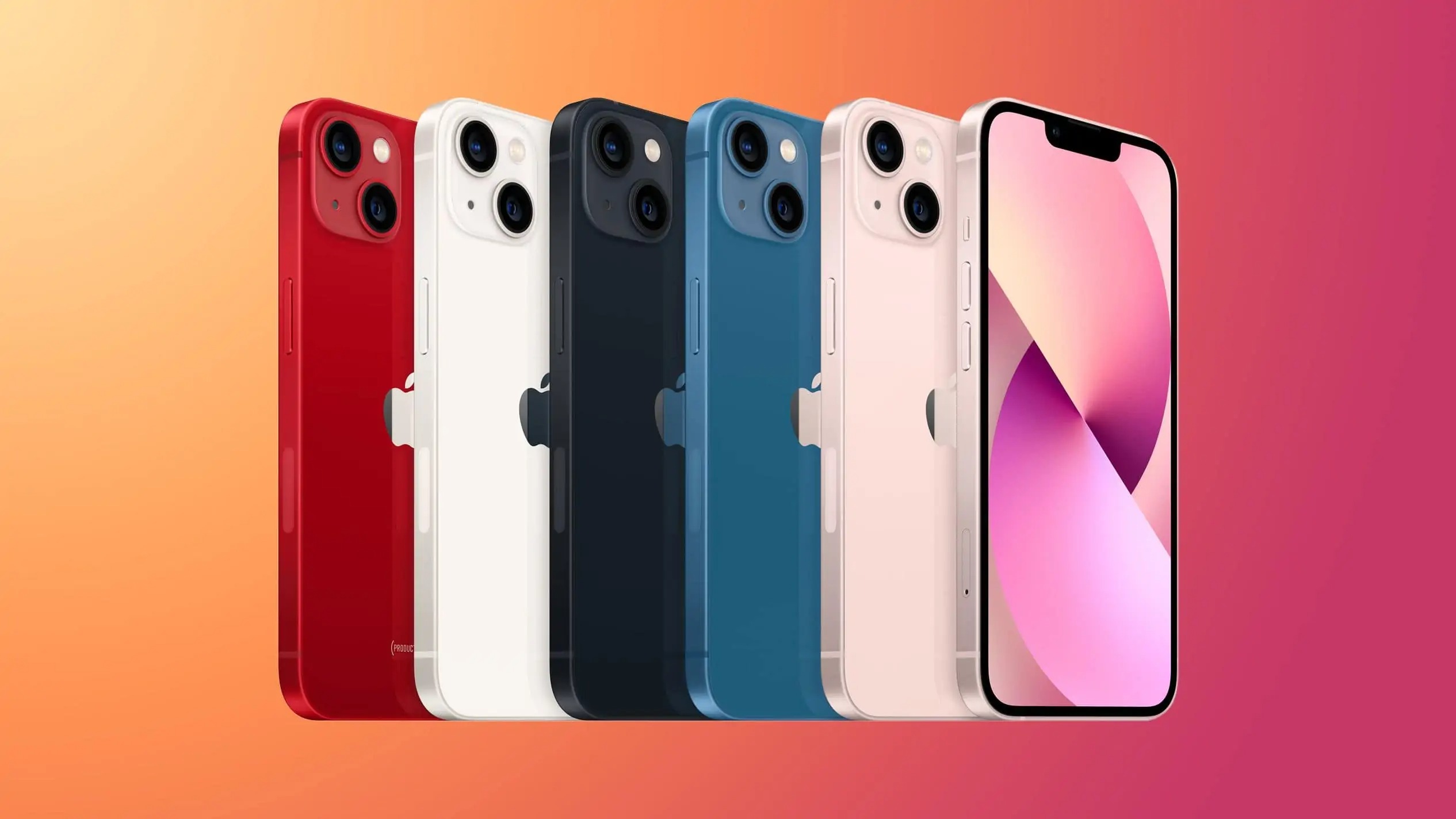
To get an iPhone 13 for free, the only documented path is to use Apple Trade In or a carrier deal that offsets the full cost with credit for your current device. Apple does not guarantee a free iPhone 13 promotion, so your realistic route is to trade in an eligible phone and apply the credit toward a new iPhone 13.
Is a truly free iPhone 13 possible?
What Apple does document is a trade-in workflow and carrier-offer workflow, both of which can reduce the price of an iPhone 13 to zero if your trade-in credit or carrier deal covers the full cost. No official pages describe a giveaway, contest, or referral program that provides a free iPhone 13, so treat any offer outside trade-in or carrier deals with caution.
How to get an iPhone 13 for free with Apple Trade In
Apple’s trade-in process is documented in three steps: get an estimate, prepare your device, and mail it in or drop it off. If the trade-in credit equals the price of the iPhone 13 you choose, you pay nothing out of pocket for the phone itself. The credit can also be applied toward an iPhone 13 purchase at Apple, whether you buy online or in a store. Trade-in value varies based on model, storage capacity, and condition.
Step 1: Get your trade-in estimate
Go to the Apple Trade In page to check the value of your current device. The estimate depends on the model, storage capacity, and condition of your phone. This amount is what offsets the cost of an iPhone 13, so start here to see how close you are to a free device.
Step 2: Prepare your old iPhone
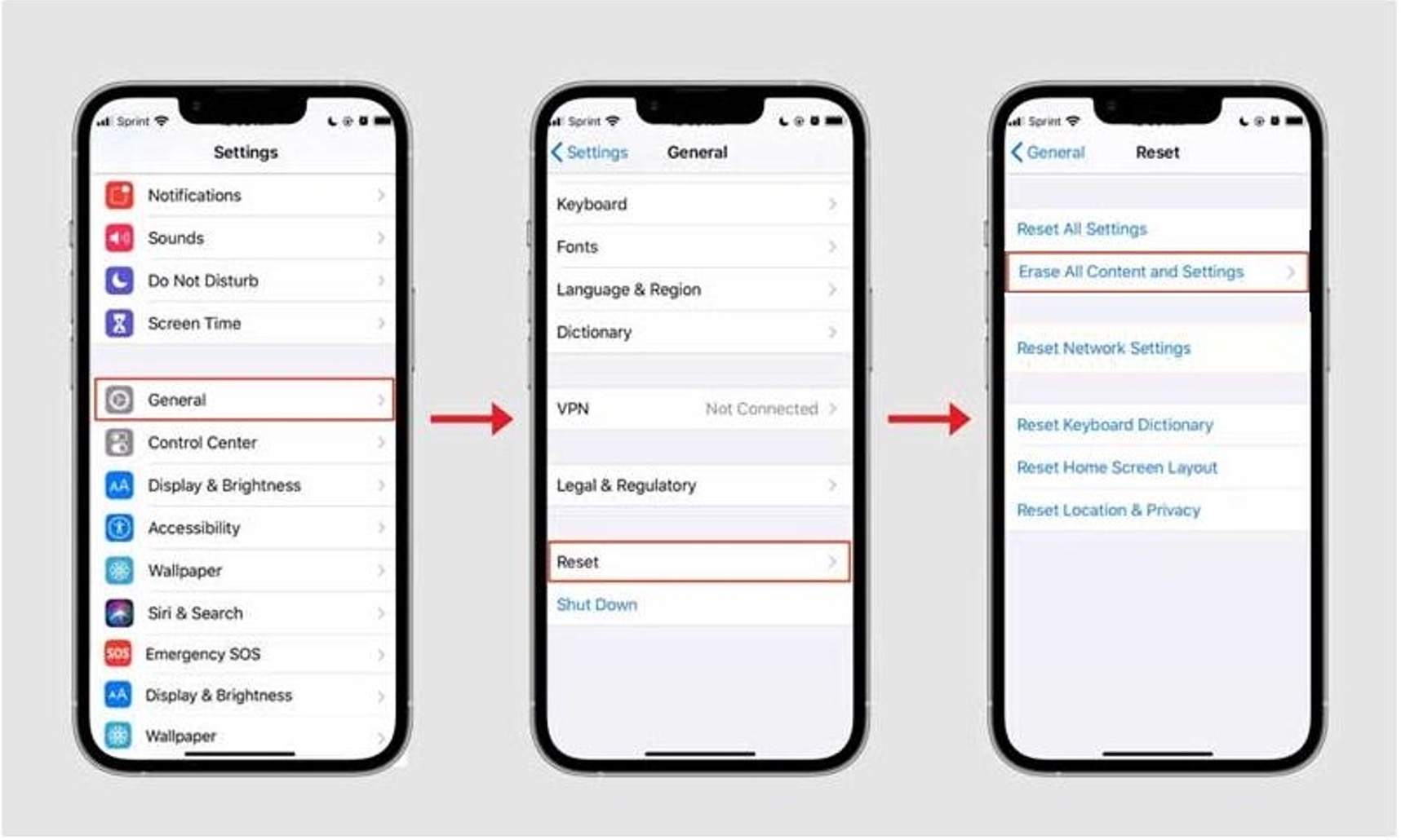
Before you send in your device, Apple documents these preparation steps: back up your iPhone, sign out of your Apple ID, and erase all content and settings. To back up, go to Settings > [your name] > iCloud > iCloud Backup, then tap Back Up Now. To sign out, go to Settings > [your name] > Sign Out. To erase, go to Settings > General > Transfer or Reset iPhone > Erase All Content and Settings. If you have an Apple Watch paired to the iPhone, unpair and erase it as well. Before trading in, check Parts and Service History for a Finish Repair message.
Step 3: Complete your trade-in
After you receive your trade-in kit, follow the courier return label instructions to mail the device in, or drop it off at an Apple Store. When you drop it off, get a receipt. Apple’s trade-in and sell/give-away steps apply to iPhone and iPad, and the trade-in preparation page also covers Apple Watch and Android devices for the return process.
Finding carrier deals that make an iPhone 13 free
Apple says select carrier deals can apply at Apple when you trade in a device in any condition or when you skip trade-in altogether. The carrier-deal page is for select carriers, so availability depends on the carrier and region shown in Apple’s store flow. If you are comparing carriers, check the sibling page on carrier switching deals to see which promotions match your current plan and device.
Frequently Asked Questions
Can I get a free iPhone 13 without a trade-in?
Carrier deals may apply without a trade-in, but availability is limited to select carriers and regions shown in Apple’s store flow.
What condition does my trade-in device need to be in?
Apple’s trade-in estimate accounts for the condition of your device. Minor wear is expected, but significant damage can lower the credit. Apple also says carrier deals can apply when you trade in a device in any condition, so check the specific offer before you assume your phone is ineligible.
Do Apple trade-in steps apply to Android devices?
Yes, Apple’s trade-in preparation page covers Android devices for the return process, along with iPhone, iPad, and Apple Watch. The same backup, erase, and sign-out steps apply where relevant.
Are there risks or downsides to pursuing a free iPhone 13 offer?
Yes, risks include long-term contracts, additional fees, and specific eligibility criteria that vary by carrier or promotion. Always review the full terms before committing.
For the wider topic, see iPhone models and camera specs.