If your mobile signal is weak at home or work, you can often boost mobile coverage by adjusting your phone's settings before buying any new hardware. Start with free, built-in tools like resetting network settings, enabling WiFi calling, or checking your APN configuration to see if that resolves the issue.
Start with free phone settings to boost mobile coverage
Before spending any money, try these no-cost fixes that address common software and configuration issues.
Reset network settings on iPhone and Android
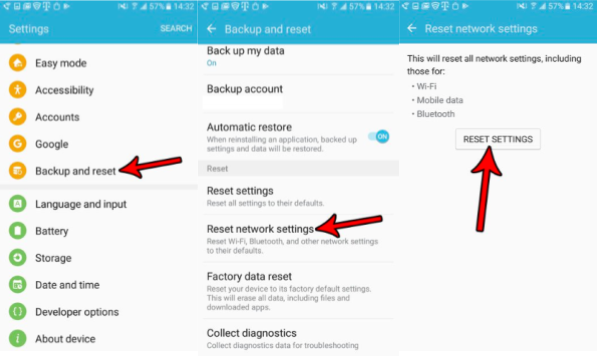
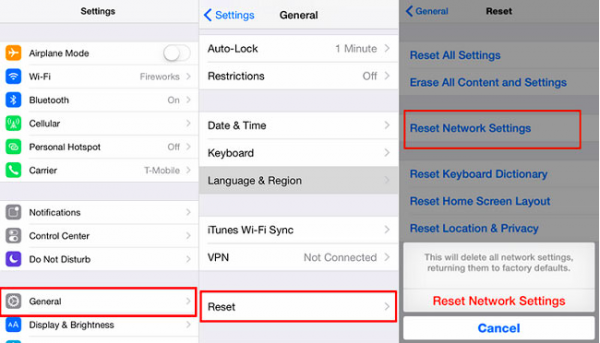
This clears out corrupted network data and forces your phone to re-establish a fresh connection to the nearest tower. On an iPhone, go to Settings > General > Transfer or Reset iPhone > Reset > Reset Network Settings. This action removes all saved Wi‑Fi networks and passwords, cellular settings, and VPN and APN settings, and it may also turn off cellular data roaming. It also resets the device name to 'iPhone' and makes manually trusted certificates untrusted. On Android, the path varies by manufacturer: try Settings > System > Reset options > Reset Mobile Network Settings, or on some devices Settings > System > Reset options > Reset Wi‑Fi, mobile & Bluetooth > Reset settings. Motorola devices may also offer Settings > More > Network settings reset > RESET SETTINGS.
Turn on WiFi calling
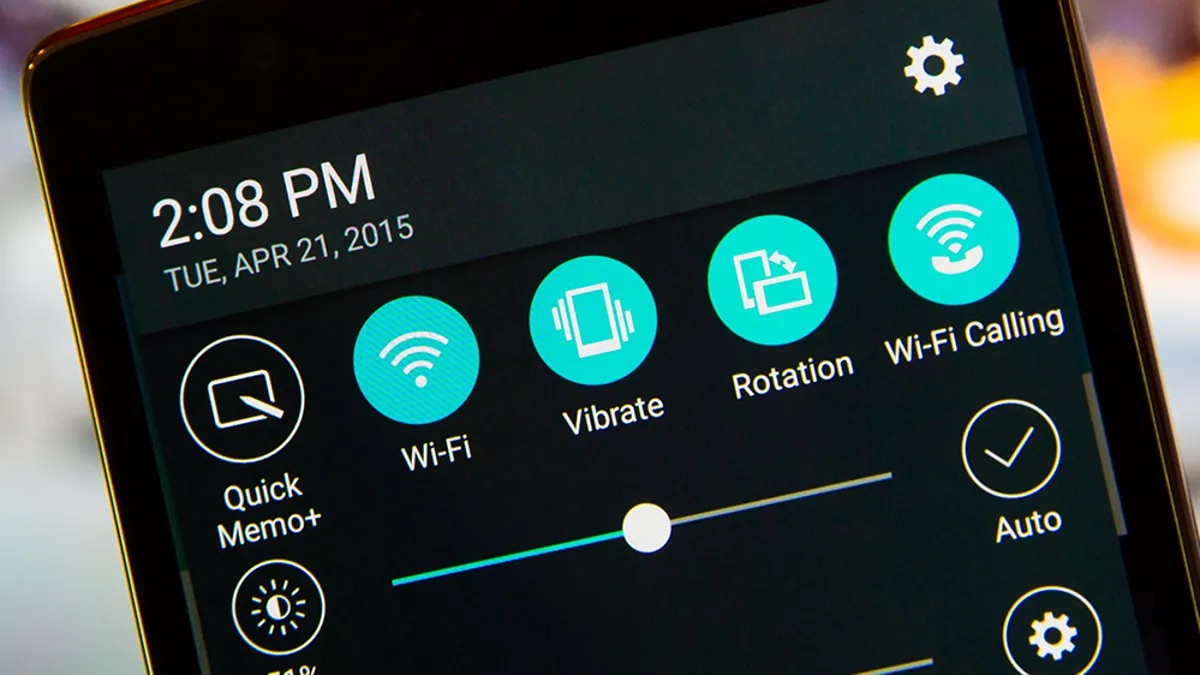
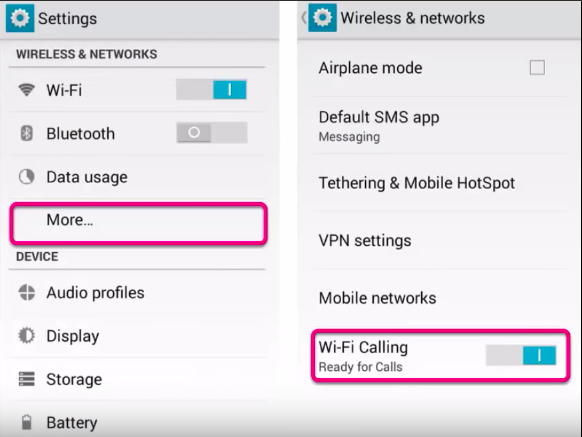
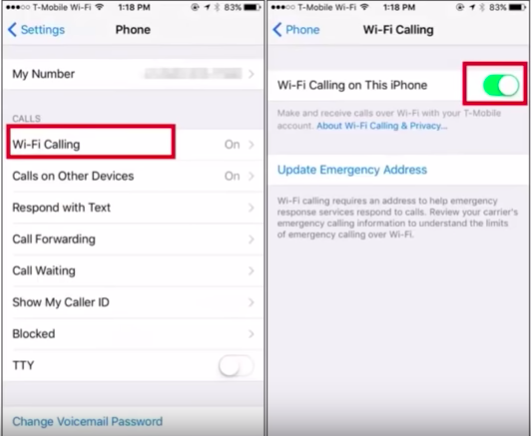
When the cellular signal is too weak for reliable calls, WiFi calling routes your voice calls over your internet connection. On an iPhone, go to Settings > Phone > Wi-Fi Calling and turn on Wi-Fi Calling on This iPhone. On Android, go to Settings > More... and turn on Wi-Fi Calling. Most carriers support this feature, and it works wherever you have a stable Wi‑Fi network.
Check your APN configuration
Incorrect Access Point Name (APN) settings can prevent your phone from connecting properly to your carrier’s data network. On an iPhone, go to Settings > Cellular > Cellular Data Network and select Reset Settings to revert to the carrier’s default APN information. At the bottom of Settings > Cellular, you can also view and reset usage statistics. Android users should check their carrier’s support page for the correct APN values, as the exact menu path varies by device.
Switch from 4G to 3G in crowded areas
In crowded areas, switching from 4G to 3G can sometimes provide quicker data speeds if your plan includes 3G access, because fewer people are competing for bandwidth on the older network.
Check your actual signal strength
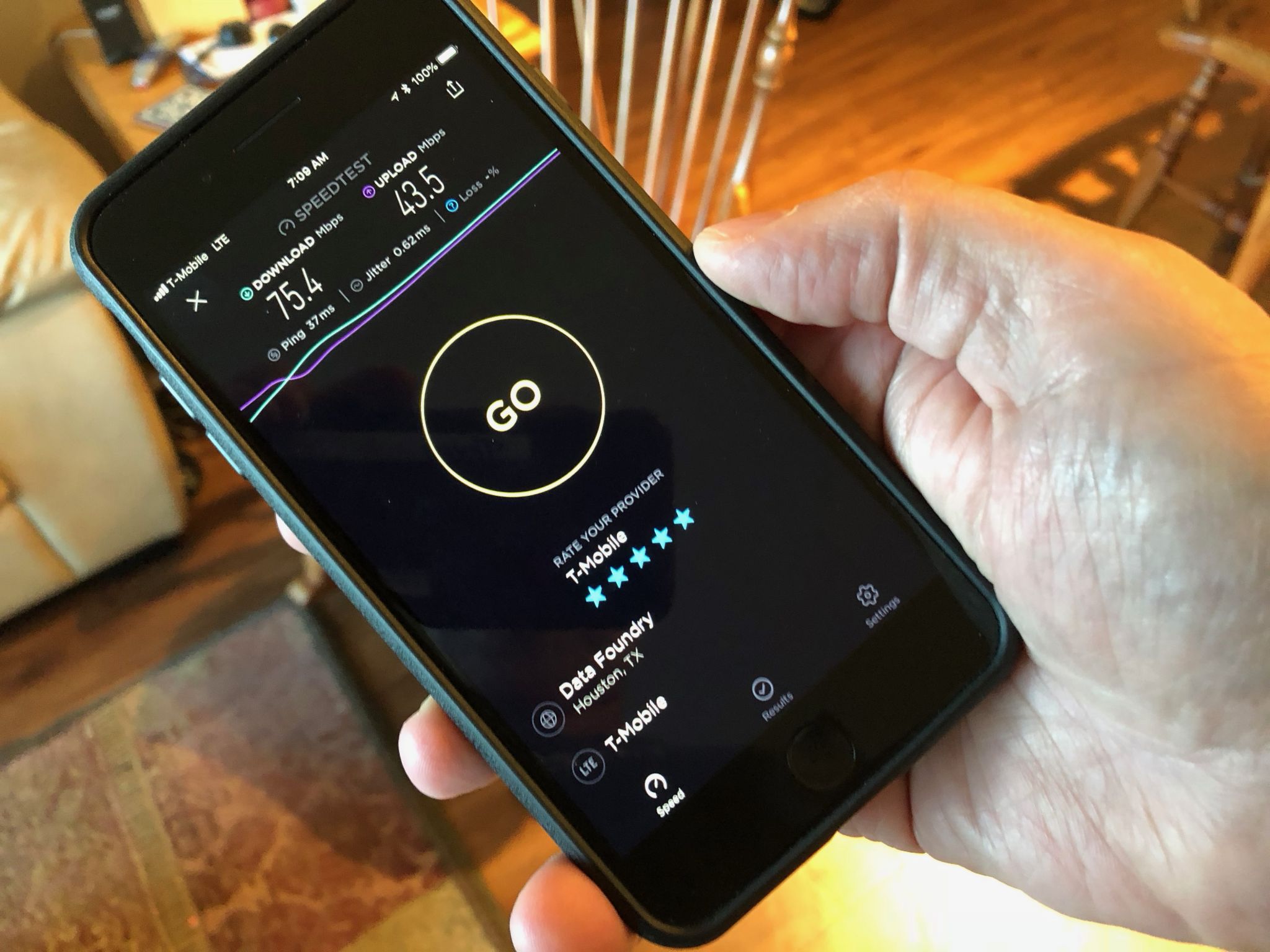
Your phone’s signal bars are not a reliable measurement because there is no industry standard for how they are displayed. To get an accurate reading in decibels (dBm), use the built-in diagnostic tools on your phone. You can also use the OpenSignal app to find the strongest signal spot and compare network providers.
On an iPhone, open the Phone app, dial 3001#12345#, and press call to enter Field Test Mode. On Android, go to Settings > Wi-Fi > SIM status and scroll down to view Signal strength. Walk around your home or office and record the decibel strength everywhere to map the weakest and strongest signal spots.
Change your physical location for a stronger signal
Physical obstructions like walls, furniture, and building materials are the most common cause of weak signal. Mobile signals operate on line-of-sight, so moving to a clearer location can make an immediate difference.
- Move up to a higher floor. Basements and ground floors are often the worst spots because signal has to travel through more concrete and earth.
- Stand near windows. Areas near windows typically receive better signal because there is less obstruction from thick construction materials.
- Go outside. If you are in a building, stepping outside removes most obstructions entirely.
- Use airplane mode to reconnect to the nearest tower. Turn on airplane mode, wait about 5 seconds, then turn it off. This forces your phone to scan for and connect to the closest tower, which can give you a stronger connection during periods of heavy network traffic.
When to switch carriers or get your phone checked
If you have tried all the free fixes and your signal is still poor, the problem may be with your carrier or your phone’s hardware.
Review coverage maps for each carrier in your region. Ask neighbors or coworkers which carrier they use and whether they get good signal in the same location. If your carrier’s coverage is weak in your area, switching to a carrier with a stronger local network may solve the problem permanently. Some carriers, like Sprint, offer off-network roaming partnerships to fill coverage gaps.
If others with the same carrier have good signal but you do not, your phone’s internal antenna may be damaged. Have a technician inspect your phone at a store. If the antenna is compromised, repairing or replacing the phone is often the only fix.
Hardware solutions for persistent weak signal
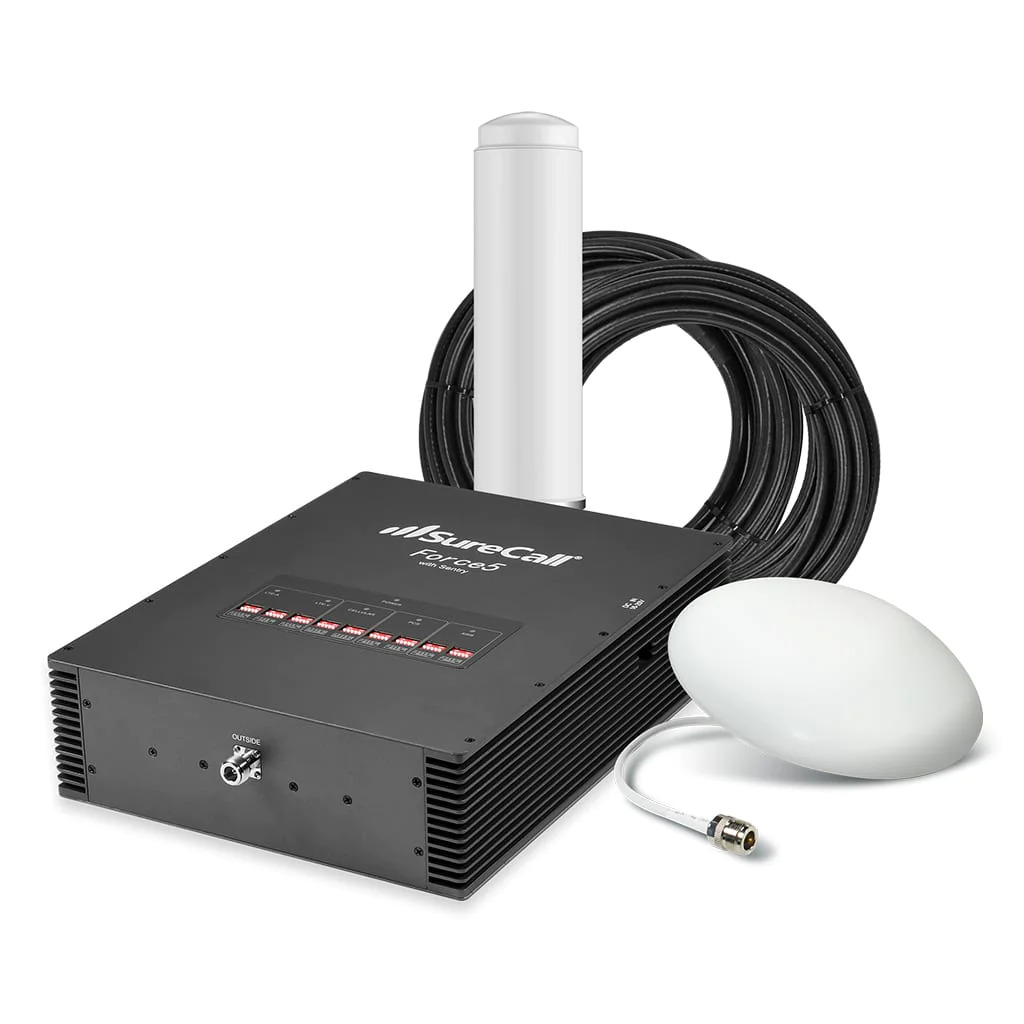
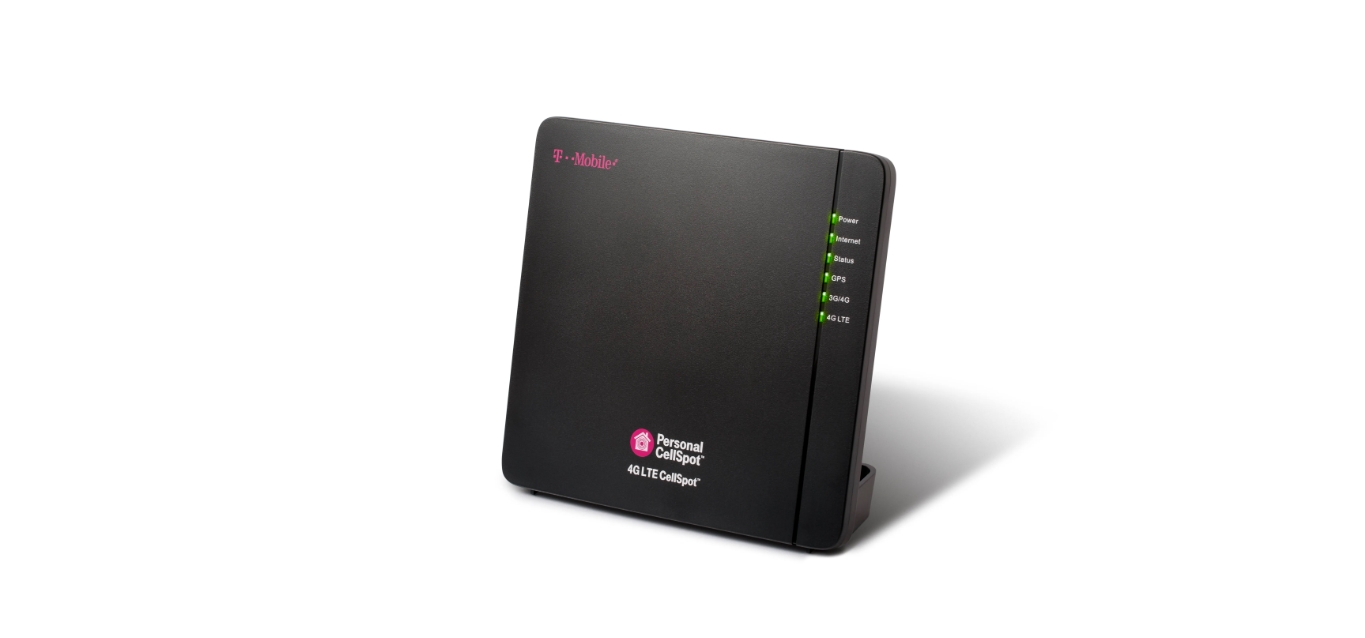
When location changes and carrier switching are not options, hardware can fill the gap. A network extender creates a small cellular signal in your home by routing calls and data over your broadband internet connection. This is a good choice if you have reliable internet but no outdoor signal. A cell phone signal booster, sometimes called an antenna amplifier, captures the existing outdoor signal, amplifies it, and rebroadcasts it indoors or inside a vehicle. This is a one-time purchase with no recurring costs.
For detailed guidance on specific devices, refer to the guides on obtaining a T-Mobile signal booster and understanding what a cell phone signal booster is and how it works.
Frequently Asked Questions
Does low battery really affect mobile signal?
The verified documentation from Apple, Google, and Samsung does not state that a low battery reduces signal range or coverage. The claim that phones lower signaling range to conserve battery is not supported by the official support pages retrieved. Focus on the free settings fixes and location changes first.
Will resetting network settings delete my photos or apps?
No. Resetting network settings only removes network-related data such as saved Wi‑Fi networks and passwords, cellular settings, VPN configurations, and APN settings. Your photos, apps, contacts, and other personal data remain untouched.
Why does my signal drop when I enter a building?
Building materials like concrete, metal, and energy-efficient glass block or weaken radio waves. This is why moving to a higher floor, standing near a window, or going outside often improves signal immediately.
Is WiFi calling free?
Most carriers include WiFi calling at no extra charge as part of your existing plan. However, calls made over WiFi to international numbers may incur standard long-distance rates. Check with your carrier for specific details.
How do I know if I need a signal booster or a network extender?
If you have a usable outdoor signal but it disappears indoors, a signal booster is the better choice because it amplifies that existing signal. If there is no usable signal anywhere near your home, a network extender that works over your broadband internet is the more reliable solution.
For the wider topic, see boosting mobile signal.
Related reading: How To Boost Your Verizon Wireless Signal.