Mobile operating systems are the software that bridges your device's hardware and the apps you use, determining everything from how you swipe to what apps you can install. The current landscape is a duopoly between Android and iOS, with KaiOS emerging as a third option for feature phones, and understanding their differences is key to choosing your next phone.
What is a mobile operating system?
A mobile operating system is the core software that manages a smartphone, tablet, or smartwatch's hardware and software resources. It acts as the middleman between the physical components, like the processor, screen, and battery, and the applications you run. Without a mobile OS, a phone cannot boot up or function. It determines which apps are compatible, how you interact with the device (touch, voice, keyboard), and what features are available, such as multitasking or security settings.

The evolution of mobile operating systems
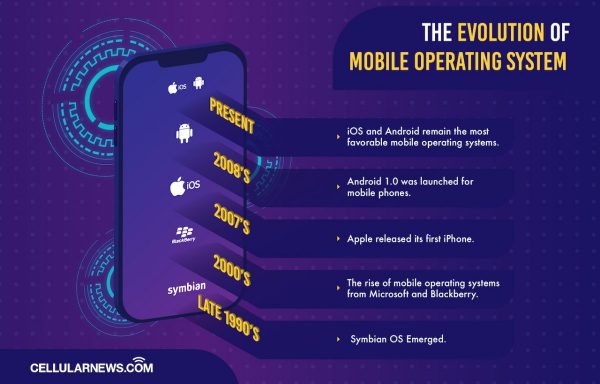
Early mobile phones ran on embedded systems with basic functions like calling and texting. The late 1990s saw the rise of Symbian OS, a cooperative effort from Nokia, Motorola, Ericsson, and PSION, which dominated the smartphone era. The 2000s brought competition from Microsoft and Blackberry. Everything changed in 2007 when Apple released the first iPhone with iOS, combining cell phone, iPod, and internet capabilities. In 2008, Android 1.0 launched, and these two operating systems have since become the dominant forces, shaping the modern mobile experience.


Open-source vs. proprietary mobile operating systems
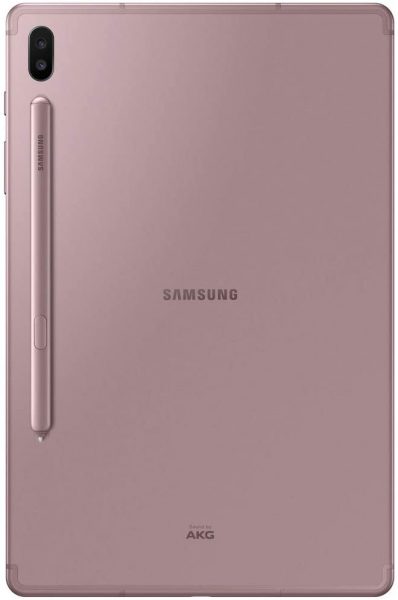
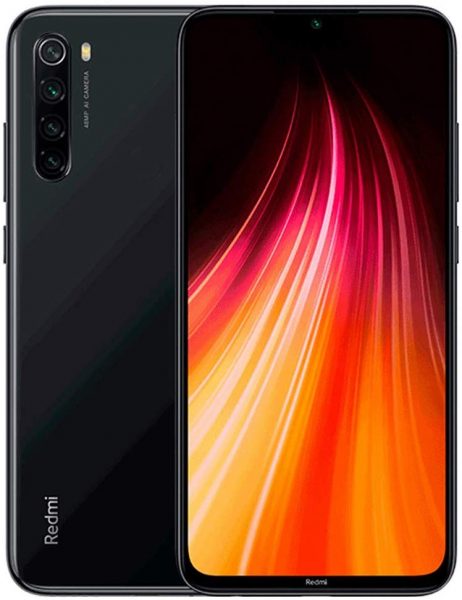
Mobile operating systems fall into two core philosophies. Android is the prime example of an open-source OS: its source code can be studied, modified, and distributed by anyone, which is why many manufacturers like Samsung, Xiaomi, and LG can build their own interfaces on top of it. iOS is a proprietary, closed-source OS developed exclusively by Apple. Only Apple's developers can modify its code, and users must agree to Apple's terms. For users, this means Android offers far more customization and hardware choice, while iOS provides a tightly controlled, consistent, and often more secure experience.
Android OS: Features and latest updates
Android's main feature is its open-source nature, allowing deep customization like installing different keyboards, using custom launchers, and changing stock batteries. A common misconception is that Android updates "don't matter" or "barely change anything"; however, many new features and security patches are delivered frequently through Google Play Services and individual app updates, often independent of major OS upgrades. This means your phone gets new capabilities even without a full system update. To root Android, access developer options, download SDK Platform-tools and device drivers, access bootloader (may need third-party program depending on brand), then use a third-party program to root. To downgrade Android firmware, download a previous version's ROM and a Flash tool to a PC, extract them, use the Flash tool to access the firmware file, put the phone in Download Mode (off + volume down, then volume up), connect via USB, and flash. To install/reinstall Android OS without a PC, save the Android ROM on an SD card, choose the setup option, and pick the ROM from the SD card. To install/reinstall Android OS using a PC, turn on developer mode via Settings > About Phone, enable USB debugging, download Android SDK tools, open SDK files, restart to recovery mode, access ADB reboot recovery, and factory reset.
How to update your Android OS
To update your Android device, follow these steps:
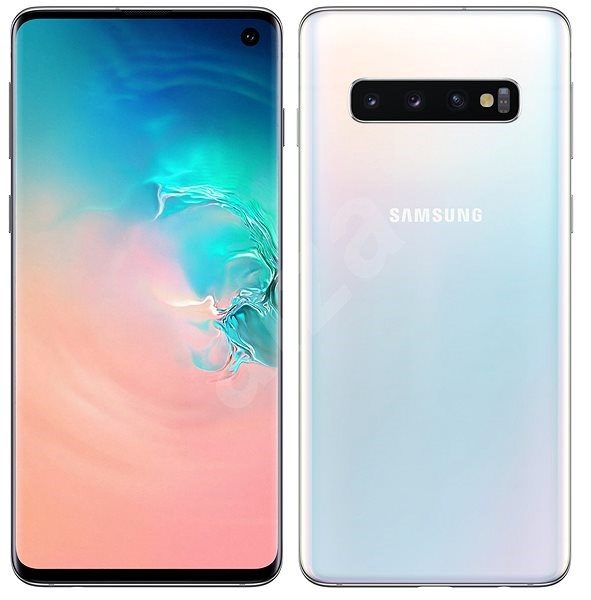
- Connect your device to Wi-Fi and ensure it is charged to at least 75%.
- Go to Settings > System > Software update (or System and Updates, or Security and Privacy > System and Updates).
- Tap Download and Install to begin the update process.
You will typically receive a notification when an update is available.
Apple iOS: Features and latest updates
iOS 18 is the latest major version, released in September 2025, with iOS 18.6.2 being a recent security update. Key new features include a redesigned Photos app with a simplified layout and collections, voice isolation for AirPods Pro during calls, and the ability to interact with Siri using head motions like nodding or shaking. iOS uses a proprietary security model, making it the most secure mobile OS, and is distinct from iPadOS, which is now a separate operating system for iPads. The introduction of folders in iOS 4 allowed users to place more apps on the home screen and introduced multitasking options. iOS 13 restricted updates to iPhones with 2GB RAM available, meaning older models could never access the upgrade. iOS 13 is only for iPhones and iPod touch models; the iPad now has a dedicated OS called iPadOS. To downgrade iOS, download a compatible past version IPSW file online, connect the device to iTunes, place it in recovery mode, open the IPSW file in iTunes, and press restore.
How to update your Apple iOS device
Before updating, back up your device, plug it into power, and connect to Wi-Fi. Then follow these steps:
- Go to Settings > General > Software Update.
- Tap Download and Install.
- You can also enable automatic updates in Settings > General > Software Update > Automatic Updates.
Updates can also be performed via a computer using Finder (macOS 10.15+) or iTunes (macOS 10.14 or earlier/Windows).
KaiOS: The third major mobile operating system
KaiOS is a Linux-based operating system launched in 2017, designed for smart feature phones with physical keypads. It brings smartphone-like capabilities, internet access, social media apps, to low-cost, long-battery-life devices. KaiOS 4.0 was released in May 2025, while KaiOS 3.1 is also actively running on many devices. KaiOS 4.0 introduces support for 5G (VoNR and VoWiFi), eSIM, network slicing, and DSDS, and is based on an updated Android 14 base and Gecko 123 engine. Harmony OS is a microkernel-based system developed by Huawei, aiming to provide inter-connectivity, increased performance efficiency, decreased task delays, and prioritization of higher-level tasks.
Android vs iOS: Which mobile operating system is better?
According to market share statistics, Android holds the largest share (around 73%) due to its use by multiple brands and a wide price range, while iOS has about 26%. The choice comes down to priorities: Android offers extensive customization, hardware variety from budget to premium, and the ability to change batteries. iOS provides a more secure, consistent experience with deep integration across Apple devices, a curated app ecosystem, and features like Face ID. If you want to jailbreak your device, you can follow the ultimate guide for jailbreaking iPhone without PC, but be aware that this voids warranties and poses security risks. For those interested in the broader software update process, the topic of updating iOS and operating systems is covered in detail above.
Troubleshooting common mobile OS problems
If your Android or iOS device experiences performance dips, start with these quick fixes:
- Close open apps: Too many running apps can slow down your device.
- Free up storage: Delete unwanted files, apps, and photos to improve performance.
- Restart the device: A simple restart clears active tasks and temporary glitches.
For Android, you can also use the Device Maintenance feature in Settings to clear unwanted programs, free up memory, and look for malware. For iOS, if problems persist after these steps, consider visiting an Apple service center.
Frequently Asked Questions
Can I install Android on an iPhone?
No. iOS is designed exclusively for Apple's hardware, and the firmware and security chips prevent installing other operating systems like Android.
Is it safe to jailbreak an iPhone?
Jailbreaking bypasses Apple's security restrictions, which can expose your device to malware, instability, and data theft. It also voids your warranty.
How often do Android phones get major OS updates?
Major Android OS updates are typically released annually, but the timing depends on your phone manufacturer. Google Pixel phones get updates first, while other brands may take months to roll them out.
What is the difference between a software update and a security patch?
A software update (or OS upgrade) brings new features and major changes, while a security patch fixes specific vulnerabilities. Security patches are released more frequently, often monthly, for both Android and iOS.
Related reading: Top 10 Mobile OS You Can Use as Android Alternative.



![Top 25 Mobile Rhythm Games You Cannot Miss [Android & iOS]](/wp-content/uploads/2020/04/daan-geurts-qWJ6zFUsX0A-unsplash.jpg)