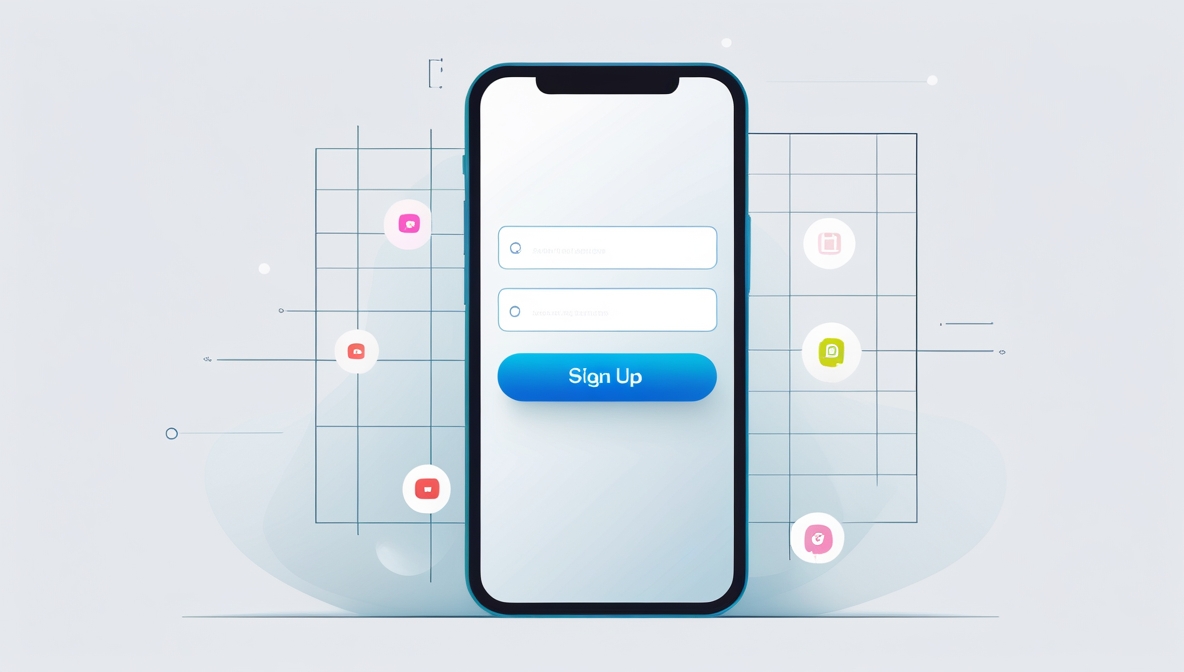
To sign up without spam, use a masked or disposable email address instead of your real one whenever you create an account. This single step blocks marketing emails before they ever reach your primary inbox.
How to sign up without spam: your clean inbox guide
Every app or game registration asks for an email address, and nearly every one of them uses that address to send newsletters, promotions, and updates. The most effective modern solutions, masked emails, aliases, and secondary accounts, let you keep your real inbox clean while still receiving the verification messages you actually need. Whether you are signing up for mobile app guides or the latest multiplayer game, these techniques prevent the avalanche of spam that follows most registrations.
Use 'Sign in with Apple' and hide my email
Apple's "Hide My Email" feature creates a unique, random email address that forwards to your personal inbox, keeping your actual email private. This requires an iCloud+ subscription. When you tap the "Sign in with Apple" button on a participating app or website, choose "Hide My Email" when prompted to provide an email address. Apple generates a one‑time address that only works for that service. To manage these addresses on an iPhone or iPad, open the Settings app, tap your name, then tap "iCloud," and select "Hide My Email" in the iCloud+ Features section. You can disable any forwarded address there if it starts receiving spam. Avoid using social media logins, as they increase exposure to unnecessary marketing emails, give apps access to additional personal details, and limit account control if the service misuses the information.
Create a dedicated secondary email address
A separate email account used only for app and game registrations quarantines spam away from your primary inbox. Set up a free account from any provider and use it exclusively for sign‑ups. Even if that inbox becomes overloaded with promotional messages, your main email stays untouched. This classic method also reduces exposure to phishing attempts targeting your primary address. Using a secondary email provides an easy way to filter and manage subscriptions.
Turn off promotional emails during sign-up
Many apps and games pre‑select subscription boxes during registration. These options often include promotional emails, partner offers, and marketing materials. Before finalizing an account, look for checkboxes related to newsletters and promotions and uncheck any that are not necessary. If unsure, check the app's privacy policy for its marketing communication policies.
Use email aliases for instant filtering
Email aliases let you create unlimited variations of your real address without setting up a new account. Any email sent to an alias still arrives in your inbox but can be filtered separately. Gmail users can add +anyword before the @Gmail.com part, for example, yourname+apps@Gmail.com. Outlook offers a "Create an Alias" feature in account settings. Yahoo provides a "Disposable Email Addresses" feature. Use a unique alias for each app so you can instantly block or filter senders that start spamming.
Try a temporary email service with caution
Disposable email providers like TempMail generate random addresses that work long enough to receive a verification email. Once verified, the address expires, preventing future spam. However, if you lose access to that temporary inbox, you cannot recover accounts that rely on it for password resets or support. Use this method only for one‑time verifications where you do not need ongoing access.
Adjust email preferences in account settings
If an app starts sending frequent emails, most provide an option to adjust communication preferences. Log into the app's settings or account page, locate the "Email Preferences" or "Notifications" section, and disable unnecessary email alerts while keeping account‑related messages. You can reduce email frequency or choose specific notification types without unsubscribing completely.
Unsubscribe from unwanted emails safely
Always look for an unsubscribe link at the bottom of unwanted promotional emails and newsletters to remove yourself from mailing lists, rather than just deleting them. Only click "Unsubscribe" links in emails from known senders. Avoid unsubscribing from emails that look suspicious, as this may confirm your email is active to spammers.
Set up a spam filter to catch the rest
Modern email providers offer built‑in spam filters that automatically divert suspicious messages. You can also customize filters to block specific senders or subject lines. Open your email settings and locate "Filters" or "Rules." Create a new filter for emails containing keywords like "promotion" or "deal," and set the filter to move these emails directly to the spam or trash folder.
Use a password manager for masked emails
Premium password managers integrate with email masking services to generate unique login credentials and private email addresses simultaneously. 1Password offers email masking with Fastmail integration. Bitwarden allows you to store and manage multiple login credentials securely while supporting masked email generation. This approach creates a separate, disposable address for every account without manual setup.
Frequently Asked Questions
Can I use "Sign in with Google" to avoid spam?
When you use "Sign in with Google," you are informed of the data shared with the linked app, typically your name, email address, and profile picture, and Google does not share your password. However, Google does not offer a "hide my email" equivalent, so the app still receives your real Gmail address. To manage apps connected this way, go to your Google Account's linked apps page, select the app, and choose "Remove access" if you no longer trust or use it.
What is the difference between an alias and a masked email?
An alias is a variation of your existing email address (like yourname+appname@Gmail.com) that still delivers to your main inbox. A masked email is a completely random, unique address generated by a service like Apple's Hide My Email or a password manager, which forwards to your real inbox. Masked emails are harder for spammers to guess and can be turned off individually without affecting your main address.
Will unsubscribing from a newsletter stop all emails from that sender?
Unsubscribing only stops the specific mailing list you opted out from. The sender may still email you for transactional reasons, such as account confirmations, password resets, or security alerts, unless you also adjust notification settings inside the app itself.
How do I review app permissions before signing up?
Carefully review app permissions before and after installation to control what data or device features an app can access, such as location, contacts, or camera. On Android, check the permissions listed on the Google Play store page before downloading.
Can I recover an account if I used a temporary email?
Generally, no. If you lose access to the temporary inbox, you cannot receive password reset emails or support messages. Use a temporary email only for services you do not plan to return to, and always keep a backup recovery method, such as a phone number, if the app allows it.
Related reading: How To Use Hinge Without A Phone Number and Creating Accounts Without a Phone Number.