You cannot use APK on iOS in any way that Apple supports. The Android APK file format is not compatible with iPhone or iPad, and Apple only documents installing iPhone and iPad apps from the App Store or, where available in a region, through alternative app distribution.
What an APK file actually is
APK stands for Android Package Kit. It is the file format Android devices use to distribute and install applications. When you download an app from the Google Play Store, it comes as an APK. This file contains the code, resources, and assets needed to run the app on an Android operating system. iOS devices use a completely different file format called IPA (iOS App Store Package). iPhone and iPad use Apple app installation paths, not APK installation.
Apple's documented iPhone install paths
Apple supports exactly two ways to install software on an iPhone or iPad. The first is the standard App Store flow: open the App Store, find an iPhone or iPad version of the app you want, and install it normally. The second is alternative app distribution, which Apple provides in regions that support it. This option allows installing apps from sources other than the App Store, but it applies to iPhone and iPad apps only, not Android APK files.
Why APK files do not work on iOS
There are three documented limits that prevent APK files from working on iOS. The first is a platform limit: Apple documents its install paths for iPhone and iPad apps, not for Android apps or APKs. The third is a region limit: even the alternative app distribution path is available only if your region supports it, and it still does not allow APK files. Apple has no support page that describes a setting, menu path, or button for opening an APK file on iOS.
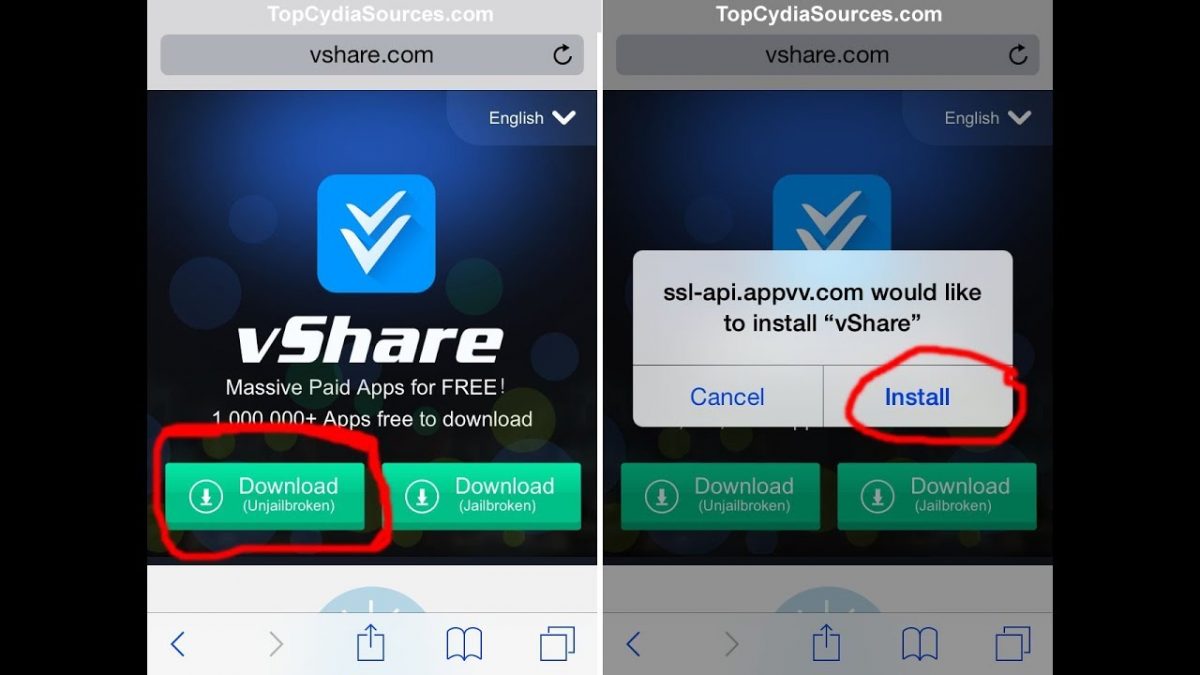
Some articles suggest workarounds such as jailbreaking your iOS device, using third-party app installers, emulating an Android environment on iOS, or using online APK converters. Jailbreaking voids your warranty and can introduce security risks. Before jailbreaking, disable Find My iPhone and any passcode or Touch ID/Face ID lock on your device. Third-party installers like Cydia Impactor and TutuApp provide apps outside the App Store but still cannot install APK files. For TutuApp, after installation, navigate to Settings > General > Profiles & Device Management to trust the developer certificate. Online converters attempt to change the APK into an iOS format, but no Apple support page documents this as a valid install method, and the resulting file often has compatibility issues. Check the converter for any file size limitation before uploading an APK.
What to do instead
If you want an app that exists for both platforms, the straightforward answer is to install the iPhone version from the App Store. Search for the app name directly in the App Store, and if an iOS version is available, install it that way. If the app is available only on Android, check whether an equivalent iPhone app exists. For users in supported regions, alternative app distribution can install iPhone and iPad apps from sources other than the App Store, but this still does not allow APK files. Apple does not provide any supported method for getting an Android-exclusive app onto an iPhone or iPad.
If you need to transfer data from an Android device to an iPhone, tools exist that can move content such as phone photos and media between platforms. These are separate from app installation and address a different need: getting your personal files, rather than Android app files, onto your iOS device.
Frequently Asked Questions
Can iPhone open APK files?
No. The APK format is designed for Android, and iOS uses the IPA format instead.
Can I convert APK files to IPA files?
Direct conversion is not possible because they are designed for different operating systems.
Can jailbreaking make APKs work on iPhone?
Jailbreaking removes Apple's software restrictions, but it voids your warranty and is not endorsed by Apple as a solution for running Android apps.
Can third-party app stores install APKs on iPhone?
No. Apple documents alternative app distribution in supported regions, but that path is for iPhone and iPad apps, not APK files. Third-party app stores that claim to install APKs are not a supported Apple method.
Can an Android emulator run APKs on iPhone?
While emulators exist, they are not an Apple-supported way to run APK files and may perform poorly.
Related reading: TextNow APK: Download & Installation Guide.