When your hotspot runs out, what happens depends entirely on your carrier plan: your speeds may be throttled to near-uselessness, your data may be cut off completely, or you could face overage charges. There is no universal rule built into your phone or tablet that dictates the outcome, as the device itself has no fixed data cap, the limit and the penalty for exceeding it are set by your mobile carrier.
How to check what happens when hotspot runs out
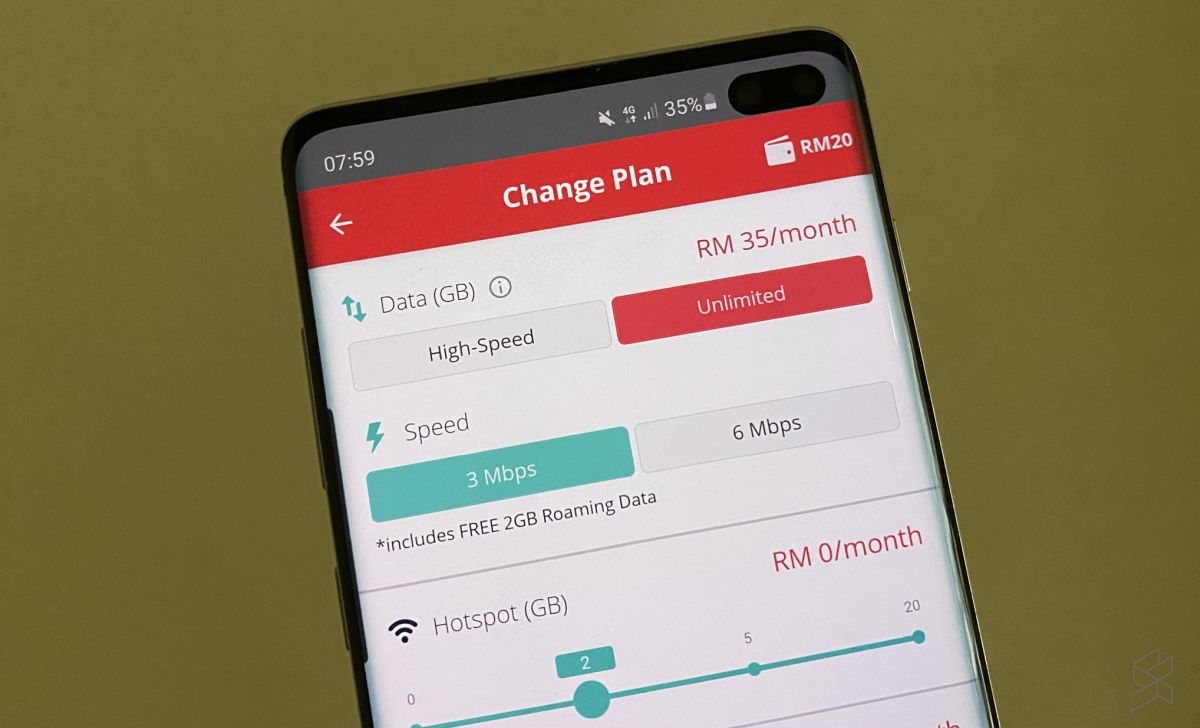
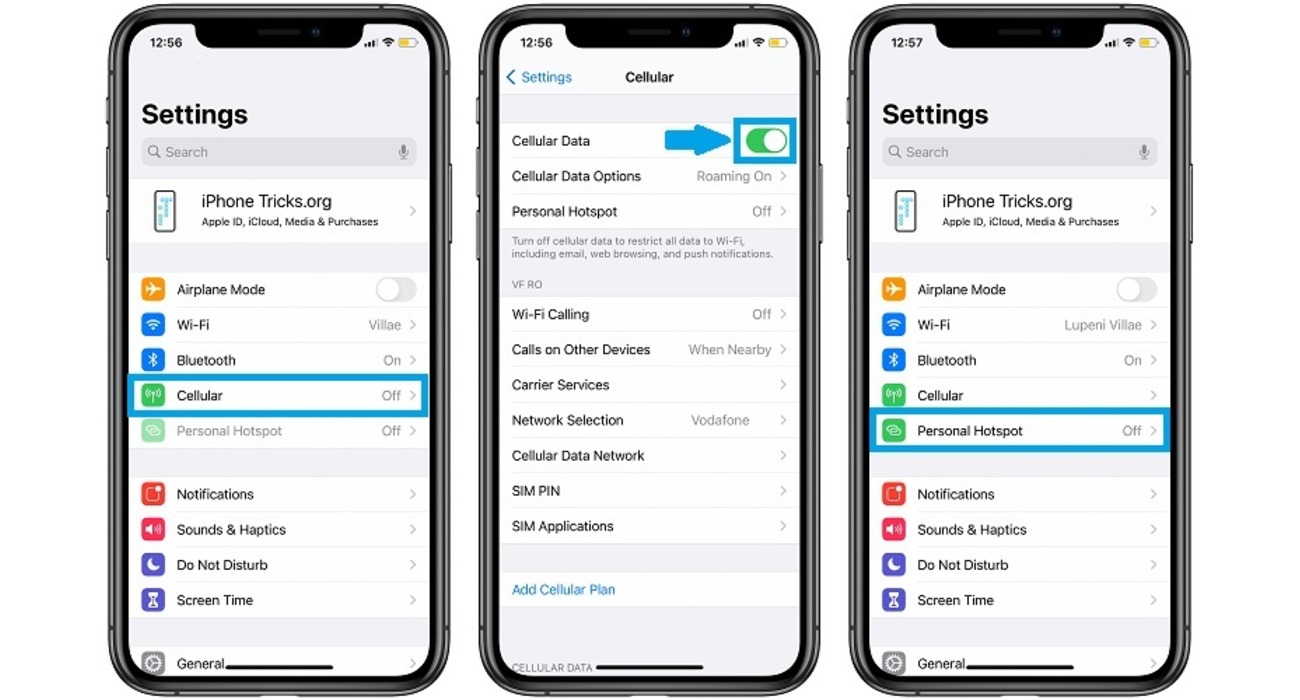
To avoid surprises, check your remaining hotspot data directly on your device and confirm your carrier’s specific overage policy. On an iPhone, go to Settings > Cellular > Personal Hotspot to see your current usage. On most Android phones, open Quick Settings, tap and hold Hotspot to view details, or add it through Edit if the icon is missing. Because the device only shows data used, not the carrier’s rule for what happens next, you must also log into your carrier’s account or app to see whether your plan throttles, cuts off, or charges after the hotspot allowance is exhausted.
Why your personal hotspot might be dimmed or unavailable
If the Personal Hotspot option is dimmed or missing on your iPhone or iPad (Wi‑Fi + Cellular), Apple documents three common reasons: your carrier plan does not support the feature, Cellular Data is turned off, or the carrier has not enabled the service on your line. Start by checking that Cellular Data is on under Settings > Cellular. If the toggle is on and the hotspot still does not appear, the issue is carrier-side. For persistent problems, Apple recommends restarting both devices, updating to the latest iOS or iPadOS, and, if nothing else works, resetting network settings at Settings > General > Transfer or Reset [device] > Reset > Reset Network Settings. This clears saved Wi‑Fi networks and VPN configurations but often resolves software-level conflicts. On a Samsung Galaxy phone, navigate to Settings > Connections > Mobile Hotspot and Tethering > Mobile Hotspot; Samsung also references Group Sharing and a top switch for certain hotspot-related setups. On iPhone 12 or later, iPad Pro 11-inch (3rd gen or later), iPad Pro 12.9-inch (5th gen or later), and iPad mini (6th gen), a Maximize Compatibility toggle appears under Settings > Personal Hotspot. For Android, Google’s support says to open Quick Settings, tap Hotspot, and if it is missing, use the Edit button to add it. Once visible, tap and hold Hotspot to set up the network name and security type, including the option for None. Other devices then connect by opening their Wi‑Fi list and selecting your phone’s hotspot name.
How to get back online after your hotspot data is gone
When your hotspot allowance is used up, you have several ways to restore internet access without waiting for your next billing cycle:
- Purchase a data pass from your carrier. Most providers let you buy an extra hotspot data package through their website or app. This is often the fastest way to resume full-speed tethering.
- Connect to public Wi‑Fi. Use a nearby Wi‑Fi network, such as one in a café, library, or store, to get online without using your phone’s cellular data.
- Use your phone’s on-screen data instead. If your phone still has cellular data for direct use, you can browse, stream, or work on the phone itself rather than tethering other devices.
- Upgrade your plan. If you frequently run out of hotspot data, consider switching to a carrier plan with a higher hotspot allowance or an unlimited hotspot option.
For a deeper understanding of these options, review your carrier’s help page for hotspot basics and troubleshooting.
Frequently Asked Questions
How can I check how much hotspot data I have left?
On Android, open Quick Settings, tap and hold Hotspot, and look for a data usage meter. For exact remaining allowance, check your carrier’s account page or app, since the device only tracks what you have used, not your plan’s limit.
Can I purchase more hotspot data if I run out?
Yes, most cellular providers let you buy an additional data pass or top-up for your hotspot through their website or mobile app. Charges apply, and the available options vary by carrier and plan.
Can I still use my hotspot if I run out of data?
No, once your hotspot allowance is exhausted the tethering function stops working, even if your phone still has on-device data. The carrier enforces a separate cap for hotspot usage, so you cannot bypass it by simply turning the hotspot back on.
What are the best alternatives if my hotspot data is gone?
Connect to a public Wi‑Fi network, use your phone’s on-screen cellular data directly, or upgrade to a plan with a larger hotspot allowance. If you are near a wired connection, you can also plug your device into an Ethernet network.
Related reading: How Long Is 5 GB Of Hotspot.