Start here: which free TV streaming apps are actually legal and safe
Before you download any free TV streaming apps, it helps to know which ones are fully licensed and which operate in a legal gray area. Services like Tubi and Pluto TV pay for the rights to their catalogues through advertising. This means you can safely install them on any device without worrying about malware or your internet provider throttling your connection. On Android, you can add an extra layer of protection by opening the Play Store, tapping your profile icon, then Play Protect > Settings, and turning on Improve harmful app detection. For a completely above-board way to stream live TV and movies for free, Pluto TV is available across a wide range of platforms. These platforms include iOS, tvOS, Apple Vision, Android mobile, Android TV, Chromebook, and Google TV, with the iOS, iPadOS, visionOS, and tvOS apps currently requiring version 18.0 or later. Understanding whether an app poses risks often means weighing potential dangers against the appeal of a large library. If you are moving on from an older unlicensed favourite, you can find several streaming alternatives to ShowBox. You can also explore a broader list of free movie apps. You might also explore the top 16 free movie apps you should try out. You might also want to check the 11 best ShowBox alternatives for binge-watching in 2022.
- it exactly and is it safe for you — MovieBox Pro: What Is It Exactly and Is It Safe for You?
Setting up your go-to free streaming apps
Once you know which services carry proper licenses, getting them onto your screen takes just a few minutes. Start with the biggest free library by setting up the Tubi TV app on your phone or Apple TV, because you can watch movies using the Tubi TV app without any subscription fees. It requires iOS 16.0 or later on iPhone, iPadOS 16.0 or later on iPad, visionOS 1.0 or later on Apple Vision, and tvOS 17.0 on Apple TV. Once installed you can tap Share on any title’s details page to send a recommendation to a friend.
If you want to watch ABC shows on the ABC app, the same principle applies. Grab it from your device’s store and sign in with a TV provider if prompted. Current-season episodes are typically ready right away.
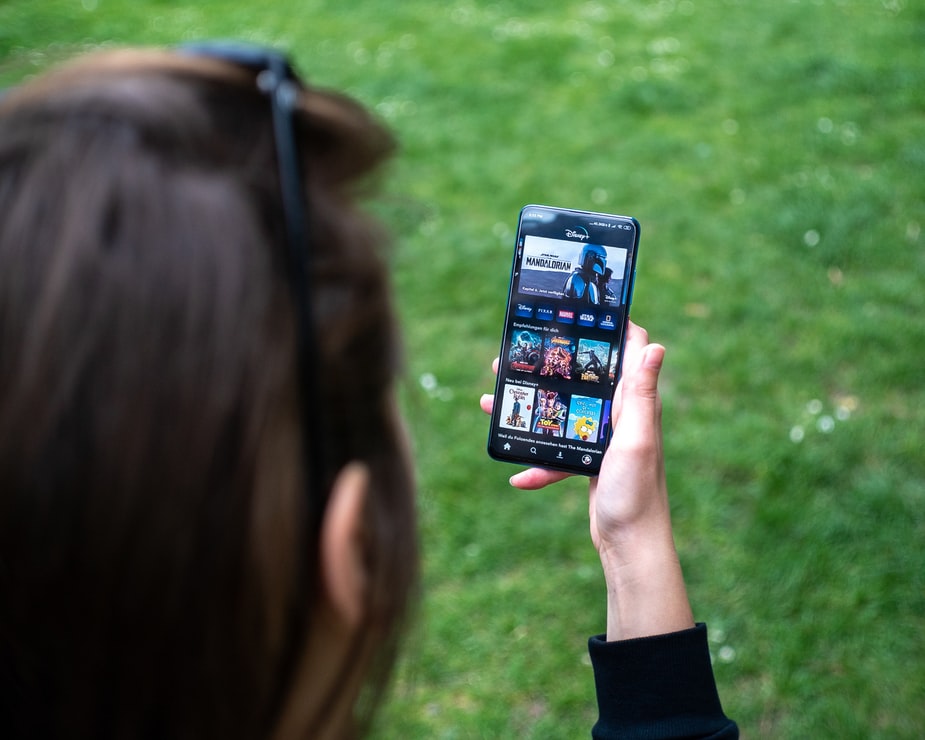
For households on a Verizon unlimited plan, your guide to getting Disney Plus on Verizon for free starts in the My Verizon app under the Add Disney Plus option. The six-month Premium No Ads offer applies specifically to older plans like 5G Play More, Play More Unlimited 5G UW, 5G Get More, and Get More Unlimited 5G UW while you stay on that plan. Newer Unlimited Welcome or Unlimited Plus lines activate the full Disney bundle perk through the same menu.
One service that has faded from the scene is the Periscope live video streaming app. It no longer operates as a standalone consumer platform. You will not find a current version to install on any major app store today.
Watching specific shows and niche content for free
Getting a single hit series onto your screen without a subscription often comes down to timing your free trials carefully. If you want to watch Euphoria for free on iPhone, the official path runs through the Apple TV app, where new subscribers can start a 7-day trial. The offer that catches most people off guard is the extended three-month access, which appears automatically when you sign in with the Apple ID tied to a recently purchased and activated iPhone, iPad, Apple TV 4K or Mac. The same trial structure unlocks period dramas as well, & how to watch the Crown online or on Apple TV may follow a similar route through available channel add-ons, since the show lives inside the same Apple TV+ catalogue covering all original programming on compatible devices including smart TVs, Roku, Fire TV, PlayStation, Xbox, and more.
Anime fans looking to build a library for commutes or travel will find that the 13 BEST free anime apps for offline viewing split into two practical camps: fully licensed, ad-supported services like Crunchyroll’s free tier, and niche catalogue apps that rotate their downloadable titles seasonally. The real-world friction point is often not finding content but clearing out what you have already finished, and knowing how to remove shows from continue watching on Crunchyroll mobile keeps your home screen manageable. The exact menu path varies by app version, so if long-pressing a title thumbnail does nothing, check the three-dot icon on the show’s details page for the removal option.
Managing subscriptions, limits, and access tricks
Once you settle on a handful of legit free apps, the real headache shifts from finding content to juggling access and avoiding surprise charges. If you ever signed up for a paid tier just to catch a single event, make sure you cancel Peacock subscription in just a few steps before the billing date hits by logging into your account on the web, opening the Subscriptions tab, and selecting Cancel All Subscriptions, then following the prompts until you see the on-screen confirmation. For plans billed through Apple, Google, or Roku, you must head to that provider’s settings instead. Before committing to any upgrade, ask yourself whether this streaming service worth paying for when its free tier already carries a deep library of next-day NBC shows and live sports clips.
Regional blocks and household rules create their own friction. If a travel or living-room setup triggers a proxy error, searching for a 10 best Netflix VPN in 2024 will surface tools that claim to unblock libraries, but Netflix actively detects and blocks most of them, so you will often just hit the same “turn off your VPN” screen. On the sharing side, a Hulu simultaneous stream limit may restrict how many screens can watch at once, and you will see a “too many streams” prompt if a third person starts watching. Upgrading to the Unlimited Screens add-on is the only official way around it, and you manage that directly from your account’s Manage Add-ons section.
Frequently Asked Questions
How do I turn on Pluto TV's improve harmful app detection on Android?
Open the Google Play Store, tap your profile icon, then Play Protect > Settings, and turn on Improve harmful app detection. This adds an extra layer of protection when installing any free streaming apps on Android devices.
What iOS version does Tubi require on Apple TV?
Tubi requires tvOS 17.0 or later on Apple TV. On iPhone and iPad it needs iOS 16.0 or later and iPadOS 16.0 or later, while Apple Vision requires visionOS 1.0 or later.
How do I cancel a Peacock subscription billed through Apple?
You must cancel through Apple's settings directly, not through the Peacock website. Peacock says subscriptions billed through Apple, Google, or Roku require heading to that provider's settings to cancel before the billing date hits.