This Pluto TV guide explains how to stream live TV and movies for free without any subscription. Pluto TV is a free, ad-supported streaming service offering hundreds of live channels and a large on-demand library of movies and TV shows, owned by ViacomCBS.
What is Pluto TV?
Pluto TV is a free, ad-supported online streaming service that provides live television channels and on-demand movies and TV shows through its app and website. Owned by ViacomCBS, the platform offers a wide range of content including news, sports, entertainment, kids' programming, movies, and classic TV, all without requiring a paid subscription. Pluto TV was launched in 2014 and now has more than 40 million monthly active users worldwide. The platform has partnered with 170 content providers, including CNN, Nerdist, and A&E Networks. Pluto TV has more than 250 live channels.
Is Pluto TV really free?
Yes, Pluto TV is completely free. The service does not require any payment details to start watching. Pluto TV generates revenue through advertisements that play during your viewing, meaning you will see commercial breaks, but no money is ever requested from you. Creating an account is optional and only provides additional features like saving favorite channels or resuming playback on another device. Ads play about four times for a half-hour show, each ad is 20 to 30 seconds long, and Pluto plays as many as six per commercial break.
How to get started with Pluto TV
Getting started is straightforward. You do not need to provide payment information or even create an account to begin streaming. To create an account, visit the Pluto TV website and click 'Sign Up', or download the app and tap 'Sign Up', then provide your email address and birthday and select 'Sign-Up Free'.
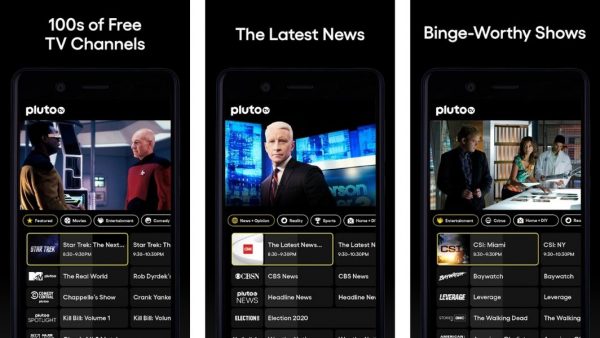
- On a mobile device, download the Pluto TV app from your device's official app store.
- On a computer, simply visit the Pluto TV website in a web browser.
- On supported TVs and streaming devices, find the Pluto TV app in your platform’s app store or use the built-in app support.
- Once the app is open, browse the live channels or on-demand library and select something to watch.
As noted in articles like 15 Best Free TV Streaming Apps That Are Legit and Safe (100% No Cash Out), Pluto TV is a legitimate and safe option for free streaming.
Supported countries and regions
Pluto TV is available in the United States, Canada, parts of Latin America, and several European countries. Pluto TV is available in Canada only in a limited capacity. Pluto TV had scheduled to extend its services to Italy sometime in 2021.
Pluto TV supported devices
Pluto TV supports a wide range of devices, making it easy to watch on almost any screen:
- Apple devices: iOS, tvOS, and Apple Vision Pro.
- Google devices: Android OS mobile, Android TV, Chromebook, and Google TV.
- Samsung: Tizen Smart TV 2017 or newer.
- Roku: All Roku devices.
- Amazon: Fire TV, Fire Stick, Fire TV Cube, and Fire Tablets.
- Microsoft: Xbox One and Xbox Series S/X.
- Hisense: VIDAA Smart TV 2018 with 9602 chipset and 2020-present Pluto TV app support.
- Web browsers: Safari, Edge, Chrome, and Firefox, plus a Windows 11 desktop app.
Pluto TV supports LG Smart TV, Vizio TV, Oculus, PlayStation 4, TiVo, Verizon Fios TVs, VMS 1100, IPC 1100, Stream TV Box, and Channel Master. Pluto TV recommends using Chrome or Safari for the best viewing experience on web. Device requirements may vary by region. For example, the Pluto TV app for iPhone may require iOS 18.0 or later in one region's App Store, while another region lists iOS 16.0 or later; always check your local App Store listing for exact requirements.
Internet requirements for Pluto TV
Pluto TV does not officially document a minimum internet speed or bandwidth requirement. A stable internet connection is necessary for smooth streaming, but no specific speed is provided by the service itself. Streaming in standard definition (480p) uses around 700 MB of mobile data per hour; high definition (720p to 2K) uses around 900 MB to 3 GB per hour; Ultra-HD uses up to 7.2 GB per hour.
What to watch on Pluto TV
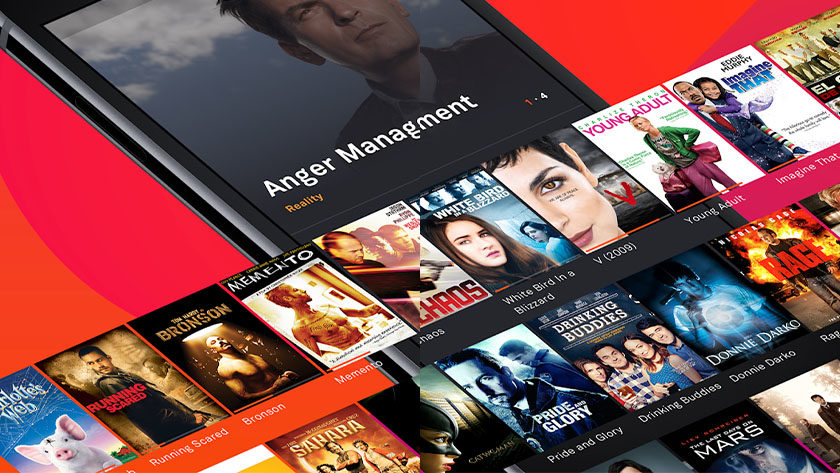
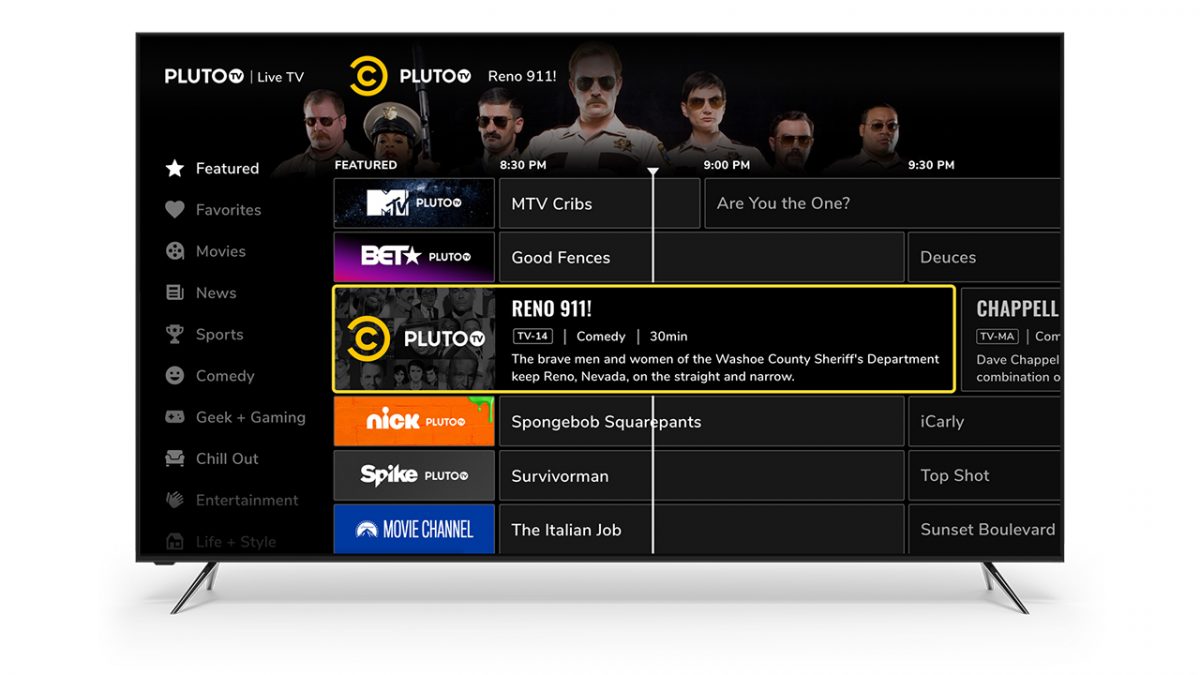
Pluto TV offers both live channels and on-demand content. The live channel lineup includes news, sports, entertainment, kids’ programming, movies, and classic TV. Specific popular live channels include CBS News, CNN, NBC News, Bloomberg Television, BET, Comedy Central, MTV, Nickelodeon, Fox Sports, NFL Channel, Nick Jr., and Star Trek Channel. The on-demand library contains thousands of movies and TV shows, ranging from classic films and sitcoms to reality TV and anime. Specific on-demand TV shows include Hell's Kitchen, The Walking Dead, Death Note, Mr. Bean, Doctor Who, Naruto, Duck Dynasty, and Forensic Files. Categories include Movies, News, Latino, Entertainment, Kids, and Classic TV.
Can you watch Pluto TV offline?
No, Pluto TV does not support offline downloads. You cannot download on-demand movies or TV shows for viewing without an internet connection.
Frequently Asked Questions
Do I need a credit card to sign up for Pluto TV?
No, Pluto TV never asks for any payment information. The service is completely free and no credit card is required at any point.
How many ads play during a show on Pluto TV?
Commercial breaks on Pluto TV are shorter than typical cable TV. For a half-hour show, you can expect about four ad breaks, with each break containing several ads.
Can I create a Pluto TV account without an email?
No, creating a Pluto TV account requires an email address and your birthday. However, an account is entirely optional; you can watch all content without signing up.
Is Pluto TV available in the United Kingdom or Australia?
Pluto TV is available in the United Kingdom and several European countries. Availability in Australia is not confirmed by official support documentation; check the service's website or app store in your region.
Can I watch live sports on Pluto TV?
Yes, Pluto TV offers live sports channels including Fox Sports, NFL Channel, MLS, and Bellator MMA, though some content may be highlights or analysis rather than live games.
For the wider topic, see 15 best free TV streaming apps that are legit and safe.
Related reading: How To Watch Movies Using The Tubi TV App.