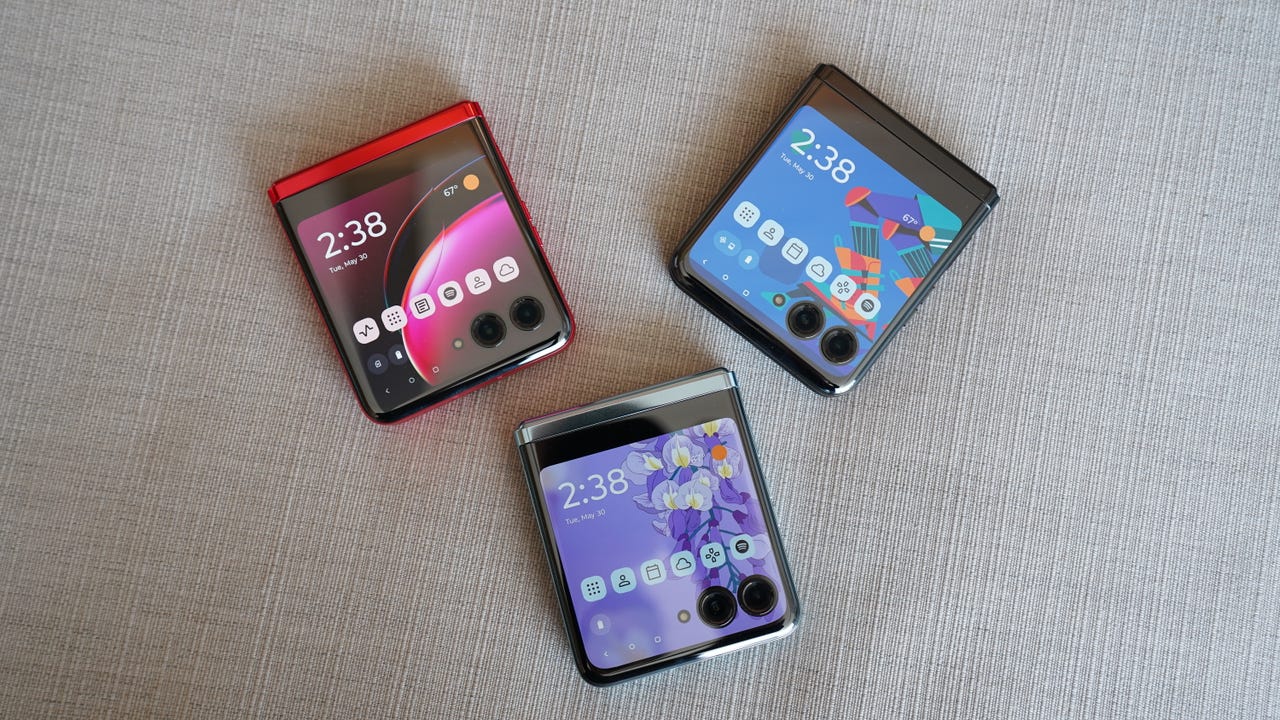
What is different about the Motorola Razr is that it is a foldable phone with a main display inside and a cover display outside, so many camera and hands-free features depend on whether it is folded, half-open, or fully open. This unique hinge-based design enables modes and camera actions that no standard slab phone can perform.
What Is Different About The Motorola Razr
Unlike a traditional smartphone, the Razr’s physical hinge changes how you interact with the device and its cameras.
Foldable Modes No Slab Phone Can Do
Motorola’s official pages describe “laptop mode,” “tent mode,” and using the rear camera for high-quality selfies, which are foldable-specific use cases rather than standard slab-phone behavior. In laptop mode you can prop the phone up to work hands-free, while tent mode lets you set it up for group shots. Rear-camera selfies allow you to flip the phone and use the main camera for self-portraits, giving you the highest possible image quality without needing the front camera.
Camera Features Tied to the Hinge
The current Razr fold page lists a 50MP main camera, 50MP ultrawide camera with Macro Vision and a 122° field of view, plus 20MP external and 32MP internal selfie cameras. The hinge position directly controls certain camera actions. For example, you can fold the phone 90° and flip it horizontally to start recording. There is also a camera setting called “Google Lens” that, when turned on, shows the Google Lens icon in the rear camera view. These features are impossible on a non-foldable phone because they rely on the device being in a specific folded or half-open position.
Design That Changes How You Use It
The foldable display closes like a flip phone and can be propped up in different positions for hands-free use. When closed, the cover display enables quick interactions like checking notifications or controlling music without opening the device. This design allows you to turn on a Motorola Razr flip phone and immediately see essential information on the external screen, then unfold for a full-size display when you need to do more.
Model and Regional Differences
Exact features vary by product page and market. The Razr family includes multiple variants such as the Motorola razr+ 2024 and Motorola razr+ (2023), each with model-specific capabilities. Motorola’s support pages show region-specific product pages and support pages for different models, so the exact camera modes, software features, and available colors may differ depending on where you buy the phone and which specific Razr model you choose.
Frequently Asked Questions
How durable is the Motorola Razr’s hinge?
The hinge is designed to open and close smoothly while maintaining a sturdy feel for daily use.
Does the Motorola Razr support 5G?
Motorola has indicated plans to release 5G versions of the Razr, but the current model pages retrieved do not specify 5G support for every variant. Check the product page for your specific market and model to confirm connectivity options.
How do the foldable modes work in practice?
In laptop mode you prop the phone up at an angle on a flat surface, allowing hands-free video calls or media viewing. Tent mode positions the phone like a tent for group photos. Rear-camera selfies let you use the main 50MP sensor for self-portraits by flipping the phone closed and using the cover display as a viewfinder.
Can I use the cover display without opening the phone?
Yes. The cover display shows notifications, time, and weather, and you can interact with certain notifications to reply to messages or control music without unfolding the device.