Decide what kind of landline phone service you actually need
Before you commit to landline phone service, the real decision is whether your connection will run on copper wires, your internet connection, or a cellular tower. Many modern setups that look and feel like a traditional home phone are actually VoIP services flowing through your modem and router, which means your internet speed and Wi‑Fi stability matter far more than the phone handset itself. If you want to use a landline phone without a landline, you will need an adapter or a hybrid service that bridges the gap, because a standard handset cannot do anything on its own without a physical jack or a compatible base station. The same logic applies if you hope to keep my landline phone number without service. Some households shift the entire role to a mobile device, and while you can use a cellphone without a service provider on Wi‑Fi after it has been activated, traditional calling and SMS still depend on a carrier line. If you are hunting for the 6 cheapest ways to keep a landline phone number in 2022, remember that low‑cost parking options and forwarding services often come with usage limits that can catch you off guard. Finally, the minimum age for a personal phone line varies by country and contract type, so confirm the local eligibility rules before you sign anyone up.
Connect your phone to the wall jack or modem
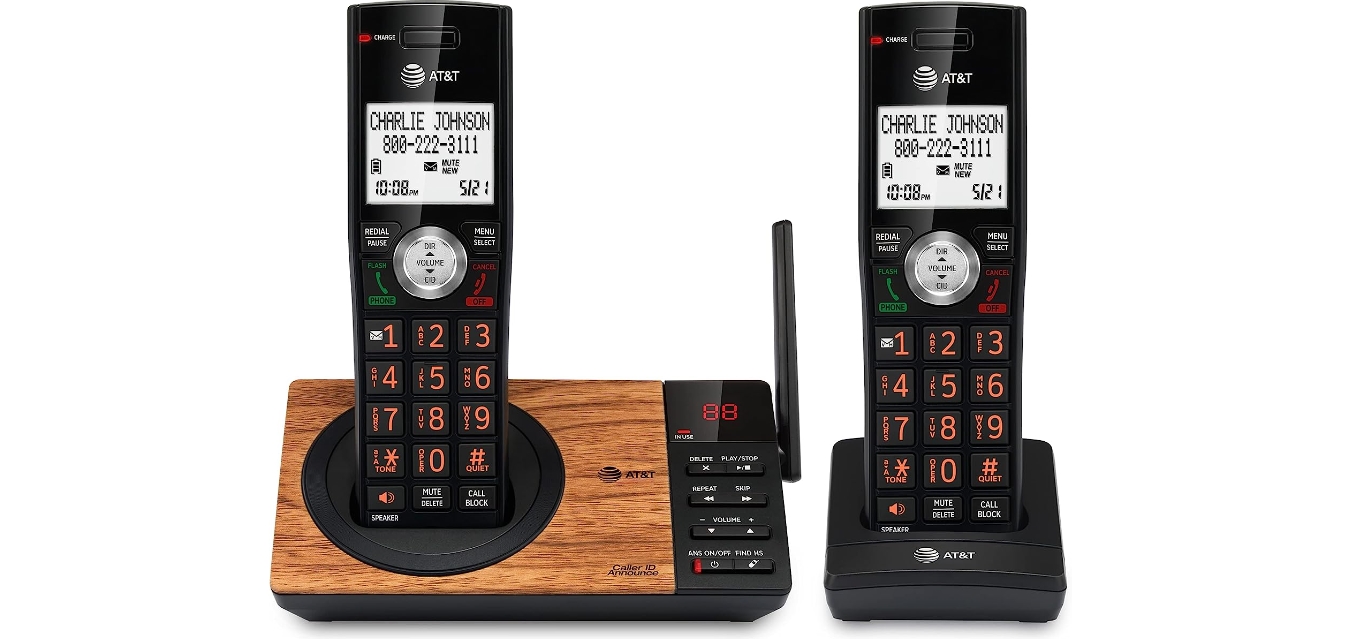
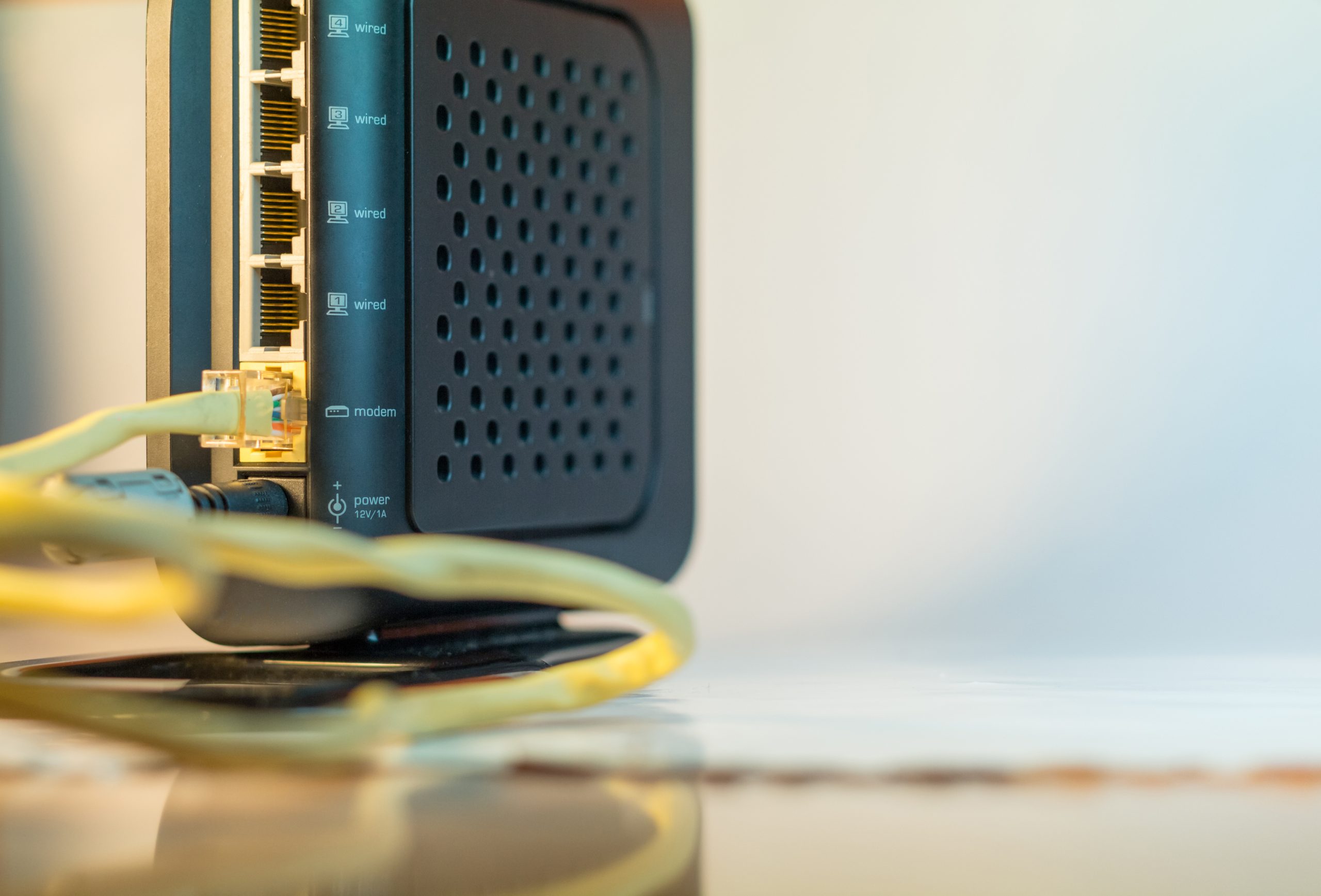
Before you plug anything in, take a close look at the port labels on your modem or gateway. The physical act of wiring a landline telephone changed completely when phone service moved to the internet. On a traditional copper line, you simply run a standard modular phone cord from the back of the phone straight into the wall jack. The dial tone is already there. The process shifts when you are hooking up landline to internet through a modem or router that has a voice port, typically marked Phone or Tel. The phone cable modem connector you need is the same slim RJ11 plug you have used for years, not the wider Ethernet connector. You can grab any standard phone cord that fits the smaller socket.
If your service comes through an Xfinity gateway, plugging landline into Xfinity modem means inserting that cord directly into the port labeled TEL 1 on the back of the device; you would want the article on how to connect landline phone to Xfinity modem to ensure you use the correct port for a reliable dial tone. This port provides an analog-style interface for any touch-tone phone. From there you have two choices. You can connect the cord straight to a single telephone. Alternatively, you can run it from TEL 1 to the nearest wall jack to energize every phone jack in the house. When you are setting up home phone in a room with only one wall jack and you need both the gateway and a separate phone plugged in there, the setup requires an RJ11 telephone splitter or Y connector to branch the signal correctly.
You must identify the telephone line modem connector type before you buy any adapters or new cables. A common mistake is trying to force an Ethernet plug into the voice port. The correct RJ11 connector is smaller and clicks securely into place with very little effort. Once you confirm the port type, you can connect a landline phone directly to the modem for a quick test, and the article on how to connect a landline phone will walk you through the exact steps for a successful connection. Pick up the handset and listen for a clean dial tone. If you hear static or nothing at all, check that the cord is seated firmly in the correct port. You should also verify that your internet service is active, because the voice line depends entirely on the modem’s online connection. After you confirm the dial tone, you can finalize your permanent setup. You can either leave the phone connected directly to the modem or bridge the signal to your home’s interior wiring. To connect landline phone to modem as a permanent solution, avoid stretching the cord across walkways; the guide on how to connect landline phone to modem provides additional tips for a tidy installation. Secure the cable along baseboards to prevent tripping hazards and accidental disconnections. If you need to connect landline phone to Xfinity modem while also using a separate router, remember that the voice port is only on the gateway. You cannot get dial tone from a standalone router. Keep your phone base unit within reach of the gateway’s power outlet if it requires its own electrical connection. Finally, label the voice cable at both ends so no one accidentally unplugs it during future equipment changes.
- connect landline phone to Xfinity modem — How To Connect Landline Phone To Xfinity Modem
- connect landline phone to modem — How To Connect Landline Phone To Modem
- connect a landline phone — How To Connect A Landline Phone
Set up VoIP and network-based phones
When your phone service travels over the internet, the hardware you plug in looks familiar but the real configuration happens inside the device. If you need to set up VoIP phone service, start by connecting an Ethernet cable to the phone’s Internet or LAN port and powering it on, then navigate to the account settings to enter the SIP Server, Port, User ID, and Password provided by your carrier.
To connect Yealink phone to network, you can use a wired Ethernet connection with IPv4 enabled by default, or you can turn on Wi‑Fi through the phone’s menu. On many models the path is Menu > Settings > Basic Settings > Wi‑Fi, while other models use Menu > Basic > Wi‑Fi or Network > Wireless Network; from there, scan for your network, press Connect, and enter the password. Wireless support depends on the specific hardware: a T42S or T46S requires a WF40 adapter, a T48S or T4xU needs a WF50 or WF40, and T5xW models include built‑in Wi‑Fi.
Some households want to connect landline to cell phone so that a mobile number rings the traditional handsets around the house, which relies on a Bluetooth-enabled adapter or a hybrid dock rather than a direct wired connection between the two devices.
Add accessories and troubleshoot your line
Once your core service is running, adding accessories and confirming the line works helps you catch issues before they disrupt an important call.
If you need to set up fax machine on one phone line shared with a voice handset, be aware that you cannot talk and fax simultaneously. When transmission errors occur, the first troubleshooting move is to disconnect everything else on the line, including broadband filters and extension cables, then reconnect devices one at a time to identify the culprit. Reading the guide on how to set up fax machine on one phone line will walk you through splitting the line correctly so your fax and voice calls do not interfere with each other, which is the very reason you would want to set up fax machine on one phone line without causing disruptions.
Before relying on any accessory, it is wise to check a phone line by stripping the setup down to its simplest form. Unplug all equipment from every telephone socket, plug a single corded phone that you know works directly into the main wall jack, and listen for a clear dial tone. If you get silence there, unscrew the faceplate and repeat the test at the exposed test socket behind it to isolate your internal wiring from the external network and determine whether the problem is inside your home or on the provider’s side. Knowing how to check a phone line can save you a service call by confirming whether the fault is in your equipment or the provider’s network, which is exactly why you would want to check a phone line before calling for help.
- set up fax machine on one phone line — How To Set Up Fax Machine On One Phone Line
- connect headset to landline phone — How To Connect Headset To Landline Phone
- check a phone line — How To Check A Phone Line
Frequently Asked Questions
How do I turn on Wi‑Fi Calling on my iPhone?
Go to Settings > Cellular > Wi‑Fi Calling > Wi‑Fi Calling on This Phone and enable it. If your iPhone has multiple SIMs, scroll to the line you want to use first. You may need to enter or confirm your address for emergency services during setup.
Can I use my iPhone without any carrier plan at all?
An iPhone can be used on Wi‑Fi after activation even without cellular service, but traditional cellular calls and SMS texts still require cellular service. Wi‑Fi Calling itself is a carrier feature tied to an active cellular line.
How do I find the IP address on my VoIP phone for setup?
Navigate to Menu > Status > Network on the phone to find its IP address. Enter that IP into a browser on the same network to reach the web interface, where you can enter the SIP Server, Port, User ID, and Password from your carrier.