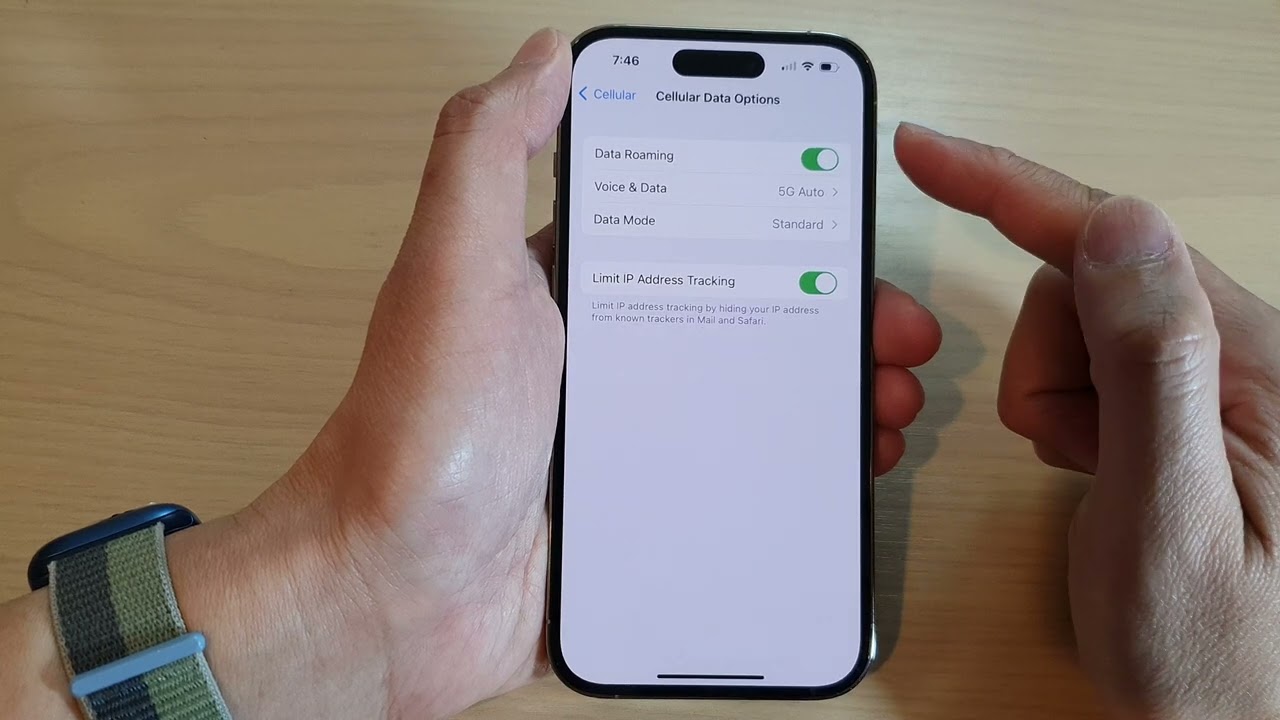
On iPhone, Apple's Dual SIM guidance and Apple's international eSIM guidance both support using a travel eSIM for mobile data while keeping your home line available for FaceTime, iMessage and other app-based calling or messaging. The setup only works on supported iPhone models, and Apple says you can have two eSIMs active at the same time on supported models; your travel eSIM can be used for data while your home line stays tied to your Apple ID-based services.
What a data-only travel eSIM does
A data-only global eSIM provides cellular data without a traditional phone number, so app identity stays with the app account rather than the SIM itself. That matters for WhatsApp, FaceTime and iMessage because the apps continue to operate over data instead of depending on voice roaming from the home line.
For the publishing scope here, the key travel setup is to keep the home line from roaming for mobile data while the travel eSIM carries data abroad. Apple documents that you can use one eSIM for your home phone number and another eSIM for the place you are visiting.
iPhone: keep the home line active, route data to the travel line
Apple says that while you are abroad you can use a travel eSIM by itself or as a secondary line, and if you use both lines, the travel eSIM will be used for data. Apple also says you can manually choose your data line in Settings > Cellular > Cellular Data.
Apple’s guidance states that if you choose to keep both lines on, the capabilities on your primary line continue to work. If you choose to only use your travel eSIM, FaceTime and iMessage will continue to work on your home line. Apple also says you can continue to use FaceTime, iMessage and other apps to make VoIP calls or send messages while you are traveling on your home line.
- Supported condition: two eSIMs active at the same time on supported iPhone models.
- Data selection path: Settings > Cellular > Cellular Data.
- Travel use case: one line for home phone number, one line for the place you are visiting.
FaceTime and iMessage behavior abroad
Apple’s international eSIM guidance says FaceTime and iMessage continue to work on your home line even if you choose only your travel eSIM for data. Apple also documents that you can continue using other apps for VoIP calls or messages while traveling.
This supports keeping the same Apple ID-based identity in FaceTime and iMessage while the cellular data path changes to the travel eSIM. Apple does not document any need to switch the app accounts themselves when using the travel data line.
WhatsApp behavior on a travel eSIM
WhatsApp is not covered in Apple’s pages, but the same data-only setup applies because WhatsApp uses the active data connection rather than the home line’s roaming voice service. In practice, the app identity stays with the WhatsApp account already signed in, while the travel eSIM supplies data.
For a travel setup, this means the home SIM does not need to provide data roaming for WhatsApp to stay usable, so long as the device has active data service from the travel eSIM.
What Apple documents for Dual SIM abroad
Apple says an eSIM is a digital SIM that lets you use a cellular plan from your carrier without a physical nano-SIM. Apple also says Dual SIM lets you have two active phone numbers or SIMs to make and receive calls and text messages, and it can be used while traveling internationally with your iPhone.
Apple states that to use two carriers, your carrier must unlock your iPhone, or both plans must be from the same carrier. That carrier-lock condition is part of Apple’s Dual SIM guidance and applies before you try to set up a home line and a travel line together.
- Apple’s supported travel model behavior: two active eSIMs on supported iPhone models.
- Apple’s data-line control: Settings > Cellular > Cellular Data.
- Apple’s carrier condition: unlocked iPhone, or both plans from the same carrier.
Pixel and Samsung: what is and is not documented here
The retrieved pages do not document Pixel or Samsung menu paths for keeping WhatsApp, FaceTime or iMessage stable on a travel eSIM. They also do not document model-specific steps for those Android devices, so exact settings names, button labels, and carrier-lock behavior for Pixel or Samsung are not stated here.
Only Apple’s pages in the retrieved set provide the documented international eSIM steps and the supported iPhone behavior for using one line as home and another as travel data.
More eSIM resources: Browse our eSIM guides and troubleshooting resources for compatibility, setup, travel-data and account-safety advice.
Related reading: Complete eSIM Guide: Compatibility, Setup, Travel and Troubleshooting, How To Turn On Data Roaming In IPhone 14, and Does My Phone Support eSIM? How to Check on iPhone, Pixel and Samsung.