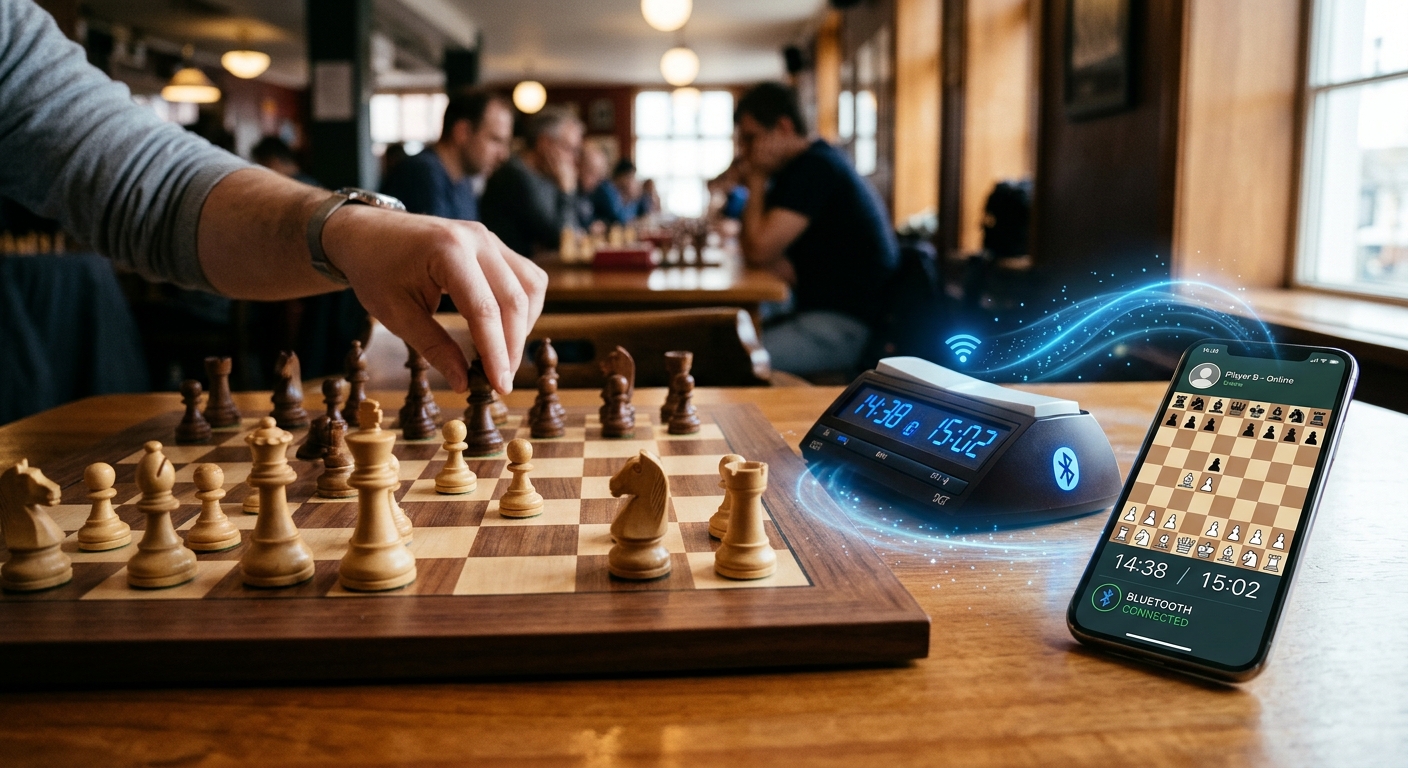
Your knight lands on the square. You press the clock. Across the table, your opponent starts thinking while your phone keeps track of the session. That is the appeal of connected chess: real pieces, familiar buttons, and useful mobile features within reach. Getting there takes more than finding a Bluetooth symbol on a box. The clock, board, and app need to understand one another, and each has a different job.
The Connection That Counts: Bluetooth can carry button presses, timing information, or board updates to a compatible phone app. It does not automatically give a clock the ability to recognize moves or join an online match. Check the exact hardware model, supported app, phone platform, and connection method before buying. Then test an entire practice game, including screen locking and reconnection, to see whether the setup fits the way you actually play.
What the Clock, Board, and Phone Each Contribute
A chess clock measures how much thinking time each player has left. In a connected setup, supported hardware may also send button presses or exchange timing information with software. The available functions depend on the device and its integration.
An electronic board handles a separate task. Its sensors can detect occupancy or identify pieces, depending on its design. Compatible software interprets that information as a position or move. A regular wooden board has no way to report where your bishop just went, even if a wireless clock sits beside it.
The phone brings the experience together. A companion app might show the position, record moves, manage settings, or connect a supported board to an online service. Those features require explicit support. A timer app does not become a move recorder simply because it receives a clock press.
Think of three distinct events: moving a piece, ending your turn, and sending that move to a remote opponent. Some setups coordinate all three. Others handle only one. Knowing which event each device reports makes product descriptions much easier to assess.
Bluetooth Pairing Is Only Part of Compatibility
Two accessories can both use Bluetooth and still be unable to work together. The app needs instructions for interpreting the information the hardware sends. It also needs permission and a supported connection method on your phone.
For browser-based connections, Bluetooth chess clock guide explains that support depends on documented hardware protocols. A device appearing in a connection window does not establish that the browser can read its timing data or control its display.
This distinction matters when shopping. A listing might promise wireless connectivity without specifying whether it supports your chosen app, board, or online playing service. Look for an explicit compatibility statement covering your intended combination.
- Exact hardware: Check the model and any required adapter, gateway, or firmware version.
- Phone support: Confirm that the intended functions work on your iPhone or Android device.
- App features: Verify timing control, move recording, and online play separately.
- Connection route: Establish whether setup uses a native app, browser, system pairing, or an accessory bridge.
- Service access: Check whether an account, subscription, or supported online platform is required.
A useful question for a seller is specific: “Can this clock and board send moves to my chosen app on my phone?” That gives you a clearer answer than asking whether the product has Bluetooth.
Choose a Setup That Matches Your Games
You may want physical buttons for a phone timer. You may want your games saved for later analysis. Or you may want to face an online opponent while moving real pieces. These goals call for different combinations of equipment.
A remote button can reduce the need to tap a touchscreen, but it cannot identify your move. A connected board may report moves, but you still need to establish how the clock behaves. A physical clock display may remain independent unless the software explicitly synchronizes it.
How Common Setups Handle Moves and Time
| Setup | What It Can Provide | What to Confirm |
|---|---|---|
| Regular board and phone timer | Physical play with manually operated timing. | Readable controls and your preferred time settings. |
| Supported wireless buttons and timer app | Physical input for switching the app's clock. | Button mapping and input reliability. |
| Supported clock connection | Button events or timing exchange, depending on integration. | Whether communication works in one direction or both. |
| Connected board and companion app | Supported position tracking, recording, or online play. | Move recognition, clock handling, and service compatibility. |
Native Apps and Browsers Have Different Requirements
A native companion app is installed on your phone. A browser app runs through a website. Both can offer useful chess tools, but their access to nearby hardware can differ.
The assigned guide describes browser Bluetooth as a connection between a compatible webpage and a supported peripheral. It does not present it as a general way to link two phone browsers directly. Sharing a game room over the internet is a separate arrangement.
For everyday use, follow the setup instructions for your particular accessory. Some devices need pairing through the phone's settings. Others are selected inside an app. Trying both routes at random can make troubleshooting harder.
Check browser requirements before buying hardware for a web-based setup. A website loading successfully on your phone does not establish that its hardware connection features are available. Native app support also needs checking by platform and feature.
Latency Starts With More Than the Wireless Link
Latency is the delay between an action and the system responding. During chess, you might notice it when a clock press takes time to appear on the phone or when a physical move reaches an online game late.
Several stages can contribute. The board must recognize a completed move. The accessory sends an update. The app processes it. For online play, the move also travels through your internet connection to the playing service.
A delayed animation does not necessarily mean the underlying timer is wrong. It also does not prove that timing is correct. The useful check is whether the app records turns and applies the selected time control consistently.
Try captures, castling, and piece corrections during practice. These actions help reveal how the board interprets a move involving several changes. Ask how promotions work too, since the app may require additional input.
Start with a relaxed time control. A setup that feels comfortable during a slow game may feel distracting during a frantic final minute. Avoid assuming that advertised Bluetooth speed guarantees a particular response time for the complete system.
Battery Life Belongs to the Whole Setup
Your clock, electronic board, and phone may each have a separate power source. A fully charged phone cannot compensate for a board that shuts down halfway through a game.
Check the manufacturer's battery guidance for each accessory. Find out whether it uses replaceable batteries or a rechargeable pack. Confirm whether operation while charging is supported if that matters for longer sessions.
On the phone, screen brightness, display time, and network activity can affect battery use. Bluetooth is one part of that workload. Test consumption with the app and display settings you expect to use instead of relying on a general battery estimate.
Screen locking deserves its own rehearsal. Watch what happens when the display sleeps, another app opens, or a call arrives. The result depends on the software and phone settings. Any exception to normal battery restrictions should follow the app's instructions.
Run a Practice Game Before Depending on It
A complete rehearsal gives you better evidence than a successful pairing message. Set the equipment up where you intend to play, with the phone positioned so both players can read it comfortably.
- Check the supported combination. Match the clock, board, app, phone, and firmware against the available compatibility information.
- Prepare the devices. Charge them or fit suitable batteries, then follow the documented connection process.
- Set a familiar time control. Confirm starting time, increment or delay, and which player moves first.
- Play several varied moves. Include a capture and castling, then check that the recorded position matches the board.
- Check interruptions. Lock the screen briefly and return to the app. During practice, test the documented recovery process after a disconnect.
- Review the result. Confirm that times, moves, and any saved game record match what happened.
For online sessions, identify which timer governs the game. A nearby display may be helpful without being authoritative. Check the service's behavior before assuming that a local pause or adjustment changes the remote match.
Fix Connection Trouble by Following the Signal
When something fails, begin with the last action that worked. If the phone sees the accessory but receives no moves, the issue differs from a device that never appears at all. This approach keeps troubleshooting focused.
- Device missing: Check power, pairing mode, proximity, and whether another phone or app already holds the connection.
- Connected but unresponsive: Confirm the selected model, supported protocol, and required permissions.
- Moves recorded incorrectly: Restore the expected board position and follow the app's correction procedure.
- Connection drops during play: Check accessory batteries, phone sleep behavior, and the documented reconnection process.
- Local moves work but online play stalls: Check internet access, account status, and the playing service's connection.
Change one thing at a time. After a firmware or app update, repeat a brief practice session before relying on the setup for a longer game. Keep a record of the model and software versions if you need support.
Keep Your Attention on the Next Move
The right connected chess setup lets your phone handle useful background tasks while your hands stay with the pieces. That might mean operating a timer through physical buttons, saving a game, or sending supported board moves to an online opponent.
Choose around that specific goal. Verify compatibility, test timing behavior, and learn what happens when a battery runs low or a connection drops. Once those details are settled, the technology can take a quieter role at the table, leaving you free to decide where that knight belongs.