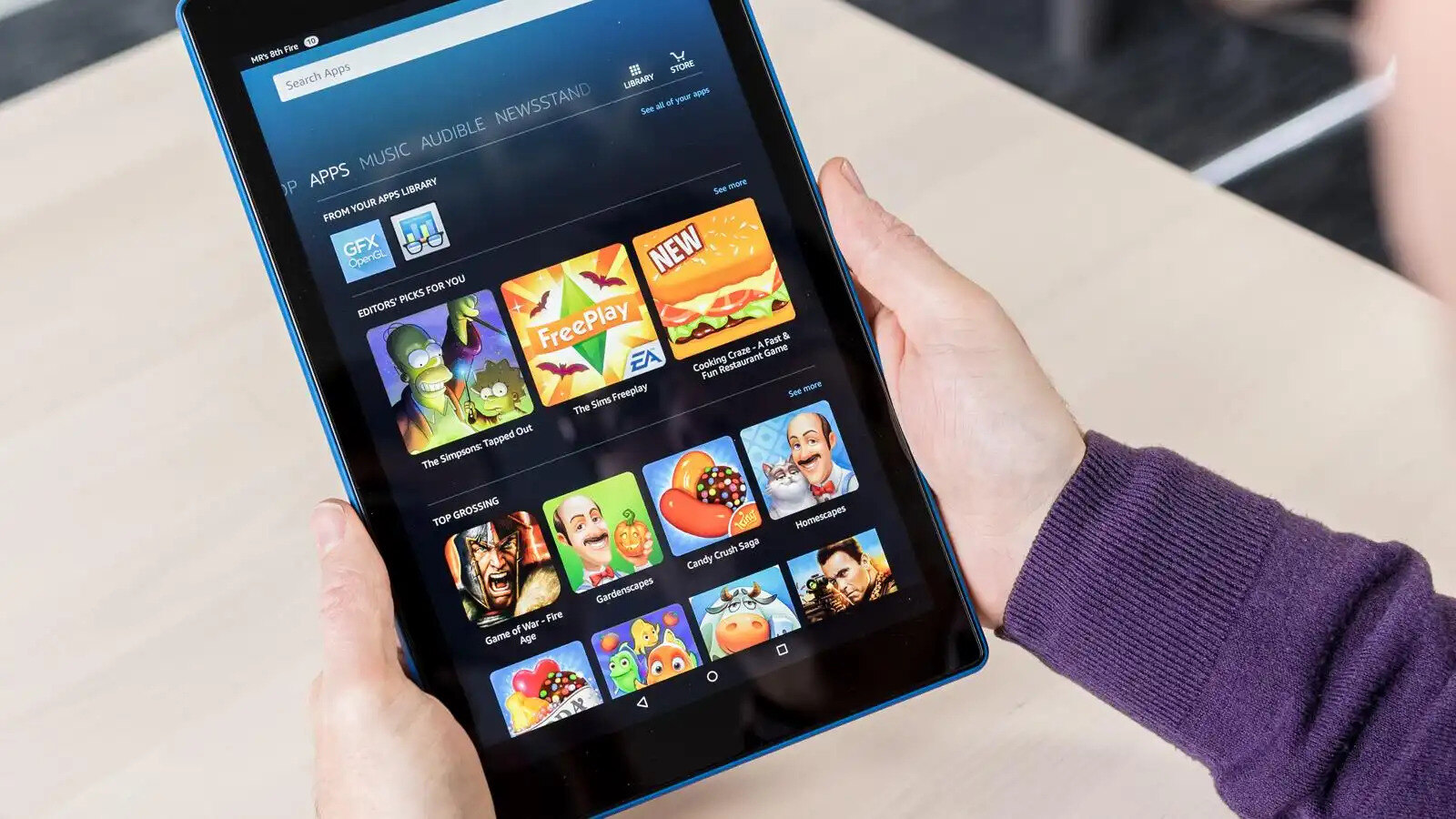
Finding the best Kindle Fire games for your tablet means knowing how to navigate the Amazon Appstore to discover popular mobile game recommendations that suit your taste. Because personal preferences and game availability change constantly, no single definitive list can be verified, so the smartest approach is learning how to find highly-rated games yourself.
How to find the best Kindle Fire games
The Amazon Appstore is the only official source for games on a Kindle Fire. To find the most popular and highly-rated titles, open the Appstore app and explore the "Games" tab. Checking user ratings and reading recent reviews will help you identify well-performing games that run smoothly on your specific Fire model.
Enable Game Mode on your Fire tablet
Amazon's Fire Tablet Help includes a "Turn On Game Mode for Fire Tablet" topic that explains how to optimize performance while gaming. Game Mode prioritizes processing power for your game and reduces background activity, which can prevent lag and improve frame rates. To use it, swipe down from the top of the screen to open Quick Settings, then look for the Game Mode option and tap it to turn it on before launching a game.
Popular game genres to explore on your Kindle Fire
The Kindle Fire supports a wide variety of game genres, ensuring there is something for every type of player. Puzzle games challenge your logic and reflexes with match-three, word, or physics-based mechanics. Popular examples include 'Candy Crush Saga', a match-three puzzle game with hundreds of levels and power-ups; 'Monument Valley', an award-winning puzzle game with optical illusions and impossible geometry; 'The Room' series, escape room-style puzzle games with hidden objects and intricate mechanisms; 'Wordscapes', a crossword-style word puzzle game with nature-themed backgrounds; and 'Sudoku', a classic number-based puzzle game with various difficulty levels. Adventure games emphasize story and exploration, often requiring you to solve environmental puzzles. Titles like 'Machinarium', an award-winning adventure game with hand-drawn environments and a robot protagonist; 'Broken Sword: Director's Cut', a classic point-and-click adventure game following George Stobbart and Nico Collard; 'Detective Grimoire', a mystery adventure game set in a swamp with detective gameplay; and 'Tiny Thief', a lighthearted adventure combining puzzle-solving with stealth mechanics, are great choices. Role-playing games (RPGs) let you customize characters and progress through quests with strategic combat. Examples include 'Final Fantasy Tactics', a tactical strategy RPG with grid-based battles and character recruitment; 'Bastion', an action RPG set in a post-apocalyptic world with hand-painted visuals and narration; and 'Cat Quest', a lighthearted RPG with feline characters in a whimsical fantasy world. Strategy games test your planning skills through resource management, turn-based battles, or empire building. Browsing these genre categories within the Appstore is the most reliable way to find titles that match your interests.
Tips for a better gaming experience
To get the most out of your Kindle Fire gaming, you can connect a compatible gamepad controller via Bluetooth for more precise control in action-heavy games. Many popular games on the platform operate on a "freemium" model, meaning you can download and play them for free, but they include optional in-app purchases or advertisements. Always check the game's description and reviews to understand the pricing structure before installing.
Frequently Asked Questions
Can I play mobile games on Kindle Fire?
Yes, Kindle Fire tablets are designed to run games from the Amazon Appstore. The device provides a smooth gaming experience for casual, RPG, and action games, though not all Android games are available since the Fire uses a modified version of Android.
Are Kindle Fire games free to play?
Many Kindle Fire games are free to download and play, but they often include in-app purchases or display advertisements. Paid games typically cost a few dollars and are ad-free with no additional purchases required to complete the game.
How do I get more storage for games on my Kindle Fire?
If your Fire tablet supports expandable storage, you can insert a microSD card (sold separately) to increase space for downloading larger games. You can also manage storage by uninstalling unused apps and games through the Settings menu.
Are there multiplayer games for Kindle Fire?
Yes, the Amazon Appstore offers multiplayer games including cooperative and competitive titles. Popular examples include "Minecraft: Pocket Edition" and "Words with Friends," which let you play with friends or other players online.
Can I get Google Play games on my Kindle Fire?
Kindle Fire tablets do not come with the Google Play Store pre-installed. While it is possible to side-load the Google Play Store through a technical process, Amazon does not officially support this, and it may affect device performance or warranty.