It matters because your phone’s IMEI number is the primary tool for reporting a stolen device to your carrier so they can blacklist it, making the phone useless on most networks and protecting your data.
What is an IMEI number and why does it matter?
The International Mobile Equipment Identity (IMEI) is a permanent, hardware-embedded serial number assigned to every phone during manufacturing. Unlike a SIM card, which can be swapped, the IMEI stays with the device itself. Mobile carriers use it to verify which phones are allowed on their network, and theft prevention relies on this: when you report a phone stolen, your carrier can block that IMEI, preventing the thief from using it on any participating network. Apple documents the IMEI/MEID as an identifier shown alongside the serial number, EID, and ICCID in device information screens, while Google documents it as a device identifier available in Pixel phone info pages.
How to find your IMEI number in Settings
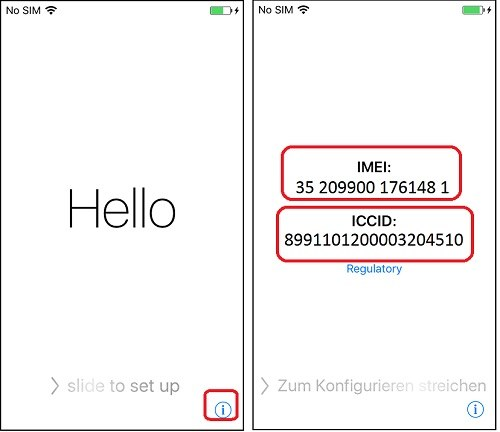
On an iPhone
- Open the Settings app.
- Tap General.
- Tap About.
- Scroll down to find IMEI/MEID. To copy it, touch and hold the number.
Apple notes that for some iPhone models, the MEID is the first 14 digits of the IMEI. Apple’s page applies to iPhone, iPad, and iPod touch, but the IMEI/MEID instructions are specifically framed for iPhone device support.
On an Android or Pixel phone
- Open the Settings app.
- Tap About phone.
- Find IMEI listed among the device information.
Google’s Pixel support page confirms this path, and the IMEI is also accessible through Google Find My Device or Find Hub after selecting your device.
How to find your IMEI number on the device or box
If you cannot access Settings, check these physical locations:
- Back of some iPhone models: Apple says certain models show the IMEI/MEID engraved on the back of the device. On some iPhone models, the IMEI/MEID is on the back of the device; Apple does not list every model.
- SIM tray: For iPhones, you can check your SIM tray for the IMEI.
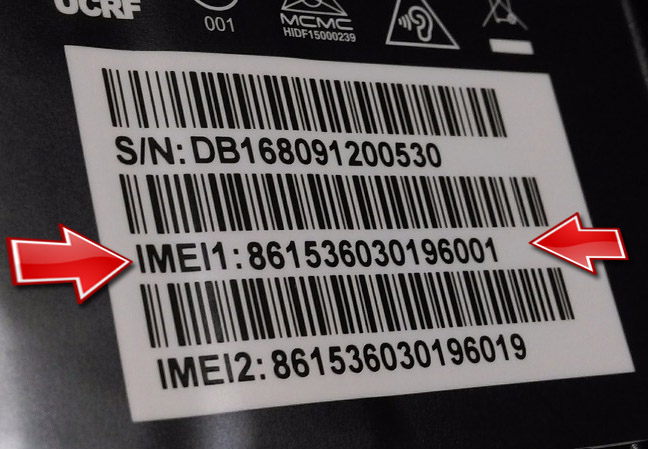
- Original packaging: Both Apple and Google state the IMEI is printed on the phone’s original box. For iPhones, check the barcode label; for Pixel phones, look on the box label.
- Google Find My Device / Find Hub: For Pixel phones, you can view the IMEI by logging into your Google account and selecting the device in Find My Device or Find Hub, where device information is exposed. Google’s broader Android help page says Find Hub / Find My Device includes a section for finding a device’s IMEI number.
- Battery sticker: For Android phones, the IMEI code can be located on a sticker attached to your battery.
When to use your IMEI number
Your IMEI number is most useful in these practical situations:
- Reporting a stolen phone to your carrier: Provide the IMEI so they can blacklist the device from their network, preventing the thief from making calls or using mobile data.
- Manufacturer support when you cannot open Settings: Apple specifically notes that if your iPhone has a SIM tray and you cannot open Settings, you can use the IMEI/MEID instead of the serial number for support and registration.
- Erasing data from a lost phone: While the IMEI itself does not erase data, carriers and manufacturers often require it to process a remote wipe or lock request. You can use the IMEI alongside device-finding tools to protect your information.
Should you share your IMEI number?
The IMEI is a support identifier, not a secret password. Apple documents that the IMEI/MEID can be used for Apple support and registration forms, which implies it is meant to be shared with trusted parties. However, you should treat it like any personal device information: only share it with your carrier, manufacturer support, or other verified parties you trust. The official pages from Apple and Google do not issue a “do not share” warning, but because the IMEI is tied to your device’s identity, avoid posting it publicly or giving it to unverified sources. Be especially cautious of services that ask for your IMEI to check for spoofed and fake phone numbers, as these are often scams designed to misuse your device identifier.

Frequently Asked Questions
Can someone track my location using my IMEI number?
No. The IMEI is an identifier used by networks to recognize your device, not a GPS tracker. Apple and Google only document the IMEI as a way to find or verify a device through official services like Find My Device, not for real-time location tracking by third parties.
Does changing my SIM card change my IMEI number?
No. The IMEI is hard-coded into the phone’s hardware and is independent of the SIM card. Even if a thief swaps SIM cards, the IMEI remains the same, which is why carriers can blacklist the device itself.
Can I use my IMEI number to unlock my phone for another carrier?
Sometimes. Carriers use the IMEI to check if a device is eligible for unlocking, but the IMEI alone does not unlock the phone. You must request an unlock from your carrier, who will verify the IMEI against their records.
What is the difference between IMEI and MEID?
Apple notes that on some iPhone models, the MEID is simply the first 14 digits of the IMEI, so you can use either for support.
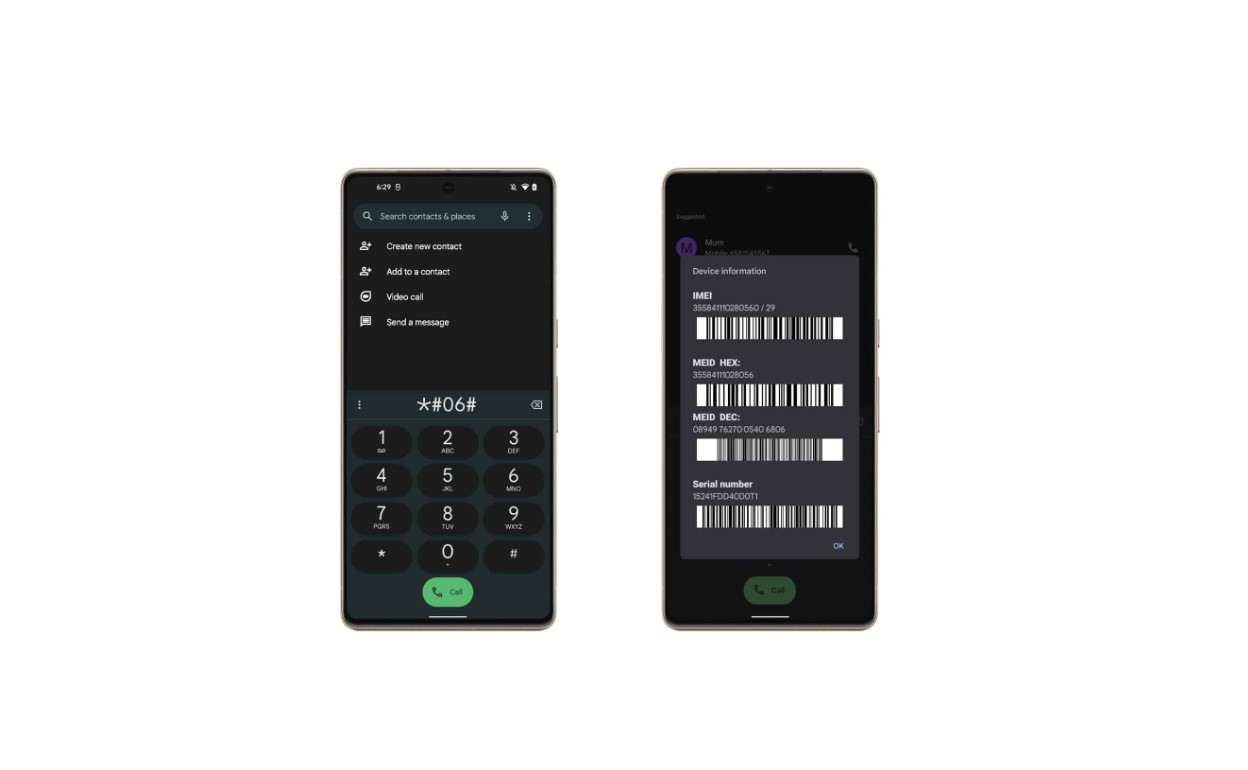
Is the *#06# dial code a reliable way to find my IMEI?
The verified methods are through Settings, physical markings on the device or box, and manufacturer device-finding tools.
For the wider topic, see spoofed and fake phone numbers.
Related reading: How To Check If Phone Is Paid Off.