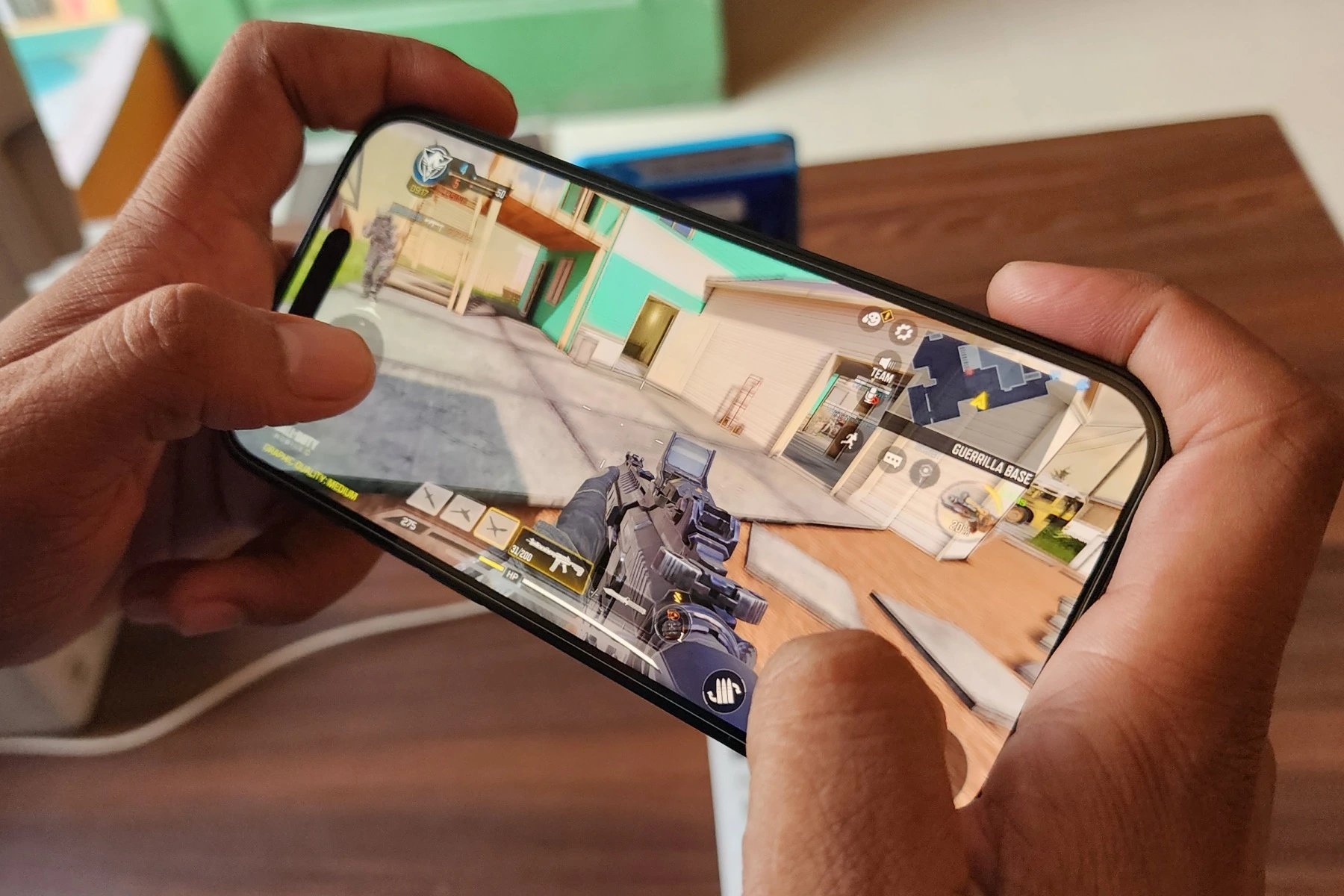
To shoot in Call of Duty Mobile, tap the fire button on your screen to fire your weapon.
How to shoot in Call of Duty Mobile: the basic controls
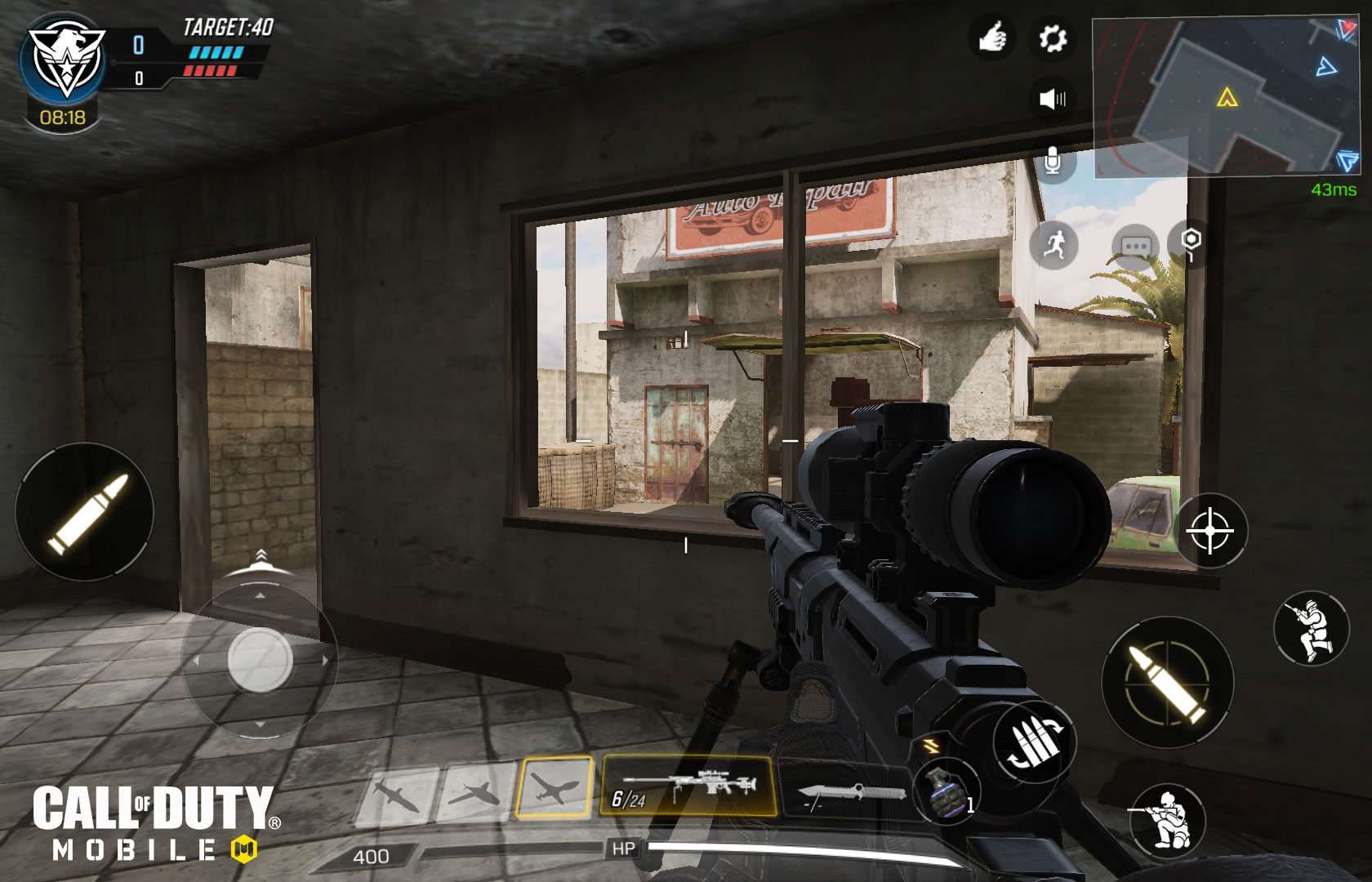
Start a match and locate the circular fire button on the right side of your HUD. Tapping it fires your weapon. If you prefer, go to the settings menu and enable the tap-to-shoot option, which lets you fire by tapping anywhere on the screen instead of using the dedicated button. These controls are found in the game’s HUD layout settings.
Adjust your sensitivity for better aim
Open the settings menu and select the Sensitivity tab. Here you can adjust the camera sensitivity, ADS sensitivity, and gyroscope sensitivity to make your aim feel more responsive. Lower sensitivity values give you finer control for long-range shots, while higher values help you turn quickly in close combat. Mastering the gyroscope for aim control by physically moving your device. Test different values until your aim feels natural.
Use Aim Down Sight (ADS) to improve accuracy
The ADS button is located near the fire button on your HUD. Tapping it brings your weapon’s sights up, reducing bullet spread and recoil for more accurate shots. Use ADS when engaging enemies at medium to long range. You can customize the ADS behavior in settings, choosing between tap-to-ADS or hold-to-ADS modes.
Customize your HUD and button layout
Go to the settings menu and select Customize Layout. From here, you can move, resize, and rearrange any button on your screen, including the fire button and ADS button. Drag buttons to positions that feel comfortable for your thumbs, and adjust their size so you can tap them quickly without missing. Experiment with different layouts until you find one that lets you shoot without stretching or fumbling.
Practice shooting in the training mode
Access the training range from the main menu. This mode lets you test any weapon’s recoil pattern, bullet spread, and aim without the pressure of a live match. Understanding bullet spread and recoil patterns for each weapon. Use the range to practice controlling recoil by firing at the targets while adjusting your aim. Repeat this with different weapons to learn each one’s behavior, which directly improves your shooting in real battles.
Device requirements for smooth shooting
Call of Duty Mobile runs smoothly on Android devices with at least 2 GB of RAM running Android 6.0 or later, and on iOS devices with at least 2 GB of RAM running iOS 15.0 or later. Lag or frame drops can ruin your aim, so ensure your device meets these verified specifications before playing. If your device is older or has less RAM, you may experience stuttering that makes accurate shooting difficult.
Frequently Asked Questions about shooting
Can I shoot while moving in Call of Duty Mobile?
Yes, you can fire your weapon while walking, running, or sliding. Moving while shooting makes you a harder target to hit, but it also reduces your accuracy slightly. Practice strafing (moving sideways) while keeping your crosshairs on the enemy to maintain effective fire.
How do I aim accurately in Call of Duty Mobile?
Use the on-screen aiming reticle and swipe your finger to adjust your aim. Reduce your sensitivity settings for finer control, and always use Aim Down Sight (ADS) for long-range engagements. The aim assist feature can also help lock onto enemies when you ADS.
Can I customize the controls for shooting in Call of Duty Mobile?
Yes, you can fully customize the fire button’s position, size, and transparency, as well as choose between tap-to-shoot or a dedicated button. You can also rearrange the ADS button and other controls in the Customize Layout menu.
Are there any special shooting abilities or power-ups in Call of Duty Mobile?
Yes, the game includes killstreaks (rewards for consecutive kills) and operator skills (unique special abilities) that can enhance your shooting. For example, the Annihilator operator skill gives you a one-shot pistol, while killstreaks like the UAV reveal enemy positions to help you aim. Drop shotting technique: quickly dropping to prone position while shooting to catch opponents off guard. Managing ammo by picking up packs from fallen enemies or teammates and resupplying at ammo boxes. Positioning yourself in favorable spots like elevated areas, corners, and cover points for better sightlines. Rotating and flanking enemies instead of engaging head-on for tactical advantage.
How do I unlock new weapons for better shooting?
New weapons are unlocked by leveling up your player rank and completing in-game challenges. Each weapon has its own stats, recoil pattern, and handling, so experimenting with different guns is key to finding what suits your playstyle. Check your loadout screen to track your progress toward COD Mobile weapon unlocks and build the best loadout for your shooting style.
Related reading: How To Get Cp In Call Of Duty Mobile and How To Update Call Of Duty Mobile.