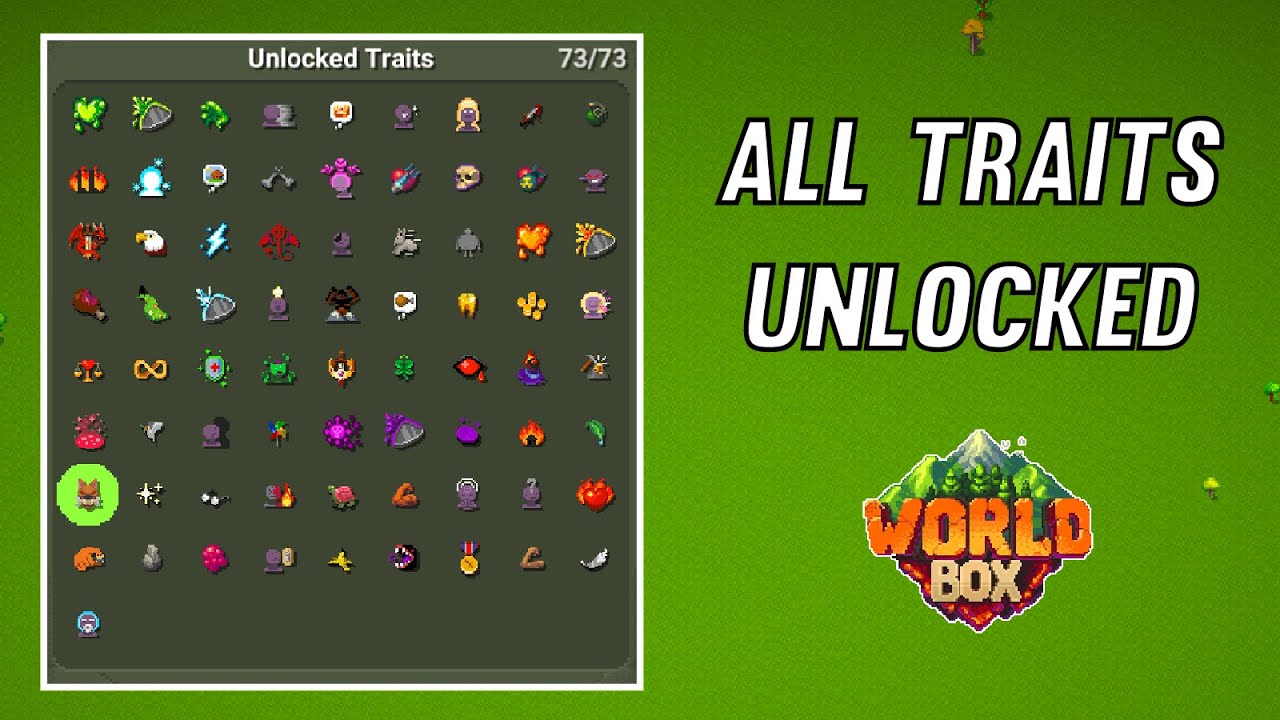
To unlock traits in WorldBox Mobile, the community-verified method is to use the in-game trait editor: tap any creature, then navigate through its unit, kingdom, culture, clan, language, or subspecies menus, and tap any trait marked with a blue circle or a blue question mark to unlock it.
The real way to unlock traits in WorldBox Mobile
The trait editor is the primary tool for unlocking most traits. Follow these steps:
- Select a creature on the map by tapping it.
- Open the creature's profile and navigate through its available menus: unit, language, kingdom, culture, clan, or subspecies.
- Look for any trait that displays a blue circle or a blue question mark next to it. These are traits you have not yet unlocked.
- Tap or hover over that trait to unlock it instantly.
This method works for the vast majority of traits in the game and is the closest thing to mobile game cheat codes for WorldBox Mobile. It bypasses the need to earn traits through normal gameplay, giving you immediate access to a creature's full potential. Players can use in-game currency to unlock traits, providing an alternative or supplementary method to the trait editor.
Why some traits won't unlock with the editor
Certain traits are locked behind specific in-game achievements and cannot be unlocked simply by clicking them in the editor. If you encounter a trait that does not respond to tapping or does not show a blue indicator, it means that trait requires you to complete a particular achievement first. The game will not allow you to bypass these achievement-locked traits through the editor, so you must fulfill the achievement conditions before they become available. Traits can be unlocked by achieving specific milestones during gameplay, such as reaching a certain population size or technological advancement for a civilization, or guiding creatures through evolutionary stages.
How traits appear once they are unlocked
Unlocking a trait in the editor does not automatically apply it to a creature. Instead, unlocking makes the trait available to appear randomly under specific conditions. For example, the Mutant Box world law can randomly assign traits to creatures, the Glitched Noosphere law can assign language traits, and traits may also appear when a clan, culture, subspecies, or language is formed. Once a trait is unlocked, it enters the pool of possible traits that can be assigned through these natural in-game processes.
What about official mobile instructions?
There are no official support pages from the developer that document a path to unlock all traits specifically for iPhone or Android. The trait editor method described above is the only detailed guidance available, and it comes entirely from the game's community wiki and player resources. No supported in-app menu path for bulk-unlocking every trait exists in the official documentation. In-game currency can be earned through resource management, completing quests and achievements, and strategic investments like establishing trade routes. There is an option to unlock all traits through in-app purchases.
Frequently Asked Questions
What are traits in WorldBox Mobile?
Traits are unique abilities or characteristics that affect how creatures, kingdoms, cultures, clans, languages, and subspecies behave in the game. They can influence combat strength, productivity, aggression, intelligence, and many other attributes.
Do different creatures have different traits?
Yes, each creature type has its own set of available traits. Some traits are universal, while others are specific to certain species or entity types, such as language traits for languages or kingdom traits for civilizations.
Are there rare or legendary traits in WorldBox Mobile?
Yes, the game includes rare and legendary traits that provide exceptional bonuses or unique abilities. These special traits are not part of the normal unlock flow and often require completing specific achievements or meeting rare in-game conditions to become available.
Can I customize traits for my creatures in Worldbox Mobile?
Yes, you can mix and match traits to create powerful and unique entities.
Related reading: 23 Best Mobile RPGs of All Time (Updated 2022) and How To Hack 2K Mobile.