To see recently deleted apps on your phone, open your device's official app store and look for the list of apps that are not currently installed. On an iPhone, this is the "Not on this iPhone" list in the App Store; on Android, it is the "Not installed" filter in the Google Play Store's Manage section.
How to see recently deleted apps on iPhone
Open the App Store on your iPhone. Tap your profile button (your photo or initials) in the top-right corner of the screen. Tap "Apps" or "Apps & Purchase History," then "Your Apps" or "Purchased." Tap "Not on this iPhone" to view a list of apps you previously installed but are not currently on your device. Apps in this list will have a cloud icon next to them, indicating they can be re-downloaded. To reinstall an app, tap the cloud icon next to its name.
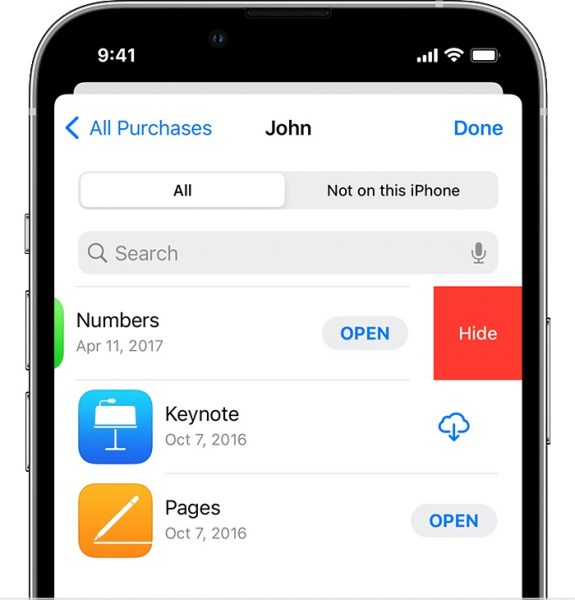
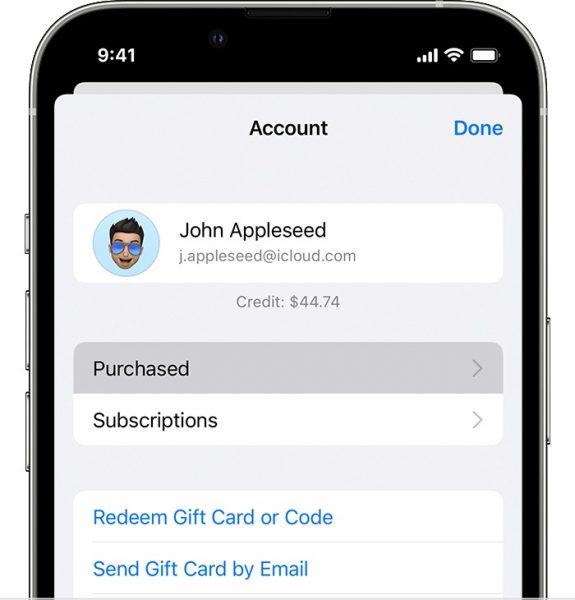
You can also view your full purchase history, including free and paid apps, by going to App Store > Profile > Apps & Purchase History > Purchase History. This purchase history can be filtered by date range, cost (free or paid), type, or searched by name, price, or order ID.
How to find recently deleted apps on Android
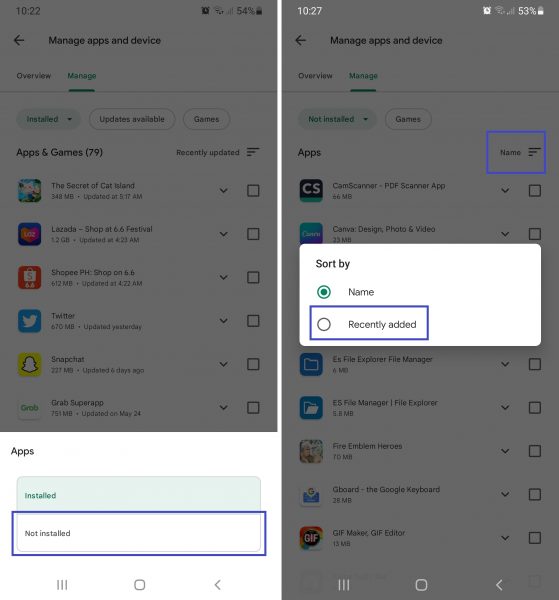
Open the Google Play Store app. Tap your profile icon in the top-right corner. Choose "Manage apps and device." Switch to the Manage tab, then tap the "Installed" filter. Tap "Not installed" on the menu that slides out. You can sort the list by tapping the top-right "Name" filter and selecting "Recently added" to see your recently deleted apps first. To reinstall an app, tap the app's name, then tap the Install button on its details page. To reinstall multiple apps at once, tick the box of each app and press the top-right download symbol to restore all selected apps simultaneously.



You can also view your Google Play purchase history by going to Play Store > Profile > Payments & subscriptions > Budget & history. This history lists all Google Play purchases, including apps, games, in-app purchases, subscriptions, books, and media.
What if an app is just missing from the Home Screen?
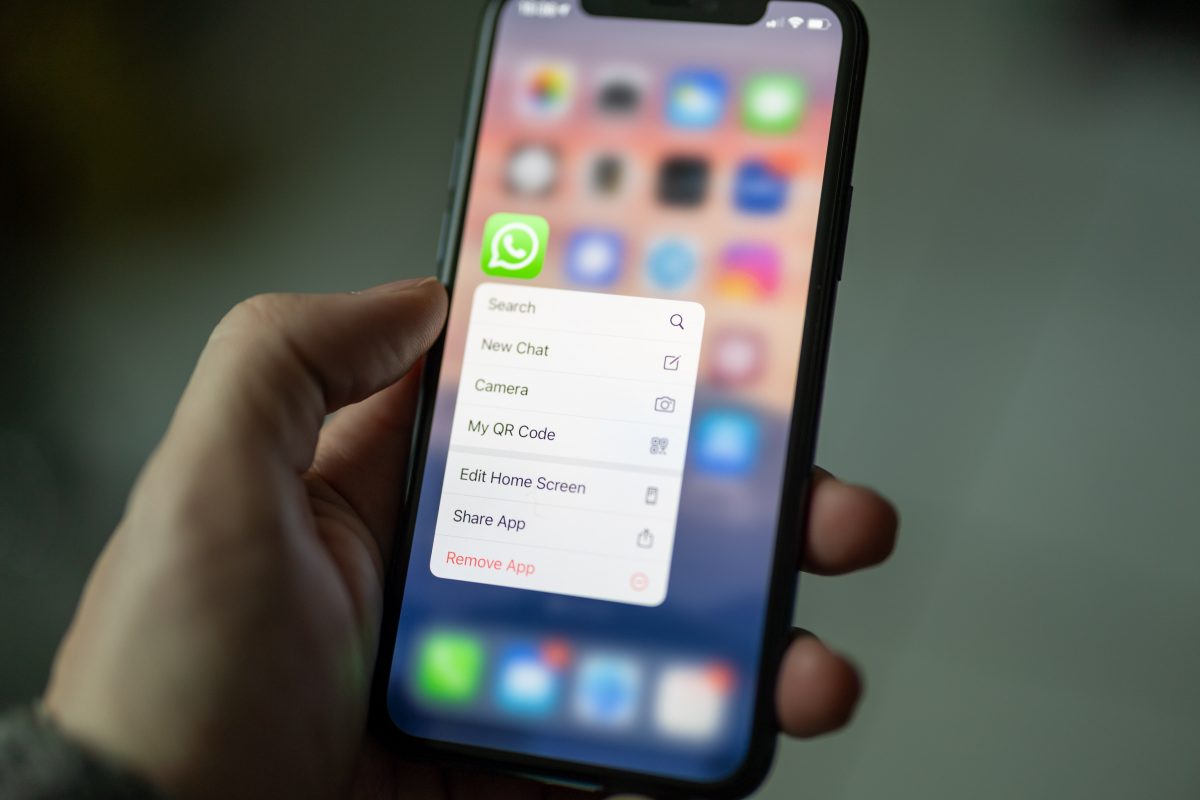
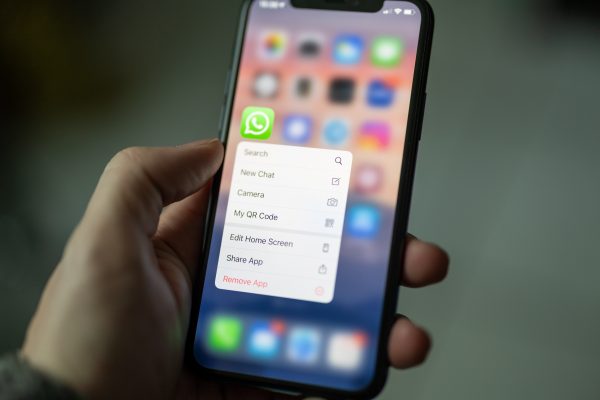
If an app was only removed from the Home Screen and not uninstalled, it can be found in the iPhone's App Library by swiping left past all Home Screens. On Android, the app can be found in the App drawer. The app is still on your device and does not need to be re-downloaded.
Why can't I find or reinstall a deleted app?
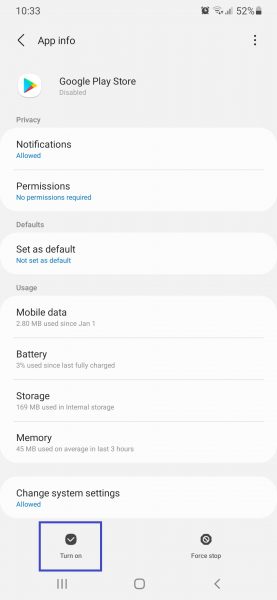
Apps cannot be recovered if they were removed from the App Store by developers or Apple itself due to platform rules. If the app was removed from the store entirely, it will not appear in any purchase history list. On Android, if the Google Play Store app itself seems missing, it was only disabled, not deleted, because it was a pre-installed app. Head to the Apps section within your Android Settings menu, press Google Play Store from the list, then tap the Turn On option to re-enable it. If the Google Play Store has a problem like crashing or being unclickable despite enabling it, fix Google Play Services by updating, resetting, or clearing its cache. If app store downloads are pending or not progressing, make downloads progress by allocating more RAM or reinstalling Google Play updates. Reboot your phone to clear minor hiccups affecting its interface, software, or apps.
Restoring apps from an iCloud backup will re-download the latest versions from the App Store, as iCloud backups only contain a list of installed apps, not the installer files. If you need to retrieve deleted messages in phone memory, that requires a separate process using a dedicated tool designed to recover message data. Similarly, if you need to delete wrongly sent WhatsApp messages and recover deleted messages, you must use WhatsApp's own built-in features for unsending and restoring from backup. For those looking to retrieve deleted text messages on Android, specialized recovery software that scans the phone's internal storage is typically required.
Frequently Asked Questions
Can I recover a paid app without paying again?
Yes. If you are using the same Apple ID or Google account you used when you first purchased the app, you can re-download it for free from the App Store or Google Play Store.
How far back does the "Not on this iPhone" list go?
The list includes every app you have ever downloaded with that Apple ID, regardless of when you deleted it. It is not limited to recent deletions.
Will reinstalling a deleted app restore its data?
No. Reinstalling an app from the store gives you a fresh copy. App data is not stored in the app store; it is stored on your device or in an iCloud or Google Drive backup.
Can I see deleted apps on Android without the Google Play Store?
No. The Google Play Store is required to view the "Not installed" list. If the Play Store is disabled, you must re-enable it through your device's Settings menu first.
Why does a deleted app still appear on my iPhone's Home Screen?
The app was likely only removed from the Home Screen, not uninstalled. Check the App Library by swiping left past all Home Screens to find it still installed on your device.