






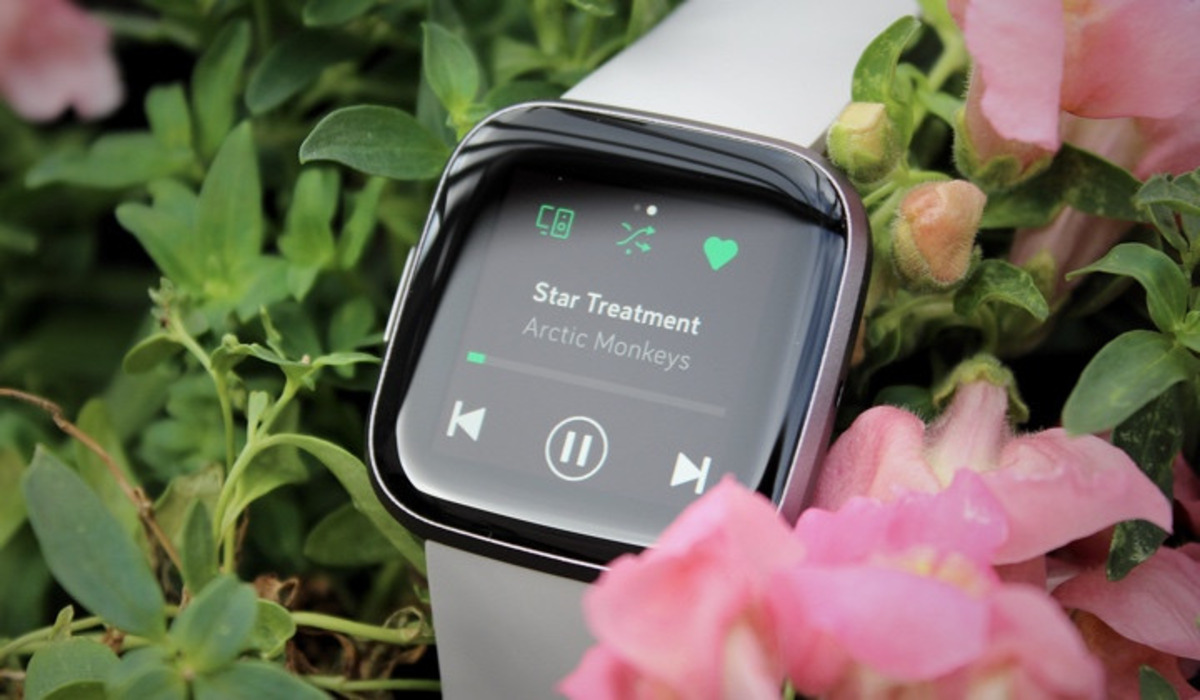
Spotify on Fitbit is the Spotify app for supported Fitbit smartwatches that lets Premium users control playback from their wrist, including Spotify Connect. This means you can play, pause, skip, and browse your music and podcasts directly from your Fitbit during a workout without needing your phone.
What is Spotify on Fitbit?
Spotify on Fitbit is a dedicated app for select Fitbit smartwatches that turns your wrist into a remote control for your Spotify playback. Designed for Spotify Premium subscribers, it allows you to manage what you hear without touching your phone. The app includes Spotify Connect, so you can also control playback on other devices like speakers or your computer from your Fitbit.
Which Fitbit devices support Spotify?
Spotify currently documents compatibility only for the following Fitbit models: Fitbit Versa, Fitbit Versa Special Edition, Fitbit Versa 2, Fitbit Versa 2 Special Edition, Fitbit Versa Lite, and Fitbit Ionic. Newer models such as the Fitbit Sense, Sense 2, or any Charge devices are not listed as supported on Spotify’s official support page. Spotify's general supported-devices page also still lists 'Spotify on Fitbit'. If you are experiencing issues, consulting official Fitbit troubleshooting resources can help confirm your device’s compatibility.
What can you do with Spotify on Fitbit?
Once the app is installed, you can play, pause, and skip music and podcasts directly from your wrist. You can see what is currently playing, browse Your Library and Recently Played, and save favorites. The app also supports Spotify Connect, letting you control playback on another device, such as a smart speaker, from your Fitbit. The Spotify Connect site is available only in English.
How to get Spotify on your Fitbit
To use Spotify on your Fitbit, you need a Spotify Premium subscription and one of the compatible devices listed above. For exact installation steps, Fitbit’s official support page provides the specific menu path for your device. Spotify's supported-devices page says the app requires iOS 16.1 or later on iPhone and Android OS 7.0 or later on Android for the Spotify mobile app generally. If the app does not appear, you may need to update my Fitbit software to the latest version to ensure compatibility.
Frequently Asked Questions
Can I download music for offline playback on Fitbit?
The app is primarily a controller for streaming, so a connection to your phone or Wi-Fi is typically required.
Do I need my phone to use Spotify on Fitbit?
Yes, your phone is needed for the initial setup and to maintain a connection. The Fitbit app on your phone communicates with Spotify to stream music, so your phone must be nearby and connected to the internet.
Which Spotify subscription is required?
A Spotify Premium subscription is required. The free version of Spotify does not support the Fitbit app or its features.
Why can't I find the Spotify app on my Fitbit?
First, confirm your Fitbit model is on the supported list. If it is, ensure your device’s software is up to date and that you have a Premium subscription. For specific installation steps, refer to Fitbit’s official support documentation.
Can I control Spotify on my phone from my Fitbit?
Yes, that is one of the primary functions. The app acts as a remote, allowing you to play, pause, skip, and browse your Spotify library on your phone directly from your wrist.
















