






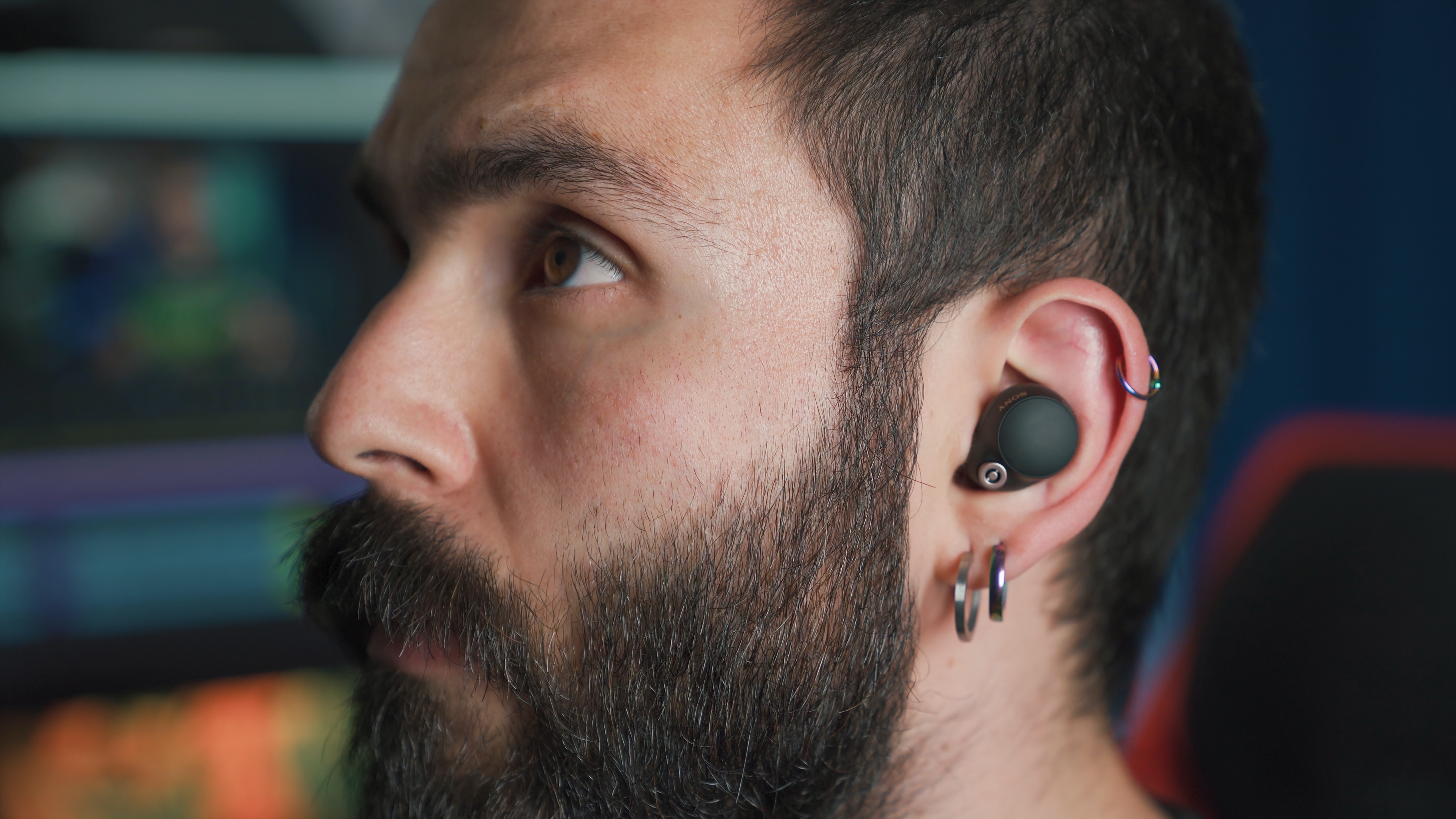
To wear wireless earbuds properly, start by choosing the correct ear tip size for each ear, as your left and right ears may need different sizes. Gently insert the ear tip into your ear canal opening and adjust the angle until the earbud feels snug but not tight, creating a proper seal that improves sound quality and prevents them from falling out.
How to wear wireless earbuds properly: Start with the right fit
Proper fit means the earbuds should feel comfortable and secure for all-day wear. The general principle is to select the ear tip size that creates a good seal without causing discomfort. If you experience issues with fit or sound, begin by checking your ear tip size, as this is the foundation for troubleshooting wireless earbuds. You may need different ear tip sizes for your left and right ears.
How to use the Apple Ear Tip Fit Test for a perfect seal
Apple provides built-in tests to verify your AirPods Pro fit. For AirPods Pro 1 or 2, navigate to Settings > Bluetooth > tap the AirPods > Ear Tip Fit Test. For AirPods Pro 3, use the Acoustic Seal Test instead. These tests require iOS/iPadOS 26 or later; if the test does not appear, iOS/iPadOS 13.2 or later is required. The test will indicate whether your current ear tips provide a proper seal. Apple says AirPods Pro 3 heart-rate sensor contact requires the sensors to touch the skin inside the ear.
How to run the Samsung Earbud fit test on Galaxy Buds
Samsung offers a fit test for many Galaxy Buds models. On Galaxy Buds3 Pro and Buds3 FE, open Settings > Connections > Bluetooth > tap the settings gear next to the buds > Sound quality and effects > Earbud fit test > Start. On some other Galaxy Buds models, use Galaxy Wearable > Earbuds settings > Earbud fit test > Start. The result will show either Good fit or Poor fit; if the fit is poor, adjust the buds and run the test again. The test screens may show In ear or Not in ear before the result, and you must keep both buds in your ears during testing.
Positioning your earbuds correctly by brand
Each brand has specific insertion and positioning techniques. For Apple AirPods Pro, gently insert the ear tip into your ear canal opening, then rotate the stem toward your face and press gently to secure the fit. Adjust the rotation and angle if needed. For Google Pixel Buds, gently insert the earbuds and twist the stabilizer counter-clockwise for a secure fit; for Pixel Buds with loops, pull the cord to adjust the loop size and tuck the loops into your ears. Google says to slightly rotate Pixel Buds back and forth until they stay in place when you move your head or tap either earbud. For Samsung Galaxy Buds with wingtips, insert them with the wingtip facing upwards until they sit comfortably.
Securing earbuds for all-day comfort and activity
To keep earbuds secure during movement, Apple recommends wearing AirPods Pro for 10 to 15 minutes during normal activity, such as walking, and changing ear tips if they feel loose, fall out, or feel compressed or uncomfortable. Google states the stabilizer should provide a custom fit that locks your earbuds in place, especially during physical activity. For additional stability, general use of ear hooks or wings can help prevent earbuds from falling out. If you need to turn on jlab wireless earbuds, consult the manufacturer's instructions for your specific model. Similarly, to turn on my JBL wireless earbuds, follow the pairing procedure provided with your device. If you ever need to locate wireless earbuds, use the find-my-earbuds feature available in the companion app for your brand.
Frequently Asked Questions
Can I use different ear tip sizes in each ear?
Yes. Many users find that one ear is slightly smaller or shaped differently, so mixing sizes is common for achieving the best fit.
How do I clean my earbud ear tips?
Gently wipe the outer areas of the earbuds with a soft, lint-free cloth. Detach the ear tips if possible and wash them with mild soap and water, ensuring they are completely dry before reattaching. Avoid using harsh chemicals or immersing the entire earbuds in water.
Why do my earbuds keep falling out during exercise?
This usually indicates the ear tip size is incorrect or the earbuds are not positioned properly. Try a larger ear tip size or, if your earbuds support them, use ear hooks or wings for additional stability. Also, ensure the earbuds are inserted with the correct angle as specified by the brand.
What does a "Poor fit" result mean on Samsung Galaxy Buds?
A "Poor fit" result means the ear tips are not creating a proper acoustic seal in your ear canal. Adjust the earbuds by rotating them slightly or trying a different ear tip size, then run the fit test again until you see a "Good fit" result.
Do AirPods Pro 3 have a different fit test than older models?
Yes. AirPods Pro 1 and 2 use the Ear Tip Fit Test, while AirPods Pro 3 use the Acoustic Seal Test. Both tests verify the seal between the ear tip and your ear canal, but the menu path and test name differ. The Acoustic Seal Test also ensures the heart-rate sensor contacts touch the skin inside your ear.

















