






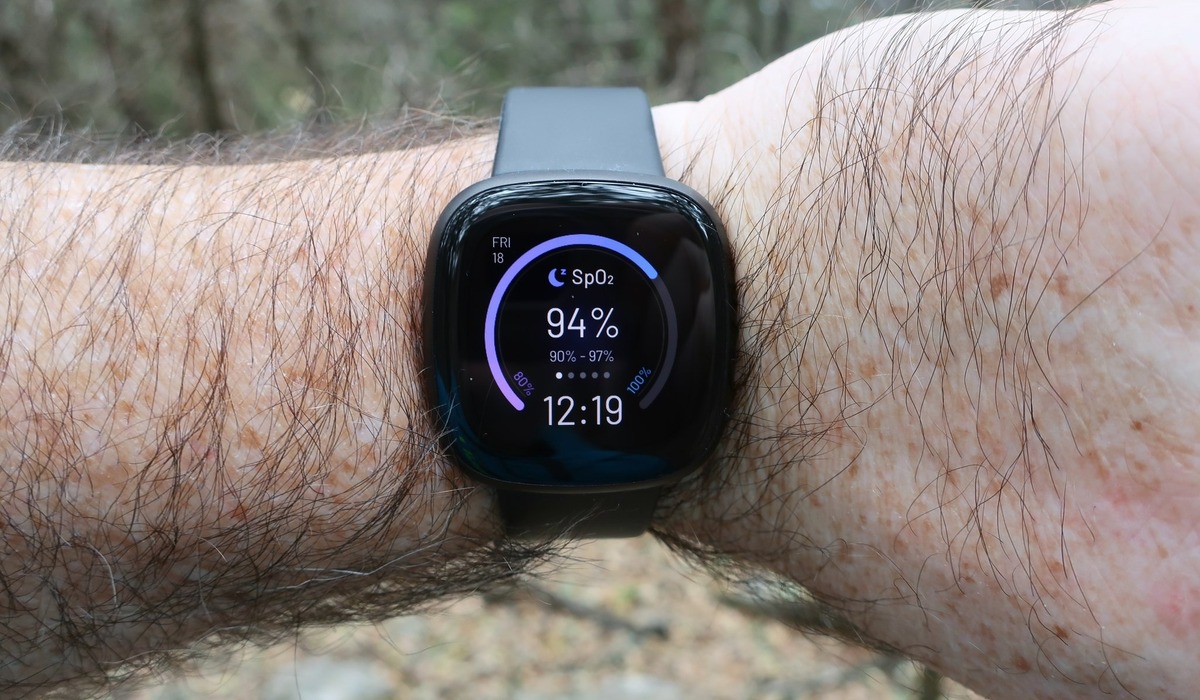
What does SpO2 mean on Fitbit? It stands for peripheral capillary oxygen saturation, and it estimates your average blood oxygen level during your most recent sleep period. This reading is a general wellness feature, not a medical tool, designed to help you track trends in your overnight oxygen saturation.
What does SpO2 mean on Fitbit?
SpO2, or peripheral capillary oxygen saturation, is a metric that estimates the average level of oxygen in your blood while you sleep. Your Fitbit device uses this data to provide a snapshot of your overall oxygenation, which is a useful data point for general wellness tracking. It is important to understand that this feature is part of the broader set of Fitbit features and metrics intended for informational purposes, and it is not designed to diagnose, treat, cure, or prevent any disease or condition.
How Fitbit measures your SpO2 during sleep
Fitbit devices measure SpO2 using red and infrared sensors located on the back of the device. These sensors shine light into your skin and blood vessels, then measure the amount of light that is reflected back. The device analyzes the reflected light to estimate your blood oxygen saturation. For the sensor to collect accurate data, you must be still and asleep, which is why readings are only taken during your sleep period.
How to get an SpO2 reading on your Fitbit
To see your SpO2 reading, follow these steps:
- Wear your Fitbit device for at least a full day, including while you sleep at night.
- Ensure you get at least 3 hours of quality, uninterrupted sleep for the device to collect enough data.
- After waking up, sync your Fitbit device with the app.
- Wait about an hour for the SpO2 value to appear in the app or on your device.
After waking up and syncing your Fitbit device, it may take around an hour for your SpO2 values to appear in the app or on your device.
Understanding your Fitbit SpO2 range
Fitbit SpO2 values typically display within a range of 80% to 100%. If your measurement falls below 80%, it will be shown as "<80%". Fitbit SpO2 values typically range from 80% to 100%; any measurement lower than 80% will be displayed as "<80%". Remember that the sensor on your Fitbit is not as accurate as a medical-grade pulse oximeter and is not intended for real-time or continuous monitoring. Use the reading as a general trend indicator rather than a precise clinical measurement.
Factors that affect SpO2 accuracy
Several verified factors can influence the accuracy of your Fitbit SpO2 readings. The device must be worn snugly but not constricting, and it needs consistent contact with your skin. Tattooed skin can impact the accuracy of the red and infrared sensors used for SpO2 tracking. Additionally, the SpO2 feature and related clock faces may not be available in all regions, so check your device's compatibility.
Frequently Asked Questions
Can my Fitbit diagnose a medical condition based on SpO2 readings?
No. Fitbit devices are not designed to diagnose or treat medical conditions. The SpO2 feature is intended for general wellness and informational purposes only. If you have concerns about your health, consult a healthcare professional.
Why does Fitbit only monitor SpO2 during sleep?
Fitbit collects SpO2 data only when you are still and asleep because movement can interfere with the sensor's ability to get a reliable reading. This ensures the data reflects your baseline oxygen saturation during rest.
What should I do if my SpO2 readings change over time?
Use the readings as a general wellness trend. If you notice a consistent drop or readings that fall below your typical range, it may be worth discussing with your doctor. The device is not a substitute for professional medical advice.
For the wider topic, see Fitbit features and metrics.

















