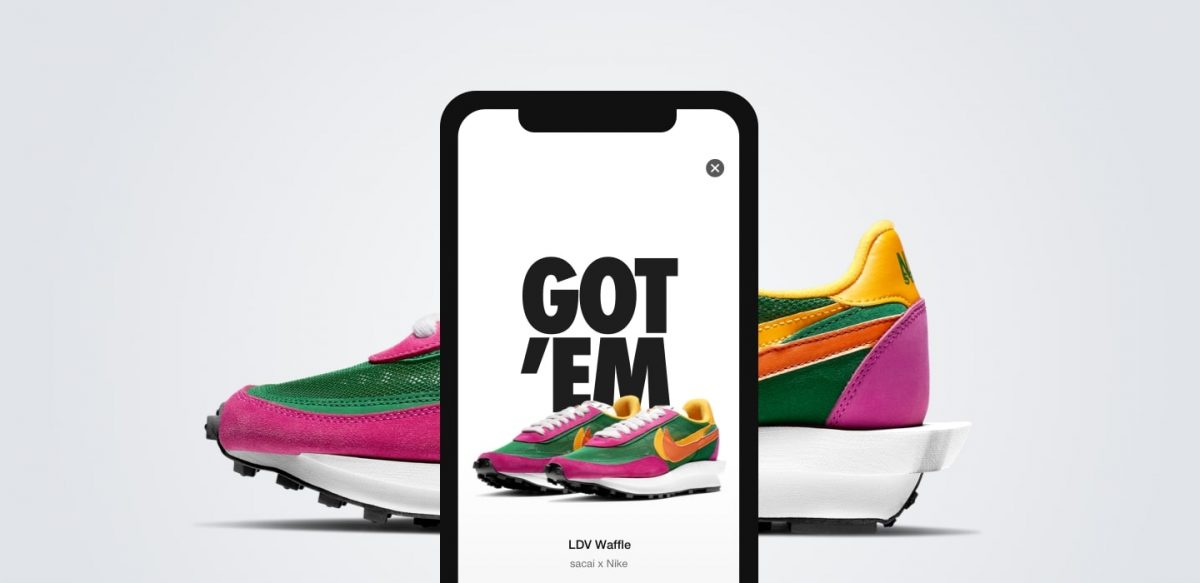
The SNKRS app is Nike's official member-only platform for accessing limited-release sneaker launches, Draws, and exclusive content. For sneakerheads who want the latest pairs, mastering the SNKRS app is essential to successfully purchase hyped Nike and Jordan releases through draws, timed launches, and exclusive access.
What is the Nike SNKRS app?
Nike describes SNKRS as the app for launch info, Draws, and release notifications for members. Officially called “Nike SNKRS: Sneakers & Apparel” on the Apple App Store, it is available for iPhone only. The app provides a one-stop sneaker shopping experience, giving users access to limited-quantity sneakers, launch schedules, and member-exclusive content directly on their mobile device.
How to sign up and set up your SNKRS profile
- Create or sign in to a Nike Member account.
- Download the SNKRS app from the App Store.
- Enable push notifications in your device settings and within the app. Nike says you must enable notifications so you do not miss releases and Draws.
Your Nike Member profile must be signed in if you ever enter a Draw on a computer. Keeping your profile signed in across devices ensures you can participate in launches without interruption.
How to update your payment and shipping info for a smooth checkout
Up-to-date payment information in your profile is crucial because the app uses it to pre-authorize your purchase if you are selected in a Draw. Accepted payment methods vary by country, device, and whether you are shopping on Nike.com, the Nike App, or the SNKRS app. For example, in Canada, Nike accepts Visa, MasterCard, American Express, Discover, Diners, Interac, JCB, Apple Pay, Google Pay, PayPal, and Klarna. In Australia, you can use any accepted credit card or Apple Pay. In the Philippines, Google Pay is not available as a payment option for the Nike App on iOS devices, but any accepted credit card works.
To set PayPal as your default, go to the Profile tab, tap “Payment Information,” then “Add New Payment Method,” then “PayPal.” Add PayPal about 30 minutes before a SNKRS release opens, then place an order within one hour to save PayPal as a payment method. Note that your shipping address must match the shipping address associated with your PayPal account if you use PayPal. Nike also states that payment for Nike orders cannot be split between multiple payment methods.
Key features of the SNKRS app and how to use them
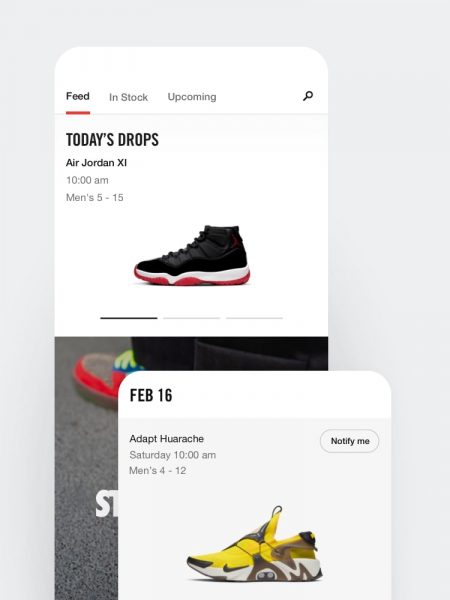
Upcoming feed with countdown clocks
Future Draws appear in the “Upcoming” feed within the SNKRS app. A product page will show a countdown clock for Draw entry time. Push notifications are sent when the Draw opens to members who have notifications enabled. The app can be slow to load during the actual launch, so it's good to get ahead and be in the app before the actual launch.
SNKRS Stash for geo-located drops
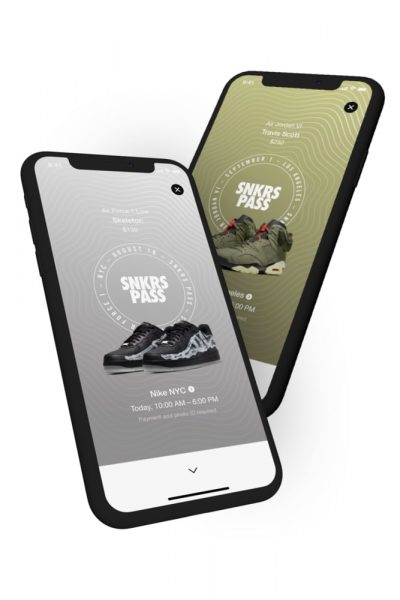
SNKRS Stash is a geo-located feature that prompts users to visit specific locations for a limited time to access a particular shoe release. The app uses an Augmented Reality approach. Make sure your payment and shipping info is current within SNKRS before attempting a Stash drop.
Stories section for sneaker content
The app includes a Stories section where you can learn the inspiration and heritage behind each sneaker, hear from top athletes, and discover style secrets from the SNKRS community. Engaging with this content can increase your chances of being selected for Exclusive Access.
Understanding SNKRS launch types: FLOW, DAN, LEO, and more
First Come First Serve (FLOW)
This is the least common drop type, usually used for general release shoes or surprise restocks. Whoever first submits their payment information wins the item. You may see a message like “You’re in line” or “Waiting for your turn.” If you win, Nike holds the pair for you, and you are notified through the app and email after payment clears.
Draw (DAN)
This is a timed entry launch for highly hyped, limited releases. When the drop goes live, the “Notify Me” button turns to “Enter Draw.” Selected members are notified within 24 hours by email with purchase information and order confirmations. You are only charged if you are selected in the Draw. For a DAN launch, the faster you log in and the more accounts you can enter, the more chances of winning. Use a different IP address, shipping address, and payment method for each entry.
Let Everyone Order (LEO)
This is the most common drop type. During the launch, everyone can order by pressing the “Purchase” button. If you win, you see an order success page; if not, you are told your size is sold out. For a LEO launch, you can use multiple accounts with different names, IP addresses, shipping addresses, and payment methods, but filtering is not that high.
Exclusive Access
This is early access to a drop given to loyal members who regularly interact with the app, hitting the heart button, reading stories, and watching videos. Notified members have a limited time to purchase, so quick action is essential. The more shoes you purchase within the app, the more chances the system will recognize your account for Exclusive Access.
Reserve Launch
This launch type requires your device’s location to be accessible and involves in-store pickup on a first-come, first-served basis. Preload your shoe size and payment for a seamless checkout. If you don't pick up your reserved pair from a Reserve Launch, the shoes become available for purchase on a first-come, first-served basis.
To cop sneakers, create multiple accounts from multiple devices with unique email addresses and different payment methods, but you can use the same shipping address. Ask friends for help and use their phone numbers for verification. To enter raffles, launch the SNKRS app 15 minutes before the launch, use mobile data instead of Wi-Fi if you have multiple accounts, and turn your phone to Airplane Mode to avoid disturbances.
Is the SNKRS app legit and safe to use?
Yes, SNKRS is Nike’s official member app for sneaker launches, Draws, and related product content. Security measures include requiring you to re-enter your password and credit card security code or PayPal password at checkout, even if your details are saved. The payment information in your profile is used to pre-authorize the purchase if you are selected, and you are only charged if you win the Draw. Winners receive a 24-hour email notification with purchase information and order confirmations.
SNKRS app pros and cons
Pros
- Engaging design with rich stories and content
- Access to hyped, limited-release Nike and Jordan sneakers
- Multiple accepted payment methods including PayPal and Apple Pay
- Easy-to-use interface with countdown clocks and notifications
- Opportunities for reservations and exclusive access
Cons
- High volume of users makes winning a Draw challenging
- Technical glitches can occur during high-demand launches
- Not available in all countries
- iPhone only, no Android version
Final verdict: is SNKRS your ultimate sneaker source?
The SNKRS app is the official, legitimate source for Nike launches, best used by following the official rules for the fairest chance at purchasing. While the app gives you access to everything Nike has to offer, from the latest releases to exclusive content and stories, the high demand means not every entry will result in a win. For sneakerheads who want the latest pairs, SNKRS remains the most direct and secure way to try for limited-edition kicks without leaving your phone. Unlike third-party marketplaces or wearables and fitness apps, SNKRS is Nike’s own platform, ensuring you deal directly with the brand for authenticity and support.
Frequently Asked Questions
Can I use the SNKRS app on Android?
No. The official app is called “Nike SNKRS: Sneakers & Apparel” and is available for iPhone only. There is no Android version of the SNKRS app.
How do I know if I won a Draw?
You can also check the app for order status updates.
What happens if my payment method fails during a Draw?
If your payment information is not up to date or cannot be pre-authorized, you may not be selected in the Draw. Nike recommends keeping your payment and shipping info current in your profile before a launch.
Can I use multiple accounts to increase my chances?
Nike filters entries and may flag accounts using the same IP address, shipping address, or payment method. Using multiple accounts with different details does not guarantee a win and may violate Nike’s terms.
Why is the SNKRS app slow during launches?
High user volume during hyped releases can cause the app to load slowly or experience glitches. Being in the app before the launch starts and having a stable internet connection can help.
Related reading: How To Play Roblox On Phone and Is An App Also A Software?.