To turn off mobile data, open your device settings and locate the cellular or mobile network menu. The exact steps differ between iPhone and Android (Samsung Galaxy), but the goal is the same: disabling the data connection to avoid charges or save battery.
How to turn off mobile data on iPhone
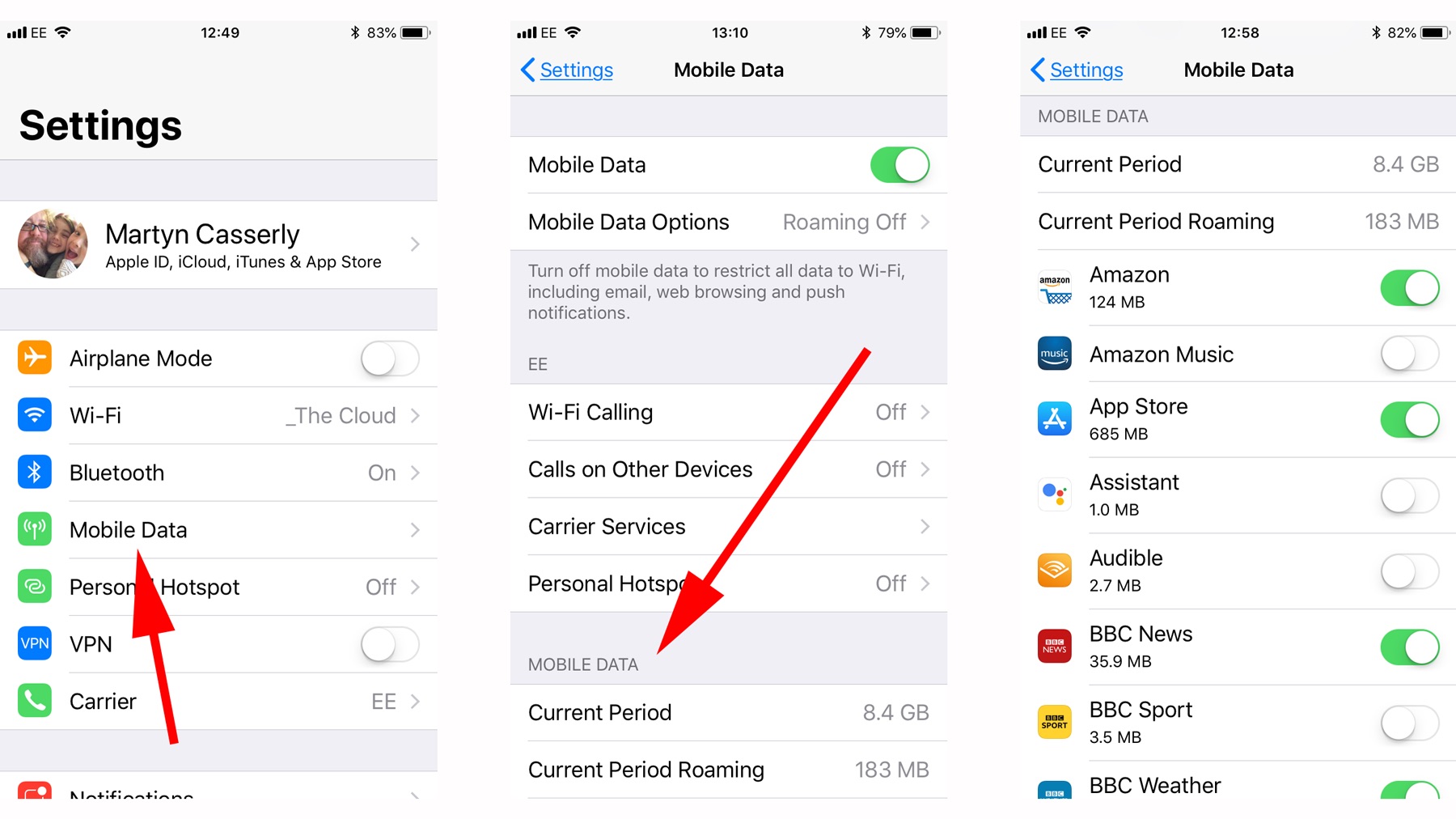
Open Settings > Cellular > Cellular Data and toggle the switch off. When cellular data is off, email, web browsing, and notifications use Wi‑Fi only. If your iPhone has multiple SIMs, Apple says to open Settings > Cellular, then tap Cellular Data and use the slider. If your iPhone has multiple SIMs, go to Settings > Cellular, tap Cellular Data, and use the slider to turn it off.
How to turn off mobile data on Android (Samsung Galaxy)
On Samsung Galaxy phones, go to Settings > Connections > Data usage > Mobile data and switch Mobile data off. Samsung documents the exact menu path as Settings > Connections > Data usage > Mobile data on Galaxy phones. Samsung's mobile data pages note that when mobile data is off, network use is not available except over Wi‑Fi. You can also open the Quick panel and tap the Mobile data icon to deactivate it. These steps are based on Samsung Galaxy documentation; other Android devices may vary slightly.
Use airplane mode as a quick alternative
Swipe down to open the Quick panel and tap the Airplane mode icon. This temporarily disables all wireless connections, which can reset mobile data if it's stuck. After airplane mode is on, you can re-enable Wi‑Fi separately if you still want internet access.
What to check if mobile data won't turn off
If the toggle doesn't seem to work, try switching it off and on again. As a last resort, reset your network settings. If the problem persists, contact your mobile service provider for account or network issues.
Frequently Asked Questions
How do I turn off my mobile data?
On Android, go to Settings > Network & internet > Mobile network. On iPhone, go to Settings > Cellular > Cellular Data.
Do calls and texts still work when mobile data is off?
Yes. Calls and texts use the cellular network, not mobile data, so they continue to work normally.
Does Wi-Fi still work when mobile data is off?
Yes. Wi-Fi is independent of mobile data, so you can still connect to Wi‑Fi networks and use the internet.
Does turning off mobile data save battery?
Yes. Disabling mobile data stops the device from constantly searching for a data signal, which can extend battery life.
Will apps still function without mobile data?
Some apps that need an internet connection may not work fully, but offline apps and games will function as usual.
What about checking data usage and balance?
When mobile data is off, you can still check your data usage and account balance over Wi‑Fi or by contacting your carrier.
How do I manage cellular data settings for specific apps?
For managing cellular data settings and fixing issues with individual apps, check your device's app settings to restrict background data or disable mobile data per app.