Understand your Snapchat data settings
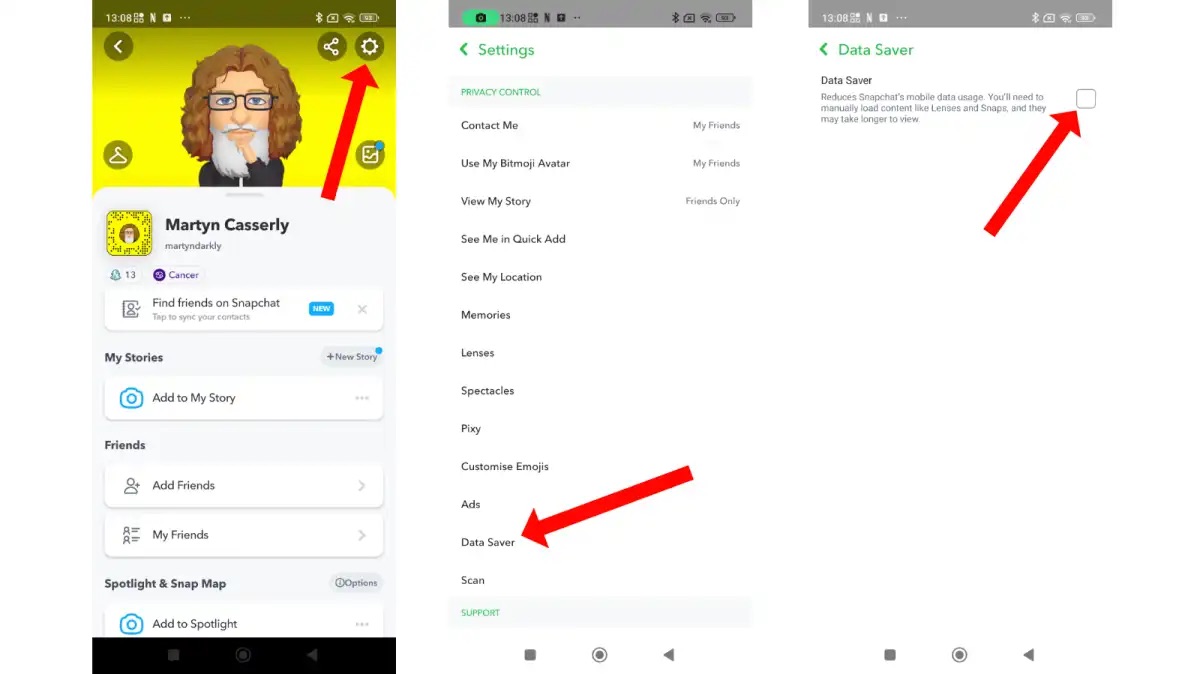
To access your Snapchat data settings, it helps to have a clear understanding Snapchat as a camera-first messaging app. The app is built around disappearing Snaps, Stories, and Spotlight content. It is free to download and use. If you are weighing whether premium features are worth it, you should read about Snapchat'S pricing structure to see what you might actually need to pay for. To better manage your mobile usage, you can check Snapchat data consumption on iPhone so you know exactly how much data your Snaps and Stories are using. For a complete overview of the platform, everything you need to know about Snapchat is covered in a dedicated guide. And if you ever feel confused by a feature or update, there is an article that will explain yourself! Snapchat and clear up any confusion. The app’s own Data Saver mode, also called Travel Mode, is the built-in way to keep data use in check. It makes Snaps and Stories tap-to-load on cellular. You can find it under Settings > App & Privacy > My Privacy & Data > Manage My Data. There you can keep the toggle active for three days, one week, or until you manually turn it off.
- Snapchat data consumption on iPhone — How Much Data Does Snapchat Use On iPhone?
- Snapchat'S pricing structure — Is Snapchat Free? Here's How Much You'll Need To Pay For It
- everything you need to know — What Is Snapchat: Everything You Need To Know
- explain yourself! Snapchat — Explain Yourself! Snapchat
Download or delete your account data
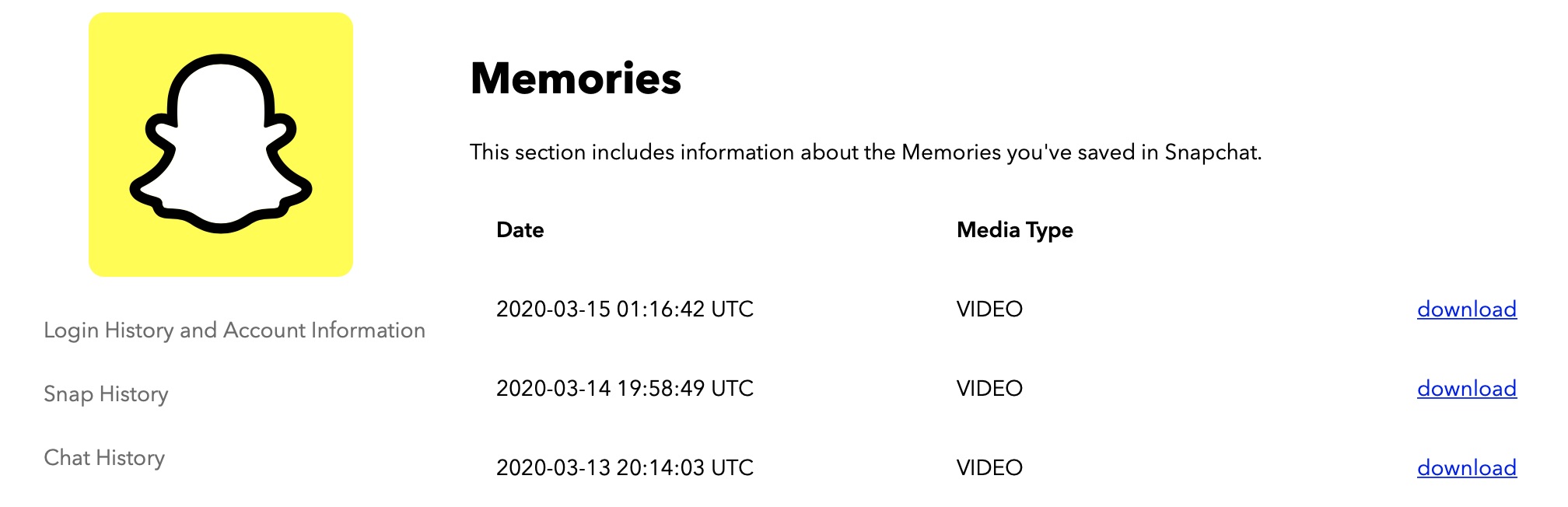
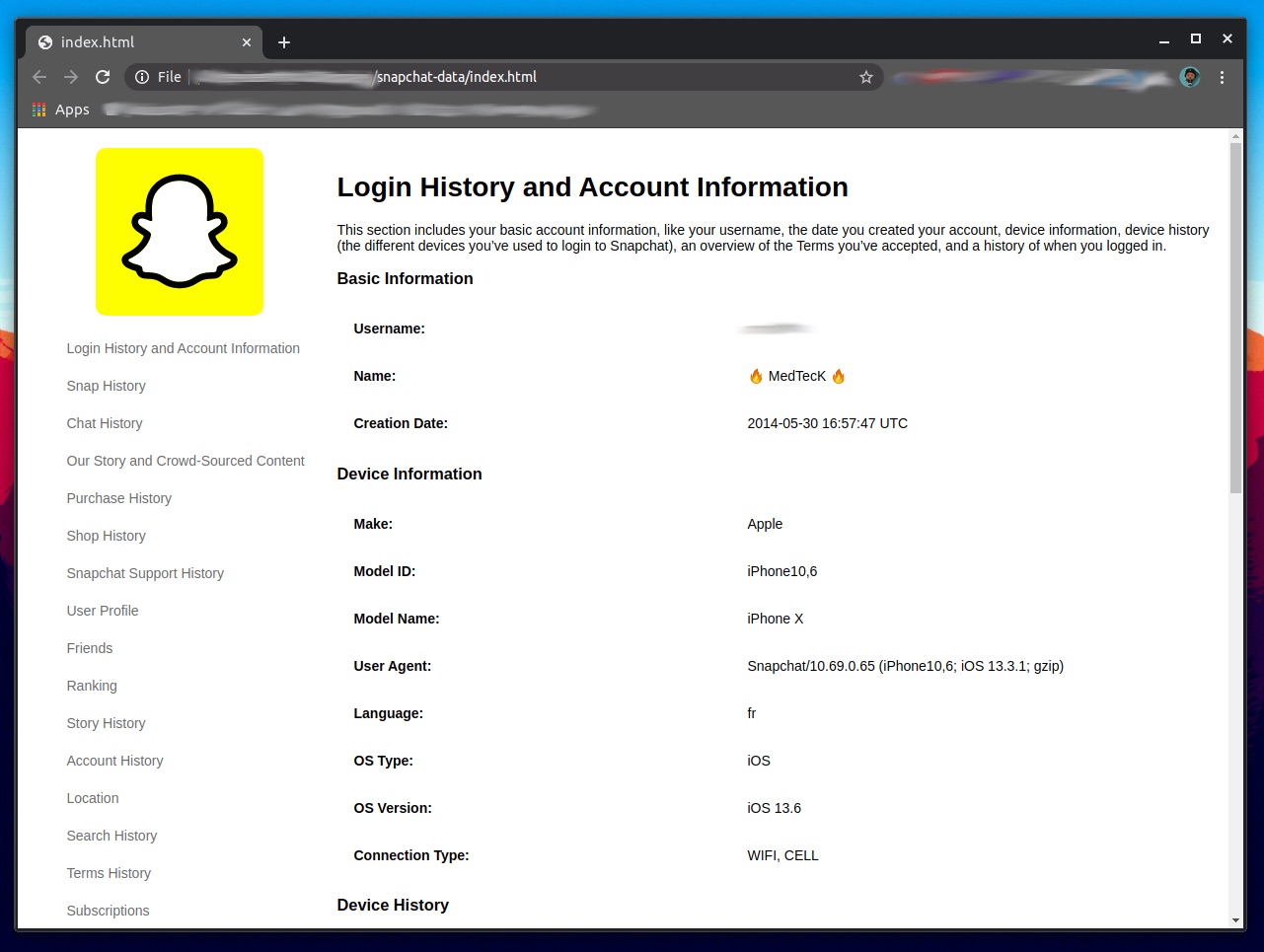
Requesting your data splits into two separate tracks. Decide early whether you need your full account history or just the photos and videos you saved. If you have ever gone through the process of downloading your Instagram data, you will notice a key difference here: that guide shows you how to download your Instagram data in a structured way, whereas Snapchat’s approach is less documented. On the My Data page, select the data to include, choose a date range or turn that off to get all data, confirm the email address, then tap or click Submit. Log into accounts.snapchat.com or open the app and head to Settings > My Data. Pick what you want included, confirm your email, and submit the request. There is no fixed Snapchat data download request time published by the company. A link arrives by email when the export is ready. You can also check See exports > Download inside that same menu.
If your only goal is to save your saved Snaps and Stories, you can request your data through the My Data page. That is essentially how you download memories from Snapchat data without waiting on logs and metadata you may never open. When you are ready to wipe the slate clean instead, the path to permanently delete Snapchat data lives under Settings > App & Privacy > My Privacy & Data > Clear Data. For deleting the entire account, visit the Snapchat accounts portal. Choose Delete my account, enter your password, and confirm. The account deactivates for 30 days during which you can still reactivate it. Then it enters a second 30-day window before permanent deletion. Snapchat notes that you have those first 30 days to download your data, including Memories, before it is gone for good.
Manage your saved content and connections
Before you send a sticker you love, you may want to save Snapchat stickers to your phone so they live in your camera roll instead of disappearing with the chat. The process varies by device. Once saved, you can reuse them anywhere. The same creative impulse applies to the stickers you design yourself. Snapchat gives you scissors and a drawing tool to cut out objects from your Snaps. After you create and use them in a conversation, they stay in your sticker drawer for future chats.
Your visual style carries over into the lenses you reach for most often. Keeping a mental list of the 30 best Snapchat filters for your stories and snaps means you spend less time scrolling and more time posting. On the social side, a small habit that keeps your closest friends within thumb’s reach is to pin a conversation on Snapchat. From the Chat screen, press and hold a friend or Group, tap Chat Settings, and then tap Pin Conversation to lock them to the top. When you want to bring someone new into that circle, adding contacts on Snapchat via mobile starts with pointing your camera at their Snapcode. Press and hold to scan it, and then tap Add Friend. That is all you need to know to add someone on Snapchat with phone number, too.
Frequently Asked Questions
How long does Snapchat take to send my data download link?
Snapchat does not publish a fixed wait time for the export to be ready. The link arrives by email when your data package is prepared, and you can also check the See exports section inside the My Data menu for the Download option.
Can I download only my Snapchat Memories without the rest of my data?
Yes, you can request just your saved Snaps and Stories through the My Data page by selecting only those items before you submit. The Download My Data tool provides a copy of information not available in the app in a portable format.
What happens to my Memories if I delete my Snapchat account?
Account deletion permanently deletes the account, including Memories. You have 30 days after deactivating to download your data before it is gone for good, with permanent deletion completing after 60 days total.
Does Snapchat Data Saver work on Wi-Fi or only cellular?
Data Saver mode makes Snaps and Stories tap-to-load only while using mobile data. The feature does not affect loading behavior when your phone is connected to Wi-Fi.
Where do I find the Clear Data option in the Snapchat app?
Open Settings, tap App & Privacy, then tap My Privacy & Data, and you will see Clear Data. From there you can choose which data to delete without deactivating your entire account.