The best Instagram unfollow apps help you quickly identify and remove inactive, ghost, or non-reciprocal accounts, keeping your follower-to-following ratio healthy and your account within Instagram's limits. These tools are essential because Instagram caps your following at 7,500 accounts, and a bloated following list can hurt your engagement by filling your feed with irrelevant content.
Why you need an Instagram unfollow apps strategy
Instagram limits every account to following a maximum of 7,500 accounts. Once you hit that cap, the only way to follow new accounts is to unfollow existing ones. A bloated following list also dilutes your feed with content from inactive or irrelevant accounts, which can lower your engagement rates. A strategic approach to unfollowing, using a dedicated app to identify the right accounts to remove, helps you maintain a clean, engaged audience without triggering Instagram's security systems.
The risks of third-party unfollow tools (read this first)
Instagram actively monitors third-party app usage and enforces strict hourly and daily action limits. Using any unfollow tool too aggressively can result in a temporary action block, a shadowban that hides your content from non-followers, or a permanent account ban. To stay under the radar, unfollow slowly, stick to documented limits of 50 to 100 users per session, avoid running the app continuously, and always change your Instagram password after you finish using any third-party app.
13 best Instagram unfollow apps for a cleaner account
The following 13 apps are curated for their reliability and specific features. They support Android, iOS, or desktop platforms, and the best ones include white-lists to protect important connections and verified capabilities that respect Instagram's limits.
1. Followers, Unfollowers
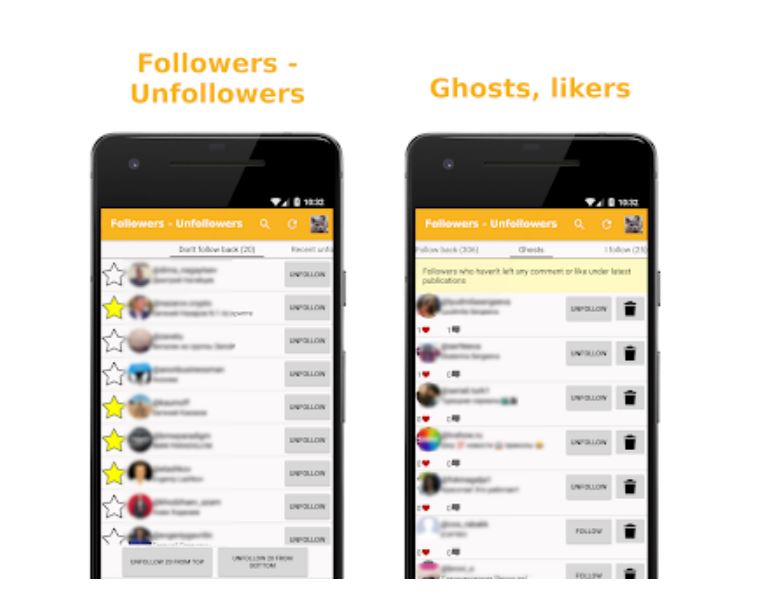
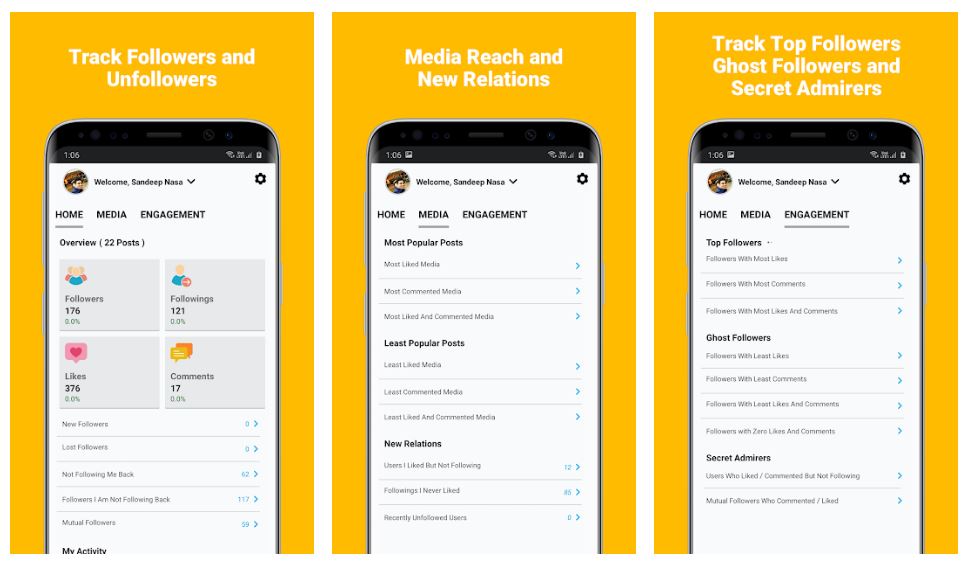
This Android app features a documented 50-person unfollow limit, which is a verifiable safe threshold to avoid action blocks. It identifies ghost followers who never like or comment, and its white-list feature (activated by tapping a star icon) prevents accidental unfollowing of accounts you want to keep.
2. Unfollow Users
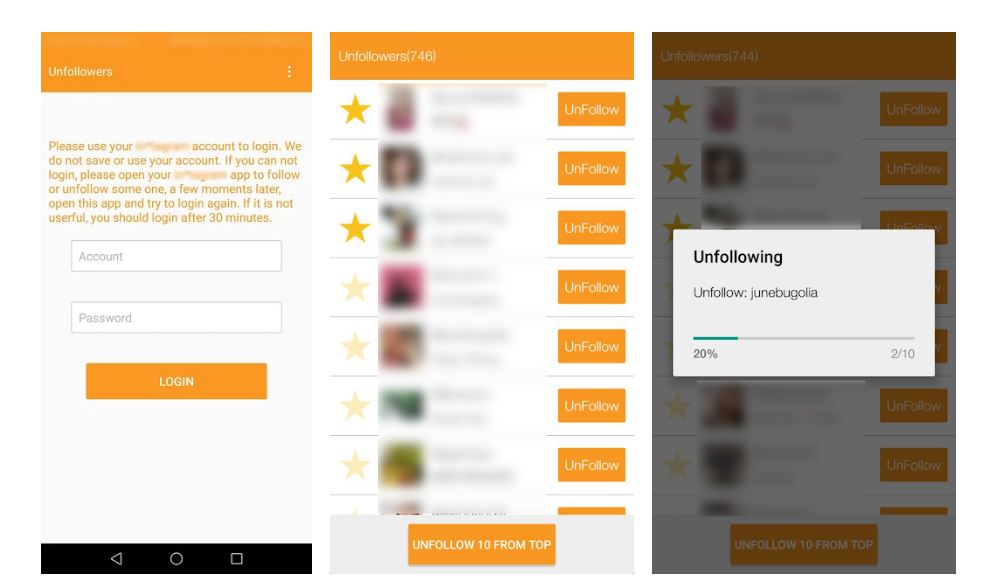
If your follower-to-following ratio is imbalanced, this app focuses on identifying and bulk-unfollowing users who do not follow you back. It provides detailed engagement and follower statistics and requires a verified account to use.
3. Followers & Unfollowers
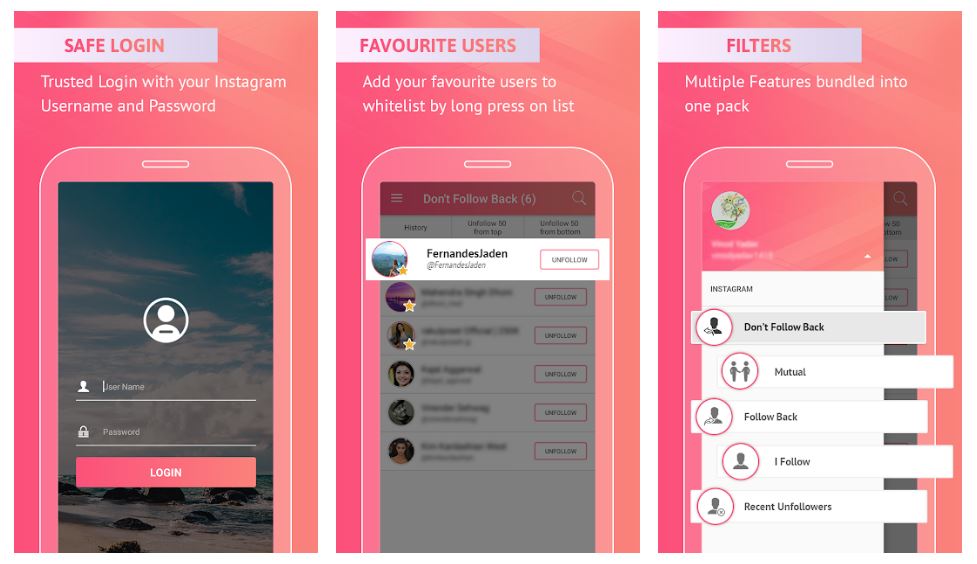
This app supports multi-account management, letting you handle several Instagram profiles from one interface. Its favorites list acts as a white-list, long-tap a photo to add an account, so you can protect important connections during a mass unfollow. The app also displays mutual followers and the latest unfollower.
4. Unfollow Pro For Instagram
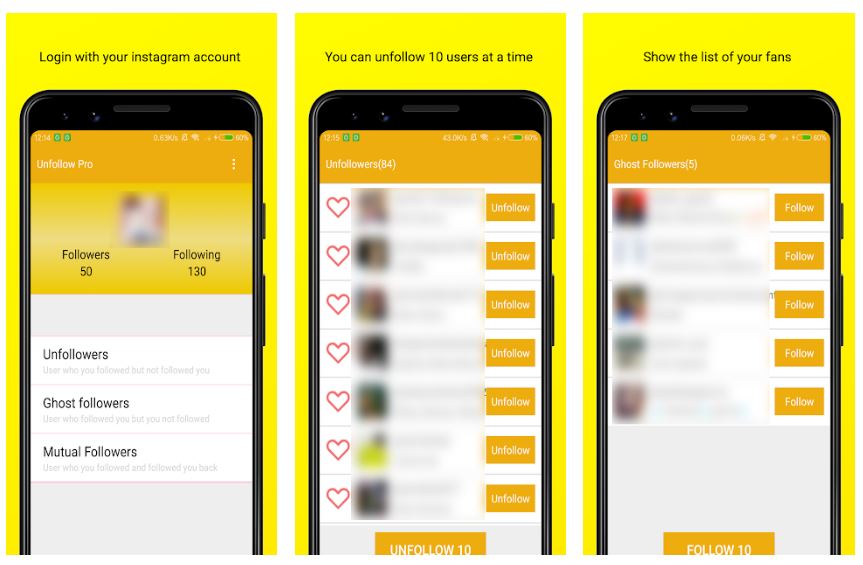
With a 100-user unfollow limit per session, this app organizes accounts into three sections: Unfollowers, Ghost Followers, and Mutual Followers. It also lists active likers, which helps you retain engaged users while cleaning out inactive ones. Unfollow Pro For Instagram displays a list of accounts who are active likers of your posts, making it easier to track them if you host giveaways.
5. Insights, Follower Analyzer for Instagram
This app includes a Post Analysis tool that tracks your least and most popular content based on comments and likes. You can use these engagement metrics to decide which followers to unfollow, removing those who never interact with your top posts. Insights, Follower Analyzer for Instagram does not require a credit card to download and install. Insights, Follower Analyzer for Instagram offers an option to analyze your Instagram posts based on locations and hashtags used.
6. Mass Unfollow for Instagram
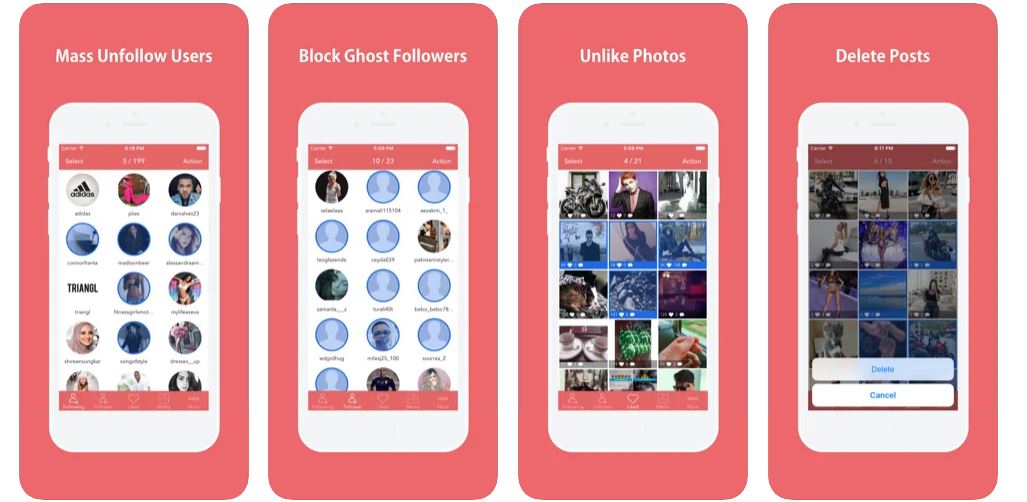
The go-to iOS option for bulk actions, this app provides a single dashboard for unfollowing, unliking photos, and deleting low-engagement posts. It also offers detailed statistics on all followers and posts. Mass Unfollow for Instagram has a dedicated Unlike Photos page, allowing you to display a comprehensive overview of all your liked photos and unfollow them in bulk.
7. FollowMeter for Instagram
Available cross-platform on Android and iOS, FollowMeter offers optional paid add-ons (Insights Pack, Top Likers, Ghost Followers, and others) for deeper analysis before you start an unfollow session. The core app is free, with premium subscriptions available in monthly, six-month, and annual packages. FollowMeter for Instagram can be combined with add-ons like Discover Spot or Secret Admirers for $1.99 per service.
8. Analyzer Plus, Followers Report
This iOS app goes beyond identifying unfollowers, it also detects users who removed their likes and comments from your posts. This helps you target truly disengaged followers who have actively withdrawn their engagement. Analyzer Plus, Followers Report provides information regarding your most influential followers according to their number of followers. Analyzer Plus, Followers Report shows real-time statistics of your lost and gained followers as well as the performance of real-time engagements on your Instagram account.
9. Followers+ Track for Instagram
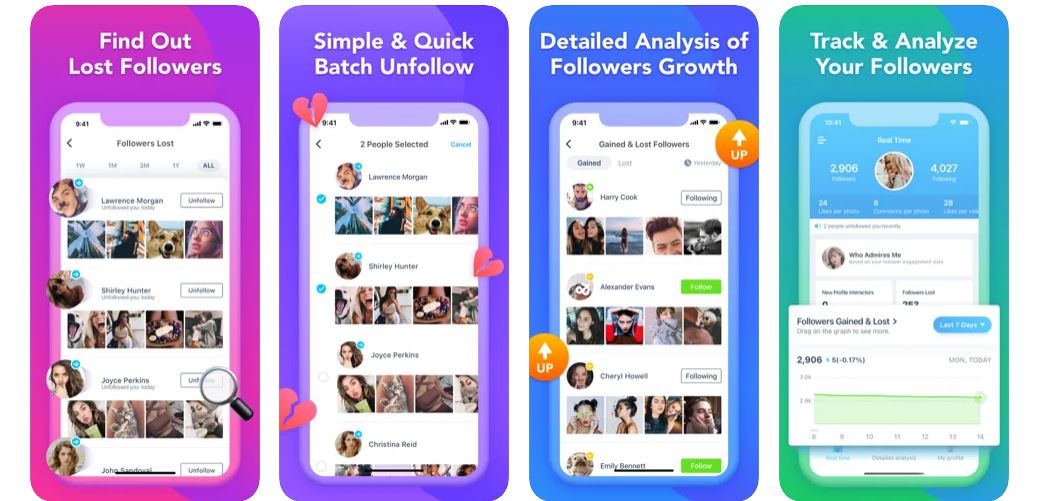
Combining analytics with a dedicated unfollow section and an unliking tool, this iOS app offers a full suite for managing your digital footprint. It tracks stalkers and ghost followers and lets you unfollow one person or all at once. Followers+ Track for Instagram has a dedicated page for media stats.
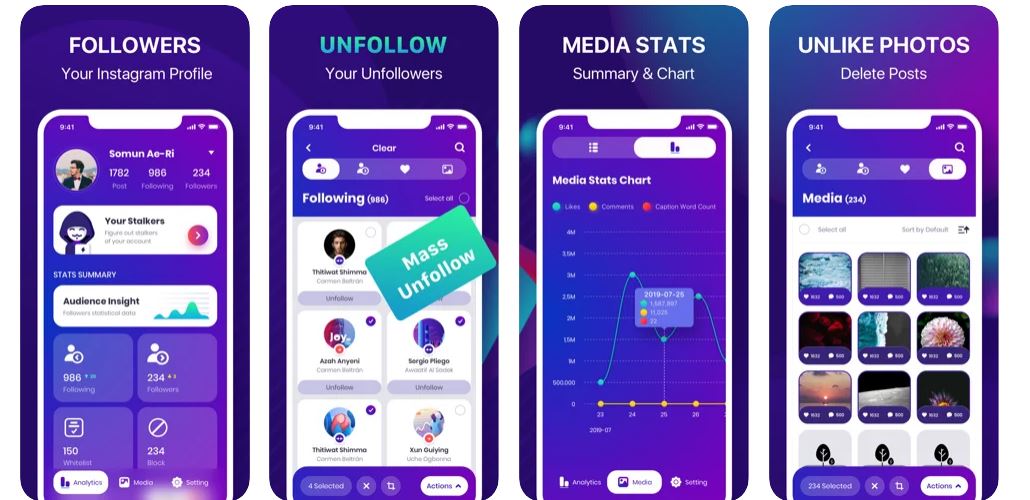
10. UnFollowers for Instagram+
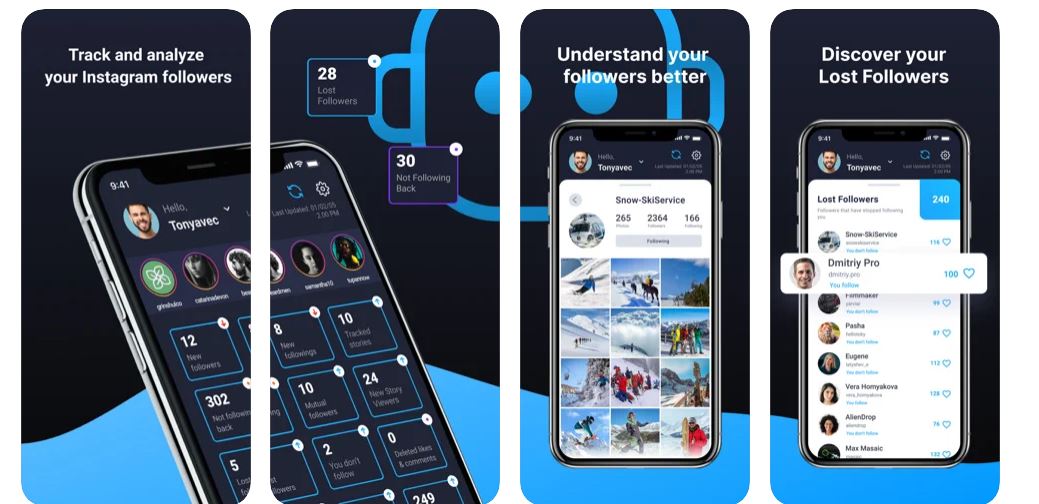
A focused, no-frills iOS app purely for tracking non-followers and executing mass unfollows. It includes a simple insights section for tracking accounts with the least and most interactions on your posts, with premium subscriptions available at $4.99 or $59.99. UnFollowers for Instagram+ tracks Instagram followers that you don’t follow.
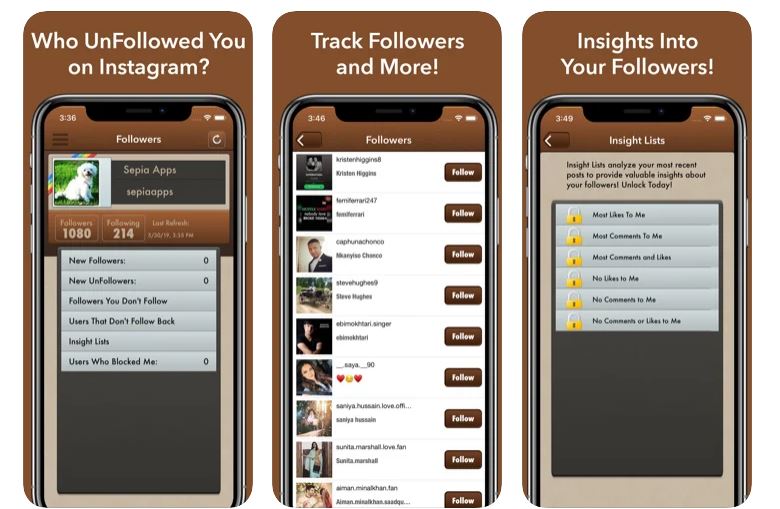
11. nFollowers
This iOS app stands out for its Geography insight feature, which shows follower locations and helps you identify postings near or far from your location. Its four main sections, Relationship, Engagement, Insight, and History, let you evaluate candidates for unfollowing and analyze post performance.
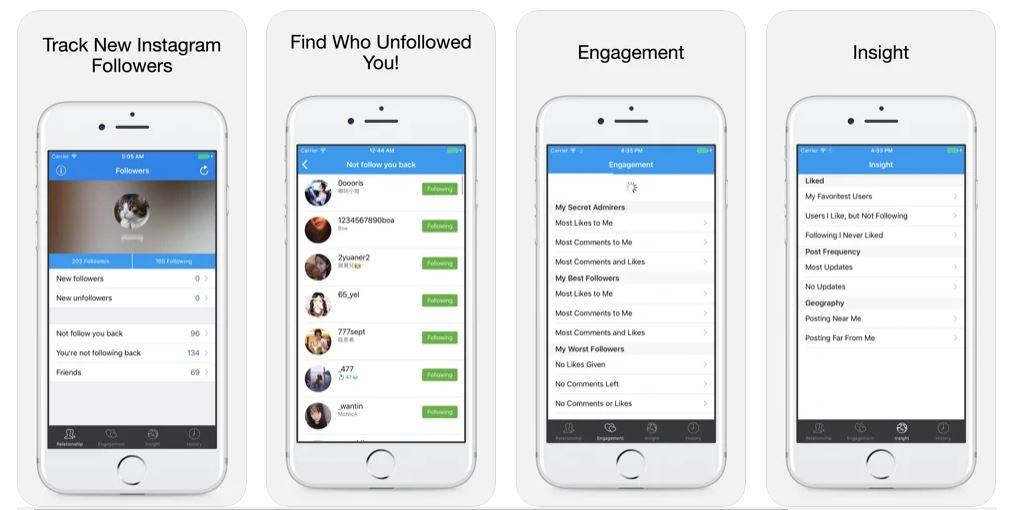
12. Followers Track for Instagram
An all-in-one iOS tracker for ghost accounts, bots, and new unfollowers. It includes a dedicated Followers Insight section that tracks users who commented, liked, or tagged you, plus posts with the least and most interactions to guide your cleaning decisions. Followers Track for Instagram tracks users who tagged you.
13. AiGrow
The only desktop-based, fully managed service on this list. A dedicated account manager handles unfollowing and other growth activities for a monthly fee, with Growth Plans starting at $99 per month for a 12-month package. It also supports manual activities like liking, following, and unfollowing. AiGrow offers Scheduler Plans, DM Plans, and Bulk Post Delete Plans in addition to Growth Plans. AiGrow Growth Plan packages include location research, competitions, and AI-powered hashtags.
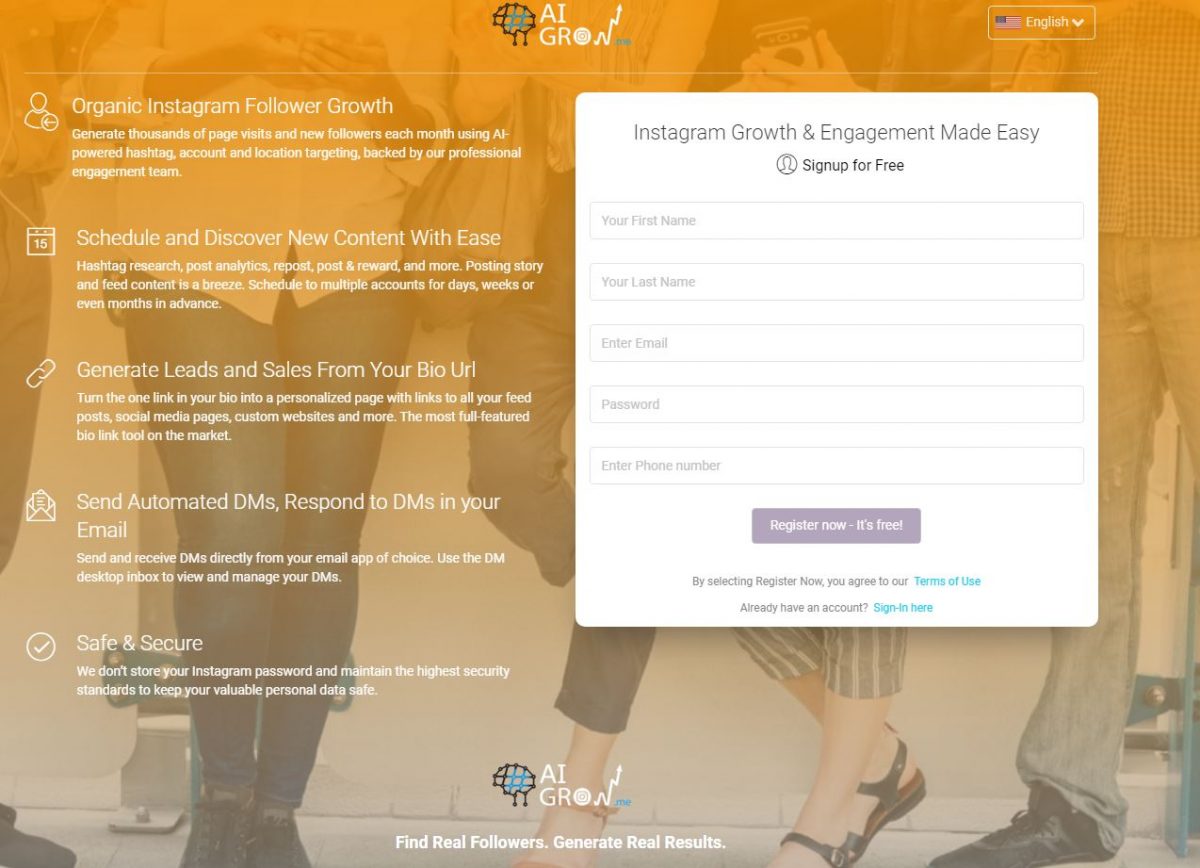
How to unfollow safely and keep your account secure
Always adopt a slow-and-steady approach. Start with the documented 50- to 100-user limits that apps like Followers, Unfollowers and Unfollow Pro For Instagram provide. Never run multiple unfollow sessions in quick succession. After you finish using any third-party app, immediately change your Instagram password to revoke its access. This simple step, combined with removing phone numbers from accounts and devices that you no longer use, significantly reduces your risk of a ban.
Frequently Asked Questions
Do Instagram unfollow apps still work in 2025?
Yes, but they must be used cautiously. Instagram regularly updates its security measures, so apps that worked previously may stop functioning or trigger blocks. Always check recent reviews and stick to apps with documented, conservative unfollow limits.
Can I get banned for using an unfollow app?
Yes. Instagram can issue a temporary action block, a shadowban, or a permanent ban for violating its terms of service. The risk increases with aggressive use, unfollowing more than 100 accounts per day or running the app continuously.
How many accounts can I unfollow per day safely?
Most third-party sources recommend unfollowing no more than 50 to 100 accounts per day, with significant time gaps between sessions. The apps listed here, such as Followers, Unfollowers (50-user limit) and Unfollow Pro For Instagram (100-user limit), are designed with these safe thresholds in mind.
Will an unfollow app show me who unfollowed me?
Yes. Most apps on this list, including Followers, Unfollowers, Analyzer Plus, and Followers Track for Instagram, provide notifications or dedicated sections showing who unfollowed your account.
Do I need to give my Instagram password to these apps?
Yes, most third-party unfollow apps require your Instagram username and password to access your follower data. Reputable apps like Followers & Unfollowers state they will not share your data without consent, but you should always change your password after use to revoke access.
What is a ghost follower on Instagram?
A ghost follower is an account that follows you but never likes, comments, or engages with your posts. Apps like Followers, Unfollowers, Unfollow Pro For Instagram, and Followers Track for Instagram specifically identify these inactive accounts so you can remove them.