You can play Chess With a Free Online Clock right now by opening your phone’s browser and going to Chessclock.now. It runs entirely in the tab you already have open, with no app to install, no storage taken up, and no account to create. Just set the time, start the game, and play.
How the Game Actually Works (If You Haven’t Played in Years)
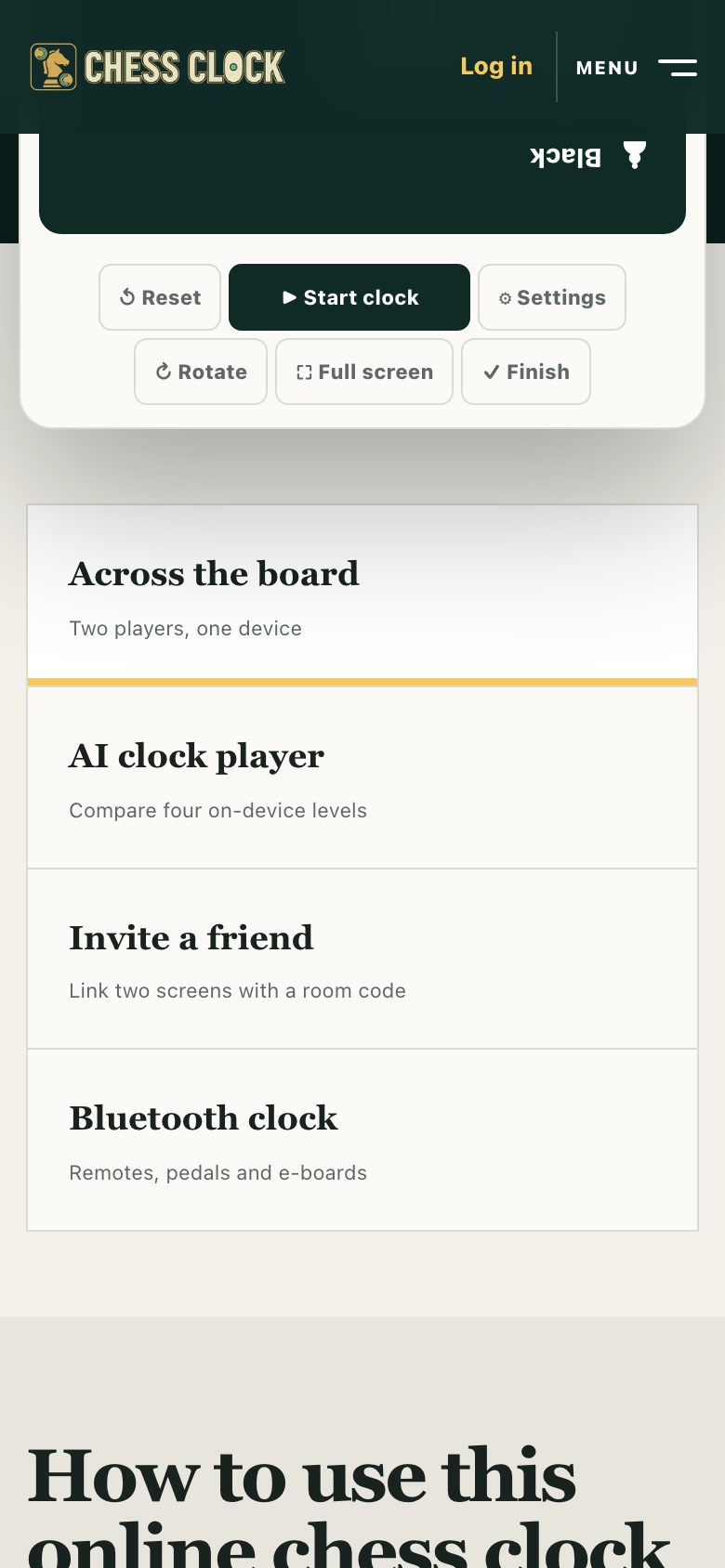
Chess itself hasn’t changed, you still move one piece per turn, trying to checkmate the enemy king. What a chess clock does is add a shared limit to how long you and your opponent can think across the whole game. On the site, you pick a preset like “5 minutes each” or “3 minutes with 2-second increment,” then press start. Your clock runs down only while it’s your turn. When you move, you tap your side of the board (or the clock area on your phone) and the opponent’s timer starts.
For someone who last played casually years ago, the key is that you don’t need to remember complex opening theory. The clock forces you to make decisions at a pace that feels natural on a phone. You can play a full game in under ten minutes, or stretch it to a slower “15+10” if you prefer thinking time. The site’s presets cover both, you just tap one and go.
If you’re playing against a friend on the same phone, you pass the device back and forth after each move. If you’re playing alone, the site’s “AI pacing” mode lets you set a clock for your own thinking, which is useful for practicing time management without an opponent. The page also lists “offline mode”, so if your connection drops mid-game, the clock still works.
The Decisions That Separate a Good Player from a Bad One
Most beginners lose not because they miss a brilliant tactic, but because they use their time poorly. A bad player blitzes out moves in the opening, then faces a complex middlegame with five seconds left. A good player uses the clock to allocate extra thought to critical positions, usually after captures, checks, or when a piece is attacked.
On a chess clock, the core skill is knowing when to think and when to move quickly. If you have a clear, safe move that doesn’t change the position much, play it fast. If the position is sharp and you have several plausible moves, that’s when you spend 30 or 40 seconds. The clock punishes indecision, but it also punishes impulsiveness. You want to reach the endgame with at least a few minutes left, because that’s where games are won on time pressure.
Another separator is using the increment (the extra seconds added per move). If you play with a 2-second delay or increment, you can always afford to think a little longer on a tricky move, because you’ll get those seconds back if you move within the delay. The site’s presets include these options, so you can practice both “sudden death” (no increment) and “increment” styles. A good player also checks the clock before every move, not just after a long think. That habit alone will save you more games than any opening trap.
What to Look for in a Place to Play It
Since you’re on a phone, the most important thing is that the clock is touch-friendly. You need to be able to tap your side of the board or the clock area without accidentally hitting the wrong button. The site’s page lists “touch controls” as part of its design, you don’t need a mouse or a stylus. Look for a clock that has large, clearly labelled buttons for “start,” “pause,” and “reset,” because on a small screen, tiny text is a dealbreaker.
Storage is another factor. A dedicated app might take up 200 MB or more, plus it asks for notifications and an account. A browser-based clock uses zero permanent storage, it loads in your tab and stays there until you close it. That also means it won’t drain your battery in the background like an app might. If you’re on a slow connection, the site’s “offline mode” is a plus, because it means the clock keeps running even if the page reloads.
Finally, check whether the place you play offers clear guidance. The site has sections for “How to use this online chess clock” and “Chess clock guides from first press to final flag.” That’s useful if you’re new to time controls or need a refresher on what “delay” means. Avoid any service that forces you to create an account before you can start a game, that’s a sign they care more about your data than your chess.
Variants and Modes Worth Knowing
The most common variant is simply changing the time control. “Bullet” (under 3 minutes per player) is frantic and mostly about instinct; “Blitz” (3-5 minutes) is the most popular for casual play; “Rapid” (10+ minutes) gives you time to think. The site’s presets cover all three, so you can try each and see which fits your mood.
Another mode worth trying is “delay”, where the clock doesn’t start counting down for the first few seconds of your turn. This prevents “flagging” (running out of time on purpose) and gives you a tiny buffer to move without panic. The site lists “delay” as one of its options, so you can toggle it on for friendlier games.
If you’re playing alone, the “AI pacing” mode is a training tool, you set a clock for yourself, and the AI moves at a fixed speed. This is not the same as playing against a strong engine; it’s about practicing your own time management. You’ll learn to make decisions faster without the pressure of a human opponent.
Finally, the site mentions “friend invites”, you can share a link with someone else who also has a browser open, and play on separate devices. That’s a good way to play a real game without sitting at the same board. For local games on one phone, you just pass the device back and forth.
Frequently Asked Questions
Do I need to create an account to use the clock?
No. The site explicitly says “no download or login.” You open the page, set your time, and start playing. There’s no profile, no email, and no password to remember.
Can I play with a friend on a different phone?
Yes, if you both have the page open. The site lists “friend invites” as a feature, you share a link, and the other person opens it in their browser. The clock syncs over the internet, so you don’t need to be on the same Wi-Fi.
What happens if my phone screen turns off during a game?
That depends on your phone’s settings. The site has an “offline mode,” which means the clock will keep running even if your connection drops. But if your screen locks, the timer may pause or continue depending on your browser’s background settings. For best results, keep your screen awake while you play, most phones have a “stay awake” option in developer settings.
Is this better than a physical chess clock?
For a phone, it’s more convenient because you don’t need to carry anything. A physical clock is easier to see at a glance and doesn’t drain your battery, but it costs money and takes up space. The browser version is free and always with you, as long as you have your phone.
Can I use this for non-chess games?
Yes. The clock is just a timer, you can use it for Scrabble, checkers, or any turn-based game where you want to limit thinking time. The presets are chess-oriented, but the “custom” option (if you set your own minutes and increment) works for any two-player game.
More like this: Free Games You Can Play in Your Phone's Browser · Browser Games That Work on a Phone: The Directory
Related reading: Play Reversi and Othello on Your Phone Browser, No App.