






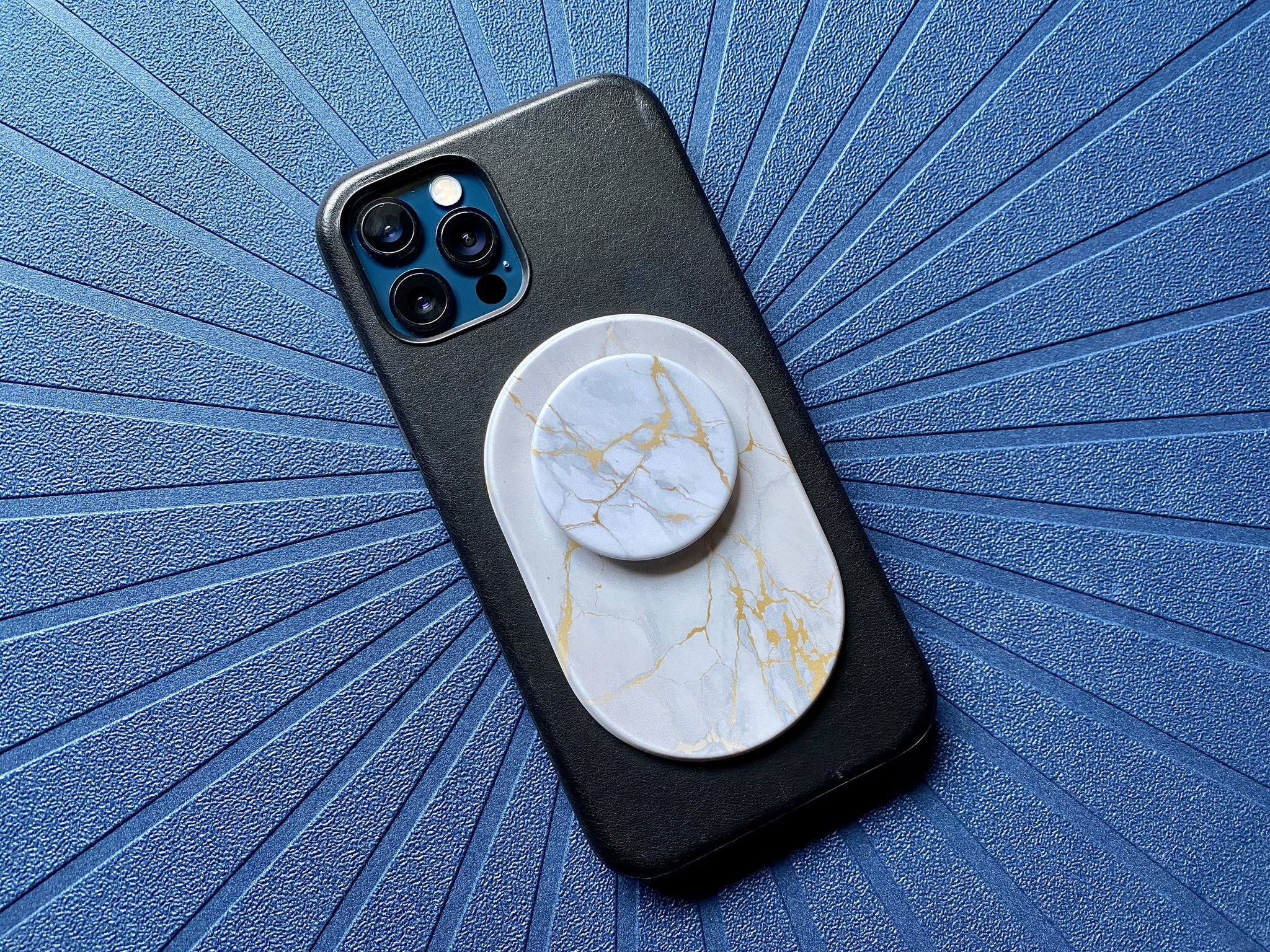
A MagSafe PopSocket is a phone grip or wallet accessory that attaches magnetically to MagSafe-compatible iPhones and cases, rather than using traditional adhesive. It combines the grip and stand functionality of a classic PopSocket with Apple's magnetic ecosystem, allowing you to snap it on and off without residue or repositioning limits.
What is a MagSafe PopSocket?
A MagSafe PopSocket is a collapsible grip and stand that uses built-in magnets to attach directly to the back of MagSafe-compatible iPhones, replacing the adhesive disk found on standard PopSockets. It provides a secure one-handed hold and can be used as a kickstand for hands-free viewing, while seamlessly integrating with Apple's MagSafe technology for easy attachment, removal, and wireless charging compatibility.
How MagSafe PopSockets work
MagSafe PopSockets work by aligning their magnetic disk with the ring of magnets built into the back of iPhone 12 models and newer. The PopSocket's magnets are 40% stronger than the industry average, providing a secure hold that keeps the grip firmly in place during use. The grip expands into a comfortable finger loop and collapses flat when not needed, and the magnetic connection allows you to rotate the PopSocket 360 degrees or remove it entirely without any adhesive. MagSafe PopSockets allow for 360-degree rotation.
Benefits of a MagSafe PopSocket
The key benefits include a secure magnetic hold that prevents accidental drops, easy removal and repositioning without leaving any residue on your phone or case, and full compatibility with wireless charging so you can charge your iPhone without removing the accessory. The grip enables comfortable one-handed use for texting, selfies, and browsing, while the stand functionality props up your phone for hands-free video calls or movie watching. Additionally, the swappable top design lets you change the look of your PopSocket to match your style or mood.
Compatibility with MagSafe devices
MagSafe PopSockets are compatible with iPhone 12 models and later that support MagSafe technology, as well as MagSafe-compatible cases. They are part of a broader ecosystem of interchangeable MagSafe accessories from PopSockets, including wallets, cases, chargers, and mounts. This means you can snap your PopSocket onto a MagSafe case, swap it for a MagSafe wallet, or use it with a magnetic car mount without any extra adapters.
How to attach and remove a MagSafe PopSocket
- Ensure the back of your MagSafe-compatible iPhone or case is clean and free of dust or debris.
- Align the circular magnetic disk on the back of the PopSocket with the MagSafe connector on your device.
- Let the magnets snap the PopSocket into place automatically.
- Adjust the positioning by rotating or expanding the grip to your preferred angle.
- To remove, grip the PopSocket firmly and twist it counterclockwise until the magnets disengage, then lift it off.
You can reattach the PopSocket at any time by aligning it again and letting the magnets snap it back into place. For best results, remove the PopSocket before placing your device on a wireless charger to avoid interference or heat buildup. Remove the PopSocket before wireless charging to avoid interference or heat build-up.
MagSafe PopWallets and other accessories
PopSockets offers an ecosystem of interchangeable MagSafe accessories that work with the same magnetic attachment system. The MagSafe PopWallet holds up to three standard cards and attaches securely to the back of your phone, eliminating the need for a separate wallet. Other accessories include MagSafe phone cases that provide protection while allowing easy attachment of grips and wallets, plus MagSafe chargers and mounts that expand the functionality of your setup. If you ever need help with setup or replacement, Popsocket installation and repair is straightforward thanks to the magnetic design, no adhesive means no sticky residue to clean.
Maintenance and care
- Clean your MagSafe PopSocket regularly with a soft, lint-free cloth to remove dust and debris.
- Avoid applying excessive force when attaching or removing the PopSocket to prevent damage to the magnets or your device.
- Store the PopSocket in a safe place when not in use, away from items that could scratch or damage it.
- Avoid prolonged exposure to water or other liquids to prevent corrosion or damage.
- Periodically check for loose parts or a wobbly connection, and contact the manufacturer if you notice any issues.
Frequently Asked Questions
Can I use a MagSafe PopSocket with a non-MagSafe case?
No, a MagSafe PopSocket requires a MagSafe-compatible case or a bare MagSafe iPhone to attach magnetically. Using it with a non-MagSafe case will not provide a secure hold because the magnets cannot align with the phone's MagSafe ring.
Will a MagSafe PopSocket interfere with Apple Pay or NFC?
No, the magnets in a MagSafe PopSocket are designed to not interfere with Apple Pay or NFC functionality. You can use contactless payments normally with the PopSocket attached.
How strong is the magnetic hold on a MagSafe PopSocket?
Can I use a MagSafe PopSocket on an iPhone with a MagSafe case?
Yes, MagSafe PopSockets are designed to work with MagSafe-compatible cases. The magnets align through the case, providing the same secure attachment and easy removal.
Does the magnetic attachment weaken over time?
No, the magnets in a MagSafe PopSocket do not weaken with normal use. However, if you frequently remove and reattach the PopSocket, the adhesive on the magnetic disk may eventually lose some grip, but the magnetic connection itself remains strong. MagSafe PopSockets can be reused on different MagSafe-enabled devices, but adhesive strength may reduce over time with multiple applications.
Should I remove my MagSafe PopSocket before wireless charging?
Yes, the MagSafe PopSocket should be removed before wireless charging your device.
For the wider topic, see Popsocket installation and repair.

















