When you turn off mobile data, your phone stops using the cellular network for internet access, meaning apps cannot use cellular data and must wait for Wi‑Fi. This immediately stops cellular data consumption and limits online content, email, and web browsing to Wi‑Fi only.
What happens when you turn off mobile data
Turning off mobile data has several immediate effects. Apps that need the internet cannot use cellular data and will only work when connected to Wi‑Fi. Apple explicitly states that push notifications use Wi‑Fi only when Cellular Data is off. Email and web browsing also require a Wi‑Fi connection. Most importantly, cellular data consumption stops entirely, which can help you avoid exceeding your data plan. Turning off mobile data can affect the ability to use location-based services and navigation apps effectively, limiting access to real-time maps, traffic updates, and location-specific information. It can disrupt work-related communication, task reminders, and collaborative updates that rely on real-time notifications, potentially leading to missed deadlines and delayed responses. It encourages a more mindful approach to data usage, making users more selective in their online activities and prioritizing data-efficient practices. It can also lead to cost savings and improved data plan management by minimizing background data consumption and leveraging Wi-Fi connectivity.
How to turn off mobile data on iPhone
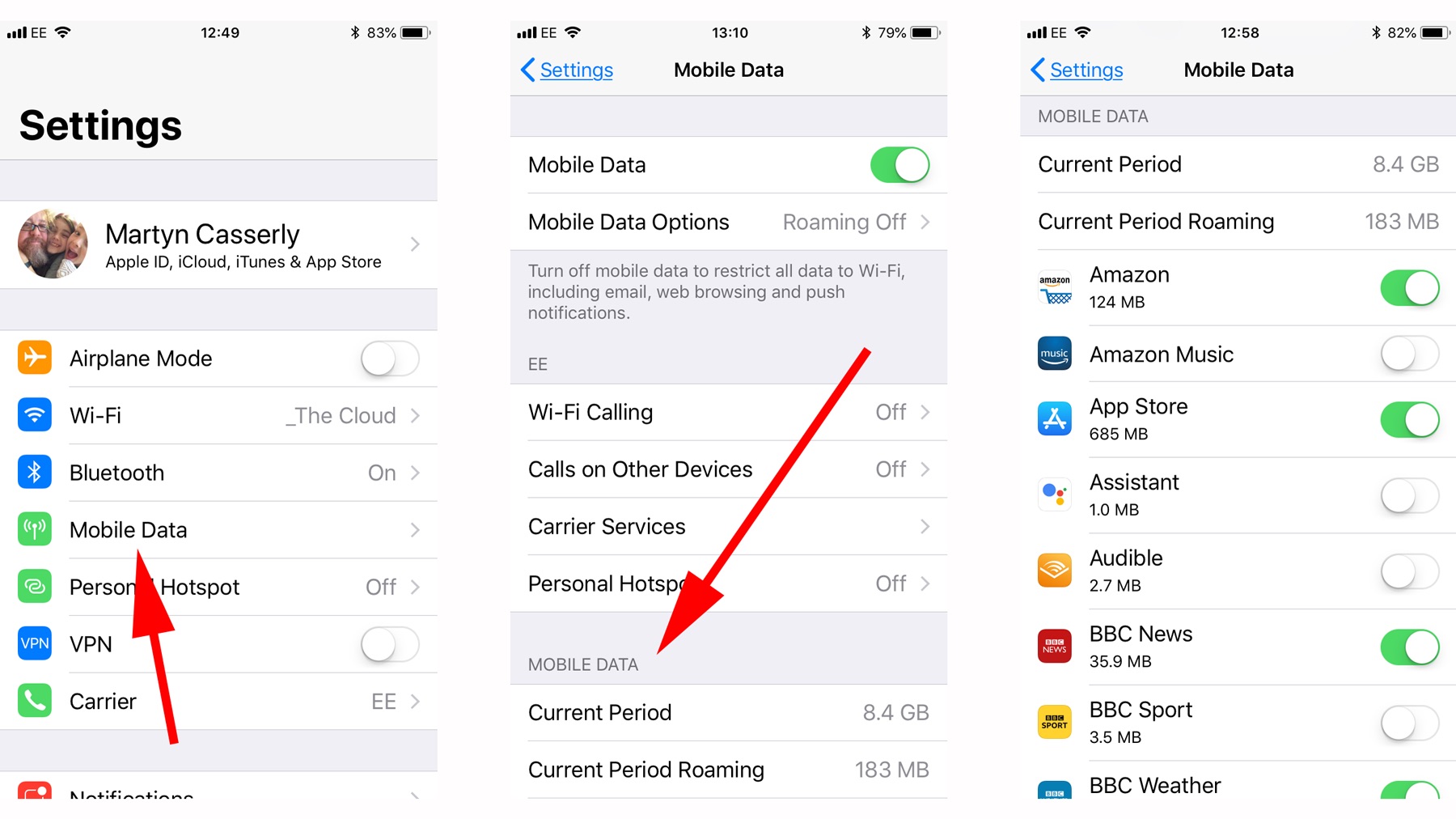
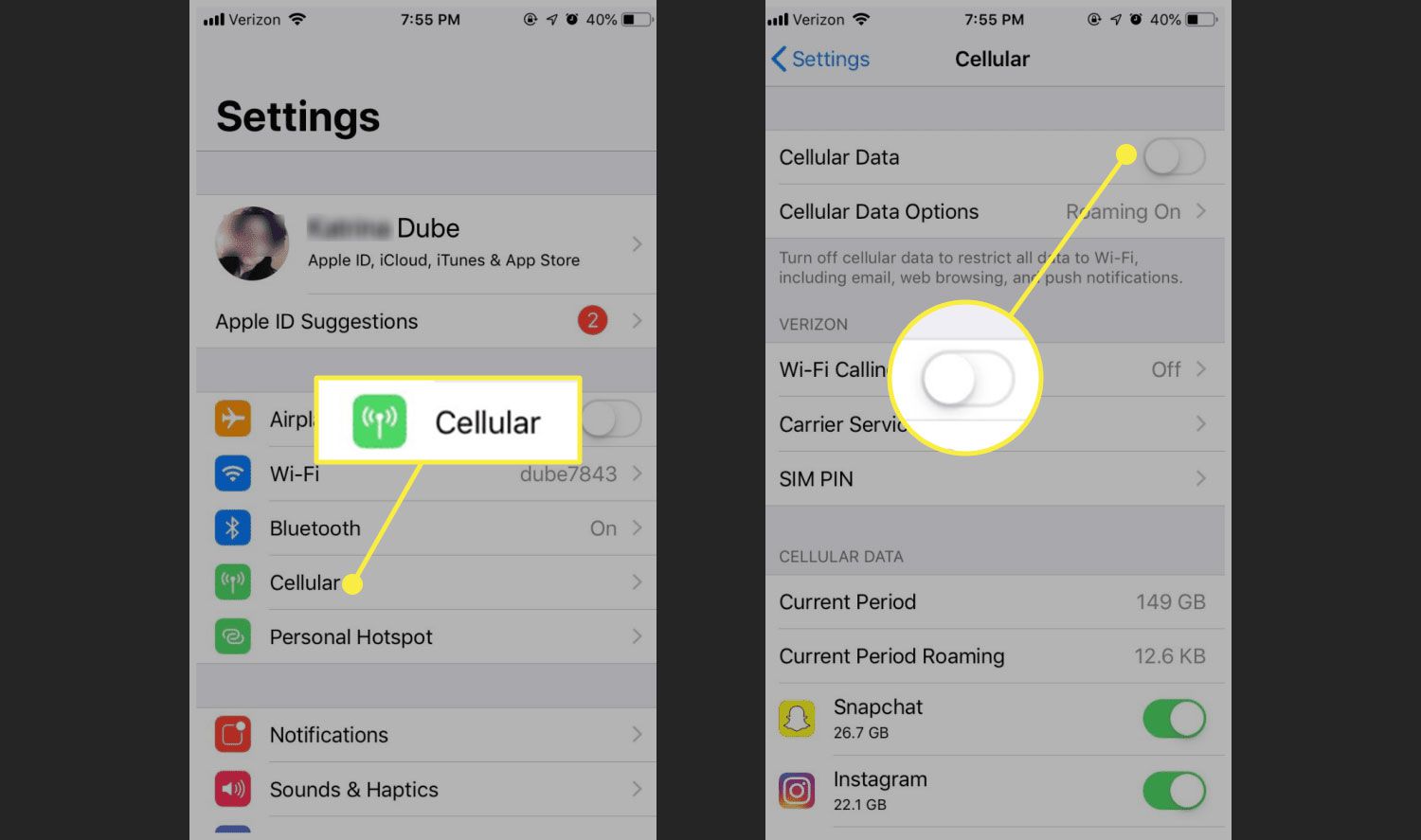
- Open Settings > Cellular > Cellular Data and turn it off.
- On iPhone with multiple SIMs, go to Settings > Cellular > Cellular Data first.
- On iPad, the menu may appear as Settings > Cellular Data.
Apple documents this for iPhone and iPad, and the same instructions apply to current iPhone/iPad models.
How to turn off mobile data on Android
Samsung Galaxy
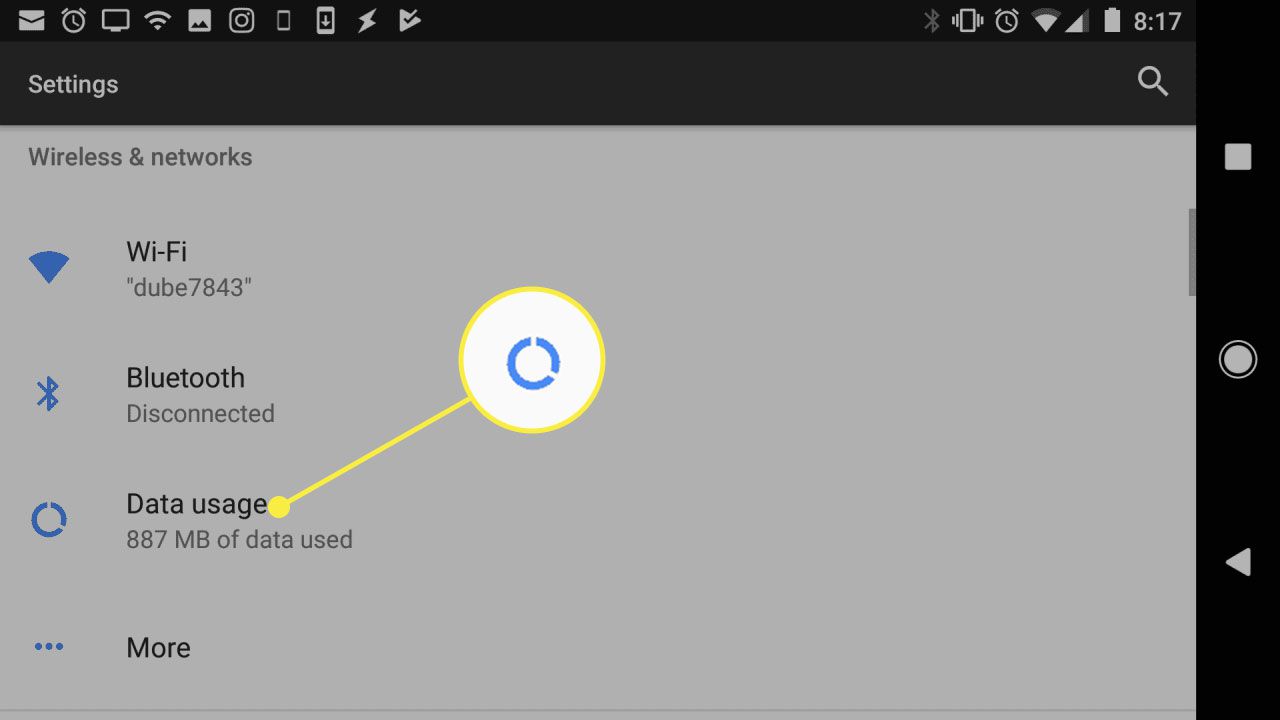
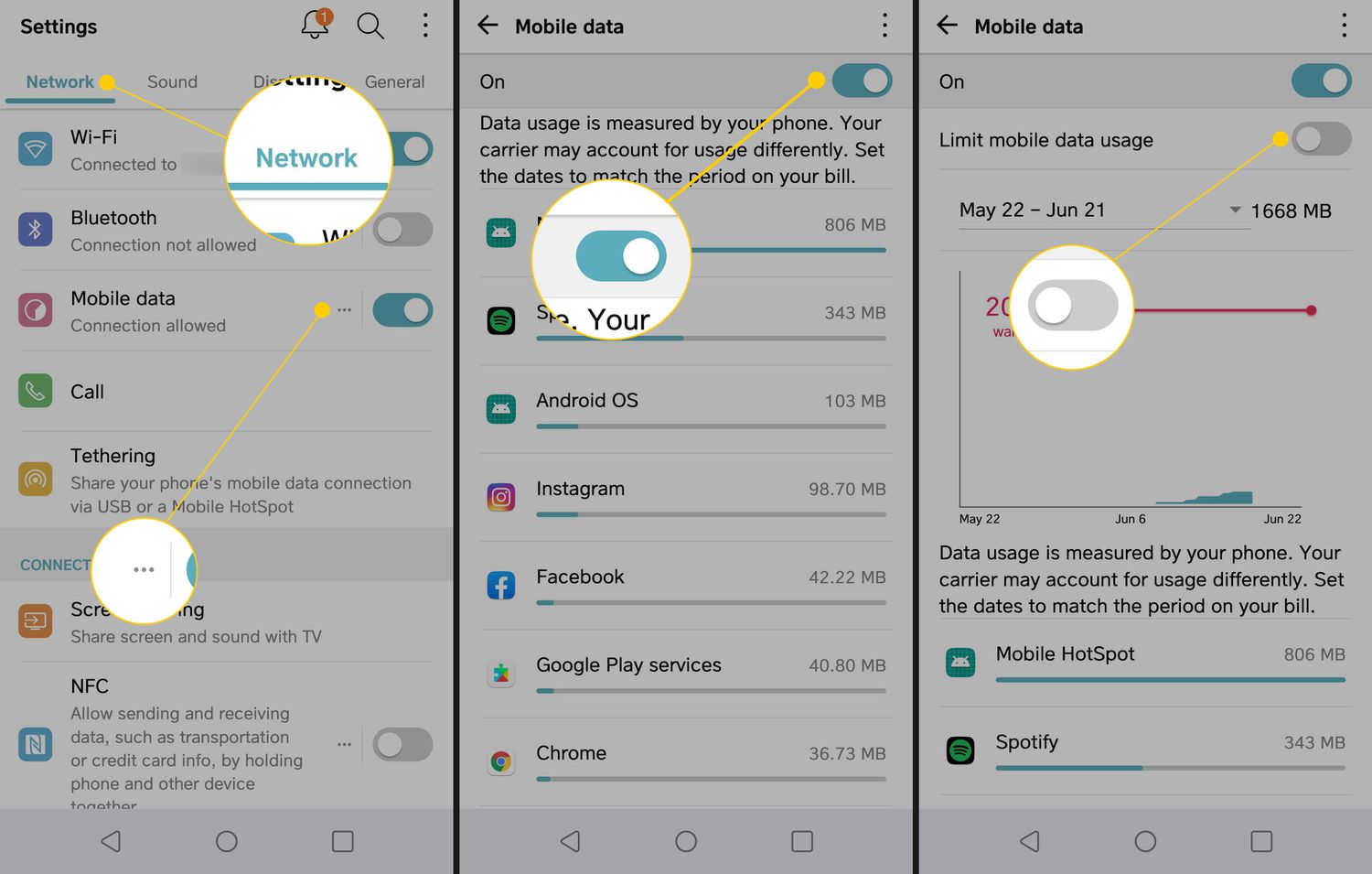
- Open Settings > Connections > Data usage and switch Mobile data off.
- Alternatively, use the Quick panel: swipe down, tap the Mobile data icon, and it turns grey when off.
Google Pixel
- Open Settings > Network & Internet > Internet.
- Tap your provider name/settings to find the mobile data toggle.
How to set a data limit that turns off mobile data automatically
Google documents data controls for Pixel and Google Fi in Settings > Network & Internet > Internet > provider name/settings. Under Data warning & limit, you can set a limit in MB or GB and confirm with Set. This automatically turns off mobile data when the chosen threshold is reached. These controls are documented for Android smartphones or tablets, Pixel phones, and Google Fi Wireless.
What turning off mobile data does not do
Turning off mobile data does not delete apps or files. It only disables cellular data connectivity, as documented by Apple and Samsung. Your device remains fully functional for calls, texts, and any features that do not require internet access. The action also does not affect Wi‑Fi connectivity, so you can still use Wi‑Fi independently. Turning off mobile data can significantly impact battery life by reducing the strain from constantly seeking and maintaining a connection to cell towers, especially in areas with weak signal.
Frequently Asked Questions
Does turning off mobile data save battery?
Can I still use Wi‑Fi when mobile data is off?
Yes. Wi‑Fi works independently of cellular data. You can connect to Wi‑Fi networks and use the internet normally for browsing, email, and streaming without using your mobile data allowance.
Will apps work offline when mobile data is off?
Apps with offline features still function. For example, downloaded maps, saved documents, and offline media can be accessed without any internet connection. However, features that require real-time data updates will be limited.
Is there a way to stop data automatically?
Yes. Google documents Data warning & limit and Set limit controls that can automatically turn off mobile data when the chosen limit is reached. This is available on Android smartphones, tablets, Pixel phones, and Google Fi Wireless.
Will I still receive calls and messages when my mobile data is turned off?
Yes, you will still receive calls and messages, as these functions rely on the cellular network independently of data.
Can I still manage my data settings easily?
Yes. Apple and Samsung both provide straightforward paths for managing cellular data settings and fixing issues through their respective Settings menus, as detailed in the steps above.
Related reading: How Do I Turn Off My Mobile Data and What Is Mobile Service.