






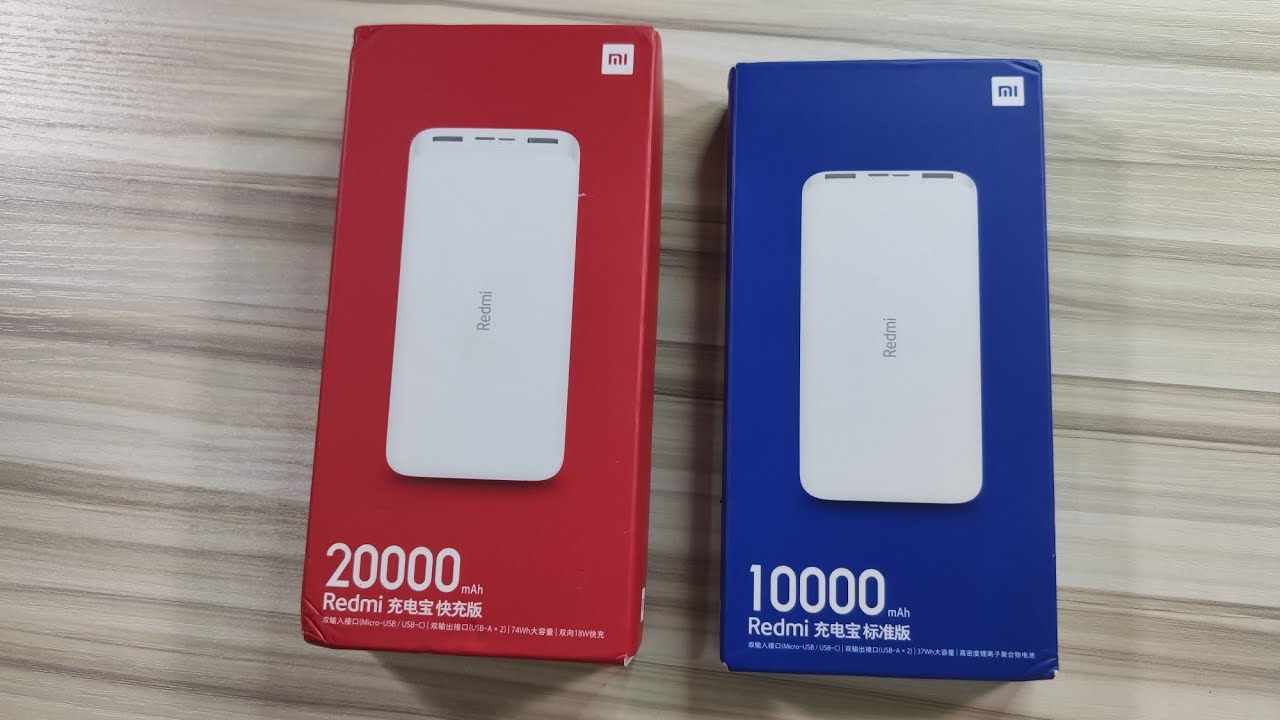
The choice between a 10000mAh or 20000mAh power bank is a direct trade-off: the 10000mAh is the best option for daily pocket carry and lighter weight, while the 20000mAh is the better pick if you need more total backup energy and fewer recharges of the power bank itself. This decision framework for power bank usage and selection helps you match the capacity to your actual routine, not just the number on the box.
Capacity and real-world charges compared
A 20000mAh power bank stores roughly twice the nominal capacity of a 10000mAh unit, but real-world usable output is lower than the printed rating because power banks lose energy during voltage conversion and charging. A 20000mAh unit generally delivers roughly twice the usable energy of a 10000mAh unit, but not exactly twice the phone charges. Expect a 10000mAh bank to provide about 2-3 full charges for a typical smartphone, while a 20000mAh bank will give you 4-6 full charges before it needs recharging itself.
Portability vs. backup power
The 10000mAh power bank is the more portable option: it is smaller, lighter, and easier to pocket or carry daily. The 20000mAh power bank is larger and heavier, making it less convenient for everyday pocket carry, but it is better for travel, long days, and charging tablets or earbuds in addition to a phone. If you prioritize a compact and lightweight option you can carry at all times, the 10000mAh is the right choice. If you need extended power for multiple devices or prolonged periods away from an outlet, the 20000mAh compensates for its bulk with greater backup capacity.
What actually determines charging speed
Capacity does not determine charging speed by itself. Charging speed depends on the power bank’s output rating, the cable quality, and the phone’s supported charging standard. A higher-capacity power bank may deliver more power at a faster rate, but the actual speed is governed by the output current and any advanced technologies like Quick Charge or Power Delivery. Always check the power bank’s output spec and your phone’s charging standard to ensure fast charging, because mAh alone does not set speed.
Phone battery settings that extend power bank use
Using your phone’s built-in charge-limit features can reduce the number of full charge cycles and extend battery health, making your power bank’s energy last longer between top-ups. Follow these verified steps for each device:
- iPhone 15 models and later: Go to Settings > Battery > Charging. Here you can set a charge limit from 80% to 100% in 5% steps.
- iPhone 14 and earlier: Go to Settings > Battery > Battery Health & Charging. Turn Optimized Battery Charging on or off as needed.
- Samsung Galaxy phones: Go to Settings > Battery and select Battery protection (or find it under Device care depending on your region and model). Choose between Basic mode (stops at 100%) or Maximum mode, which stops charging at 80%, 85%, 90%, or 95% depending on your region and model documentation.
Final verdict: how to pick the right one
Choose a 10000mAh power bank if portability matters most, you want something that slips into a pocket or small bag for daily use. Choose a 20000mAh power bank if longer runtime, more backup charges, or travel use matters most. For fast charging, check the phone’s own charging settings and the power bank’s output spec, because capacity alone does not set speed.
Frequently Asked Questions
Which lasts longer, 10000mAh or 20000mAh?
The 20000mAh power bank lasts longer because it stores more energy, providing more full charges before the power bank itself needs recharging.
Which is easier to carry?
The 10000mAh power bank is easier to carry. It is smaller, lighter, and more compact, fitting comfortably in a pocket or small bag.
Which charges a phone faster?
Neither capacity alone determines charging speed. The speed depends on the power bank’s output wattage and the phone’s compatibility with fast-charging standards.
Can iPhone limit charging to protect battery health?
Yes. iPhone 15 and later use Settings > Battery > Charging; earlier models use Settings > Battery > Battery Health & Charging.
Can Samsung limit charging to protect battery health?
Yes. Samsung documents Settings > Battery > Battery protection or Battery protection in Device care, with options including Basic and Maximum depending on region/model.
For the wider topic, see power bank usage and selection.

















