To change a Schlage battery, first identify your lock model to determine whether it uses four AA alkaline batteries or a single 9-volt alkaline battery. The correct battery type and replacement method depend entirely on whether you have an Encode, Connect, keypad/touch, or Touch/Touch Lever model.
How to change Schlage battery: identify your lock model
Schlage smart locks fall into several categories, each with distinct battery requirements. The Schlage Encode and Connect Smart Deadbolts use four AA alkaline batteries. Schlage keypad and touch locks (including the BE469) also use four AA alkaline batteries. Schlage Touch and Touch Lever models use one 9-volt alkaline battery. Locate your model number on the interior faceplate or in your product documentation to proceed to the correct section below.
Replace batteries in Schlage Encode and Connect deadbolts
Both the Schlage Encode and Schlage Connect Smart Deadbolt use four AA alkaline batteries. The replacement process is nearly identical for these models.
- Remove the black battery cover on the interior side of the lock by sliding it upward.
- For the Schlage Encode: slide the battery holder upward to remove it, then turn the holder around to access the battery slots. For the Schlage Connect: unsnap the battery connector from the tray, then remove the tray.
- Install four high-quality alkaline AA batteries in the correct orientation. Ensure the batteries face the door when reinstalling the tray.
- For the Encode: turn the holder back to face the door, reinsert it, and replace the cover. For the Connect: place the tray back with batteries facing the door, snap the connector back to the tray, and replace the cover.
Change the battery in Schlage keypad and touch locks
Schlage keypad and touch locks (including the BE469 touchscreen deadbolt) also require four AA alkaline batteries, replaced from the interior side.
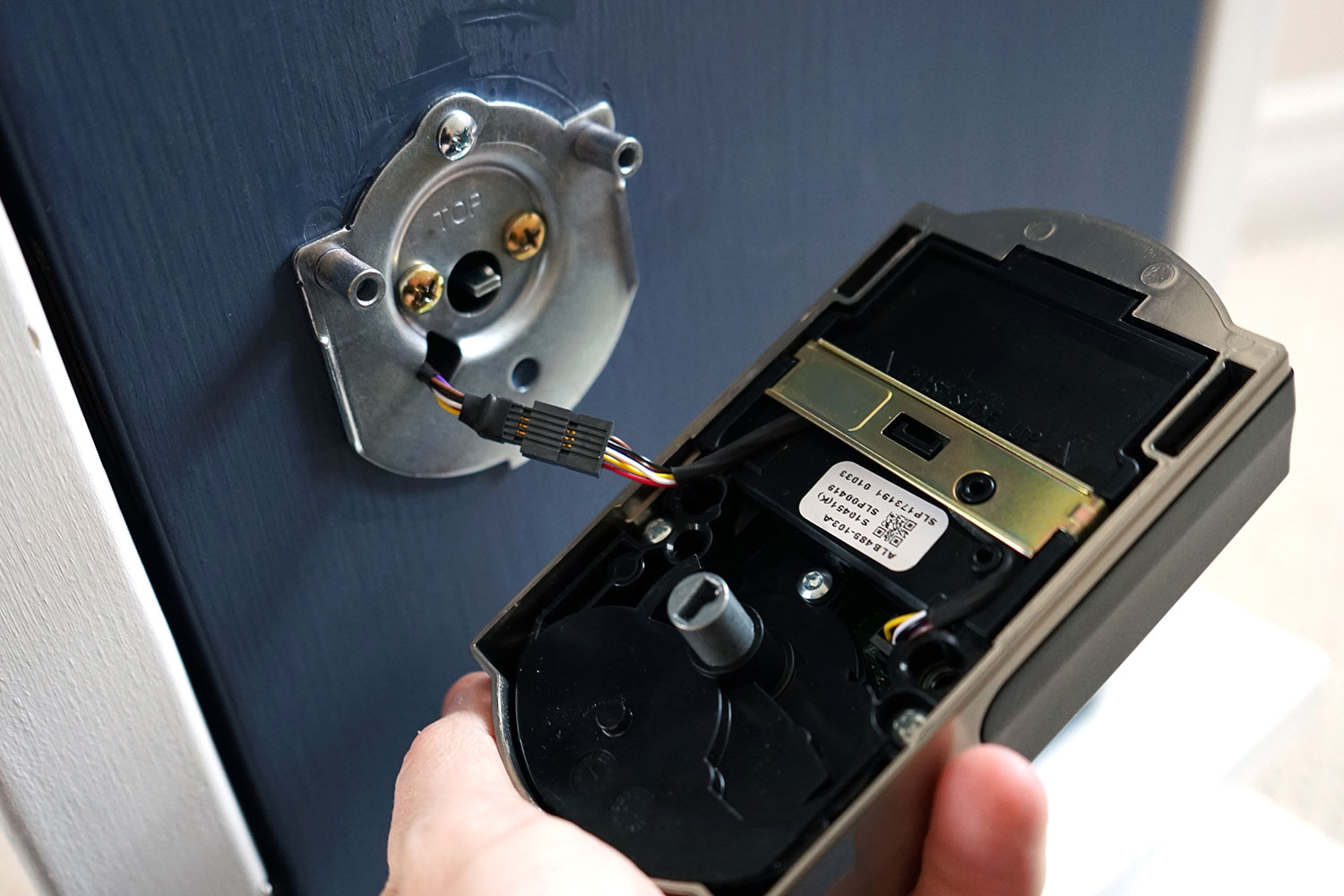
- Use a Phillips head screwdriver to remove the two screws on the interior side of the lock.
- Lift off the interior cover to access the battery compartment.
- For the BE469: remove the battery cover from the alarm assembly, unsnap the connector, and remove the battery tray. Install four high-quality alkaline AA batteries.
- Replace the tray with the batteries facing the door, snap the connector back, and reinstall the cover.
- Tuck wires so they are not crimped, then reattach and screw the cover back on.
Replace the battery in Schlage Touch and Touch Lever models
Schlage Touch and Touch Lever models use one high-quality 9-volt alkaline battery. You have two options for replacement.
External contacts method
- Connect a new high-quality alkaline 9-volt battery to the contacts located below the touchscreen.
- Listen for a long beep, which confirms the lock has power.
- Enter your user code to operate the lock while you proceed to replace the internal battery.
Interior cover method
- Remove the inside cover of the lock.
- Disconnect the old 9-volt battery and connect a new high-quality alkaline 9-volt battery.
- Tuck the wires back inside so they are not crimped before replacing the cover.
Jump-start a dead Schlage touchscreen lock
If your Schlage BE375 touchscreen lock has a dead battery and you cannot unlock the door, you can jump-start it using an external 9-volt battery.
- Press a 9-volt battery onto the contacts located below the thumbturn or lever.
- Listen for the lock to power up (a beep or click).
- While the battery is held in place, enter your user code to unlock the door.
- Once inside, replace the dead internal battery without removing power first. Follow the steps for your specific model above.
Battery types and warnings for Schlage locks
Use only high-quality alkaline batteries in your Schlage lock. Schlage Encode and Connect deadbolts require four AA alkaline batteries. Schlage Touch and Touch Lever models require one 9-volt alkaline battery. The BE469 source specifically warns against using lithium batteries, as they may cause undesirable operation. Always dispose of old batteries properly and test the lock after replacement. No Schlage support page documents an iPhone or Android app path for changing a lock battery; battery replacement is performed directly on the lock hardware.
Frequently Asked Questions
How often should I change the battery in my Schlage lock?
Schlage recommends replacing batteries every 6 to 12 months, depending on usage. A flashing keypad or audible alert indicates low battery. Proactive replacement prevents unexpected lockouts.
Will changing the battery reset my Schlage lock or delete my codes?
No. Changing the battery does not reset the lock or erase programmed user codes. The lock retains its configuration and settings during battery replacement.
Can I use rechargeable batteries in my Schlage lock?
Schlage recommends using high-quality alkaline batteries only. Rechargeable batteries may provide inconsistent power delivery, which can affect lock operation and reliability.
What should I do if my Schlage lock does not work after replacing the battery?
Verify that the batteries are installed in the correct orientation and that the connector is firmly snapped onto the tray. Ensure wires are not crimped inside the cover. If the lock still does not respond, consult the user manual or contact Schlage customer support.
How do I know which battery type my Schlage lock needs?
Check the model number on the interior faceplate. Encode and Connect models use four AA alkaline batteries. Touch and Touch Lever models use one 9-volt alkaline battery. Keypad and touchscreen deadbolts like the BE469 use four AA alkaline batteries.
Is there a way to reset or reconnect my Schlage Encode?
The only reset-like step found is a pairing/reconnect mention for Schlage Encode: hold the Schlage button for 10 seconds.
For the wider topic, see replacing watch and device batteries.
Related reading: How To Replace Battery In Oculus Controller and How To Change Battery In Wireless Mouse.