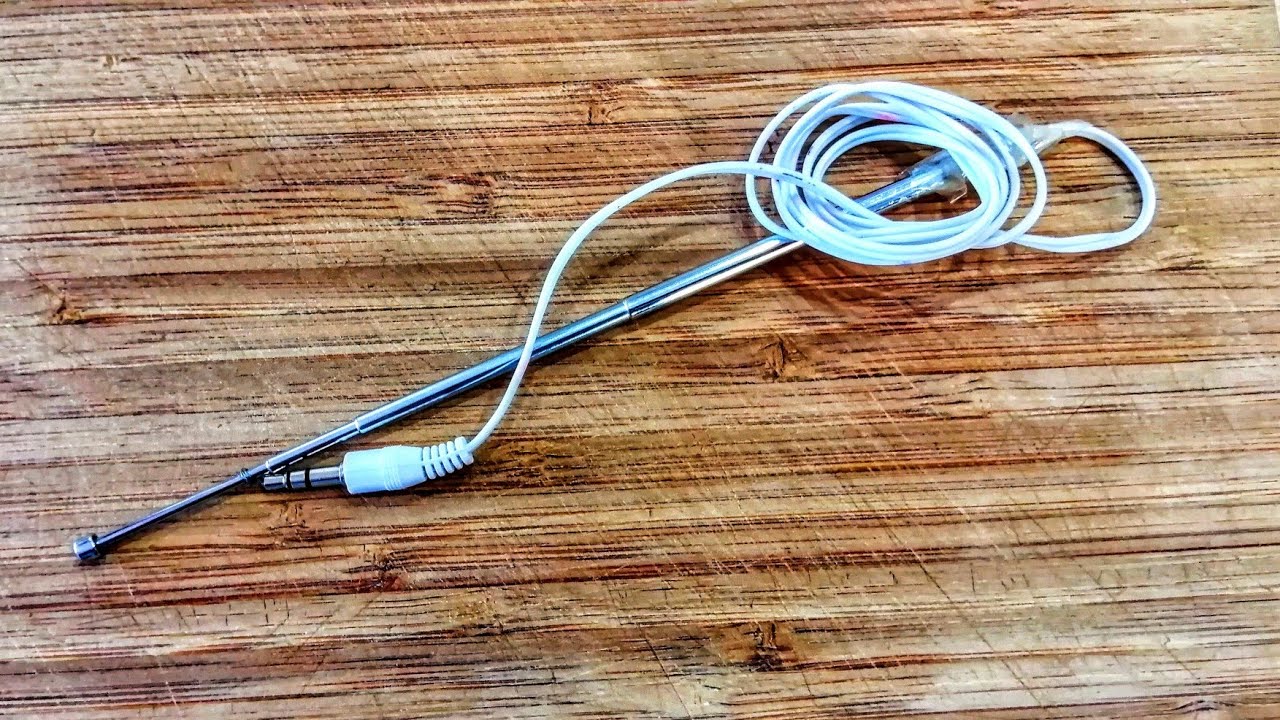
If you want to improve cell phone signal at home or in a weak coverage area, the best solution is not a DIY antenna but simple software settings and proven hardware alternatives. Modern smartphones do not have user-serviceable antenna ports, and attempting to build or attach a homemade antenna can damage your device.
Why your cell phone signal is weak and how to improve it
Weak signals and dropped calls are frustrating, especially when you need reliable connectivity. Many people search for ways to physically build an antenna for their phone, but the reality is that official sources for both iPhone and Android document no procedure for making or mounting a homemade antenna on the handset. The real fixes are simpler, software-based, and do not require cutting wire or soldering components. Before you consider any hardware modification, try the built-in reception refresh steps on your phone, they often resolve temporary signal issues without any tools.
The truth about DIY cell phone antennas
Official documentation from Apple and Google does not include any user-serviceable antenna ports or DIY assembly instructions for consumer smartphones. Attempting to attach wires, connectors, or adhesive-mounted elements to your phone can physically damage internal components, void your warranty, and may even interfere with the phone's ability to communicate with cell towers. The verified guidance from these sources focuses entirely on checking reception and refreshing cellular service through software settings, not on building or mounting an antenna. Different cell phone bands operate at different frequencies, so research the specific frequency bands of your cell phone service provider to determine the appropriate wire length. A 1/4 wavelength wire length works well for most cell phone frequencies; to calculate it, divide the wavelength by 4. For those exploring carriers and plans, remember that signal strength depends more on your carrier's network and your phone's software than on any physical add-on.
How to check and refresh your iPhone's cellular reception
If your iPhone is showing weak signal bars or struggling to maintain a connection, follow these documented steps to refresh the cellular service:
- Open Settings > Cellular and confirm that Cellular Data is on.
- Turn off Wi‑Fi for a controlled reception test, this ensures you are testing only the cellular connection.
- Open Control Center, tap the Airplane Mode icon, wait about 15 seconds, then tap it again to turn Airplane Mode off.
- Wait for the carrier name and cellular bars to return. This process forces the phone to re‑register with the nearest tower, often restoring a stable signal.
These steps are the only consumer-facing antenna-related procedure documented for iPhone in official sources. No cutting, soldering, or mounting is required.
What Android users should know about antenna settings
Android’s official documentation includes a GnssAntennaInfo API, but this is a developer tool for accessing GNSS antenna characteristics such as phase center offset and signal gain corrections. It is not a consumer setting or a guide for building a cell phone antenna. There are no official step-by-step methods for Android users to cut wire, assemble a base, or mount an antenna element to the handset. Instead, Android users should focus on general signal-improvement strategies: ensure your device is updated to the latest software version, check for carrier-specific settings under Settings > Network & internet, and consider the proven methods described below.
Proven ways to improve cell phone reception at home
Instead of a DIY antenna, use these legitimate methods to boost your signal indoors:
- Wi‑Fi Calling: Enable Wi‑Fi Calling in your phone’s settings. This routes calls and texts over your home internet connection, bypassing weak cellular signals entirely.
- Signal Boosters: A FCC-approved cellular signal booster amplifies the existing outdoor signal inside your home. These devices require a properly installed outdoor antenna and an indoor unit, they do not attach to your phone.
- Positioning Near Windows: Move to a window or a higher floor. Glass and open space allow signals to pass more easily than walls, ceilings, and metal structures.
- Check Your Carrier’s Coverage Map: Some carriers and plans offer better coverage in specific areas. If your signal is consistently weak, you may need to switch to a carrier with stronger local infrastructure.
For detailed guidance tailored to a specific carrier, refer to the sibling article on improving AT&T reception, which covers network-specific settings and booster recommendations.
When to contact your carrier for help
If you have tried refreshing your cellular service, enabled Wi‑Fi Calling, and repositioned near a window but still experience persistent signal problems, it is time to contact your carrier. Customer support can check for network outages in your area, verify that your account is provisioned correctly, and send a new SIM card if your current one is damaged or outdated. In some cases, a simple SIM swap resolves signal issues that no software setting or booster can fix. Do not attempt to modify your phone’s hardware, carrier support is the safest and most effective next step.
Frequently Asked Questions
Why do I need to make a cell phone antenna?
In certain situations, such as living in a remote area with poor cell reception or being in an emergency situation, having a homemade cell phone antenna can help boost your signal strength and improve call quality.
Can I make a cell phone antenna without any technical expertise?
Yes, there are several simple methods using common household items that don't require technical expertise.
What materials do I need to make a cell phone antenna?
Common materials include copper wire, a coaxial cable, aluminum foil, paper clips, and even a soda can.
Are there any risks in making a homemade cell phone antenna?
There aren't significant risks if you follow instructions properly, but homemade antennas may not match commercial performance and could potentially damage your cell phone if constructed and used incorrectly.
Can a homemade cell phone antenna work for all cell phone models?
Effectiveness may vary depending on your phone's specific frequency requirements and design; research compatibility to maximize effectiveness.
Can I really improve my signal with aluminum foil or a paper clip?
No. While internet videos show makeshift antennas made from household items, these methods are not supported by any official documentation and can actually degrade signal quality or damage your phone’s internal antenna. Stick to the software and carrier-based solutions described above.
Will a signal booster work in a very remote area with no signal at all?
No. Signal boosters require at least a weak existing signal to amplify. In such areas, Wi‑Fi Calling or a satellite phone may be your only options.
Does turning off 5G improve reception?
In some cases, yes. 5G signals have shorter range and can be blocked more easily by walls than 4G LTE. Switching to LTE-only mode in your phone’s cellular settings may provide a more stable connection in weak coverage zones.
How do I know if my phone’s antenna is broken?
If you consistently have no signal in areas where other phones on the same carrier work fine, your phone’s internal antenna may be damaged. Contact your carrier or a certified repair center for diagnosis. Do not attempt to open the phone yourself.
Can a new SIM card really fix weak signal?
Yes. A damaged or outdated SIM card can cause registration failures with the network, leading to dropped calls and weak signal. Your carrier can provide a replacement SIM at no or low cost, and it often resolves these issues immediately.
Related reading: What Cellphone Company Has The Best Signal, How To Boost T-Mobile Signal, and How To Make International Calls On AT&T Cell Phone.