






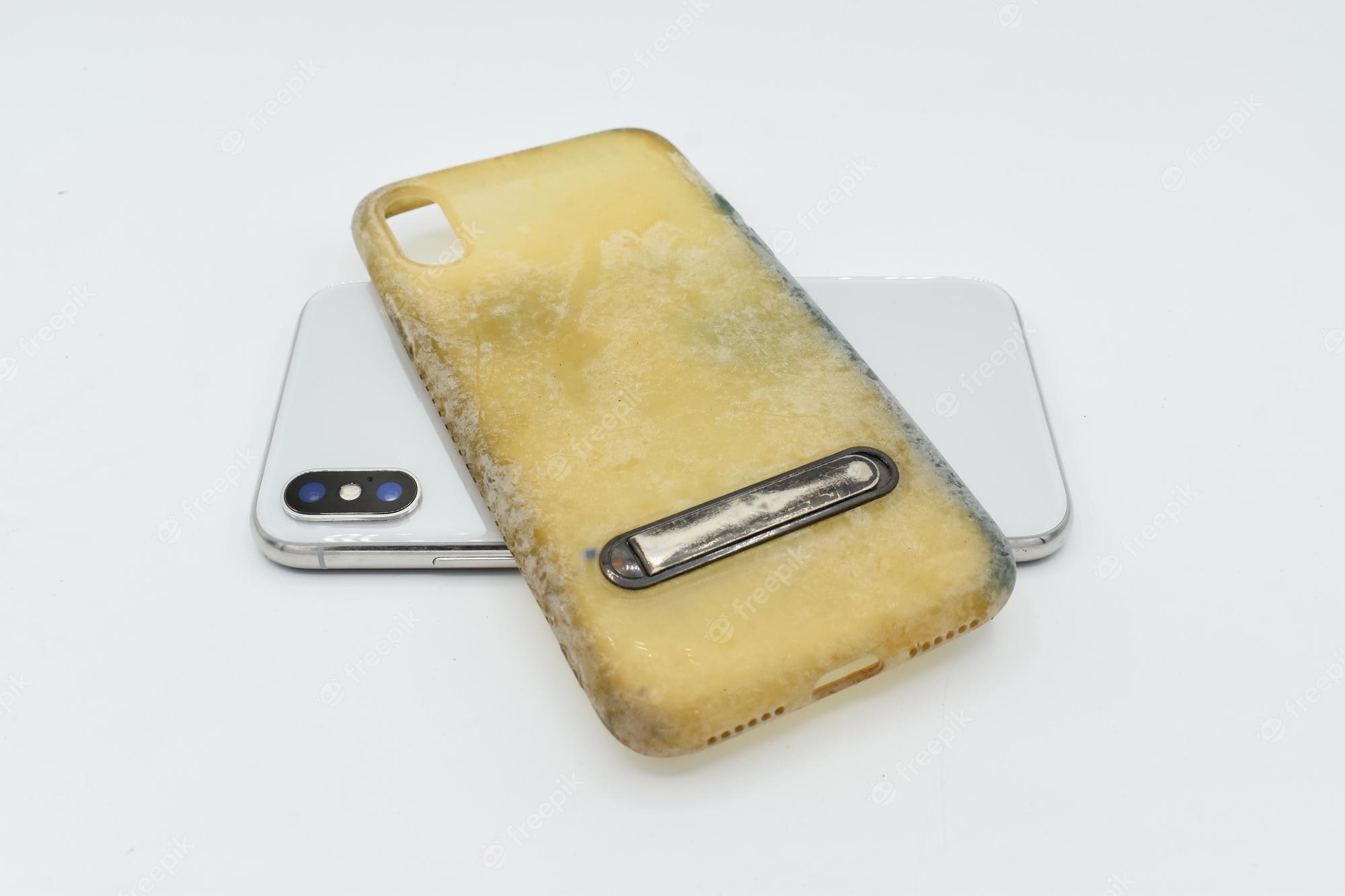
To get stains off a phone case, start by removing the phone from the case and wiping away any loose debris with a soft cloth. The safest method depends on your case material, so always follow the manufacturer’s cleaning guidance to avoid damage.
How to get stains off phone case: first steps for every material
Before any cleaning, remove the phone from the case. Dismantle the case if it has removable parts or detachable covers before cleaning. Apple, Google, and Samsung all advise this first step to prevent moisture from reaching your device. Inspect the case for cracks or damage, if you find any, cleaning with liquids could worsen the issue. Wipe away loose dirt or debris with a soft, dry cloth to avoid scratching the surface during cleaning.
Cleaning Apple iPhone cases without causing damage
Apple specifies distinct methods for its case materials. For silicone, clear, or Beats iPhone cases, use a soft, slightly damp, lint-free cloth on both the inside and outside. Do not use window cleaners, household cleaners, aerosol sprays, solvents, ammonia, abrasives, or cleaners containing hydrogen peroxide. For FineWoven or TechWoven iPhone cases, mix 1 teaspoon (5 mL) of laundry detergent with 1 cup (250 mL) of water. Gently rub the case with this mixture for about one minute, then wipe it with a fresh-water-dampened cloth and dry with a soft, dry, lint-free cloth. Never use any prohibited cleaners on Apple cases.
Cleaning Google Pixel cases, including fabric and woven styles
Google provides separate steps for standard, fabric, and woven Pixel cases. For standard Pixel cases, dampen a cloth or sponge with water, rub the case in gentle circles, rinse with cold water, wipe with a clean towel, and air-dry if needed. For fabric Pixel cases, treat stains with a stain remover pen or a cotton swab soaked in isopropyl alcohol. You can also use a cloth with a small amount of mild soap or detergent, then rinse with cold water and air-dry at room temperature. Do not scrub or soak Pixel cases. For woven fabric Pixel cases, machine-wash them with non-bleach detergent on a delicate cycle with cold water, then dry flat at room temperature. Do not use bleach or a dryer.
Removing specific stains: makeup, ink, food, oil, and dirt
Apply the manufacturer-safe methods above to common stain types. For color transfers such as makeup or dye from a new pair of jeans, Google recommends a slightly damp cloth for Pixel cases. For ink on fabric Pixel cases, use Google’s isopropyl alcohol method, dab the stain with a cotton swab soaked in isopropyl alcohol, then rinse and air-dry. For ink stains, a paste of baking soda and water can be applied, left for a few minutes, then wiped away. For food, oil, or dirt stains on standard cases, a soft, slightly damp cloth is usually sufficient. For oil and grease stains, sprinkle baking soda on the stain and rub gently to absorb the oil, or use a degreaser. For Apple silicone or clear cases, the same damp cloth method works for makeup or general grime. A vinegar solution (equal parts white vinegar and water) can be used for tough stains or odors. Light-colored phone cases can be stained by makeup, chemicals, and dyed materials like denim; a clean, soft, dry or slightly damp cloth is recommended for the device and accessories. Always avoid bleach, abrasive cleaners, and any products Apple prohibits on its cases.
How to prevent future stains on your phone case
Prevent stains by cleaning your case regularly with a soft, slightly damp cloth to remove oils and residue before they set. Avoid prolonged contact with dyed materials such as denim, which can transfer color. Keep your case away from staining agents like makeup, ink, and food. If you frequently handle your phone while eating or applying makeup, consider a routine gentle wipe-down. For cases that require screen protector application and repair, keeping the case clean ensures no debris gets trapped under the protector.
Frequently Asked Questions
Can I use bleach to remove stains from my phone case?
No. Apple explicitly prohibits cleaners containing hydrogen peroxide or bleach, and Google advises against bleach for woven Pixel cases. Bleach can discolor and damage most case materials.
What if the stain doesn't come off with water or mild soap?
For persistent stains on fabric Pixel cases, try a stain remover pen or isopropyl alcohol. For Apple FineWoven cases, use the detergent-and-water mix. Avoid harsher chemicals not approved by the manufacturer.
Can I clean my phone case with rubbing alcohol?
Yes, but only for compatible materials. Google approves isopropyl alcohol for fabric Pixel cases. Do not use it on Apple silicone, clear, or FineWoven cases, as it may damage the material.
How often should I clean my phone case?
Clean your case when you notice visible stains or buildup. A weekly gentle wipe with a damp cloth helps prevent stains from setting, especially if you use makeup or eat near your phone.
Is it safe to machine-wash any phone case?
Only Google’s woven fabric Pixel cases are documented as machine-washable (delicate cycle, cold water, no bleach, no dryer). Other cases, including Apple and standard Pixel cases, should not be machine-washed.
How do I prevent stains on my phone case?
Consider using a protective spray or coating to make it more resistant to stains.

















