






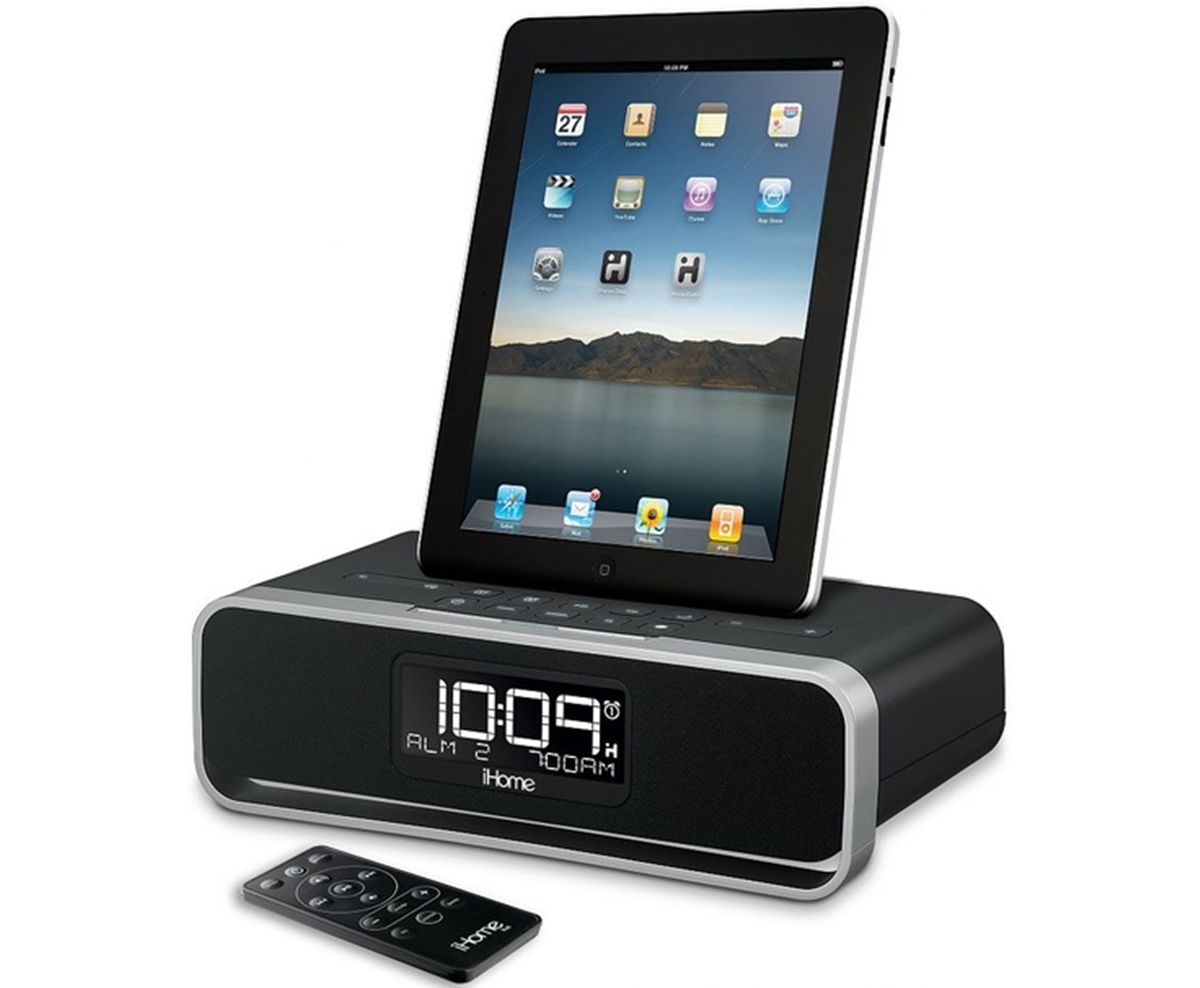
An iHome docking station is an audio dock and charger built for older Apple devices with a 30-pin connector, often including a clock, speakers, and FM radio, with model-specific compatibility. Unlike laptop docking stations, which connect a computer to peripherals, an iHome docking station is a dedicated speaker system designed to play music and charge your iPod, iPhone, or iPad through its dock connector.
What is an iHome docking station?
An iHome docking station is a speaker, clock, or audio dock made by iHome that connects to older Apple devices through a dock connector. On some models, it also supports playback or charging through a USB port or auxiliary input. These docks are typically designed for use with 30-pin Apple devices and are not universal, each model supports a specific set of iPods, iPhones, and iPads.
Which devices work with an iHome docking station?
Compatibility is model-specific, and iHome documents support per product rather than offering one universal list. For example, the iW1 supports iPod nano 2nd through 6th generation, iPod touch 1st through 5th generation, and iPhone 3G through iPhone 5/5c/5s via the dock connector, while its USB port supports a narrower set of older models. The iP1 works with iPod nano 2nd through 6th generation, iPod 4th and 5th generation, iPod classic, iPod touch 1st through 4th generation, and iPhone through iPhone 4/4S. The iP90 support page states plainly that only Apple iPod/iPhone models will dock on that device.
What if my device doesn't fit the dock?
If your device does not fit the 30-pin dock connector, you have several options. Any portable audio device can play through the line-in jack on models that have one. The USB port on some iHome models will charge most Android devices, though playback through USB is not guaranteed on all models. Apple made two different Lightning adapters that can be used to connect 8-pin devices to the 30-pin product line, allowing newer iPhones and iPads to dock and charge.
Troubleshooting common docking problems
If your iHome unit does not recognize your iOS device through the dock connector, the documented fix is to remove the protective case and try docking again. On some models, you can start playback using buttons on the unit itself, such as Dock 1 Play/Pause or Dock 2 Play/Pause, without needing to touch your device. On the iD99, playback can be started from the unit using buttons such as Dock 1 Play/Pause or Dock 2 Play/Pause.
How to find your iHome model's compatibility
Since compatibility varies by model and no universal list exists, you need to check your specific unit. Locate the model number on the back or bottom of the iHome docking station, then look up its support page on iHome's website. The support page will list exactly which iPod, iPhone, and iPad models are supported for docking, charging, and playback through that particular model.
Frequently Asked Questions
Can I use an iHome docking station with an Android phone?
Most iHome docking stations are designed for 30-pin Apple devices and will not physically dock an Android phone. However, you can connect an Android phone through the auxiliary input jack on models that have one, and the USB port on some models will charge Android devices.
Will my iHome dock work with the latest iPhone?
Newer iPhones use a Lightning or USB-C connector, not the 30-pin connector. You can use one of Apple's Lightning-to-30-pin adapters to connect a Lightning-equipped iPhone to an iHome dock, but compatibility depends on the specific dock model and adapter version.
Why won't my iHome dock charge my device?
The most common cause is a protective case preventing proper connection. Remove the case and try again. If that doesn't work, check that your device is listed on the support page for your specific iHome model, as not all devices are supported for charging through the dock.
Does an iHome docking station work as a Bluetooth speaker?
Some newer iHome models include Bluetooth, but most older docking stations do not. Check your model's specifications, if it lacks Bluetooth, you can still play audio from any device using the auxiliary input jack.
Can I set an alarm on my iHome docking station?
Many iHome docking stations include a built-in alarm clock feature. The alarm settings are controlled through buttons on the unit itself, not through your connected device. Check your model's manual for specific alarm setup instructions.

















