PUBG crossplay is supported, but only between specific platform groups. Console players on PlayStation and Xbox can play together, while PC players on Steam and Epic Games Store can play together; PUBG Mobile is a completely separate ecosystem with its own crossplay between Android and iOS.
Is PUBG crossplay supported?
PUBG crossplay is limited to two separate pools: consoles (PlayStation and Xbox) and PC (Steam and Epic Games Store). PUBG Mobile is a standalone game and does not connect with console or PC versions. Here is a quick-reference compatibility table:
- PlayStation (PS4/PS5) ↔ Xbox (One/Series X|S): Yes
- Steam ↔ Epic Games Store: Yes
- PC ↔ Console: No
- PUBG Mobile (Android) ↔ PUBG Mobile (iOS): Yes
- PUBG Mobile ↔ Console or PC: No
PUBG crossplay on consoles: PlayStation and Xbox
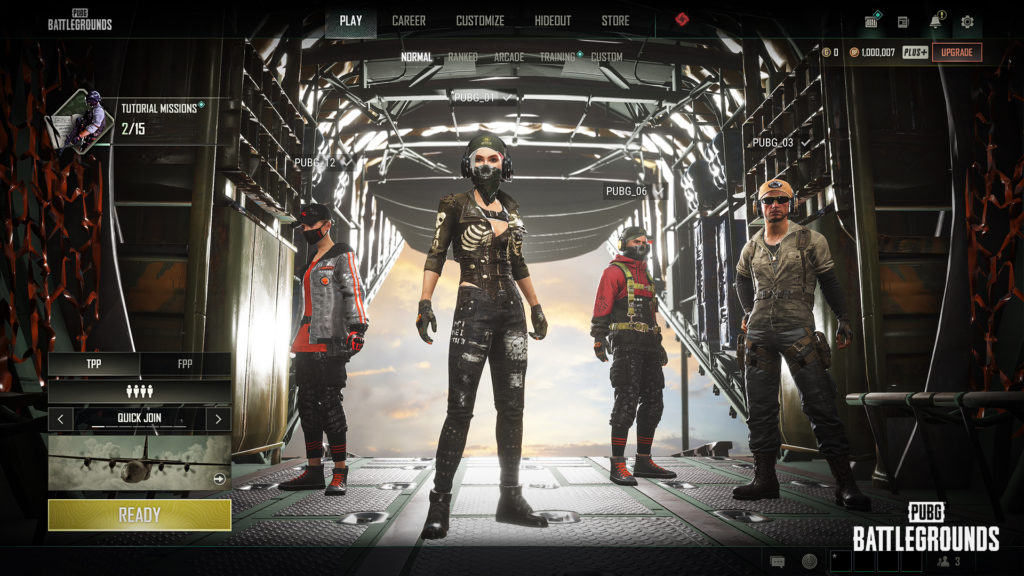
PlayStation and Xbox players can squad up, compete, and communicate together in PUBG: Battlegrounds. This crossplay is enabled by default, so you will automatically match with players on the other console when you queue. To identify cross-platform players in custom match lobbies, look for a small colored dot next to their in-game name: green for Xbox and blue for PlayStation.
How to turn on cross-platform play in PUBG
Console crossplay is on by default, but you can manually enable or disable it at any time. Follow these steps:
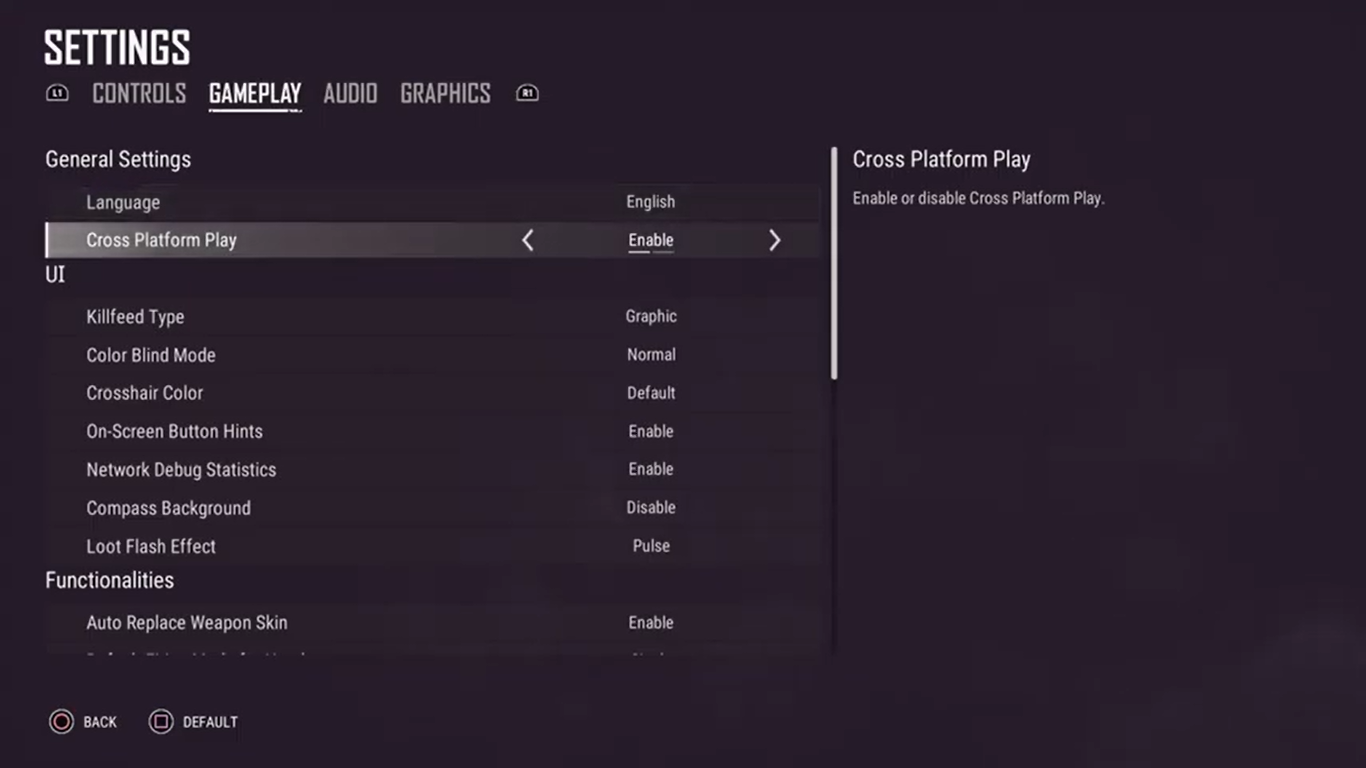
- Open the game's Settings menu.
- Navigate to the Gameplay tab.
- Open General Settings.
- Toggle "Cross-Platform Play" to On or Off.
A crossplay prompt appears automatically when matchmaking takes too long.
How to play PUBG with friends on other consoles
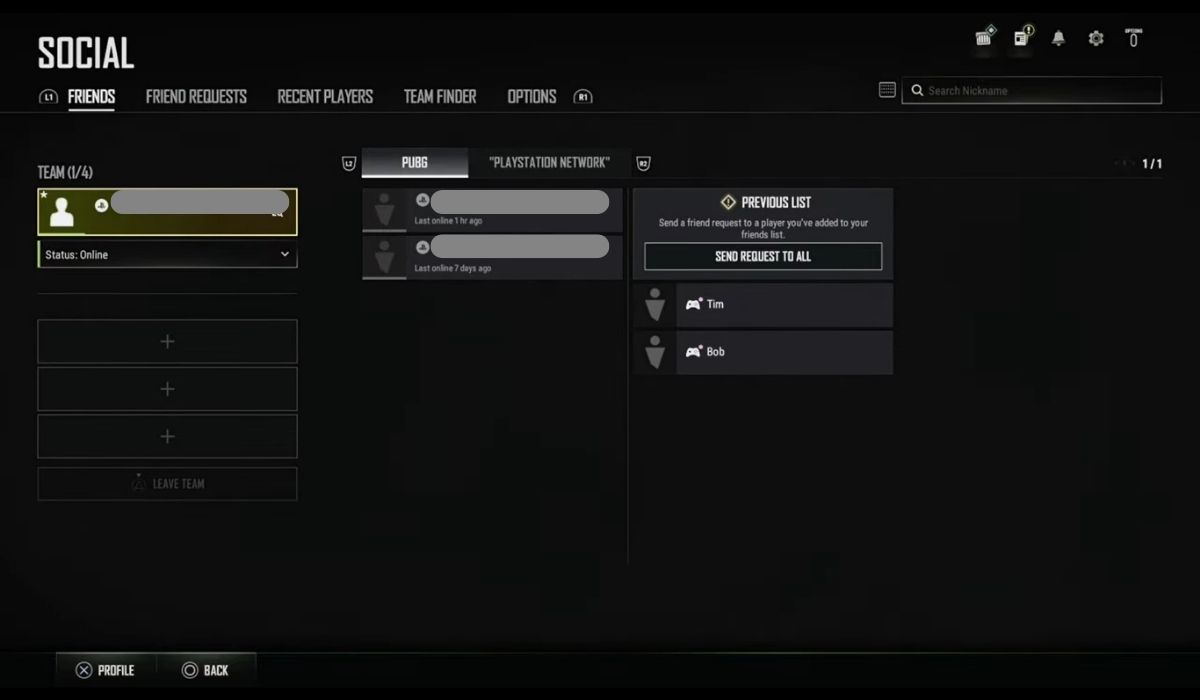
Adding and inviting friends across PlayStation and Xbox is straightforward. Use the game's social screen to find and add friends, then send invites to join your matchmaking lobby. You can also use PUBG's Team Finder feature to signal that you are looking for a team and ready to join a lobby together.
Can PC play with Xbox or PlayStation on PUBG?
No, PC and console players cannot play together in public matchmaking. PUBG runs separate servers for PC and consoles, and the different control methods (keyboard and mouse versus controller) create fairness concerns. However, PC players on Steam and Epic Games Store can play together in the same lobbies.
PUBG Mobile crossplay: Android and iOS
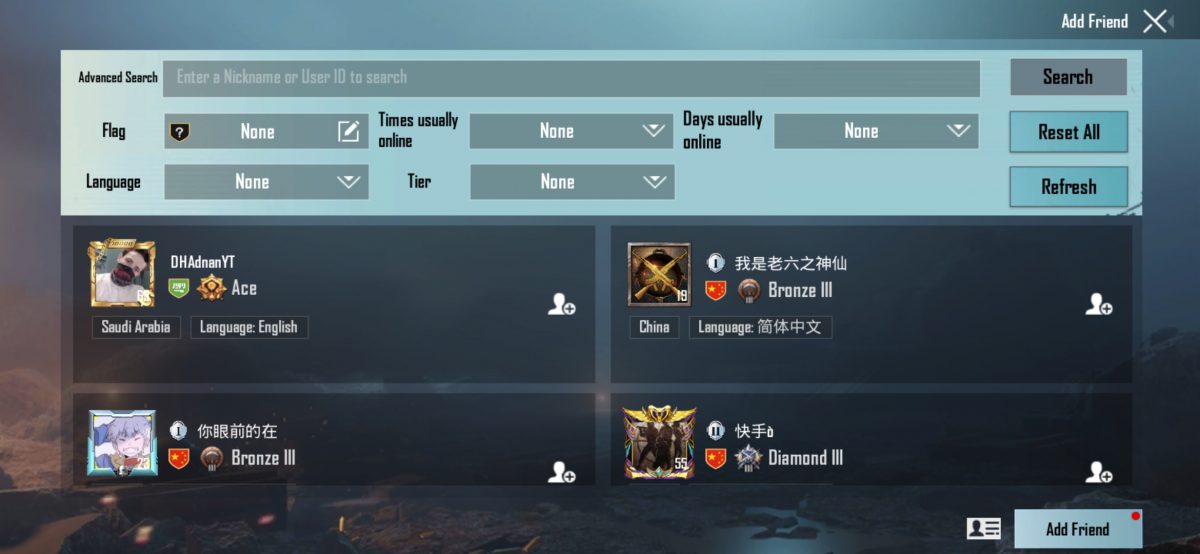
PUBG Mobile is a completely separate game from PUBG: Battlegrounds and has its own ecosystem. Android and iOS players can play together automatically, no settings need to be changed. To add and invite friends, enter their player ID or username in the search bar on the Friends screen, send a friend request, and then tap the plus icon next to their name to invite them to a match. If you are looking for the best mobile games by genre, PUBG Mobile consistently ranks among the top battle royale titles.
Is PUBG cross-generation and cross-progression?
Yes, PUBG supports cross-generation play within console families. PS4 and PS5 players can join the same match, and Xbox One players can play with Xbox Series X|S players. Cross-progression carries your account progress and cosmetics within the same platform family, for example, from PS4 to PS5 or from an old Android device to a new one. Cross-progression does not apply when transferring from Android to a new mobile device (only within same platform family, e.g., Android to Android). However, cross-progression does not work across different platforms, such as from PlayStation to Xbox or from console to PC.
Frequently Asked Questions
Can I use my PUBG account on both PC and console?
No, cross-progression is limited to the same platform family. Your PC account and console account are separate, and progress or cosmetics cannot be transferred between them.
Do I need a separate PUBG account for crossplay?
No, you use your existing platform account (PlayStation Network, Xbox Live, Steam, or Epic Games). Crossplay is handled automatically by the game's matchmaking system once enabled.
Why can't PC and console players play together in PUBG?
PUBG keeps PC and console on separate servers to maintain fair play. Keyboard and mouse controls offer different advantages than a controller, and mixing them in public matchmaking would create an uneven playing field.
Does PUBG Mobile have voice chat across Android and iOS?
Yes, PUBG Mobile supports in-game voice chat between Android and iOS players when they are in the same squad or team.
Can I turn off crossplay on consoles?
Yes, you can disable cross-platform play by going to Settings, Gameplay, General Settings, and toggling "Cross-Platform Play" to Off. Note that this may increase matchmaking wait times.
Related reading: Disney Melee Mania Is the Newest Game on Apple Arcade.