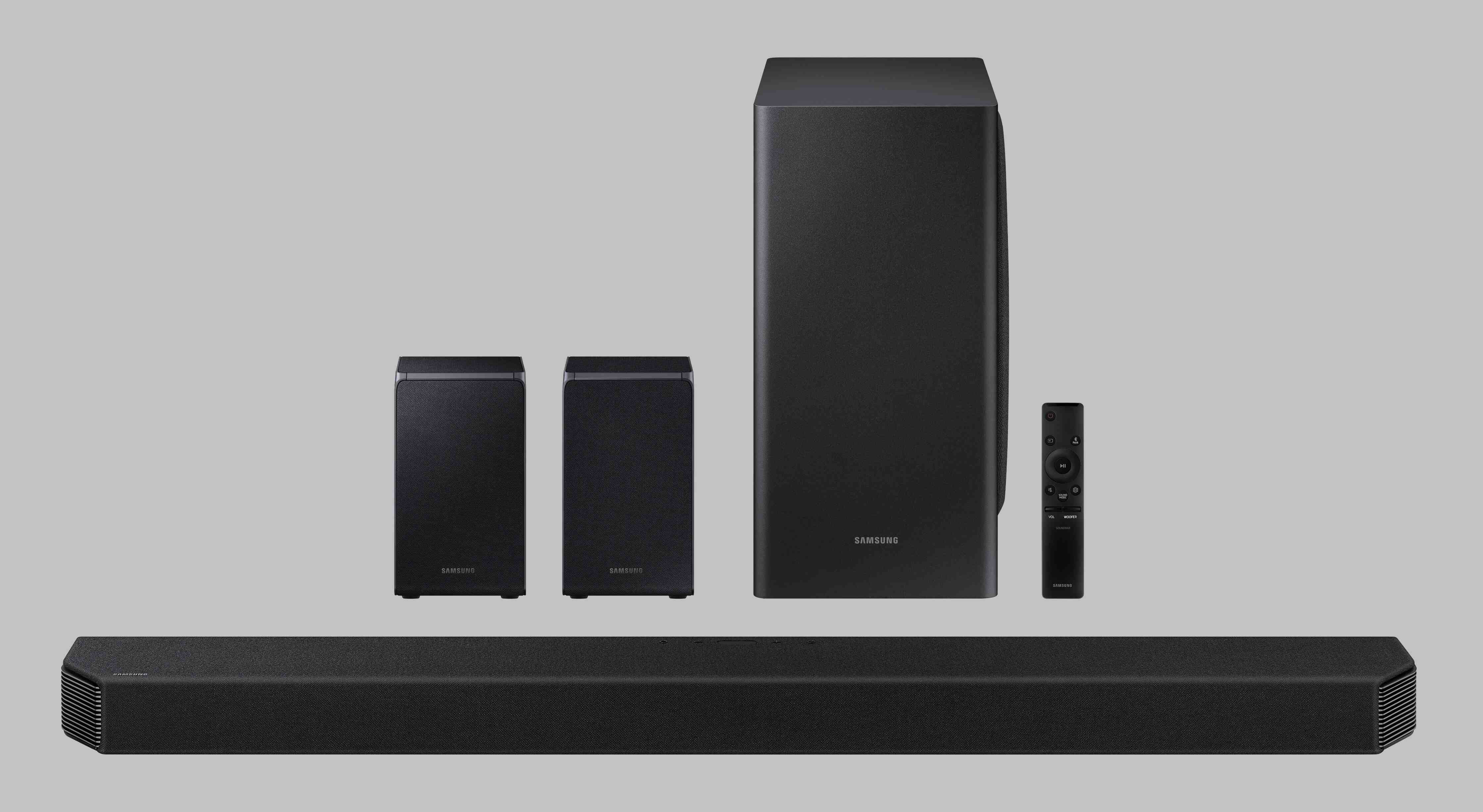
To link your Samsung wireless subwoofer, start by powering on both the soundbar and the subwoofer; they are designed to connect automatically. A solid blue "LINK" LED on the back of the subwoofer confirms the connection, giving you powerful, wireless audio for your TV.
How to link Samsung wireless subwoofer automatically
Your Samsung wireless subwoofer is built for a simple plug-and-play setup. To trigger the automatic connection, plug in the power cords for both the soundbar and the subwoofer, then turn on the soundbar. The subwoofer will search for and connect to the soundbar on its own. You will know the connection is successful when the blue "LINK" LED light on the back of the subwoofer becomes solid and stops blinking.
When you need to pair manually (blinking blue light)
If the blue "LINK" LED light on the subwoofer is blinking, the automatic connection has failed and you will need to pair the devices manually. This manual ID SET process is also required after the soundbar or subwoofer has been serviced, replaced, or after a factory reset. A blinking blue light is your clear signal that a manual link is necessary.
Step-by-step manual ID SET pairing
Follow these steps in order to manually link your subwoofer to the soundbar:
- Turn off the soundbar. Ensure the soundbar is completely powered down before proceeding.
- Press and hold the ID SET button on the subwoofer. Locate the recessed "ID SET" button on the rear of the subwoofer. Using a small, pointed object, press and hold it for at least 5 seconds. You will see the "STANDBY" light turn off and the blue "LINK" LED will begin to blink quickly.
- Use the soundbar remote. While the soundbar is still off, pick up the soundbar remote control. Press and hold the "Mute" button for 5 seconds. On some Samsung models, you may need to hold the "Up" button on the remote instead of "Mute" for 5 seconds.
- Confirm ID SET on the display. Continue holding the remote button until the words "ID SET" appear on the soundbar's display. This confirms the soundbar has entered pairing mode.
Finalizing and confirming the connection
With the subwoofer's blue "LINK" LED still blinking and the soundbar's display showing "ID SET", it is time to finalize the connection. To finalize the connection, turn on the soundbar while the subwoofer's blue 'LINK' LED is still blinking. The main unit and subwoofer are connected when the "LINK" LED on the subwoofer changes from blinking to a solid blue light. This solid blue light indicates a successful and stable wireless link.
Troubleshooting a failed connection
If the blue "LINK" LED continues to blink after you have turned on the soundbar, the manual pairing process has failed. In this case, you should repeat the entire manual ID SET process, starting from turning off the soundbar. Ensure the subwoofer is placed within 3 meters (approximately 10 feet) of the soundbar for optimal signal strength. If there is no sound from the subwoofer after a successful connection, ensure all cables are securely connected, and check the soundbar's volume, external device volume, and TV sound output settings. You can also try updating the soundbar's firmware, which can often be done automatically if the soundbar is connected to the internet or via the SmartThings app, as this can provide benefits and improvements to the connection.
Frequently Asked Questions
Can I connect a Samsung wireless subwoofer to a non-Samsung soundbar?
In most cases, Samsung wireless subwoofers use proprietary wireless technology designed to work only with compatible Samsung soundbars. Using a Samsung subwoofer with a non-Samsung soundbar is not recommended for optimal compatibility and performance.
What is the wireless range between the soundbar and subwoofer?
The wireless connection range can vary by model, but it is generally up to 30 feet (9 meters) in an open space without walls or obstructions. For best performance, keep the subwoofer and soundbar in the same room and within a reasonable distance.
Can I connect multiple Samsung wireless subwoofers to one soundbar?
Most Samsung soundbars are designed to work with only one wireless subwoofer. Connecting multiple subwoofers to a single soundbar is not a supported feature for the majority of models.