






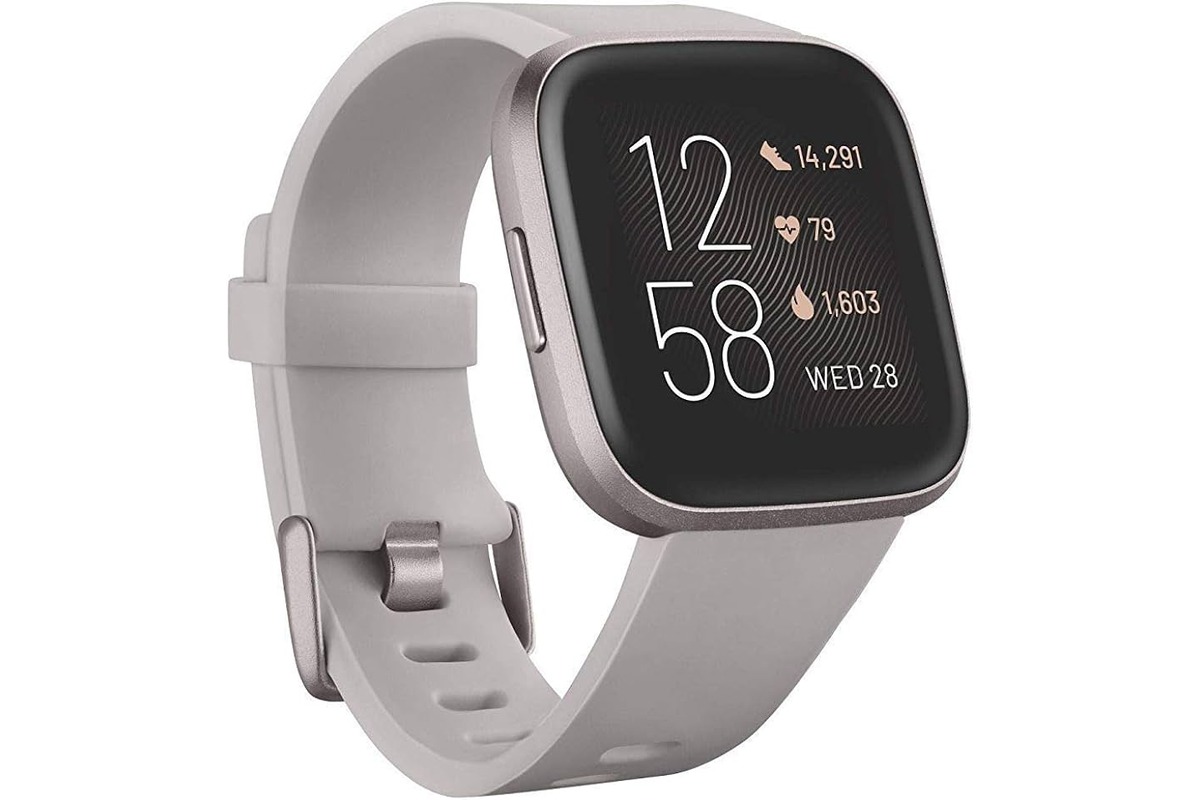
The Fitbit Versa is a smartwatch line that combines fitness tracking, health monitoring, and smartwatch features, though the exact capabilities vary by model. Understanding what a Fitbit Versa does helps you decide if it meets your needs for activity tracking, health insights, and everyday convenience.
What does Fitbit Versa do: an overview
The Fitbit Versa is not a single device but a family of smartwatches that includes the original Versa, Versa 2, Versa 3, and Versa 4. Across the range, these watches share core functions: they track physical activity, monitor health metrics like heart rate and sleep, deliver phone notifications, and offer limited smart features such as music control and contactless payments. However, each model adds or removes specific capabilities, so the exact feature set depends on which Versa you own.
Fitness and activity tracking
Every Fitbit Versa model tracks your daily movement. The Versa user guide says the watch tracks steps, distance, calories burned, floors climbed, active minutes, sleep, and activity tracking. According to the Versa user guide, the watch automatically records steps, distance traveled, calories burned, and floors climbed. It also logs active minutes and recognizes when you start an activity like walking, running, or cycling without requiring you to manually start a workout. The Versa user guide says sleep and activity tracking are automatic. These core tracking features are present across the Versa range, making the watch a reliable companion for monitoring your daily activity levels. The automatic activity tracking means you don't have to remember to start a session; the watch detects movement and logs it for you.
Health monitoring features
The Fitbit Versa provides 24/7 heart rate monitoring, which helps you gauge workout intensity and understand your resting heart rate trends. This continuous tracking also feeds into the watch's automatic sleep tracking feature. When you wear the Versa to bed, it analyzes your sleep patterns, breaking down your night into light, deep, and REM sleep stages. By reviewing your sleep score and stage data, you can identify ways to improve your sleep quality and overall recovery. These health metrics work together: heart rate data during sleep helps determine sleep stages, while daytime heart rate tracking helps you optimize your workouts for better fitness results.
Smart features and notifications
The Versa keeps you connected by mirroring notifications from your paired phone. The guide also says notifications include texts, calls, calendar, and app notifications. You receive call, text, calendar, and app alerts directly on your wrist. The Versa user guide says that when paired to an iPhone, Versa lets you accept or reject incoming phone calls by tapping the green phone icon on the watch screen. For iPhone users, the watch lets you accept or reject incoming calls by tapping a green phone icon on the screen. The Versa user guide says Android users can receive calendar notifications from the calendar app chosen during setup, while iPhone and Windows 10 phones use all calendars synced to the default Calendar app. Android users can receive calendar notifications from the calendar app selected during setup, while iPhone and Windows 10 phone users see all calendars synced to the default Calendar app. A review page says Android users can send quick replies from the wrist, but the retrieved official Fitbit pages do not confirm that for all Versa models. Some reviews indicate Android users can send quick replies from the wrist, but official Fitbit pages do not confirm this for all Versa models. Beyond notifications, the Versa offers music control, letting you play, pause, or skip tracks from your wrist. The watch also supports Fitbit Pay for contactless payments, and you can add a credit or debit card through the Fitbit app. Calendar notification behavior differs between iPhone and Android: iPhone users receive all calendar events automatically, while Android users only see events from the calendar app they choose during setup.
Setup and compatibility
Setting up a Fitbit Versa requires the Fitbit app. For Versa 4, Google's support page specifies that the Google Health app is needed on compatible devices running iOS 16.4+ or Android 11.0+. The general setup process involves charging the watch, creating or logging into a Fitbit account, connecting the watch via Bluetooth, and then checking sync in the app. The Versa 4 has a Bluetooth syncing range of up to 30 feet. Compatibility varies by model: the Fitbit app works with more than 200 devices running iOS, Android, and Windows 10, but official pages do not provide a single complete list for every Versa version. Before purchasing, check your specific model's compatibility requirements.
Model differences at a glance
The Versa, Versa 2, Versa 3, and Versa 4 each offer different feature sets. For example, the original Versa lacks built-in GPS, while later models include it. Fitbit Pay availability, music storage, and app support also differ between generations. Because the official support pages do not fully document every feature difference across all four models, you should consult your specific Versa model's user guide or support page for exact capabilities. When researching, you may find it helpful to look at smartwatch and tracker comparisons to see how each Versa model stacks up against competitors. Additionally, smartwatch pricing factors like model age and included features can influence which Versa fits your budget.
Frequently Asked Questions
Can I swim with a Fitbit Versa?
Yes, many Fitbit Versa models are water-resistant to 50 meters, making them suitable for swimming and showering. The watch can track swim laps, duration, and calories burned, but you should rinse it with fresh water after exposure to chlorine or saltwater.
Does the Fitbit Versa have built-in GPS?
Built-in GPS is available on the Versa 3 and Versa 4, allowing you to track outdoor runs and walks without your phone. The original Versa and Versa 2 rely on connected GPS, meaning they use your phone's GPS signal for location tracking.
How long does the Fitbit Versa battery last?
Battery life varies by model and usage. Most Versa models last between 4 and 6 days on a single charge, though heavy use of GPS or always-on display can reduce this. The Versa 4 is rated for up to 6 days with typical use.
Can I reply to texts from my Fitbit Versa?
Android users can send quick replies from the Versa for some models, but this feature is not confirmed for all versions. iPhone users cannot reply to texts from the watch; they can only view and dismiss notifications.
Does the Fitbit Versa work without a phone?
The Versa can track steps, heart rate, and sleep without a phone, but you need a paired smartphone to set up the watch, receive notifications, and sync data to the Fitbit app. Music storage and Fitbit Pay also require initial phone setup.















