






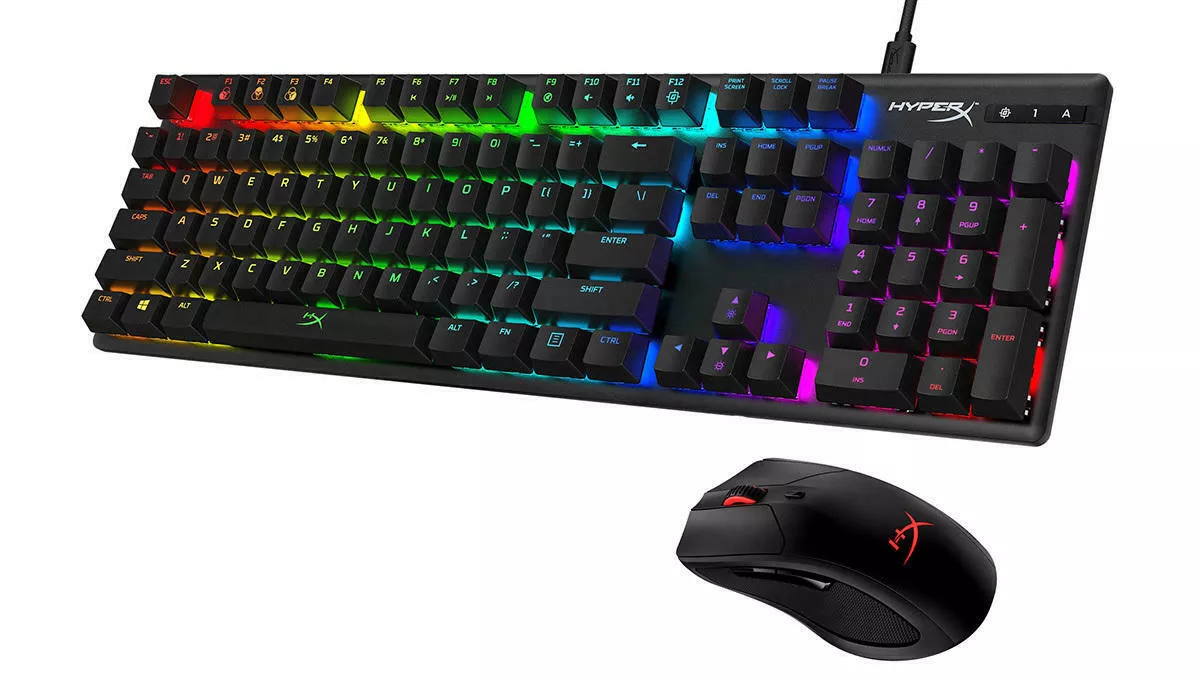
The most common keyboard and mouse connector for a wired desktop or laptop setup today is the USB Type-A connector. If you are looking for the standard physical plug used to connect a wired keyboard or mouse to a computer, USB Type-A is the answer, with USB Type-C serving as the modern alternative and PS/2 as the legacy option.
What is the most common keyboard and mouse connector?
The standard wired connector for keyboards and mice is USB Type-A. For newer devices, USB Type-C is the current alternative, while PS/2 remains a legacy desktop connector. The table below summarizes these options.
| Connector Type | Common Use | Status |
|---|---|---|
| USB Type-A | Standard wired connection on desktops and laptops | Common |
| USB Type-C | Modern connection for phones and new peripherals | Current |
| PS/2 | Legacy dedicated desktop connection | Legacy |
| Bluetooth | Wireless connection for keyboards and mice | Common |
USB Type-A: the standard connector
The USB Type-A connector is the rectangular plug found on most wired keyboards and mice. It is widely used on desktop computers and laptops, offering a reliable plug-and-play connection. Because USB Type-A is not the standard port on modern mobile devices, connecting a keyboard or mouse to an iPhone or newer Android phone typically requires an adapter.
USB Type-C: the modern connector for phones and new peripherals
USB Type-C is the reversible connector that has become the current default on newer Android phones, iPhones, and many new peripherals. Unlike USB Type-A, USB Type-C is directly supported on iPhone USB-C models and Android USB-C devices without the need for an adapter. This makes it the convenient choice for connecting a keyboard or mouse to a modern phone or tablet. USB Type-C supports USB Power Delivery (USB PD) for up to 100 watts of power. It also supports alternate modes to carry video and audio signals.
How to connect a keyboard and mouse to mobile devices
iPhone
Apple supports connecting a wired mouse, trackpad, or keyboard through a Lightning or USB-C port. USB-A devices require an adapter. To use a keyboard to control the pointer, you must turn on Mouse Keys. Mouse Keys can be turned on by pressing the Option key five times.
- Go to Settings > Accessibility > Touch > AssistiveTouch.
- Turn on Mouse Keys.
- Adjust settings such as Initial Delay, Maximum Speed, and Show Onscreen Keyboard as needed.
- You can also press the Option key five times to turn on Mouse Keys.
Android
USB keyboards and mice connect to Android devices through a USB-C or micro-USB OTG cable or hub. For USB-C phones, use a USB-C OTG model. If you want both a mouse and keyboard at once, you need an OTG hub.
PS/2: the legacy desktop connector
PS/2 is an older dedicated keyboard-and-mouse connector system used on desktop PCs. The round 6-pin ports and adapters are color-coded: green for mouse and purple for keyboard. A USB mouse should be connected through a green USB-to-PS/2 adapter to the mouse PS/2 port, and a USB keyboard through a purple USB-to-PS/2 adapter to the keyboard PS/2 port. Devices must match the correct PS/2 port, as the system uses separate ports for mouse and keyboard. PS/2 connectors do not require additional drivers or software for basic functionality. The PS/2 connection provides better reliability compared to USB connections, especially in terms of responsiveness and low-latency.
Wireless keyboards and mice: Bluetooth connectivity
Bluetooth is the common wireless standard for connecting keyboards and mice without a physical connector. It is supported on iPhone and most Android devices. Some wireless peripherals may require a Bluetooth dongle to connect to devices that lack built-in Bluetooth support. Wireless keyboards and mice often feature energy-saving modes that automatically power off when not in use.
Frequently Asked Questions
Can I use a USB keyboard with a PS/2 port?
Yes, you can use a USB keyboard with a PS/2 port by using a purple USB-to-PS/2 adapter. The adapter must match the correct port color for the device.
Do wireless keyboards and mice need a receiver?
Many wireless keyboards and mice use a USB receiver, often called a dongle, that plugs into a USB port. Bluetooth models do not require a separate receiver if the host device has Bluetooth.
Is USB Type-C faster than USB Type-A for keyboards and mice?
For keyboards and mice, speed differences are not noticeable. Both connectors provide adequate data transfer for input devices. USB Type-C’s advantage is its reversible design and compatibility with modern devices.
Can I connect a keyboard and mouse to an iPad?
Yes, iPads with USB-C ports can directly connect wired keyboards and mice. iPads with Lightning ports require an adapter for USB-A devices. Bluetooth keyboards and mice also work with iPad.
What does OTG stand for in Android connections?
OTG stands for On-The-Go. It allows Android devices to act as a host for USB peripherals like keyboards and mice, using a special cable or hub.

















