"Ext" in a phone number stands for "extension," an internal number used to route a call to a specific person, team, desk, or department through a main business line. Understanding what ext means in a phone number helps you navigate phone number formats and digits to reach the right person without being transferred manually.
What does "ext" mean in a phone number?
"Ext" is an abbreviation for "extension." It represents a set of additional digits dialed after the main phone number to connect directly to a particular individual, department, or location within an organization. The abbreviation can also appear as "x" followed by a number (not just "ext"). Extensions are used with private branch exchange (PBX) systems that manage internal call routing, and are commonly used in personal voicemail systems, not only business settings. When you see "ext" or "x" followed by a number, it signals that you need to enter those digits after the main line to reach your intended contact.
How to dial an extension on iPhone
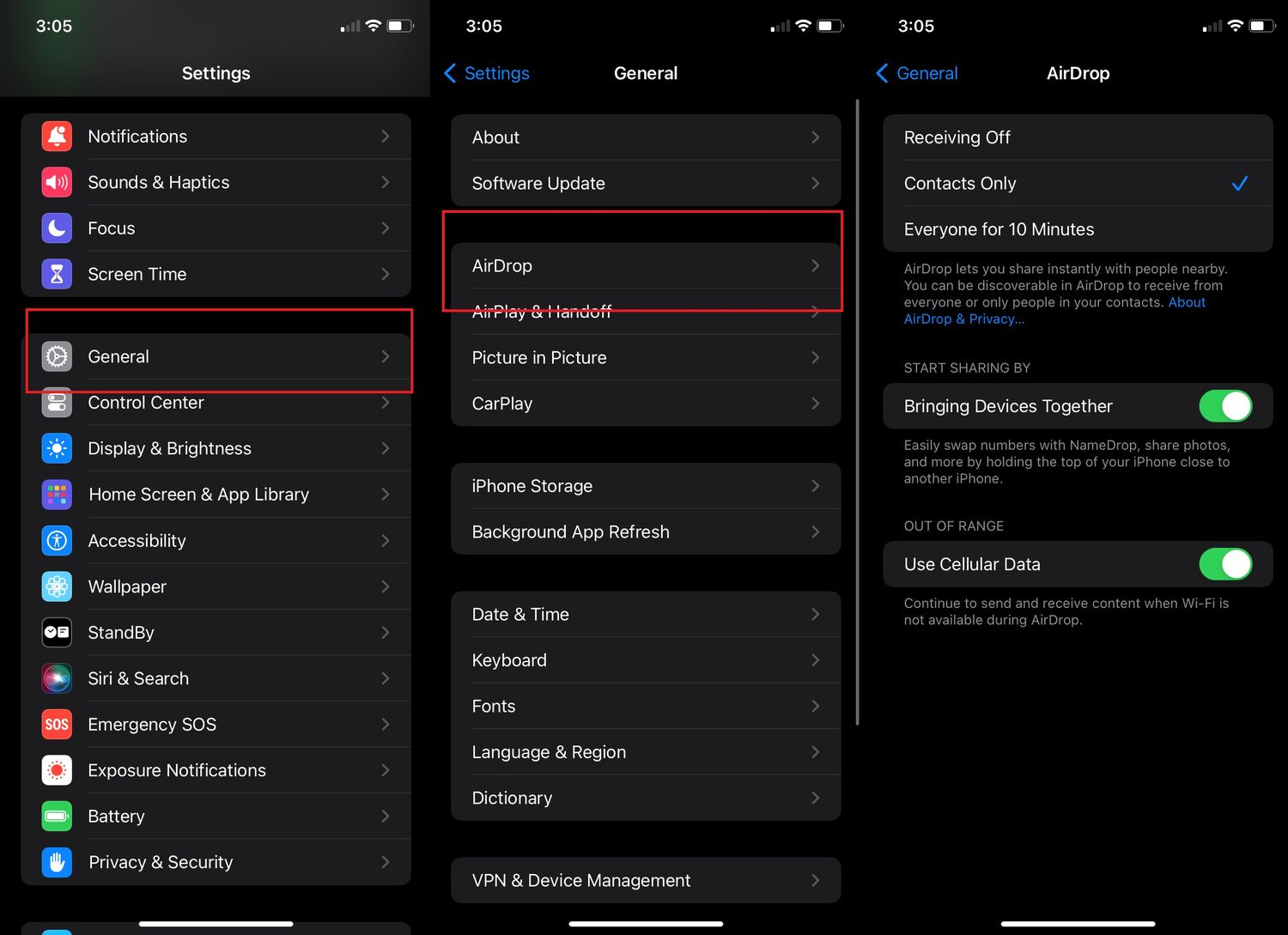
Apple provides a documented method to add and dial extensions automatically through the Contacts or Phone app. You can set the extension to pause for two seconds or wait for you to confirm before dialing. When dialing an extension, you may need to enter the extension number followed by the pound or hash key.
- Open the Contacts app or the Phone app and select the contact.
- Tap Edit.
- Tap the phone number field.
- Tap the symbol key, then tap Pause or Wait.
- Enter the extension number after the inserted comma or semicolon.
- Tap Done to save.
Pause inserts a comma and creates a two-second pause before the extension is dialed automatically. Wait inserts a semicolon and stops dialing until you tap "Dial again" to confirm. The Phone app can handle the extension automatically for numbers that require one.
Dialing an extension on Android
The process for adding and dialing extensions on Android devices is similar to iPhone, but no official Google or Samsung documentation was available in the retrieved results to provide exact menu paths, button labels, or supported versions. Check your device's support page for specific instructions.
Frequently Asked Questions
How is the "ext" used in a phone number?
Example format: (555) 123-4567 ext. 789
What does "ext" stand for?
"Ext" stands for "extension," referring to the additional digits used to reach a specific person or department within an organization's phone system.
Can you use "ext" on a mobile number?
Yes, extensions are not limited to landline systems. Mobile phone numbers can include extensions when calling into a business phone system that routes calls through a main number.
What is the difference between "Pause" and "Wait" on iPhone?
Pause inserts a two-second delay and then dials the extension automatically. Wait stops the dialing process until you manually tap to continue, giving you control over when the extension is sent.
Do I need to dial a prefix before the extension?
Some phone systems require a specific prefix or access code before the extension, but most systems allow you to enter the extension digits directly after the main number when prompted.
Why do businesses use extensions instead of direct numbers?
Extensions allow a single main phone line to serve many people or departments, simplifying call management, reducing the number of published numbers, and making internal transfers more efficient.
Related reading: How To Add Letters In Phone Number and How To Ask For Telephone Number In Spanish.