To find out your old phone number, start by checking your current device's settings or contacts app, as the number is often stored there. If that fails, your service provider can usually recover it from your account history.
How to find out your old phone number on your device
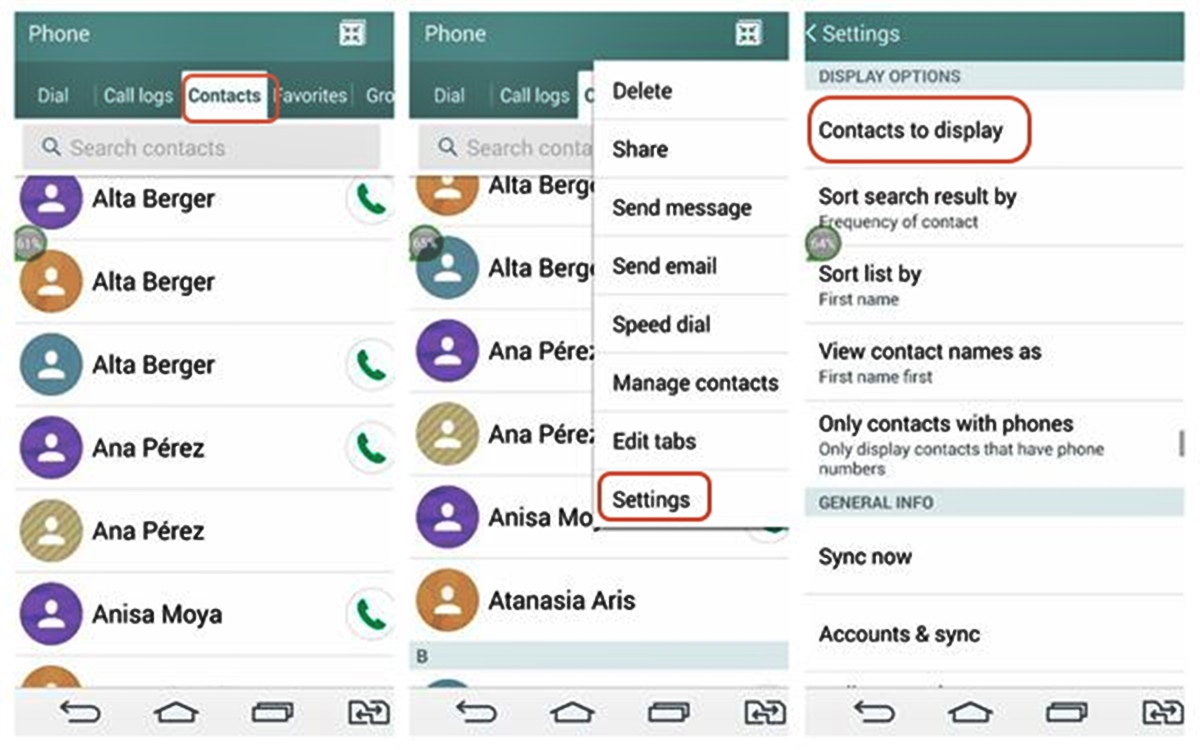
Begin with the simplest methods that cost nothing and take seconds. Open your phone's Contacts app and look at the top of the list for a contact card labeled "My Card" or your name, your number is often displayed there. On an iPhone, go to Settings > Mobile Service and look for My Number; on older iOS versions, the path is Settings > Phone and check My Number at the top. On Android, open Settings > Device Information and check the Phone Number field. You can also activate Google Assistant by saying "Ok Google" or pressing the power button, then ask "What's my phone number?" and open Device Information when prompted. Note that on iPhones, the number is carrier-provided, so it may not appear if your carrier doesn't send it to the device; the exact path also varies by iOS version and carrier. Apple’s documentation says the number is carrier-provided and may appear in the phone’s settings, but the exact path varies by iOS version and carrier. Apple’s documentation also indicates the phone number is carrier-assigned, so if it does not appear in Settings, the carrier may not be providing it on the device. The Google page does not list a specific Android version or manufacturer model restriction in the snippet available.
Check your SIM card and its packaging
If the number isn't in your phone's settings, your SIM card may hold the answer. On dual SIM or eSIM devices, you might see more than one number displayed, so check which line you need. The most overlooked trick: find the original SIM pack or credit-card-sized holder that came with your SIM, the phone number is often printed directly on the packaging. If you still have the old SIM card, insert it into a compatible phone and navigate to the SIM card settings to view stored numbers.
Contact your service provider to recover the number
- Locate carrier support contact, find the customer service number on your provider's website or a recent bill.
- Prepare your account details and ID, have your account number, full name, address, and a government-issued ID ready for verification.
- Call and explain you need a past number from your account history, clearly state you're trying to recover an old phone number associated with your account.
- Follow their verification steps, answer security questions or provide documentation as requested; the representative will guide you through the recovery process.
As a carrier-specific shortcut, O2 UK customers can text NUMBER to 2020 and receive a reply with their current number. This method works only for that provider and may not apply to others.
What to do when the number isn't in your settings
If the number doesn't appear in your device settings, it may be because your carrier doesn't provide it to the device, or you're dealing with an eSIM or dual SIM setup where the displayed number can vary by line. In these cases, try these alternative recovery paths:
- Check old paper bills or digital statements from your service provider, your phone number is typically listed in the account details.
- Search your email archives for welcome messages, account setup confirmations, or any correspondence that includes your old number.
- Ask a contact you texted or called from that number to read the caller ID back to you, they may still have it saved.
- If you used the number for online accounts, check your profile settings on social media or banking sites; many services display your linked phone number for verification purposes.
When looking up phone numbers and customer service lines, remember that carriers maintain detailed account histories. For tasks like removing phone numbers from accounts and devices, having the old number on hand is essential, so keep any recovered information stored securely.
Frequently Asked Questions
Can I find my old phone number if I no longer have the SIM card?
Yes. Contact your previous service provider with your account details and identification. They can retrieve the number from their billing or account records even without the physical SIM.
Will my old phone number appear if I insert the SIM into a different phone?
It depends. The SIM card stores the number, but some carriers require the phone to read it from the network. If the number doesn't appear in settings, try the contacts app or check the SIM packaging.
How long do service providers keep records of old phone numbers?
Most carriers retain account history for several years, but policies vary. Contact your provider as soon as possible, as older numbers may be recycled to new customers after a period of inactivity.
Can I use a reverse phone lookup service to find my own old number?
These services search public databases for numbers associated with your name, but they are not guaranteed to be accurate or complete. They may also charge a fee and are less reliable than checking your own records or contacting your carrier.
What if I changed carriers but kept the same number?
If you ported your number to a new carrier, the number is now active on your current account. Check your new phone's settings or contact your current provider, they can confirm the number on the line.