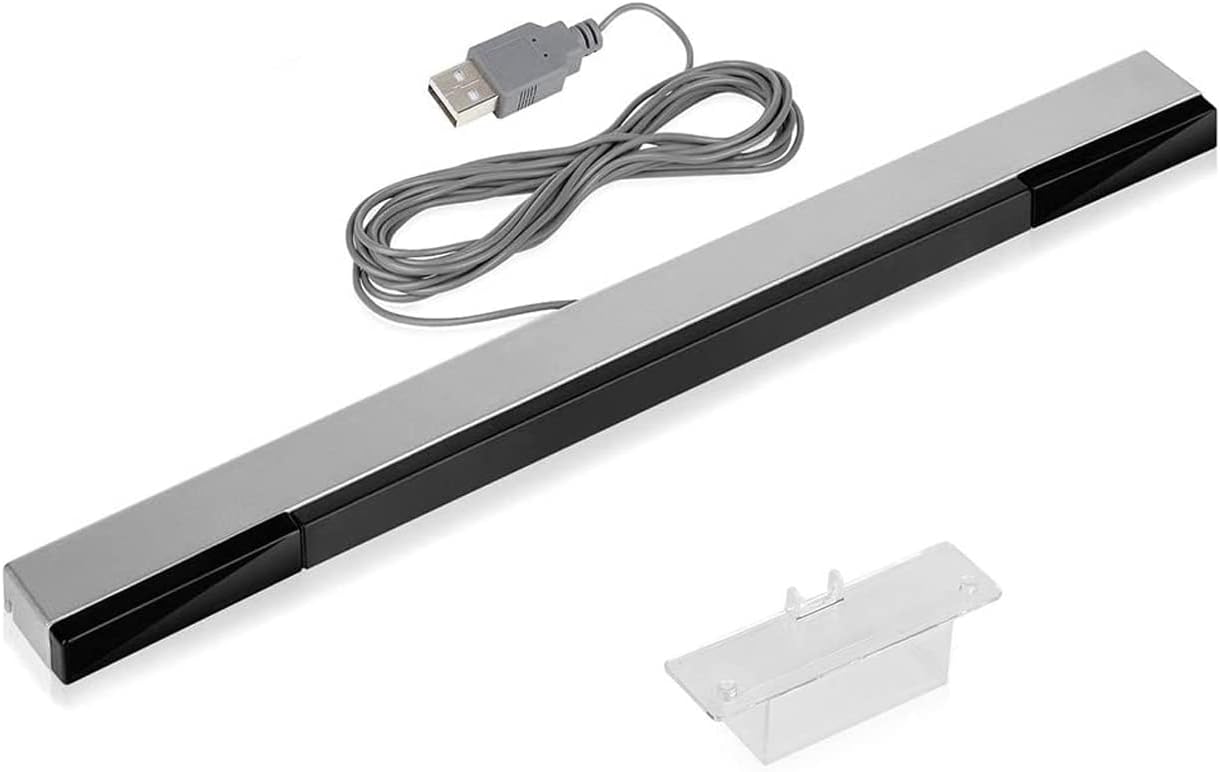
To connect a wireless Wii sensor bar, you must first understand that it operates on batteries, not a direct console connection, and you need to know where your TV is placed before you begin.
Before you connect your wireless Wii sensor bar
A wireless Wii sensor bar is a third-party accessory that uses infrared LEDs to communicate with your Wii Remote, just like the official wired bar, but without a cable to the console. Because it is wireless, it requires batteries, typically AA batteries, and does not plug into the Wii console. Before setting it up, note your TV placement: whether the TV sits on a stand or is wall-mounted, and whether you plan to place the sensor bar above or below the screen. This determines the console setting you will need later.
How to connect a wireless Wii sensor bar to the Wii console
On a Wii console, the connection is a console-side setting, not a physical plug. Insert the Sensor Bar plug into the Sensor Bar connector on the back of the Wii console. Navigate to Wii System Settings, select the Sensor Bar option, and set the position to Above TV or Below TV to match where you will place the bar. On a Wii U, go to System Settings > Wii Remote and Sensor Bar > Set Sensor-Bar Position > Above TV or Below TV > OK. This setting tells the console where the bar is located so the Wii Remote can track correctly.
How to power on the wireless Wii sensor bar
Powering on a wireless sensor bar requires batteries and a specific power-on procedure. The retrieved third-party manual for a PowerA wireless sensor bar says to open the battery compartment, insert AA batteries, close the compartment, ensure the detachable wire is not connected, and press the power button. Follow these steps:
- Open the battery compartment on the sensor bar.
- Insert AA batteries (polarity as marked inside the compartment).
- Close the compartment securely.
- Ensure the detachable wire (if present on your model) is not connected, the bar must be in wireless mode.
- Press the power button on the sensor bar. An LED indicator should light up to show it is on.
Other third-party models may vary slightly, but the core steps are the same.
Where to place the wireless Wii sensor bar
Placement is critical for accurate motion tracking. Remove the protective film from the foam pads on the bottom of the Sensor Bar. Follow these rules:
- Place the Sensor Bar parallel to the TV screen and align its center with the center of the TV.
- If placing above the TV, put it as far forward as possible, slightly in front of the TV, with the front of the bar close to the front of the TV.
- If placing below the TV, put it on the front edge of the surface the TV sits on. Do not place it below the surface the TV sits on, such as on a shelf under the TV.
- Keep the bar as close to the screen as possible.
- Ensure the bar is level and facing straight ahead. Nintendo’s guidance for Wii U also says the Sensor Bar should be level and facing straight ahead.
For extra stability, add the adhesive-backed foam tape included with the Wii, or mount it using the sensor bar stand on top of the TV.
Troubleshooting wireless Wii sensor bar connection issues
If the sensor bar does not work, check these common issues:
- No power: Verify batteries are inserted correctly and have charge. Replace them if needed.
- Interference: Keep the bar away from other wireless devices, fluorescent lights, or large metal objects that may disrupt the infrared signal.
- Poor tracking: Ensure the bar is centered with the TV, placed on top or at the front edge of the TV stand (not below it), and that the console setting matches the bar’s position (Above TV or Below TV).
- Detachable wire connected: If your model has a wire for wired mode, make sure it is disconnected for wireless operation.
Nintendo says reception may be improved by mounting the Sensor Bar to the top of the TV with the Sensor Bar Stand.
Supported devices and versions
- Wii: Nintendo support documents Sensor Bar setup and the Sensor Bar option in Wii System Settings.
Wireless gaming controllers, like the Wii Remote, rely on the sensor bar for accurate pointing, so proper setup is essential for a seamless experience.
Frequently Asked Questions
Can a wireless Wii sensor bar be connected to an iPhone or Android phone?
There are no verified steps for iPhone, Android, or carrier-specific setup.
Do I need to change a Wii setting for the wireless sensor bar?
Yes. On both Wii and Wii U, you must set the Sensor Bar position to Above TV or Below TV in the console settings to match where you placed the bar. This setting is required for correct tracking.
Where exactly should I place the sensor bar for the best tracking?
Place it on top of the TV or at the front edge of the TV stand, centered with the screen, and as close to the screen as possible. Never place it on a shelf below the surface the TV sits on.
What if my wireless sensor bar has a detachable wire?
Ensure the wire is not connected when using the bar wirelessly. The wire is for wired mode only; leaving it connected may prevent the bar from powering on in wireless mode.
How do I know if the sensor bar is powered on?
Most wireless sensor bars have an LED indicator that lights up when the power button is pressed and batteries are installed correctly. If no LED appears, check battery polarity and charge.
Can I use a wireless Wii sensor bar with a Wii U?
Yes. The placement rules and battery power steps are identical.
For the wider topic, see wireless gaming controllers.
Related reading: How To Connect Your Wii To The Internet Wireless and How To Activate Wii U Gamepad Sensor Bar.