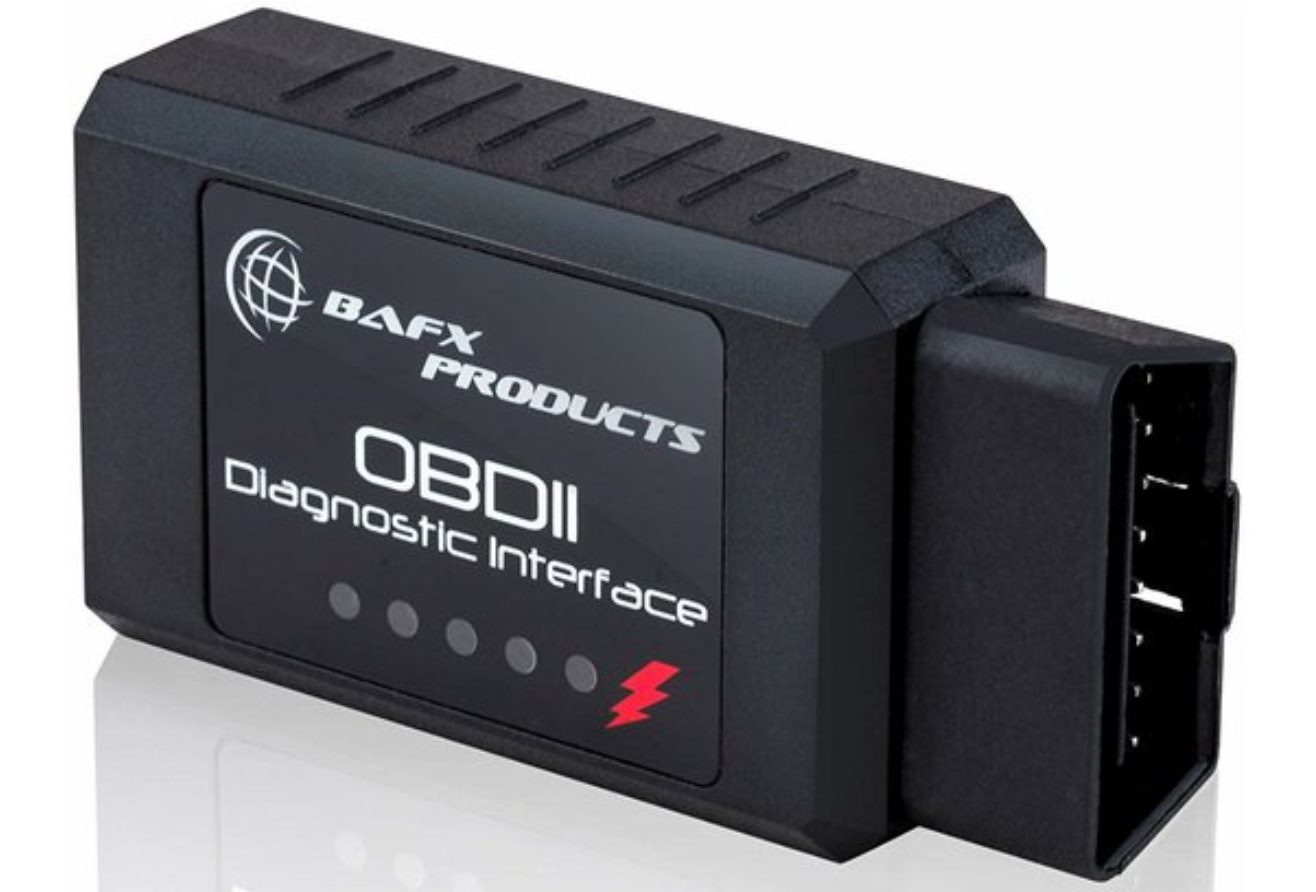
To read live data from OBD2, you need an OBD2 adapter and a compatible app that supports live PID data, then connect the adapter to your vehicle's port and pair it with your phone. Once connected, you can monitor real-time engine parameters like RPM, coolant temperature, and speed to diagnose issues or check performance.
What you need to read live data from OBD2
You need two essential components: an OBD2 adapter and a verified app that supports live PID data. The OBDLink app supports iPhone, iPad, iPod Touch, and Android, and lets you read live PID data, create virtual dashboards, and graph live data in its Logs area. OBDeleven's live-data page is specifically for Android Auto, showing live OBD2 data including temperature, voltage, and RPM on your car's display. OBDThink is another option that supports live sensor data such as RPM, speed, temperature, pressure, and fuel level.
How to connect your OBD2 scanner and access live data
Follow this documented connection flow to start reading live data:
- Locate the OBD2 port under the dashboard near the steering column.
- Plug the OBD2 adapter into the port securely.
- Turn the ignition to the ON position without starting the engine.
- On your phone, pair with the adapter via Bluetooth or Wi-Fi.
- Open the OBD2 app.
- Tap Connect, then select the protocol or use automatic detection. OBDThink's step-by-step connect flow explicitly names Connect, protocol selection, and automatic detection in its Google Play listing.
- Add gauges and monitor live data.
The ignition must be ON for the adapter to power up and communicate with the vehicle's computer. The app will handle protocol detection automatically in most cases.
Where to find live data in your OBD2 app
In OBDLink, open the Diagnostics section to access live PID data, trouble codes, freeze frame data, and a full diagnostic report. The Logs area lets you graph live data over time. For OBDeleven, the Android Auto integration displays live OBD2 data directly on your car's infotainment screen, showing parameters like temperature, voltage, and RPM in real time.
Common live data parameters and what they mean
These are the key PIDs you can monitor and what each indicates:
- RPM, Engine revolutions per minute. Shows if the engine idles smoothly or if there are misfires.
- Vehicle speed, Current road speed from the transmission or wheel sensors.
- Coolant temperature, Engine coolant temperature. Helps detect overheating or a stuck thermostat.
- Intake air temperature, Temperature of air entering the engine. Affects fuel mixture calculations.
- Oxygen sensor readings, Voltage or lean/rich status from the O2 sensors. Used to check fuel mixture and catalytic converter efficiency.
- Throttle position, How far the throttle plate is open. Indicates driver demand and throttle response.
- Ignition timing, Spark timing relative to piston position. Affects power and fuel economy.
You can use these parameters to test O2 sensor with live data by watching the sensor voltage fluctuate as the engine runs, which confirms the sensor is responding to changes in exhaust oxygen.
What to do when live data readings seem off
If readings appear inaccurate or missing, start with these practical checks:
- Verify the adapter is firmly plugged into the OBD2 port and the connection is stable.
- Confirm the ignition is in the ON position; some vehicles require the engine running for certain PIDs.
- Ensure the app supports live PID data for your specific vehicle make and model.
- If readings still seem wrong, consult a professional mechanic for diagnosis beyond what the app can show.
Some apps may not support all PIDs for every vehicle, and sensor failures can cause erratic readings that require professional testing. The same technology used in wearables and fitness apps to track biometrics is applied here to monitor your vehicle's engine health.
Frequently Asked Questions
Can I read live data without an internet connection?
Yes. The OBD2 adapter communicates directly with your phone via Bluetooth or Wi-Fi, so no internet is needed to view live data. Some apps may require internet for map updates or cloud logging, but live monitoring works offline.
Why does my app show no data for some parameters?
Not all vehicles support every PID. Older cars or base models may lack sensors for parameters like intake air temperature or individual cylinder timing. Check your vehicle's OBD2 compatibility list for supported PIDs.
Is it safe to drive while reading live data?
Yes, as long as the phone or device is mounted securely and does not distract you. Many apps offer voice alerts or simplified dashboards designed for low-distraction use. Never interact with the app while the vehicle is in motion.
Can I log live data for later analysis?
Yes. Apps like OBDLink have a Logs section that records live data to a file. You can review graphs later to spot trends like gradual sensor drift or intermittent misfires that are hard to catch in real time.
Do I need a specific adapter for each app?
Most apps work with generic ELM327 adapters, but for full functionality and reliability, use an adapter the app developer recommends. OBDLink, for example, works best with its own branded adapters that support all connection types the app documents.
Related reading: How To Use Ps4 Controller On Apex Mobile and How To Sync Sony Wireless Headphones.